1. บทนำ
Thank you for choosing the LEKATO GA-02 5W Rechargeable Guitar Amplifier. This compact and portable amplifier is designed for electric guitar and bass practice, offering both clean and overdrive effects, Bluetooth connectivity, and multiple input/output options. Please read this manual carefully to ensure proper operation and to maximize your experience with the product.
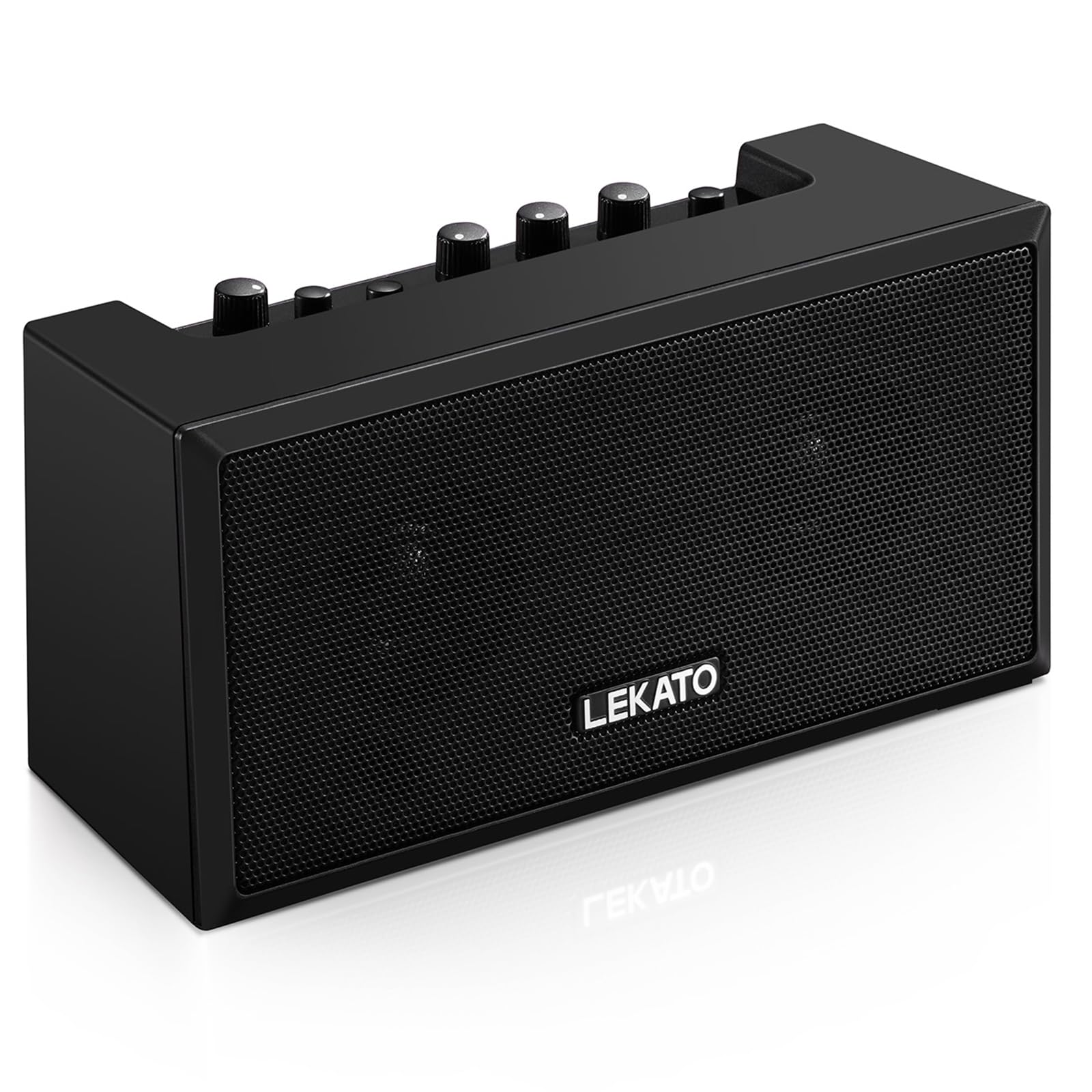
รูปที่ 1 : ด้านหน้า view of the LEKATO GA-02 Guitar Ampชีวิต.
2. คุณสมบัติหลัก
- Dual Tone Channels: Easily switch between Clean and Overdrive effects with a single button.
- ขนาดกะทัดรัดและพกพาสะดวก: 5W dual speakers in a mini size, ideal for practice anywhere.
- การเชื่อมต่อบลูทูธ 5.0: Connect wirelessly to your smartphone or other devices for accompaniment.
- อินเทอร์เฟซที่อุดมไปด้วย: Includes 1/8" Aux input, 1/8" stereo headphone output, and 6.35mm instrument input.
- แบตเตอรี่แบบชาร์จไฟได้: Built-in 3.7V/2000mA battery provides up to 6 hours of playtime on a single charge, rechargeable via Type-C USB.
3. การตั้งค่าและการเชื่อมต่อ
3.1 การชาร์จ Ampชีวิต
ก่อนใช้งานครั้งแรกให้ชาร์จจนเต็ม amplifier. Connect the included Type-C USB cable to the DC 5V charging port on the rear panel of the amplifier and to a standard USB power source (e.g., wall adapter, computer USB port).

Figure 2: Type-C USB charging port on the rear panel.
การชาร์จเต็มสามารถเล่นได้ประมาณ 6 ชั่วโมง
3.2 Controls and Interfaces Overview

Figure 3: Front panel controls (top) and rear panel interfaces (bottom) of the ampชีวิต.
แผงควบคุมด้านหน้า:
- ระดับเสียง BT/AUX: Adjusts the volume for Bluetooth and Aux input.
- ปุ่มบลูทูธ: เปิด/ปิดโหมดจับคู่บลูทูธ
- OVERDRIVE Button: สลับระหว่างช่องเสียง Clean และ Overdrive
- กำไรลูกบิด: Adjusts the input sensitivity and distortion level (primarily for Overdrive channel).
- ปุ่มปรับโทนเสียง: ปรับลักษณะเสียง (สมดุลเสียงแหลม/เสียงเบส)
- ปุ่มปรับระดับเสียง: ปรับระดับเสียงโดยรวมของสัญญาณกีตาร์
- ปุ่มเพาเวอร์: เปลี่ยนเป็น amplifier เปิดหรือปิด
อินเทอร์เฟซแผงด้านหลัง:
- INPUT (6.35mm Jack): Connect your electric guitar or bass.
- AUX (1/8" Jack): Connect external audio sources like smartphones or CD players.
- Headphone Output (1/8" Stereo Jack): เชื่อมต่อหูฟังเพื่อฝึกซ้อมแบบเงียบๆ
- DC 5V (พอร์ต Type-C): ช่องเสียบไฟสำหรับชาร์จไฟ
3.3 การเชื่อมต่อเครื่องดนตรีของคุณ
Insert your instrument cable (6.35mm jack) into the ป้อนข้อมูล port on the rear of the ampชีวิต.
3.4 การเชื่อมต่อบลูทูธ
- เปิดเครื่อง amplifier โดยใช้ พลัง ปุ่ม.
- กดปุ่ม B.T. button on the front panel. The Bluetooth indicator light will flash, indicating pairing mode.
- On your smartphone or Bluetooth-enabled device, search for "TOP-GT" in the Bluetooth settings.
- Select "TOP-GT" to pair. Once connected, the Bluetooth indicator light will remain solid.
- Adjust the Bluetooth/Aux volume using the B.T./AUX VOL ลูกบิด

รูปที่ 4: ขั้นตอนการจับคู่บลูทูธกับอุปกรณ์เคลื่อนที่
3.5 Aux Input Connection
Connect an external audio source (e.g., MP3 player, computer) to the อ๊อกซ์ input jack on the rear panel using a 1/8" (3.5mm) stereo audio cable. Adjust the volume using the B.T./AUX VOL ลูกบิด
3.6 ช่องเสียบหูฟัง
สำหรับการฝึกซ้อมแบบเงียบๆ ให้เชื่อมต่อหูฟังเข้ากับ... เอาท์พุตหูฟัง jack on the rear panel. This will mute the amplifier's internal speakers.
4. คู่มือการใช้งาน
4.1 เปิด/ปิดเครื่อง
กดปุ่ม พลัง ปุ่มเพื่อหมุน amplifier เปิดหรือปิด
4.2 Selecting Tone Channels
การ amplifier features two tone channels: Clean and Overdrive.
- กดปุ่ม โอเวอร์ไดรฟ์ button to switch between the Clean and Overdrive channels.
- When the Overdrive channel is active, the corresponding indicator light will illuminate.
- ทำความสะอาด: Provides a pure instrument tone.
- พิกัด: Produces a distorted rock sound.

Figure 5: Pressing the OVERDRIVE button to switch channels.
4.3 การปรับเสียง
- ได้รับ: Rotate the GAIN knob to adjust the input signal level. Higher gain settings will increase distortion, especially in Overdrive mode.
- โทนเสียง: Use the TONE knob to shape the amplifier's frequency response, making the sound brighter or warmer.
- ปริมาณ: Adjust the overall output volume of your instrument using the VOLUME knob.
5. การบำรุงรักษา
- การทำความสะอาด: เช็ด amplifier with a soft, dry cloth. Do not use liquid cleaners or abrasive materials.
- พื้นที่จัดเก็บ: จัดเก็บ ampเก็บเครื่องขยายเสียงไว้ในที่แห้งและเย็น หลีกเลี่ยงแสงแดดโดยตรงและอุณหภูมิที่สูงหรือต่ำเกินไป
- การดูแลแบตเตอรี่ For optimal battery life, avoid fully discharging the battery frequently. Charge the amplifier regularly, even if not in use for extended periods.
- การจัดการ: หลีกเลี่ยงการทำตกหรือโดนน้ำ ampเพิ่มพลังให้เกิดผลกระทบที่รุนแรงยิ่งขึ้น
6 การแก้ไขปัญหา
| ปัญหา | สาเหตุที่เป็นไปได้ | สารละลาย |
|---|---|---|
| ไม่มีเสียงจาก ampชีวิต. |
|
|
| บลูทูธไม่เชื่อมต่อ |
|
|
| Sound is distorted (not desired). |
|
|
| แบตเตอรี่มีอายุสั้น |
|
|
7. ข้อมูลจำเพาะ
| คุณสมบัติ | รายละเอียด |
|---|---|
| แบบอย่าง | จีเอ-02 |
| เอาท์พุต วัดtage | 5 วัตต์ |
| ช่องทางการ | คลีน โอเวอร์ไดรฟ์ |
| การเชื่อมต่อ | บลูทูธ 5.0 |
| ข้อมูลอินพุต | 6.35mm Instrument Jack, 3.5mm Aux Input |
| เอาท์พุต | เอาต์พุตหูฟังสเตอริโอ 3.5 มม. |
| แหล่งพลังงาน | ใช้พลังงานจากแบตเตอรี่ (ชาร์จใหม่ได้) |
| ประเภทแบตเตอรี่ | 3.7V/2000mA Lithium Polymer (included) |
| พอร์ตชาร์จ | Type-C USB (DC 5V) |
| เวลาเล่นโดยประมาณ | 6 ชั่วโมง |
| ขนาดสินค้า | ลึก 2.76 นิ้ว x กว้าง 4.53 นิ้ว x สูง 3.23 นิ้ว (7 x 11.5 x 8.2 ซม.) |
| น้ำหนักสินค้า | 1.23 ปอนด์ (0.56 กก.) |

Figure 6: Dimensions of the LEKATO GA-02 Ampชีวิต.
8. การรับประกันและการสนับสนุน
LEKATO products are designed for reliability and performance. For warranty information or technical support, please refer to the warranty card included with your product or visit the official LEKATO webเว็บไซต์นี้ คุณสามารถติดต่อผู้ค้าปลีกเพื่อขอความช่วยเหลือได้เช่นกัน
For more information about LEKATO products, visit the LEKATO Brand Store.
9. การสาธิตวิดีโอผลิตภัณฑ์
Video 1: Official product demonstration of the LEKATO GA-02 Guitar Ampเครื่องแสดงasing คุณสมบัติและศักยภาพด้านเสียงของมัน


