การแนะนำ
This manual provides essential information for setting up, operating, and maintaining your Amazon Echo Show 11. The Echo Show 11 is a smart display designed to enhance your daily routines with its vibrant Full-HD 11-inch touchscreen, spatial audio, and integrated Alexa+ capabilities. It functions as a central hub for smart home control, communication, and entertainment.

ภาพ: Amazon Echo Show 11asing its 11-inch display with a smart home interface and a voice assistant prompt.
การตั้งค่า
มีอะไรอยู่ในกล่อง
- Echo Show 11 (2025 release)
- อะแดปเตอร์แปลงไฟ (30W)
- คู่มือเริ่มต้นอย่างรวดเร็ว
Initial Setup Requirements
Your Echo Show 11 is designed for easy connection to your Wi-Fi network.
- เครือข่าย Wi-Fi: Ensure you have an active Wi-Fi network available. The device supports Wi-Fi 6E (802.1ax), tri-band, Wi-Fi (SISO), and 802.11a/b/g/n/ac networks. Ad-hoc Wi-Fi networks are not supported.
- แอพอเล็กซ่า: The Alexa app is compatible with Fire OS, Android, and iOS devices. It is also accessible via a web เบราว์เซอร์
- การเชื่อมต่อไฟฟ้า: Connect the provided 30W power adapter to the device and a power outlet.
Amazon Wi-Fi simple setup allows for quick connection of smart devices to your Wi-Fi network. Follow the on-screen prompts after powering on your device for the first time.
การใช้งาน Echo Show 11 ของคุณ
คุณสมบัติของ Alexa+
Alexa+ offers a personalized experience, helping you manage your home, boost productivity, and enjoy entertainment.
- Everyday Assistant: Use the 11-inch display to view recipes, calendars, shopping lists, and more. Alexa+ can find recipes based on your preferences, make reservations, and order groceries.
- ความบันเทิง: Watch shows on Prime Video, Netflix, and other services on the Full-HD screen. Enjoy room-filling spatial audio with crisper vocals and enhanced bass. Alexa+ can help you discover new shows and identify music.
- การแสดงภาพ: The home screen can display your favorite photo memories as a slideshow when not in active use. Ask Alexa+ to find specific photos or curate a personal slideshow.
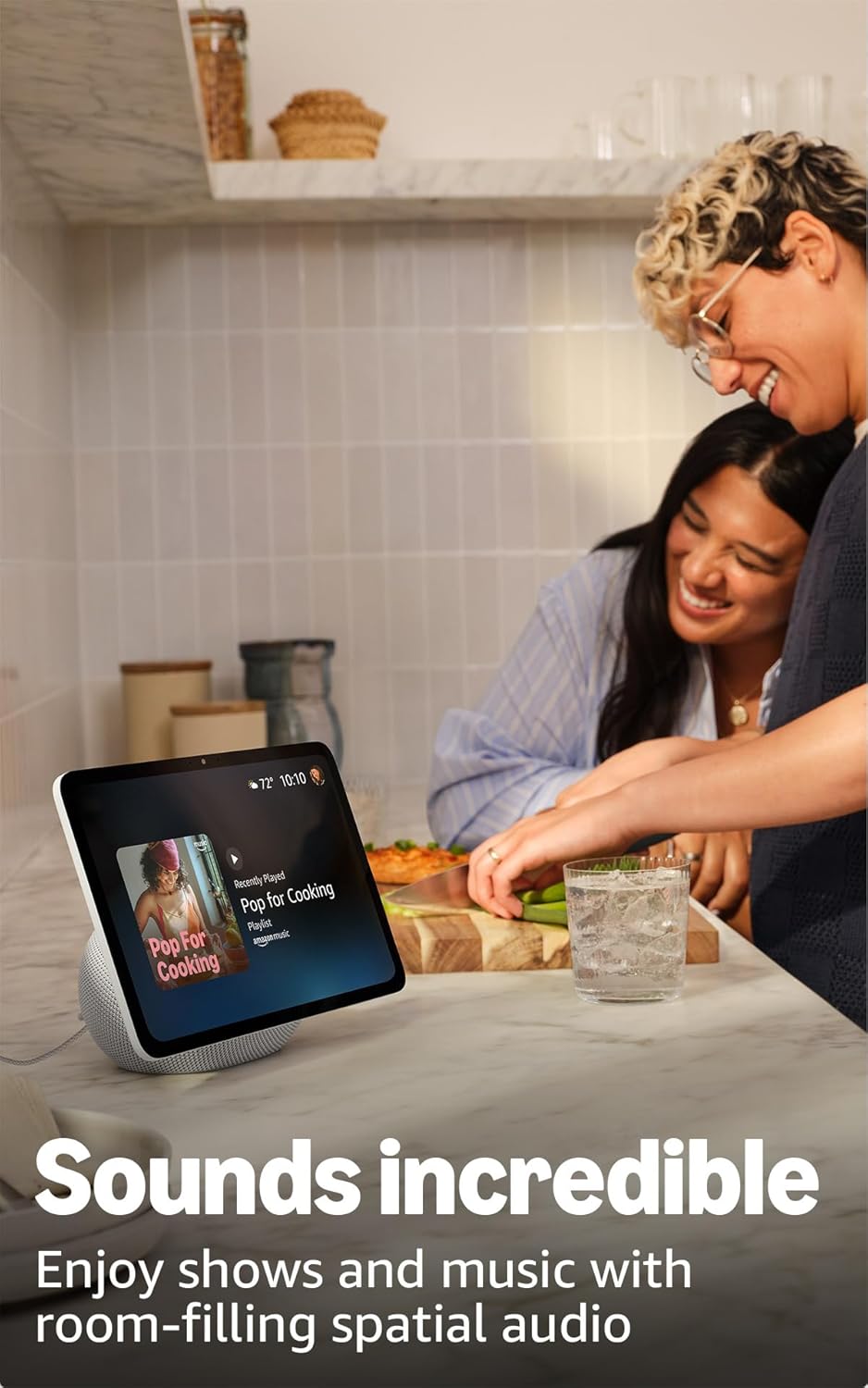
Image: The Echo Show 11 displaying music, demonstrating its use for entertainment in a home setting.
ระบบควบคุมบ้านอัจฉริยะ
The Echo Show 11 includes a built-in smart home hub (Zigbee + Matter + Thread Border Router), allowing you to control thousands of compatible devices without an additional hub.
- การจัดการอุปกรณ์: ควบคุมไฟ เทอร์โมสตัท และอุปกรณ์อัจฉริยะอื่นๆ โดยใช้หน้าจอแสดงผลหรือคำสั่งเสียง
- ภาพจากกล้องวงจรปิด: อย่างง่ายดาย view feeds from compatible security cameras.
- เทคโนโลยีออมนิสเซนส์: This technology enables proactive and personalized experiences, including activating routines via temperature, presence, or visual ID detection.

Image: The Echo Show 11 screen showing a smart home dashboard, illustrating its function as a central control unit.
Video Calls and Communication
Engage in crystal-clear video calls with the 13 MP auto-framing camera, 3.3x zoom, and noise reduction technology.
- Centered Camera: The camera automatically frames you during calls, ensuring you remain in view.
- สด View: ใช้แบบสด view feature to check on your family or pets remotely.
การเชื่อมต่อบลูทูธ
The Echo Show 11 supports Advanced Audio Distribution Profile (A2DP) for streaming audio from your mobile device to the Echo Show 11, or from the Echo Show 11 to a Bluetooth speaker. Audio/Video Remote Control Profile (AVRCP) allows for voice control of connected mobile devices. Bluetooth speakers requiring PIN codes are not supported.
การซ่อมบำรุง
เพื่อให้ Echo Show 11 ของคุณใช้งานได้ยาวนานและทำงานได้อย่างมีประสิทธิภาพสูงสุด โปรดปฏิบัติตามคำแนะนำในการบำรุงรักษาทั่วไปดังต่อไปนี้:
- การทำความสะอาด: ใช้ผ้าเนื้อนุ่มที่ไม่เป็นขุยเช็ดทำความสะอาดหน้าจอและภายนอกตัวเครื่อง หลีกเลี่ยงการใช้สารทำความสะอาดที่มีฤทธิ์กัดกร่อนหรือสเปรย์ฉีดลงบนตัวเครื่องโดยตรง
- การจัดวาง: วางอุปกรณ์บนพื้นผิวที่มั่นคงและเรียบ ห่างจากแสงแดดโดยตรง แหล่งความร้อน และความชื้น ตรวจสอบให้แน่ใจว่ามีการระบายอากาศรอบอุปกรณ์อย่างเพียงพอ
- การอัปเดตซอฟต์แวร์: The device will automatically receive software security updates. Ensure it is connected to Wi-Fi to receive these updates.
การแก้ไขปัญหา
หากคุณพบปัญหาเกี่ยวกับ Echo Show 11 โปรดลองทำตามขั้นตอนต่อไปนี้:
- ไม่มีไฟฟ้า: ตรวจสอบให้แน่ใจว่าอะแดปเตอร์ไฟฟ้าเชื่อมต่อกับอุปกรณ์และเต้ารับไฟฟ้าที่ใช้งานได้แน่นหนา
- ปัญหาการเชื่อมต่อ Wi-Fi:
- ตรวจสอบว่าเครือข่าย Wi-Fi ของคุณเปิดใช้งานอยู่และอยู่ในระยะ
- Restart your Wi-Fi router and the Echo Show 11.
- Check your Wi-Fi password in the Alexa app if prompted.
- Alexa ไม่ตอบสนอง:
- Ensure the microphone is not muted (check the microphone enable/disable button).
- พูดให้ชัดเจนและตรวจสอบให้แน่ใจว่าคุณอยู่ในระยะที่อุปกรณ์สามารถได้ยินได้
- Restart the device by unplugging it for a few seconds and plugging it back in.
- ปัญหาการแสดงผล: If the screen is unresponsive or frozen, try restarting the device.
For further assistance, refer to the official Amazon support resources or the Alexa app.
ข้อมูลจำเพาะ
| คุณสมบัติ | รายละเอียด |
|---|---|
| ขนาด | 10” x 5” x 7.2” (255 มม. x 127 มม. x 182 มม.) |
| น้ำหนัก | 45.92 ออนซ์ (1302 กรัม) |
| แสดง | หน้าจอสัมผัส Full HD ขนาด 10.95 นิ้ว ความละเอียด 1920 x 1200 พิกเซล |
| กล้อง | กล้อง 13 ล้านพิกเซล พร้อมระบบจัดเฟรมภาพอัตโนมัติ |
| เสียง | ลำโพงวูฟเฟอร์ขนาด 2.8 นิ้ว 1 ตัว และลำโพงฟูลเรนจ์ 2 ตัว |
| การเชื่อมต่อ Wi-Fi | Wi-Fi 6E (802.1ax) supported. Tri-band, Wi-Fi (SISO). Supports 802.11a/b/g/n/ac Wi-Fi networks. Does not support connecting to ad-hoc Wi-Fi networks. |
| ฮับบ้านอัจฉริยะ | Zigbee + Matter + Thread Border Router |
| การเชื่อมต่อบลูทูธ | A2DP support for audio streaming. AVRCP for voice control of connected mobile devices. Bluetooth speakers requiring PIN codes are not supported. |
| โปรเซสเซอร์ | AZ3 Pro พร้อม AI Accelerator |
| เซ็นเซอร์ | เซ็นเซอร์วัดอุณหภูมิแวดล้อม, เซ็นเซอร์วัดแสงแวดล้อม, ระบบตรวจจับการมีอยู่, กล้อง |
| เทคโนโลยีออมนิสเซนส์ | เทคโนโลยีเฉพาะสำหรับ AI ในสภาพแวดล้อม ช่วยให้สามารถระบุตัวตนด้วยภาพ ตรวจจับระยะใกล้/การมีอยู่ ตรวจวัดอุณหภูมิ และปรับความสว่าง/สีได้ตามต้องการ |
| ความต้องการของระบบ | Echo Show 11 connects to Wi-Fi. Alexa app compatible with Fire OS, Android, iOS, and web เบราว์เซอร์ |
| ภาษา | Alexa พูดภาษาอังกฤษและภาษาสเปน |
คุณสมบัติความเป็นส่วนตัว
Echo Show 11 ได้รับการออกแบบมาพร้อมระบบควบคุมความเป็นส่วนตัวหลายชั้น:
- ปุ่มเปิด/ปิดไมโครโฟนและกล้อง: A physical button allows you to turn off the microphones and camera.
- ปุ่มควบคุมกล้องโดยเฉพาะ: Controls are available both on the device and within the Alexa app.
- การจัดการบันทึกเสียง: ความสามารถในการview และลบบันทึกเสียง
- เทคโนโลยี Wake Word: The device only begins listening after detecting the wake word.

ภาพ: ภาพระยะใกล้ view of the Echo Show 11's side, highlighting the privacy button for microphone and camera control.
สำหรับรายละเอียดเพิ่มเติม โปรดไปที่ Alexa Privacy Hub
คุณสมบัติการเข้าถึง
The Echo Show 11 includes various accessibility features to personalize Alexa to your abilities. These can be enabled via การตั้งค่า → การเข้าถึง บนอุปกรณ์ของคุณ
- แตะเพื่อ Alexa: เข้าถึง Alexa ผ่านระบบสัมผัสโดยใช้ไอคอนบนหน้าจอหรือแป้นพิมพ์ รวมถึงบันทึกการกระทำที่ชื่นชอบได้
- การฟังแบบปรับตัว: เพิ่มเวลาให้พูดจบก่อนที่ Alexa จะตอบกลับ
- อัตราการพูดที่ต้องการ: ควบคุมความเร็วในการพูดของ Alexa ได้ตามต้องการ
- คำบรรยายภาพ: Alexa Captioning, Call Captioning, and Closed Captioning provide text captions for supported content.
- แสดงและบอกเล่า: ช่วยให้ผู้ใช้ที่ตาบอดหรือมีปัญหาทางการมองเห็นสามารถระบุผลิตภัณฑ์ได้โดยการพูดว่า "Alexa ฉันถืออะไรอยู่"
- เสียงView โปรแกรมอ่านหน้าจอ: ช่วยให้ผู้ใช้ที่ตาบอดหรือมีปัญหาทางการมองเห็นสามารถเข้าถึงได้
- แว่นขยายหน้าจอ: ช่วยให้สามารถซูมเข้า/ออกและเลื่อนไปมาบนหน้าจอได้
- แจ้งเตือนเมื่ออยู่ใกล้: เล่นเสียงแจ้งเตือนเมื่อตรวจพบว่าอยู่ใกล้กับอุปกรณ์ Echo ของคุณ
- Kindle อ่านออกเสียง: Alexa สามารถอ่านหนังสือ Kindle ของคุณออกเสียงได้
- ข้อความเรียลไทม์: สามารถพิมพ์ข้อความสดระหว่างการสนทนาทางวิดีโอได้
- Additional features include Color Inversion, Color Correction, Request Sound, and more.
การรับประกันและการสนับสนุน
Your Echo Show 11 comes with a 1-year limited warranty and service. Optional 1-year, 2-year, and 3-year extended warranties are available for U.S. customers and sold separately.
Use of the Echo Show 11 is subject to the terms found on the official Amazon website. For information specific to your device or to manage your content and devices, visit the Amazon webเว็บไซต์.
For software security updates, please refer to the official Amazon support pages.


