1. บทนำ
This manual provides essential information for setting up, operating, and maintaining your Sony 77-inch Class BRAVIA 8 OLED 4K UHD Smart Google TV (Model K77XR80). This television delivers pure black OLED contrast with over 8 million self-lit pixels for high brightness and billions of accurate real-world colors via XR Triluminos Pro. The powerful XR Processor enhances every scene in real-time, boosting color, contrast, and clarity.
Access all your favorite streaming apps, including Netflix, Prime Video, Disney+, YouTube, and the Apple TV app, through Google TV. Utilize Google Assistant for voice commands. The TV supports AirPlay 2 and Chromecast built-in for effortless streaming. Enjoy high-bitrate 4K UHD movies with the SONY PICTURES CORE app, and experience studio-calibrated picture modes for optimal viewการไอเอ็นจี
For an immersive cinematic experience, the TV supports Dolby Vision and Atmos, IMAX Enhanced, and DTS:X. XR Clear Image upscales HD content, and XR OLED Motion ensures blur-free action. Acoustic Surface Audio+ provides immersive sound directly from the screen, with Voice Zoom 3 for clear dialogue.
2. การตั้งค่า
2.1 การแกะกล่องและการติดตั้งขาตั้ง
Carefully remove the TV from its packaging. It is recommended to have at least two people for safe handling due to the size and weight of the unit. Follow the included setup guide for installing the TV stand. Ensure all screws are securely fastened.

Figure 1: Bottom left view of the Sony BRAVIA 8 TV with its stand.
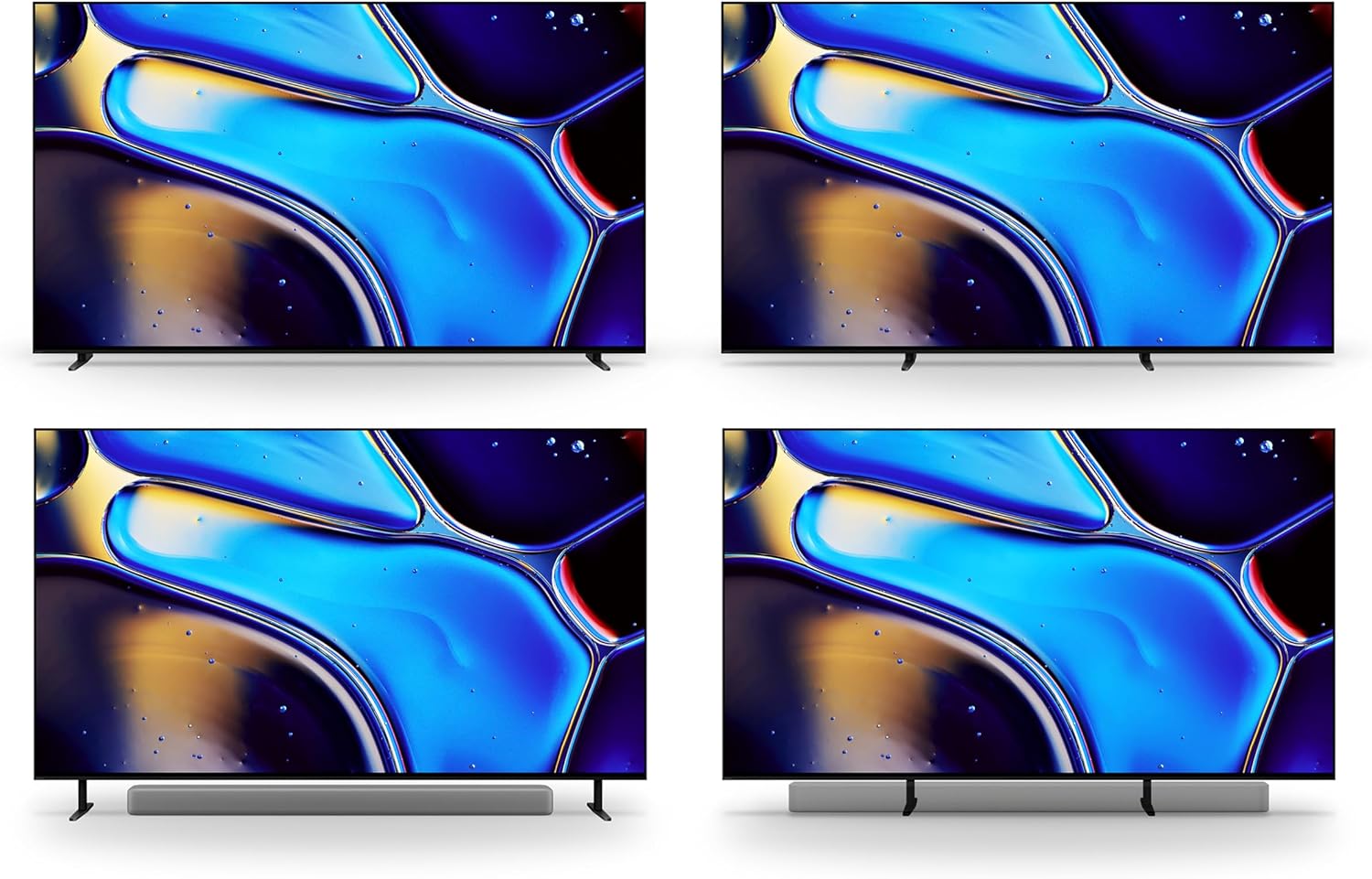
Figure 2: Various stand configurations for the Sony BRAVIA 8 TV, offering flexibility for placement.
2.2 การเชื่อมต่ออุปกรณ์ต่อพ่วง
Connect your external devices (e.g., cable box, gaming console, sound system) to the appropriate HDMI ports on the back of the TV. For optimal performance with gaming consoles and other high-bandwidth devices, use the HDMI 2.1 ports. Ensure all cables are securely connected.

รูปที่ 3: ด้านหลัง view of the Sony BRAVIA 8 TV, highlighting the arrangement of HDMI, USB, and other connectivity ports.
2.3 การเปิดเครื่องครั้งแรกและการตั้งค่าเครือข่าย
Plug the power cable into the TV and a wall outlet. Press the power button on the remote control. Follow the on-screen instructions to complete the initial setup, including connecting to your Wi-Fi network and logging into your Google account.
3. การใช้งานทีวีของคุณ
3.1 ฟังก์ชั่นการควบคุมระยะไกล
The included remote control provides easy access to all TV functions. Use the directional pad to navigate menus, and the dedicated buttons for quick access to streaming services like Netflix, Prime Video, Disney+, YouTube, and Sony Pictures Core. The remote also features a microphone for Google Assistant voice commands.

Figure 4: The remote control for the Sony BRAVIA 8 TV, featuring buttons for power, volume, channel, navigation, and direct access to popular streaming applications.
3.2 อินเทอร์เฟซ Google TV
Google TV organizes your favorite content from various streaming services into a single, easy-to-navigate interface. Explore personalized recommendations, browse live TV, and manage your apps. Use the Google Assistant button on your remote to search for content, control smart home devices, and get information using your voice.
3.3 Acoustic Surface Audio+
The BRAVIA 8 TV utilizes Acoustic Surface Audio+, where the screen itself acts as a speaker. This technology delivers sound that precisely matches the action on screen, creating a highly immersive audio experience. Voice Zoom 3 further enhances dialogue clarity, even in dynamic scenes.
4. การบำรุงรักษา
To ensure the longevity and optimal performance of your Sony BRAVIA 8 TV, regularly clean the screen with a soft, dry cloth. Avoid using harsh chemicals or abrasive materials. Keep ventilation openings clear to prevent overheating. For detailed cleaning instructions, refer to the full user manual.
5 การแก้ไขปัญหา
If you encounter any issues with your TV, try the following basic troubleshooting steps:
- ไม่มีไฟฟ้า: ตรวจสอบให้แน่ใจว่าสายไฟเชื่อมต่อกับทีวีและเต้ารับไฟฟ้าที่ใช้งานได้แน่นดีแล้ว ลองใช้เต้ารับอื่น
- ไม่มีภาพ/เสียง: ตรวจสอบการเชื่อมต่อสายเคเบิลทั้งหมด (HDMI, สายสัญญาณเสียง) และตรวจสอบให้แน่ใจว่าได้เลือกแหล่งสัญญาณเข้าที่ถูกต้องบนทีวีแล้ว
- คุณภาพภาพไม่ดี: Verify your content source is high-resolution. Adjust picture settings (brightness, contrast, color) in the TV menu.
- รีโมตไม่ตอบสนอง: Check the remote control batteries. Ensure there are no obstructions between the remote and the TV.
- ปัญหาการเชื่อมต่อเครือข่าย: Restart your Wi-Fi router. Reconnect the TV to your Wi-Fi network through the settings menu.
For more comprehensive troubleshooting, consult the full digital manual available through the Google TV interface or Sony's support webเว็บไซต์.
6. ข้อมูลจำเพาะ
| คุณสมบัติ | ข้อมูลจำเพาะ |
|---|---|
| ยี่ห้อ | โซนี่ |
| หมายเลขรุ่น | K77XR80 |
| ขนาดหน้าจอ | 76.7 นิ้ว (ขนาดมาตรฐาน 77 นิ้ว) |
| เทคโนโลยีการแสดงผล | โอแอลอีดี |
| ปณิธาน | 4K ยูเอชดี |
| อัตราการรีเฟรช | 120 เฮิรตซ์ |
| ขนาดสินค้า | ลึก 16 นิ้ว x กว้าง 67.5 นิ้ว x สูง 39.88 นิ้ว |
| น้ำหนักสินค้า | 1 Pounds (Note: This is likely packaging weight, actual TV weight will be higher) |
| เทคโนโลยีการเชื่อมต่อ | บลูทู ธ Wi-Fi |
| คุณสมบัติพิเศษ | Acoustic Surface Audio+, AirPlay 2, Chromecast Built-in, Google TV, Google Assistant, XR Triluminos Pro, XR Processor, XR Clear Image, XR OLED Motion, HDR10, HLG, Dolby Vision Compatible |

Figure 5: Sony BRAVIA 8 TV with key dimensions indicated for planning placement.
7. อะไรอยู่ในกล่อง
Your Sony BRAVIA 8 OLED TV package includes the following items:
- สายไฟ
- รีโมทคอนโทรล
- ส่วนประกอบขาตั้ง
- Manuals (including this instruction manual)
8. การรับประกันและการสนับสนุน
This Certified Refurbished product is manufacturer refurbished, shows limited or no wear, and includes all original accessories plus a 90-day limited hardware warranty. For technical support, warranty claims, or additional assistance, please refer to the contact information provided in your full user manual or visit the official Sony support webเว็บไซต์.
9. วิดีโอผลิตภัณฑ์
วิดีโอ 1: วิดีโอแสดงผลิตภัณฑ์อย่างเป็นทางการasing the Sony XR80 Series TV features and design.