1. บทนำและเรื่องอื่นๆview
This manual provides essential information for the safe and effective use of your Canon PowerShot IXY 650 HS Compact Digital Camera. The camera is designed for high-quality image and video capture with user-friendly features.
The Canon PowerShot IXY 650 HS features a 20.2MP CMOS sensor and DIGIC 4+ image processor, enabling high-resolution photos and Full HD 1080p video recording. Its 12x optical zoom lens covers a versatile 25-300mm equivalent focal length, complemented by Intelligent IS image stabilization for sharp results. Built-in Wi-Fi with NFC facilitates easy sharing and remote control.
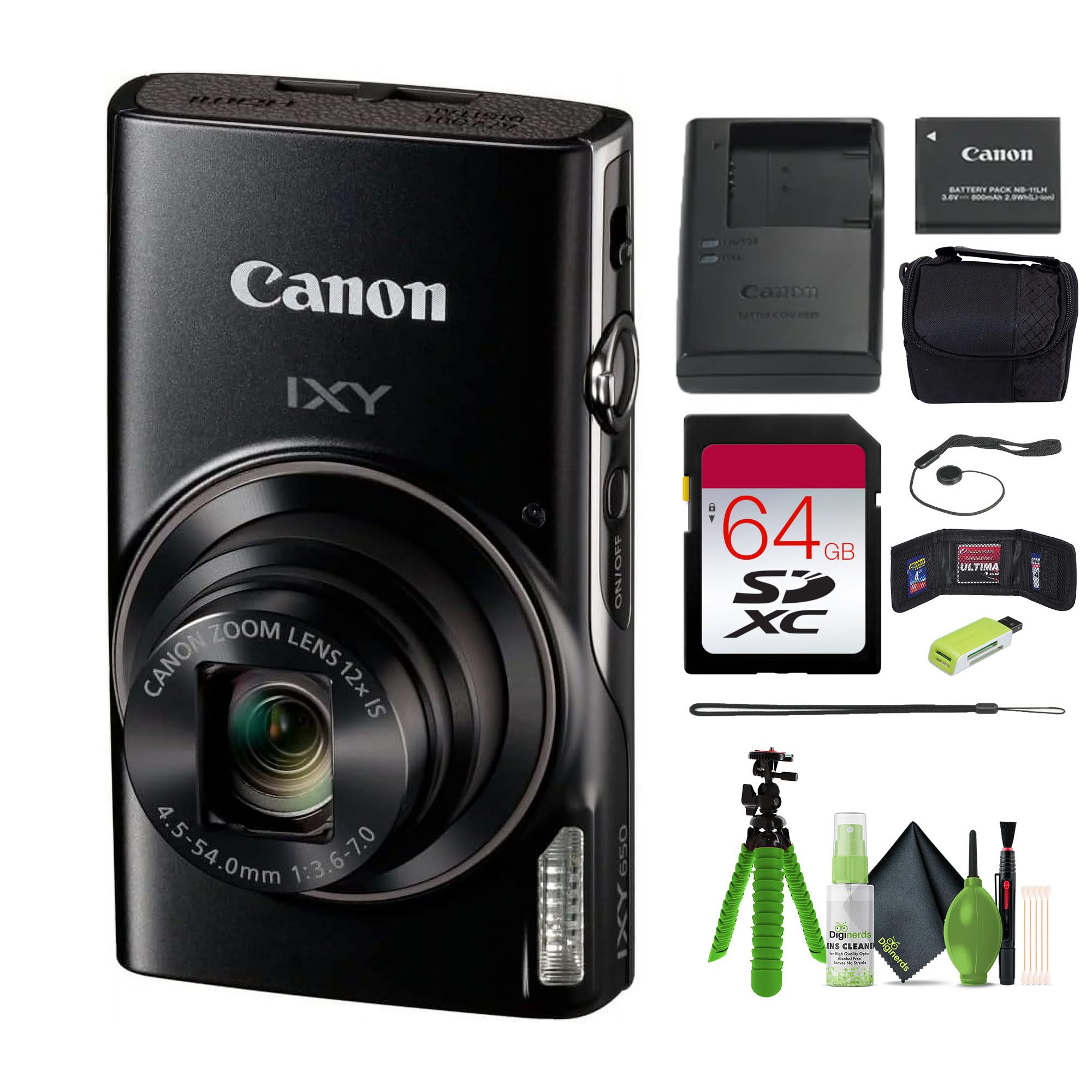
ภาพที่ 1.1: ด้านหน้า view of the Canon PowerShot IXY 650 HS Compact Digital Camera. This image displays the camera's compact design, the prominent lens with 12x optical zoom, the built-in flash, and the Canon IXY branding.
2. อะไรอยู่ในกล่อง
ตรวจสอบให้แน่ใจว่ามีอุปกรณ์ครบทุกชิ้นในบรรจุภัณฑ์ก่อนดำเนินการติดตั้ง
- Canon IXY 650 Compact Digital Camera (Black)
- 64GB Extreme PRO Memory Card
- เคสขนาดเล็ก
- เครื่องอ่านการ์ดหน่วยความจำ
- 12 inch Flexible Vlogging Tripod
- กระเป๋าใส่การ์ดหน่วยความจำ
- ตัวล็อคฝาปิดเลนส์
- ชุดทำความสะอาด

ภาพที่ 2.1: Typical contents of the Canon PowerShot IXY 650 HS camera bundle. This image shows the camera, a battery, a battery charger, and a wrist strap, which are core components.
3. การตั้งค่า
3.1. การชาร์จแบตเตอรี่
- Insert the battery into the provided battery charger.
- เสียบที่ชาร์จเข้ากับเต้ารับไฟฟ้า
- The charging indicator light will show the charging status. Charge until the light indicates a full charge.
3.2. การใส่แบตเตอรี่และการ์ดหน่วยความจำ
- เปิดฝาช่องใส่แบตเตอรี่/การ์ดที่ด้านล่างของกล้อง
- ใส่แบตเตอรี่ที่ชาร์จแล้วโดยให้อยู่ในตำแหน่งที่ถูกต้องจนกระทั่งล็อคเข้าที่
- Insert the 64GB memory card into the card slot until it clicks. Ensure the card is facing the correct direction.
- ปิดฝาปิดช่องใส่ให้แน่น
ภาพที่ 3.1: ด้านข้าง view of the Canon PowerShot IXY 650 HS. This image highlights the top controls including the power button, shutter button, and zoom lever.
4. การใช้งานกล้อง
4.1. การเปิด/ปิดเครื่อง
กดปุ่ม เปิด/ปิด ปุ่มที่อยู่ด้านบนของกล้องสำหรับเปิดหรือปิดกล้อง
4.2. การถ่ายภาพขั้นพื้นฐาน
- เลือกโหมดการถ่ายภาพ: Use the mode dial or menu to select your desired shooting mode (e.g., Automatic, Program, Manual).
- วางกรอบภาพของคุณ: Use the 3.0" LCD monitor to compose your image.
- จุดสนใจ: Press the shutter button halfway down to autofocus. The camera will confirm focus.
- การจับกุม: กดปุ่มชัตเตอร์จนสุดเพื่อถ่ายภาพ
4.3. ฟังก์ชั่นซูม
The camera features a 12x optical zoom lens. Use the zoom lever around the shutter button to zoom in or out.

ภาพที่ 4.1: Illustration of the camera's zoom capabilities. This diagram shows the visual difference between 1x optical zoom (25mm equivalent), 12x optical zoom (300mm equivalent), and 24x progressive fine zoom (600mm equivalent), demonstrating the camera's versatility for various shooting distances.
4.4. การบันทึกวิดีโอ
To record Full HD 1080p video at 30 fps, press the dedicated movie record button. Press it again to stop recording.
4.5. การเชื่อมต่อ Wi-Fi และ NFC
The camera features built-in Wi-Fi with NFC for easy sharing and remote control.
- Press the dedicated Wi-Fi button.
- Follow the on-screen instructions to connect to a smartphone or tablet using the Canon Camera Connect app.
- For NFC-enabled devices, simply touch the camera to the device to establish a connection.

ภาพที่ 4.2: Wi-Fi functionality diagram for the Canon IXY 650 HS. This image illustrates how to activate Wi-Fi by pressing the dedicated button and shows the subsequent connection screen for transferring photos and videos to a smartphone or tablet.
4.6. Image Stabilization (Intelligent IS)
The Intelligent IS system automatically selects the optimal image stabilization mode for various shooting conditions, reducing camera shake for sharper images and smoother videos.

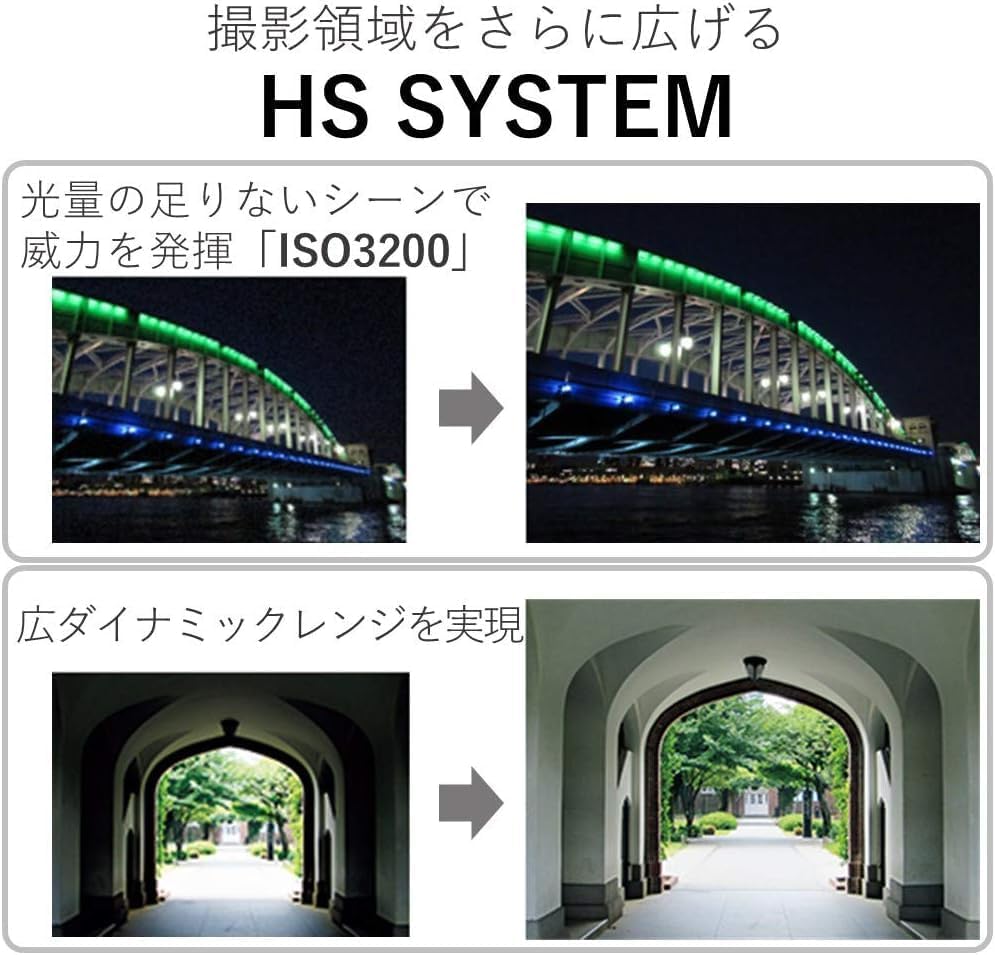
ภาพที่ 4.3: Multi-Scene IS and Auto Shutter features. This image demonstrates how the camera automatically adjusts image stabilization for different scenes, such as nightscapes, and how the auto shutter function detects smiles for optimal portrait capture.
5. การบำรุงรักษา
- การทำความสะอาดเลนส์: Use a soft, lint-free cloth or a lens brush from the cleaning kit to gently remove dust and smudges. Avoid harsh chemicals.
- ทำความสะอาดร่างกาย: Wipe the camera body with a soft, dry cloth. Do not use organic solvents.
- การดูแลแบตเตอรี่ Store batteries in a cool, dry place. Do not expose to extreme temperatures.
- พื้นที่จัดเก็บ: When not in use for extended periods, remove the battery and store the camera in its case in a dry, well-ventilated area.
6 การแก้ไขปัญหา
| ปัญหา | สารละลาย |
|---|---|
| กล้องไม่สามารถเปิดได้ | ตรวจสอบให้แน่ใจว่าแบตเตอรี่ชาร์จเต็มแล้วและใส่ถูกต้อง ลองใช้แบตเตอรี่ที่ชาร์จเต็มแล้วก้อนอื่นหากมี |
| ภาพมีความเบลอ | Check if the lens is clean. Ensure sufficient lighting. Hold the camera steady or use a tripod. Verify that Intelligent IS is active. |
| ไม่สามารถเชื่อมต่อ Wi-Fi ได้ | Ensure the Canon Camera Connect app is installed on your smart device. Restart both the camera and the smart device. Check network settings. |
| ข้อผิดพลาดการ์ดหน่วยความจำ | Ensure the memory card is correctly inserted. Try formatting the card (this will erase all data). Use a different memory card if the issue persists. |
7. ข้อมูลจำเพาะ
| คุณสมบัติ | รายละเอียด |
|---|---|
| ยี่ห้อ | แคนนอน |
| ชื่อรุ่น | IXY 650 (ELPH 360) HS |
| ความละเอียดของเซนเซอร์ภาพ | 20.2 MP |
| เทคโนโลยีโฟโต้เซนเซอร์ | ซีมอส |
| ซูมออปติคอล | 12 เท่า |
| ความยาวโฟกัสสูงสุด | 300 มิลลิเมตร (เทียบเท่า) |
| ความยาวโฟกัสต่ำสุด | 25 มิลลิเมตร (เทียบเท่า) |
| ระบบป้องกันภาพสั่นไหว | ระบบออปติคอล (ระบบสารสนเทศอัจฉริยะ) |
| ความละเอียดวิดีโอ | 1080p Full HD at 30 FPS |
| เทคโนโลยีการเชื่อมต่อ | เอ็นเอฟซี, WiFi |
| ขนาดหน้าจอ | จอ LCD ขนาด 3 นิ้ว |
| ความละเอียดการแสดงผลสูงสุด | 0.461 MP (461k-dot) |
| รองรับ File รูปแบบ | JPEG (ภาพนิ่ง), MP4 (วิดีโอ) |
| การถ่ายภาพต่อเนื่อง | 7.2 เฟรมต่อวินาที |
| ขยาย ISO สูงสุด | 3200 |
| ประเภทแบตเตอรี่ | ลิเธียมไอออน |
| ความจุของหน่วยความจำ | 64 GB (External-Memory Size) |
| น้ำหนักสินค้า | 1.92 ปอนด์ |
| สี | สีดำ |
| ระดับความต้านทานต่อน้ำ | ไม่ทนน้ำ |
8. การรับประกันและการสนับสนุน
This product comes with a 90-day limited warranty. For warranty claims or technical support, please refer to the official Canon support channels or contact your retailer.
For additional resources, including software downloads and FAQs, visit the official Canon webเว็บไซต์.


