1. บทนำ
This manual provides comprehensive instructions for the operation and maintenance of your JADENS Mini Sticker Printer, Model JD-21. This portable thermal printer is designed for convenient, inkless printing of notes, photos, memos, and more directly from your smartphone or tablet.
มีอะไรอยู่ในกล่อง
- JADENS Mini Sticker Printer (JD-21)
- 1 Roll of Thermal Paper
- สายชาร์จแบบ USB Type-C
- คู่มือการใช้งาน

Figure 1: Contents of the JADENS Mini Sticker Printer package, showing the printer, a roll of thermal paper, and the USB charging cable.
2. คุณสมบัติหลัก
- Mini Bluetooth Thermal Printer: Connects seamlessly via Bluetooth to Android and iOS devices. The companion app provides various templates, graphics, themes, and fonts. Supports both sticky and non-sticky paper with a 2-inch width (50-56mm).
- High Printing Quality: Delivers high-resolution images with vivid detail. Offers up to 15 hours of continuous printing on a single charge, with standby lasting approximately one week.
- Inkless Sticker Printer: Utilizes cost-effective thermal technology, eliminating the need for ink, toner, or ribbons. Ensures quiet operation and effortless one-click printing.
- ฟังก์ชั่นอเนกประสงค์: Ideal for work plans, office assistance, photos, memos, greeting cards, meeting notes, study notes, shopping lists, and receipts. Suitable for offices, students, archivists, and busy individuals.
- Portable & Stylish Design: Compact dimensions (3.3 x 3.3 x 1.6 inches) allow for easy portability. An ideal gift for students, teachers, and friends.
3. คู่มือการติดตั้ง
3.1 การชาร์จเครื่องพิมพ์
Before first use, fully charge the printer using the provided USB Type-C cable. Connect the cable to the printer's charging port and a compatible USB power source. The indicator light will show charging status.
3.2 การโหลดกระดาษความร้อน
- Open the printer cover by gently sliding it open or pressing the release button (refer to printer diagram for exact location).
- Insert the thermal paper roll with the printing side facing outwards. Ensure the roll is seated correctly and a small portion of paper extends from the printer slot.
- ปิดฝาครอบเครื่องพิมพ์ให้แน่น
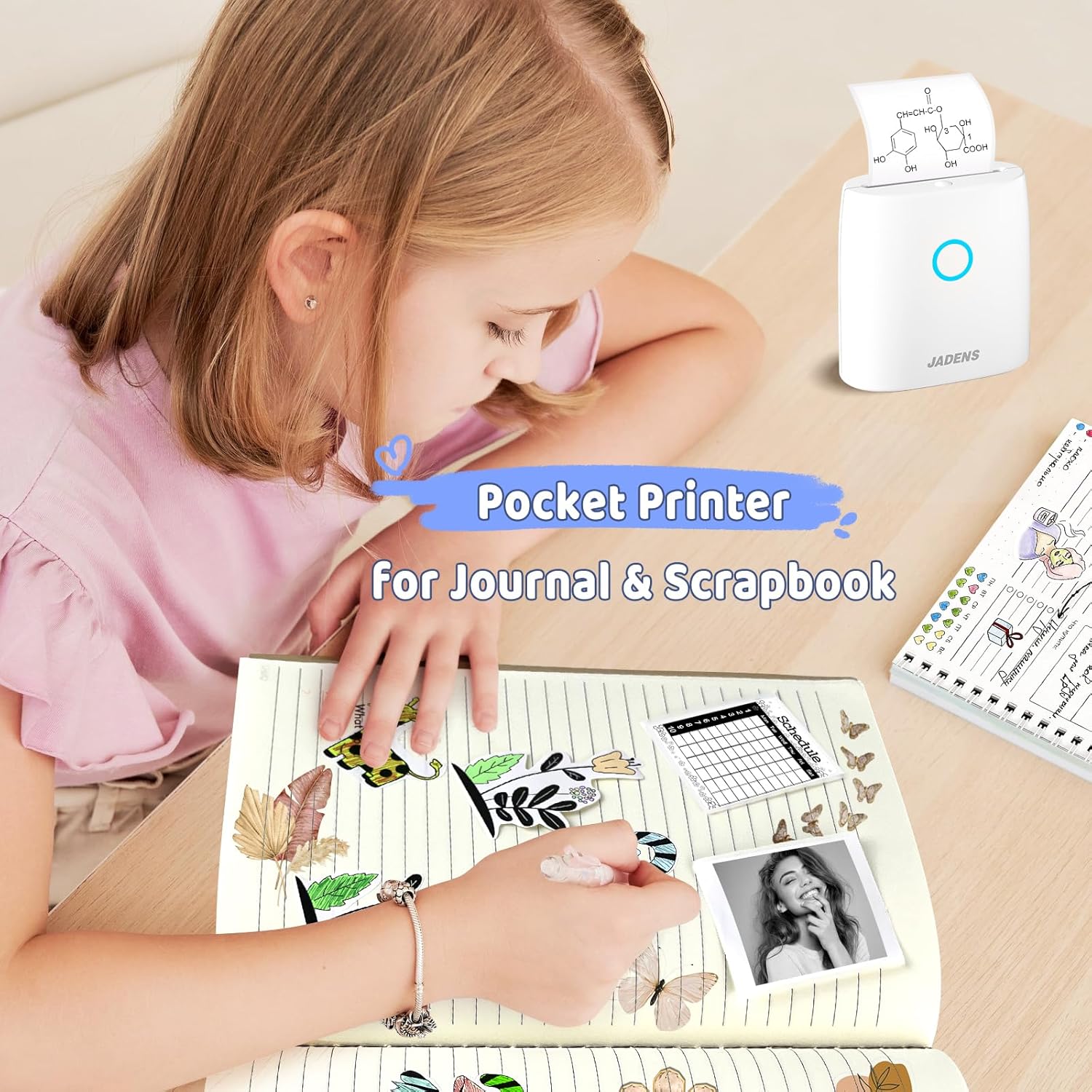
Figure 2: Illustration of how to correctly load thermal paper into the JADENS Mini Sticker Printer.
3.3 การติดตั้งแอปและการเชื่อมต่อบลูทูธ
- Download the official JADENS printer app from your device's app store (available for Android and iOS).
- เปิดเครื่องพิมพ์โดยกดปุ่มเปิด/ปิดค้างไว้จนกว่าไฟแสดงสถานะจะสว่างขึ้น
- เปิดใช้งาน Bluetooth บนสมาร์ทโฟนหรือแท็บเล็ตของคุณ
- Open the JADENS app and follow the on-screen instructions to connect to your printer via Bluetooth. The printer will typically appear as "JD-21" or a similar identifier.
Video 1: Demonstrates the process of connecting the JADENS Mini Sticker Printer to a smartphone via Bluetooth and initiating a print job from the app.
4. คู่มือการใช้งาน
4.1 Printing Notes and Text
The JADENS app offers various templates for notes, to-do lists, and calendars. Select a template, input your desired text, and adjust formatting as needed. Confirm the print preview and send to the printer.

Figure 3: The JADENS app interface displaying a selection of templates for notes, lists, and other creative uses.
4.2 การพิมพ์ภาพถ่ายและรูปภาพ
Select the "Photos" option within the app to choose an image from your device's gallery. The app allows for basic image editing, including cropping and applying filters, before printing. Note that the printer produces monochrome (black and white) thermal prints.

Figure 4: A JADENS Mini Sticker Printer in operation, producing a black and white image. Surrounding prints include a dog, a sunflower, and a birthday message.
Video 2: Illustrates the versatility of the JADENS Mini Sticker Printer by showing it print various types of content, including text and images.
4.3 การประยุกต์ใช้เชิงสร้างสรรค์
The printer supports various paper types, including standard thermal paper and adhesive sticker paper, available in different colors. This allows for diverse creative projects such as journaling, scrapbooking, creating labels, or personalized gifts.

Figure 5: A child engaged in journaling and scrapbooking, utilizing the JADENS Mini Sticker Printer to add custom stickers to her notebook.

Figure 6: A mother and child enjoying educational time by printing and coloring images using the JADENS Mini Sticker Printer.

Figure 7: The JADENS app showcasing its AI function, which allows users to convert images to other images or generate images from text prompts for printing.
5. การบำรุงรักษา
- การทำความสะอาด: Use a soft, dry cloth to clean the exterior of the printer. For the print head, use a cotton swab lightly dampล้างออกด้วยไอโซโพรพิลแอลกอฮอล์ ตรวจสอบให้แน่ใจว่าเครื่องพิมพ์ปิดอยู่และถอดปลั๊กไฟออกก่อนทำความสะอาด
- พื้นที่จัดเก็บ: เก็บเครื่องพิมพ์ไว้ในที่แห้งและเย็น หลีกเลี่ยงแสงแดดโดยตรงและอุณหภูมิที่สูงหรือต่ำเกินไป
- การจัดการกระดาษ: Use only thermal paper compatible with the JADENS JD-21 printer. Avoid touching the printing surface of the thermal paper directly to prevent smudges.
6 การแก้ไขปัญหา
- เครื่องพิมพ์ไม่เชื่อมต่อ: Ensure Bluetooth is enabled on your device and the printer is powered on. Restart both the printer and your device, then try reconnecting through the app.
- คุณภาพการพิมพ์ไม่ดี: Check if the thermal paper is loaded correctly and is not expired or damaged. Clean the print head as described in the maintenance section. Ensure the printer battery is sufficiently charged.
- กระดาษติด: Turn off the printer, open the cover, and carefully remove any jammed paper. Ensure the paper roll is properly aligned before closing the cover and restarting.
- เครื่องพิมพ์ไม่ตอบสนอง: If the printer is unresponsive, try resetting it by pressing and holding the power button for an extended period (e.g., 10-15 seconds) or until the device powers off.
7. ข้อมูลจำเพาะ
| ยี่ห้อ | เจเดน |
| แบบอย่าง | JD-21 |
| เทคโนโลยีการพิมพ์ | เทอร์มอล |
| เทคโนโลยีการเชื่อมต่อ | บลูทูธ |
| อุปกรณ์ที่รองรับ | สมาร์ทโฟน, แท็บเล็ต (แอนดรอยด์, ไอโอเอส) |
| เอาท์พุตเครื่องพิมพ์ | เอกรงค์ |
| ความละเอียดการพิมพ์สูงสุด (ขาวดำ) | 300 จุดต่อนิ้ว |
| ขนาดสื่อสูงสุด | 57mm (2-inch width) |
| ขนาดสินค้า | 8.9D x 8.4W x 4.1H เซนติเมตร |
| น้ำหนักสินค้า | 272 กรัม |
| ประเภทแบตเตอรี่ | ลิเธียมไอออน (รวมอยู่ด้วย) |
| คุณสมบัติพิเศษ | พกพาสะดวก ไม่ต้องใช้หมึก |
8. การรับประกันและการสนับสนุน
For warranty information, technical support, or service inquiries, please refer to the contact details provided on the product packaging or the official JADENS webไซต์นี้ โปรดเก็บใบเสร็จรับเงินที่ซื้อไว้เพื่อใช้เรียกร้องการรับประกัน


