การแนะนำ
Welcome to the user manual for your Blackview Active 8 Pro Rugged Tablet. This device is engineered for durability and performance, designed to withstand challenging environments while providing a robust computing experience. Featuring a 10.36-inch display, a powerful MediaTek Helio G99 Octa-core processor, and a massive 22000mAh battery, the Active 8 Pro is built for extended use and demanding tasks. It is MIL-STD-810H certified and boasts IP68 & IP69K waterproof ratings, ensuring resilience against water, dust, and drops.
This manual provides essential information on setting up, operating, maintaining, and troubleshooting your tablet to ensure optimal performance and longevity.
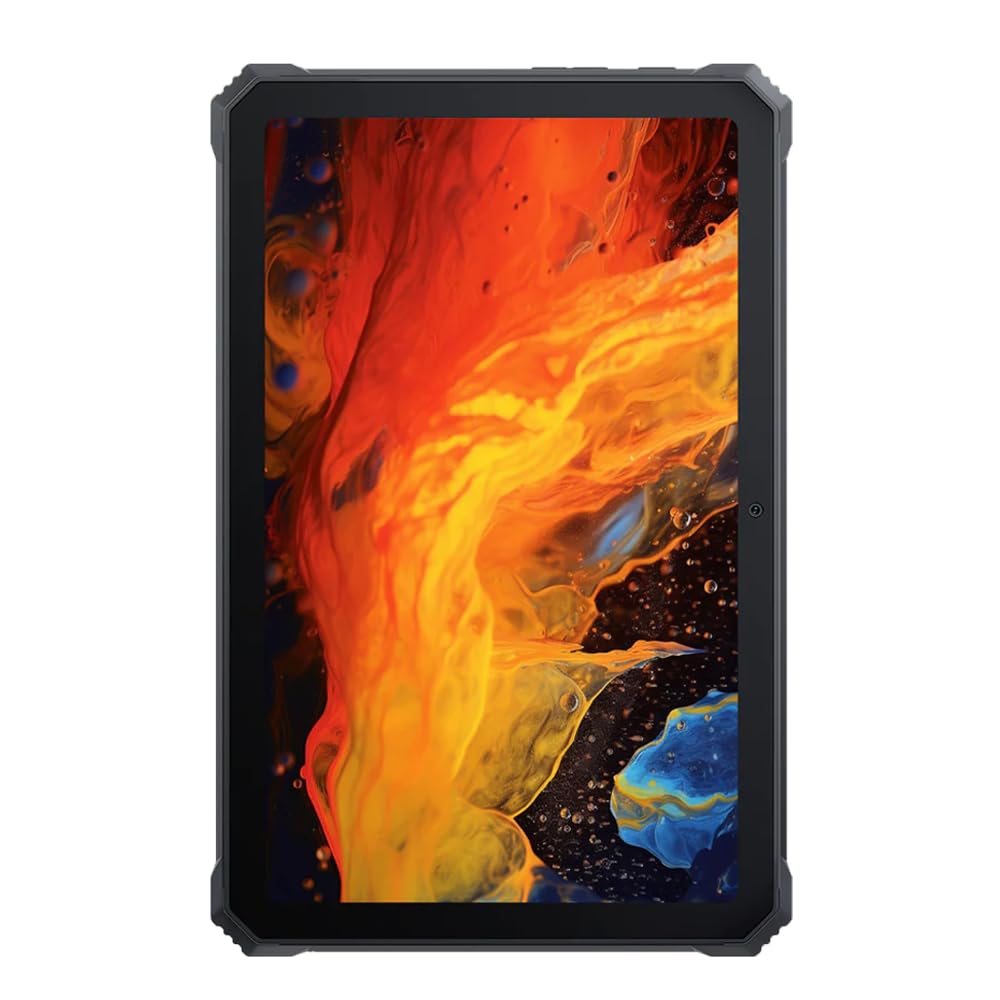
ภาพ: ด้านหน้า view ของสีดำview Active 8 Pro Rugged Tablet, showcasing its display and robust bezel.
เนื้อหาแพ็คเกจ
โปรดตรวจสอบว่าสินค้าทั้งหมดมีอยู่ในบรรจุภัณฑ์ผลิตภัณฑ์ของคุณ:
- สีดำview แท็บเล็ต Active 8 Pro ทนทาน
- สายหนังบุนวม
- สายชาร์จ
- อะแดปเตอร์แปลงไฟ
- เครื่องมือถอดซิมการ์ด (ถ้ามี)
- คู่มือเริ่มต้นอย่างรวดเร็ว
การจัดวางอุปกรณ์
Familiarize yourself with the physical components and ports of your Active 8 Pro tablet.

ภาพ: ด้านหน้า view ของสีดำview Active 8 Pro tablet, highlighting the display and front camera location.

ภาพ: ด้านหลัง view ของสีดำview Active 8 Pro tablet, showing the camera module, speaker grilles, and the attached padded leather strap for secure handling.

ภาพ: ด้านหลังเอียง view ของสีดำview Active 8 Pro tablet, providing a perspective of its ruggedized corners and the ergonomic padded leather strap.
การตั้งค่า
1. การชาร์จอุปกรณ์
Before first use, fully charge your Active 8 Pro tablet. Connect the provided charging cable to the tablet's charging port and the power adapter to a wall outlet. The tablet supports 33W fast charging for quick power replenishment.
- Use only the original Blackview charger and cable to ensure optimal charging speed and safety.
- ไฟแสดงสถานะการชาร์จจะปรากฏบนหน้าจอ
2. การเปิด/ปิดเครื่อง
- การเปิดเครื่อง: Press and hold the Power button (typically located on the side) until the Blackview โลโก้ปรากฏบนหน้าจอ
- วิธีปิดเครื่อง: กดปุ่มเปิด/ปิดค้างไว้จนกว่าเมนูเปิด/ปิดจะปรากฏขึ้น จากนั้นเลือก "ปิดเครื่อง" จากตัวเลือก
- ในการรีสตาร์ท: จากเมนูเปิด/ปิด ให้เลือก "รีสตาร์ท"
3. การกำหนดค่าเริ่มต้น
เมื่อเปิดเครื่องครั้งแรก แท็บเล็ตจะแนะนำคุณผ่านกระบวนการตั้งค่าเริ่มต้น โปรดทำตามคำแนะนำบนหน้าจอเพื่อ:
- เลือกภาษาของคุณ
- เชื่อมต่อกับเครือข่าย Wi-Fi
- ลงชื่อเข้าใช้ด้วยบัญชี Google ของคุณหรือสร้างบัญชีใหม่
- ตั้งค่าการล็อคหน้าจอ (PIN, รูปแบบ, รหัสผ่าน หรือลายนิ้วมือ)
- Review และยอมรับข้อกำหนดและเงื่อนไข
คำแนะนำการใช้งาน
1. การนำทางพื้นฐาน
Your Active 8 Pro runs on Android 14, offering an intuitive user interface. Use standard touchscreen gestures:
- แตะ: เลือกรายการหรือเปิดแอป
- แตะค้างไว้: เข้าถึงเมนูบริบทหรือย้ายไอคอน
- ปัด: เลื่อนดูหน้า รายการ หรือสลับระหว่างหน้าจอหลัก
- บีบเพื่อซูม: ซูมเข้าหรือออกจากรูปภาพและ web หน้า
2. การเชื่อมต่อ
- ไวไฟ : Go to Settings > Network & internet > Wi-Fi to connect to available networks. The tablet supports 802.11ac, 802.11ax, 802.11g, and 802.11n standards.
- บลูทูธ: Go to Settings > Connected devices > Connection preferences > Bluetooth to pair with Bluetooth accessories like headphones or speakers.
- ข้อมูลมือถือ (ถ้ามี): Insert a SIM card into the designated slot to access mobile data services.
3. การใช้กล้อง
The tablet features a 48 MP rear camera. Open the Camera app to capture photos and videos. Tap on the screen to focus, and use the on-screen shutter button to take a picture.
4 การปรับปรุงคุณภาพเสียง
Experience enhanced audio quality with Sound By Harman AudioEFX. Adjust audio settings in the tablet's sound preferences to optimize your listening experience for music, movies, or calls.
5. Using the Padded Leather Strap
The included padded leather strap is designed to provide extra grip and comfort, reducing hand fatigue during extended use. Securely attach the strap to the designated points on the back of the tablet. Adjust for a snug fit that allows for comfortable one-handed or two-handed holding.
การซ่อมบำรุง
1. การทำความสะอาดแท็บเล็ตของคุณ
- Use a soft, lint-free cloth to wipe the screen and body of the tablet.
- สำหรับสิ่งสกปรกฝังแน่น ให้เช็ดออกเล็กน้อยampเทน้ำหรือน้ำยาทำความสะอาดที่ปลอดภัยต่อหน้าจอลงบนผ้า
- Avoid using harsh chemicals, abrasive materials, or excessive moisture, especially near ports.
- Ensure all port covers are securely closed before cleaning if exposing to water.
2. การจัดเก็บ
When not in use for extended periods, store your tablet in a cool, dry place away from direct sunlight and extreme temperatures. Ensure the battery is charged to approximately 50% before long-term storage to preserve battery health.
3. การอัปเดตซอฟต์แวร์
ตรวจสอบและติดตั้งการอัปเดตซอฟต์แวร์เป็นประจำ เพื่อให้มั่นใจว่าแท็บเล็ตของคุณมีฟีเจอร์ แพตช์ความปลอดภัย และการปรับปรุงประสิทธิภาพล่าสุด ไปที่ การตั้งค่า > ระบบ > การอัปเดตระบบ เพื่อตรวจสอบการอัปเดตที่มีอยู่
การแก้ไขปัญหา
ส่วนนี้จะกล่าวถึงปัญหาทั่วไปที่คุณอาจพบเจอเกี่ยวกับผลิตภัณฑ์ Black ของคุณview Active 8 Pro tablet.
- อุปกรณ์ไม่ได้เปิดเครื่อง:
Ensure the tablet is sufficiently charged. Connect it to the charger for at least 30 minutes before attempting to power it on again. If it still doesn't power on, try holding the power button for 10-15 seconds to force a restart.
- Screen Unresponsive or Display Issues:
If the screen becomes unresponsive, try restarting the device. If the display fails or shows abnormalities, ensure the tablet has not sustained severe physical damage. Contact customer support if the issue persists after a restart.
- ปัญหาการชาร์จไฟ:
Verify that the charging cable and adapter are securely connected and undamaged. Try using a different compatible charger and cable if available. Ensure the charging port is free of debris.
- ปัญหาการเชื่อมต่อ Wi-Fi/Bluetooth:
Toggle Wi-Fi or Bluetooth off and on. Restart your tablet and the router/Bluetooth device. Ensure you are within range and have the correct password for Wi-Fi networks.
- ประสิทธิภาพการทำงานช้า:
Close unnecessary background applications. Clear cache data for apps that are frequently used. Consider performing a factory reset as a last resort (back up your data first).
ข้อมูลจำเพาะ
| คุณสมบัติ | ข้อมูลจำเพาะ |
|---|---|
| ชื่อรุ่น | แอคทีฟ 8 โปร |
| ขนาดจอแสดงผล | 10.36 นิ้ว |
| ความละเอียดหน้าจอ | 1920 x 1080 พิกเซล |
| โปรเซสเซอร์ | MediaTek Helio G99 Octa-core (2.2 GHz) |
| แรม | 8 GB (DDR4 SDRAM) |
| การจัดเก็บข้อมูลภายใน | 256GB |
| ระบบปฏิบัติการ | แอนดรอยด์ 14 |
| ความจุของแบตเตอรี่ | 22000mAh |
| ชาร์จเร็ว | 33W Support |
| ระดับความทนทาน | MIL-STD-810H Certified, IP68 & IP69K Waterproof |
| การปกป้องหน้าจอ | กระจก Corning® Gorilla® Glass 5 |
| กล้องหลัง | 48 MP |
| การเชื่อมต่อแบบไร้สาย | 802.11ac, 802.11ax, 802.11g, 802.11n |
| ขนาด (กxยxส) | 10.09 x 6.53 x 0.66 นิ้ว |
| น้ำหนักสินค้า | 3.34 ปอนด์ |
การรับประกันและการสนับสนุน
สีดำของคุณview Active 8 Pro tablet comes with a limited warranty. Please refer to the warranty card included in your package for specific terms and conditions, including coverage duration and limitations. Keep your proof of purchase for warranty claims.
For technical support, service, or warranty inquiries, please visit the official Blackview สนับสนุน website or contact their customer service department. Contact information can typically be found on the Blackview webไซต์หรือในเอกสารประกอบที่มาพร้อมกับผลิตภัณฑ์ของคุณ
หากต้องการข้อมูลเพิ่มเติมสามารถเยี่ยมชมได้ที่ สีดำview ร้านค้าบน Amazon.


