1. บทนำ
Thank you for choosing the Philips S5885/10 5000 Series Electric Shaver. This device is designed to provide a smooth and comfortable shaving experience, whether wet or dry. It features SkinIQ technology and self-sharpening ComfortCut blades that adapt to your facial contours for efficient hair removal.
This manual provides essential information on how to set up, operate, maintain, and troubleshoot your shaver to ensure optimal performance and longevity.
2. ข้อมูลด้านความปลอดภัย
Before using the appliance, read this user manual carefully and save it for future reference. Improper use may result in hazards or serious injury.
- คำเตือน: Keep the appliance and its USB charging cable dry. Do not immerse the shaver in water while it is connected to the power supply.
- คำเตือน: เครื่องใช้ไฟฟ้าตัวนี้ไม่ได้มีวัตถุประสงค์เพื่อให้บุคคล (รวมทั้งเด็ก) ที่มีความบกพร่องทางร่างกาย ทางประสาทสัมผัส หรือทางจิตใจ หรือขาดประสบการณ์และความรู้ ใช้งาน เว้นแต่จะมีการดูแลหรือคำแนะนำเกี่ยวกับการใช้เครื่องใช้ไฟฟ้าโดยบุคคลที่รับผิดชอบด้านความปลอดภัยของบุคคลดังกล่าว
- คำเตือน: ควรมีผู้ดูแลเด็กเพื่อให้แน่ใจว่าไม่ได้เล่นกับเครื่องใช้ไฟฟ้าดังกล่าว
- Always check the appliance before use. Do not use the appliance if it is damaged.
- ใช้เฉพาะสายชาร์จ USB ดั้งเดิมที่ให้มาพร้อมกับอุปกรณ์เท่านั้น
- Do not open the appliance to replace the battery.
- เพื่อสุขอนามัยที่ดี เครื่องโกนหนวดควรใช้โดยคนเพียงคนเดียวเท่านั้น
3. อะไรอยู่ในกล่อง
แกะกล่องอย่างระมัดระวังและตรวจสอบให้แน่ใจว่าสินค้าทุกชิ้นครบถ้วนและอยู่ในสภาพดี
- เครื่องโกนหนวดไฟฟ้า Philips S5885/10
- สายชาร์จ USB
- หมวกป้องกัน
- แปรงทำความสะอาด
- Travel Pouch (may vary by region)

Figure 1: Philips S5885/10 Electric Shaver with included travel pouch.
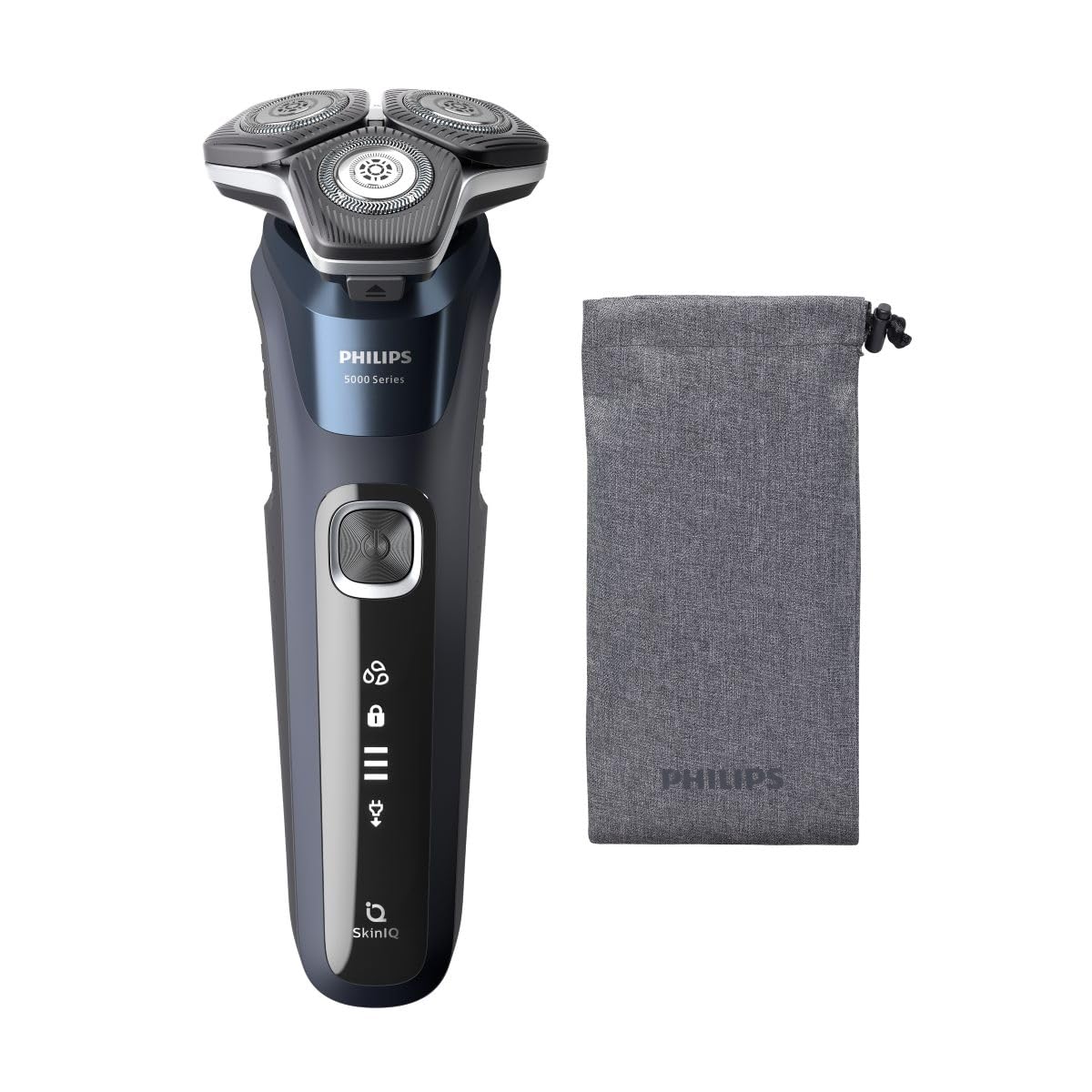
Figure 2: The Philips S5885/10 Electric Shaver as packaged in its retail box.
4. การตั้งค่าและการชาร์จ
ค่าธรรมเนียมเริ่มต้น
Before first use, fully charge your shaver. A full charge takes approximately 1 hour and provides up to 60 minutes of cordless shaving time.
- ตรวจสอบให้แน่ใจว่าเครื่องโกนหนวดปิดอยู่
- Insert the small plug of the USB charging cable into the charging port at the bottom of the shaver.
- Plug the USB connector into a compatible USB power adapter (not included) or a USB port on a computer.
- ไฟแสดงสถานะแบตเตอรี่บนเครื่องโกนหนวดจะสว่างขึ้นเพื่อแสดงความคืบหน้าการชาร์จ เมื่อชาร์จเต็มแล้ว ไฟทุกดวงจะสว่างคงที่
- เมื่อการชาร์จเสร็จสมบูรณ์แล้ว ให้ถอดปลั๊กเครื่องโกนหนวดออกจากแหล่งจ่ายไฟ
ตัวบ่งชี้แบตเตอรี่
The shaver features a multi-level battery indicator. When the battery is low, the last segment of the indicator will flash. During charging, the segments will progressively light up until the battery is full.
5. การใช้งานเครื่องโกนหนวด
เปิด/ปิดเครื่อง
Press the power button once to turn the shaver on. Press it again to turn the shaver off.
โกนแบบแห้ง
For a dry shave, ensure your face is clean and completely dry. Move the shaver in small, circular motions over your skin, applying gentle pressure. The flexible heads will adjust to the contours of your face for optimal contact.
โกนแบบเปียก
For a refreshing wet shave, you can use shaving foam or gel. Apply the foam or gel to your skin and then move the shaver in small, circular motions. The shaver is 100% waterproof and can be used safely in the shower.
เทคโนโลยี SkinIQ
The shaver is equipped with SkinIQ technology, which senses your hair density and adapts the cutting power for a personalized and comfortable shave. This ensures efficient hair removal with less irritation.
6. การทำความสะอาดและการบำรุงรักษา
การทำความสะอาดเป็นประจำจะช่วยให้เครื่องโกนหนวดของคุณมีประสิทธิภาพและถูกสุขอนามัยดีที่สุด
Quick Cleaning (After Each Use)
- ปิดเครื่องโกนหนวด
- Press the release button to open the shaver head unit.
- ล้างหัวโกนให้สะอาดใต้ก๊อกน้ำอุ่นที่ไหลผ่าน
- Shake off excess water and close the shaver head unit.
Thorough Cleaning (Weekly)
- Perform the quick cleaning steps.
- Carefully remove the shaving heads from the holder.
- Rinse each shaving head and the holder under warm running water.
- ปล่อยให้ชิ้นส่วนทั้งหมดผึ่งลมให้แห้งสนิทก่อนประกอบกลับเข้าไปใหม่
- Do not wipe the shaving heads with a towel or tissue, as this may damage them.
การเปลี่ยนหัวโกน
For best shaving results, replace the shaving heads every 12 months. Replacement heads are available from Philips retailers or online.
7. การจัดเก็บ
When not in use, store your shaver in a clean, dry place, away from direct sunlight and extreme temperatures. Use the protective cap to prevent damage to the shaving heads.
8 การแก้ไขปัญหา
| ปัญหา | สาเหตุที่เป็นไปได้ | สารละลาย |
|---|---|---|
| เครื่องโกนหนวดไม่เปิด | แบตเตอรี่หมด | ชาร์จเครื่องโกนหนวดอย่างน้อย 1 ชั่วโมง |
| เครื่องโกนหนวดไม่ชาร์จ | USB cable or adapter is faulty; poor connection. | Ensure the USB cable is properly connected. Try a different USB port or adapter. |
| ประสิทธิภาพการโกนหนวดไม่ดี | หัวโกนสกปรกหรือสึกหรอ | ทำความสะอาดหัวโกนให้สะอาดหมดจด เปลี่ยนหัวโกนหากใช้งานเกิน 12 เดือน |
| อาการระคายเคืองผิวหลังการโกนหนวด | Skin needs to adjust; improper technique. | Allow 2-3 weeks for skin to adjust. Ensure gentle, circular motions. Consider wet shaving with foam/gel. |
If you encounter problems not listed here, or if the suggested solutions do not resolve the issue, please contact Philips Customer Support.
9. ข้อมูลจำเพาะ
- แบบอย่าง: S5885/10
- ยี่ห้อ: ฟิลิปส์
- แหล่งพลังงาน: ไฟฟ้าแบบมีสาย (ชาร์จผ่าน USB)
- ประเภทแบตเตอรี่: ลิเธียมไอออน
- อายุการใช้งานแบตเตอรี่: โกนหนวดแบบไร้สายได้นานถึง 60 นาที
- เวลาในการชาร์จ: ใช้เวลาประมาณ 1 ชั่วโมงในการชาร์จจนเต็ม
- วัสดุใบมีด: Stainless Steel (ComfortCut blades)
- คุณสมบัติ: Wet & Dry use, SkinIQ Technology, 360-D Flexing Heads, Portable
- น้ำหนักสินค้า: 0.44 กิโลกรัม
- สี: สีเทา
10. การรับประกันและการสนับสนุน
This Philips S5885/10 Electric Shaver comes with a 24-month limited warranty from the date of purchase. Please retain your proof of purchase for warranty claims.
For detailed warranty terms, product support, or to find replacement parts, please visit the official Philips website or contact Philips Customer Service in your region. Contact information can typically be found in the warranty booklet or on the Philips webเว็บไซต์.