การแนะนำ
This manual provides detailed instructions for the setup, operation, and maintenance of your KSIX Compass Smartwatch. Designed for active lifestyles, this smartwatch features integrated GPS, call functionality, notification alerts, and comprehensive health monitoring. Please read this manual thoroughly to ensure proper use and to maximize your device's capabilities.
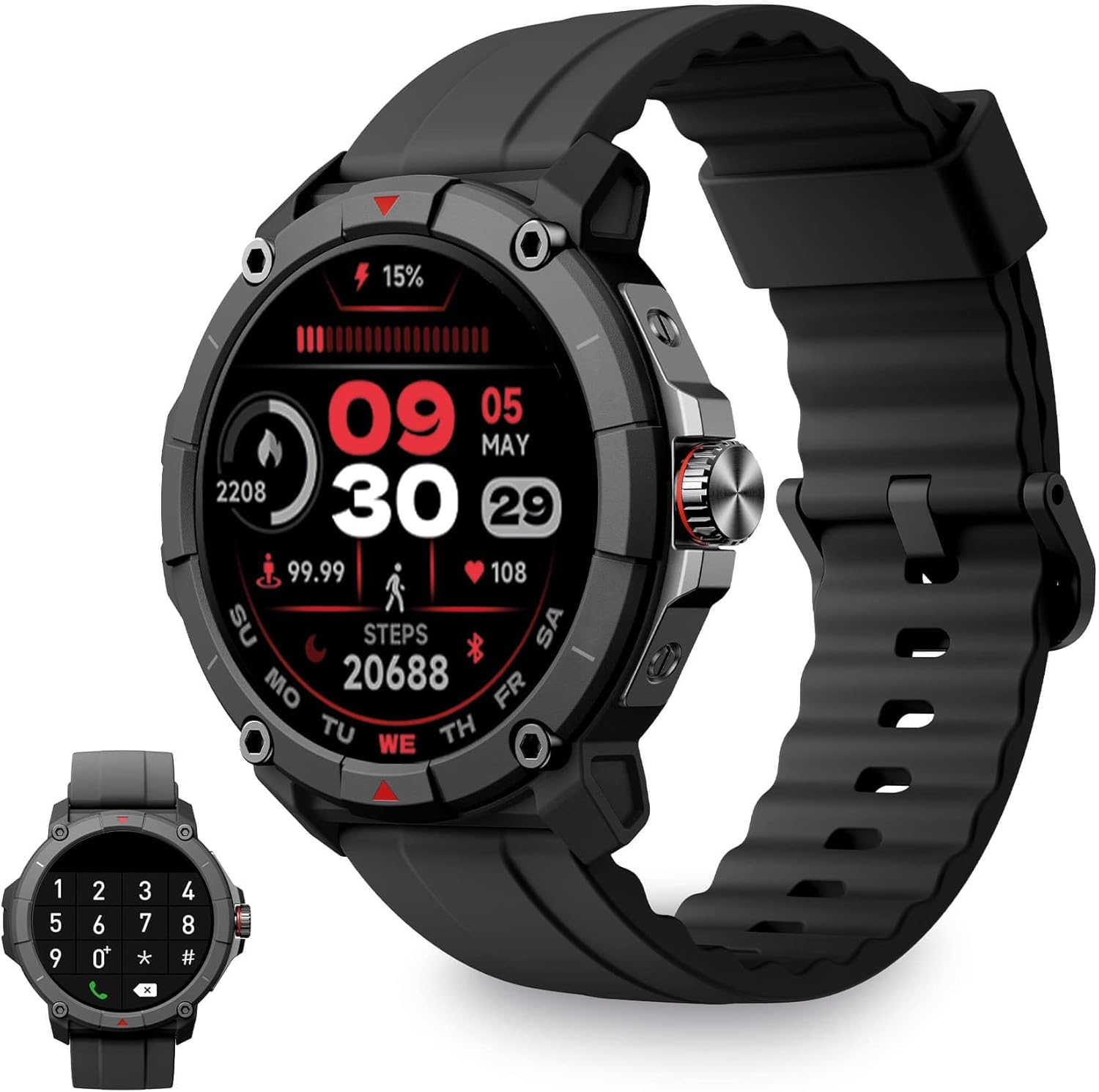
Image: KSIX Compass Smartwatch, front view showing the round display with a digital watch face, and the black silicone strap. A smaller inset image shows the dial pad on the watch screen.
1. การตั้งค่า
1.1 การชาร์จอุปกรณ์
Before initial use, fully charge your KSIX Compass Smartwatch.
- เชื่อมต่อสายชาร์จเข้ากับพอร์ตชาร์จที่ด้านหลังของสมาร์ทวอทช์
- เชื่อมต่อปลายสายอีกด้านหนึ่งเข้ากับอะแดปเตอร์ไฟ USB (ไม่รวมอยู่ด้วย) หรือพอร์ต USB ของคอมพิวเตอร์
- หน้าจอแสดงผลของนาฬิกาจะแสดงสถานะการชาร์จ
โดยปกติการชาร์จเต็มจะใช้เวลาประมาณ 2.5 ชั่วโมง and provides up to 7 วัน of battery life, depending on usage.

Image: Close-up of the KSIX Compass Smartwatch's side, highlighting the rotating crown. Text overlays indicate "Charging Time: 2.5h" and "Battery Life: 7 days".
1.2 การจับคู่กับสมาร์ทโฟนของคุณ
To unlock all features, pair your smartwatch with the companion app.
- ดาวน์โหลด เวรี่ฟิต app from the App Store (iOS 9.0 and above) or Google Play Store (Android 6.0 and above).
- ตรวจสอบให้แน่ใจว่าได้เปิดใช้งาน Bluetooth บนสมาร์ทโฟนของคุณแล้ว
- เปิดแอป VeryFit และทำตามคำแนะนำบนหน้าจอเพื่อสร้างบัญชีหรือเข้าสู่ระบบ
- Select "Add Device" or similar option within the app and choose your KSIX Compass Smartwatch from the list of available devices.
- ยืนยันคำขอจับคู่บนสมาร์ทโฟนและสมาร์ทวอทช์ของคุณทั้งคู่
The watch uses Wireless BLE 5.3 for a stable connection.
2. คู่มือการใช้งาน
2.1 การนำทางพื้นฐาน
- หน้าจอสัมผัส: ปัดไปทางซ้าย ขวา ขึ้น หรือลง เพื่อเลื่อนดูเมนูและฟีเจอร์ต่างๆ แตะเพื่อเลือก
- มงกุฎหมุน: Rotate the crown on the side of the watch to scroll through lists or adjust settings. Press the crown to return to the home screen or confirm selections.

Image: The KSIX Compass Smartwatch displaying its 1.38-inch full-color TFT-LCD touchscreen. Several customizable watch faces are shown below, demonstrating different layouts and information displays.
2.2 ฟังก์ชันการโทร
The KSIX Compass Smartwatch allows you to make and receive calls directly from your wrist using its built-in microphone and speaker.
- โทรออก: Access the dial pad or contact list on the watch screen to initiate a call.
- การรับสาย: เมื่อมีสายเรียกเข้า คุณสามารถรับสายหรือปฏิเสธสายได้โดยตรงจากนาฬิกา
2.3 การแจ้งเตือน
Receive notifications from various applications (e.g., WhatsApp, Instagram, Twitter) directly on your smartwatch when connected to your phone.

Image: The KSIX Compass Smartwatch displaying a call screen with options for frequent contacts and a dial pad. Below, icons for various social media and messaging apps (WhatsApp, Instagram, Twitter, Facebook, Gmail) are shown, representing notification capabilities.
2.4 ผู้ช่วยเสียง
The smartwatch is compatible with your preferred voice assistant (Alexa, Siri, or Google Assistant). Activate the voice assistant feature on your watch and speak your commands.
2.5 โหมดกีฬาและการติดตามด้วย GPS
The KSIX Compass Smartwatch includes integrated GPS for tracking your routes during outdoor activities like running and hiking. It supports over 100 sport modes.
- เลือกโหมดกีฬาที่คุณต้องการจากเมนูของนาฬิกา
- Ensure GPS connection is successful before starting your activity.
- Track your route and performance data in real-time.
- Review detailed activity logs in the VeryFit app after your workout.

Image: The KSIX Compass Smartwatch display showing "GPS connection successful" with a green pin icon, ready to start an activity. A blurred outdoor path is visible in the background.
2.6 การตรวจติดตามสุขภาพ
Monitor various health metrics directly from your wrist.
- เครื่องวัดอัตราการเต้นของหัวใจ: ตรวจสอบอัตราการเต้นของหัวใจอย่างต่อเนื่อง
- เครื่องตรวจวัดออกซิเจนในเลือด (SpO2): วัดระดับความอิ่มตัวของออกซิเจนในเลือด
- เครื่องวัดความดันโลหิต: ให้ข้อมูลเกี่ยวกับการวัดความดันโลหิต
- การติดตามการนอนหลับ: ติดตามรูปแบบและคุณภาพการนอนหลับ
- pedometer: นับจำนวนก้าวที่เดินตลอดทั้งวัน
- Stress Meter: ตรวจสอบระดับความเครียด
- การออกกำลังกายการหายใจ: Guides you through relaxation breathing.
- การติดตามรอบเดือน: ช่วยติดตามและคาดการณ์รอบเดือน
ข้อมูลสุขภาพทั้งหมดสามารถ viewed in detail within the VeryFit app.
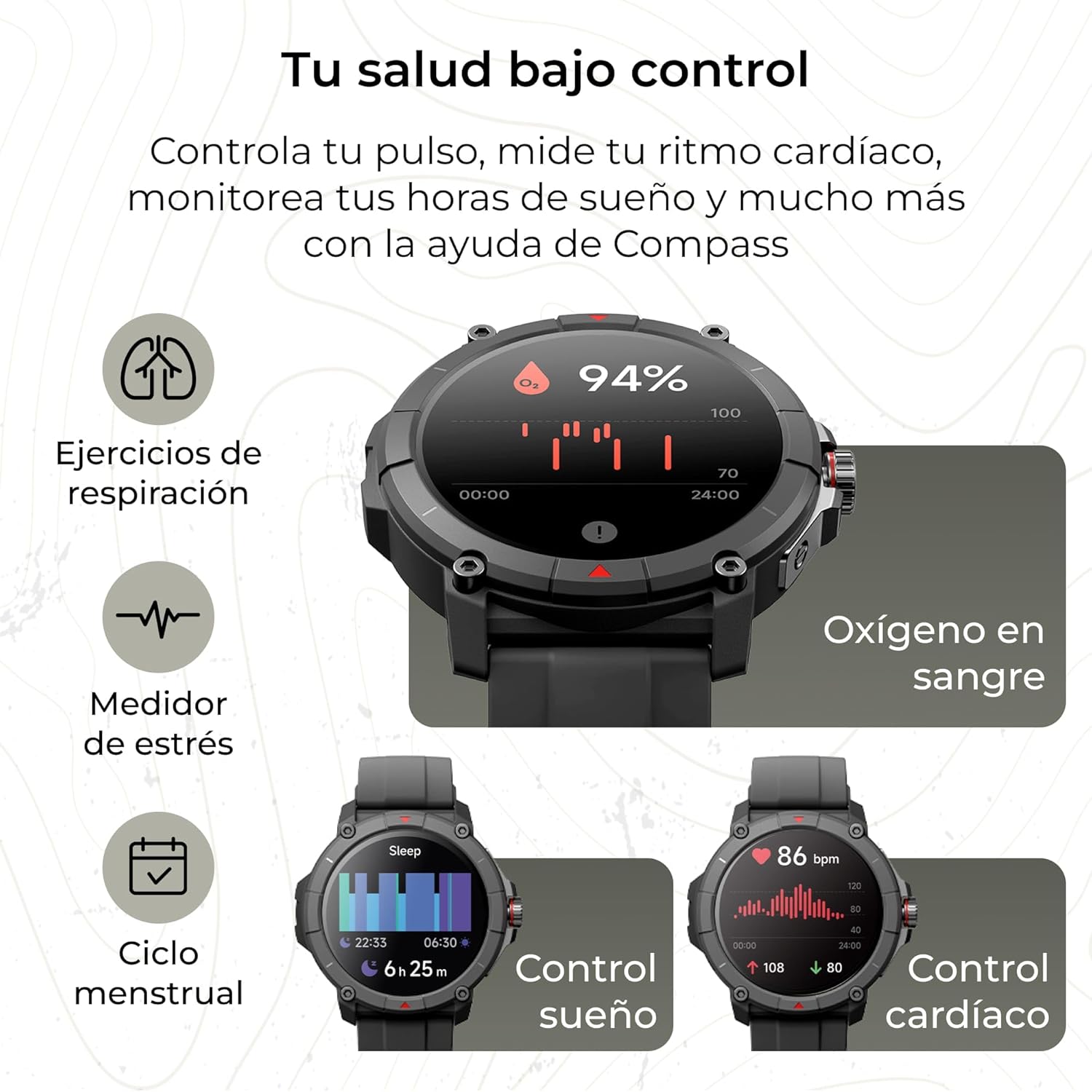
Image: The KSIX Compass Smartwatch displaying various health monitoring features. These include blood oxygen saturation (94%), heart rate control (86 bpm), sleep tracking (6h 25m), stress measurement, breathing exercises, and menstrual cycle tracking.
2.7 คุณสมบัติเพิ่มเติม
- ไฟฉาย: Access a quick flashlight function.
- รีโมทกล้อง: Control your smartphone's camera remotely.
- หน้าปัดที่ปรับแต่งได้: เลือกหน้าปัดนาฬิกาหลากหลายแบบเพื่อปรับแต่งอุปกรณ์ของคุณให้เป็นไปตามสไตล์ของคุณ
3. การบำรุงรักษา
3.1 การทำความสะอาดสมาร์ทวอทช์ของคุณ
ควรทำความสะอาดสมาร์ทวอทช์ของคุณเป็นประจำ เพื่อให้มั่นใจได้ถึงประสิทธิภาพและสุขอนามัยที่ดีที่สุด
- เช็ดหน้าจอและตัวเครื่องด้วยผ้าที่ไม่เป็นขุยและนุ่ม
- สำหรับสิ่งสกปรกฝังแน่น ให้เช็ดออกเล็กน้อยampเทน้ำลงบนผ้า
- หลีกเลี่ยงการใช้สารเคมีรุนแรงหรือวัสดุที่มีฤทธิ์กัดกร่อน
- ตรวจสอบให้แน่ใจว่าหน้าสัมผัสการชาร์จสะอาดและแห้งก่อนชาร์จ
3.2 ความต้านทานต่อน้ำ
The KSIX Compass Smartwatch is water-resistant up to 2 meters for 30 minutes, with an IP68 and 2ATM protection rating.
- เหมาะสำหรับใช้ในชีวิตประจำวัน เช่น ล้างมือ ฝนตก และว่ายน้ำในน้ำตื้น
- Avoid hot water, saunas, or high-pressure water jets.
- ห้ามกดปุ่มหรือใช้งานหน้าจอสัมผัสใต้น้ำ
- เช็ดนาฬิกาให้แห้งสนิทหลังจากโดนน้ำ

ภาพ: ภาพประกอบแสดงasing various features of the KSIX Compass Smartwatch. Key elements include "100+ Sport Modes", "Integrated GPS", "2ATM Submersible" (with an image of the watch partially submerged in water), "7 Days Battery Life", "Hands-free Calling", "Customizable Dials", "Voice Assistants", and "24h Health Monitoring".
4 การแก้ไขปัญหา
4.1 ปัญหาการเชื่อมต่อ
- นาฬิกาถูกตัดการเชื่อมต่อบ่อยครั้ง:
- ตรวจสอบให้แน่ใจว่าสมาร์ทวอทช์อยู่ในระยะบลูทูธที่เชื่อมต่อกับโทรศัพท์ของคุณได้
- Check if the VeryFit app is running in the background and has necessary permissions.
- Restart both your phone's Bluetooth and the smartwatch.
- If issues persist, try unpairing and re-pairing the device through the VeryFit app.
- ไม่สามารถจับคู่ได้:
- Make sure the smartwatch is charged.
- ตรวจสอบว่าบลูทูธเปิดใช้งานบนโทรศัพท์ของคุณแล้ว
- Ensure no other devices are currently paired with the smartwatch.
- Restart your phone and the smartwatch, then try pairing again.
4.2 ความแม่นยำของ GPS
- Inaccurate GPS Readings:
- ให้แน่ใจว่าคุณอยู่ในพื้นที่กลางแจ้งที่เปิดโล่งและมีน้ำใส view ของท้องฟ้าเพื่อการรับสัญญาณ GPS ที่ดีที่สุด
- Wait for the "GPS connection successful" message before starting your activity.
- Sync the watch with the VeryFit app regularly to update GPS assistance data.
4.3 การเพิ่มประสิทธิภาพอายุการใช้งานแบตเตอรี่
- ลดความสว่างหน้าจอ
- ปิดการตรวจสอบอัตราการเต้นของหัวใจอย่างต่อเนื่องหากไม่จำเป็น
- จำกัดจำนวนการแจ้งเตือนแอป
- หากมีตัวเลือก "เปิดหน้าจอตลอดเวลา" ให้ปิดฟังก์ชันนี้
- Use power-saving modes if offered by the device.
5. ข้อมูลจำเพาะ
| ยี่ห้อ | KSIX สมาร์ทเทคโนโลยีของคุณ |
| ชื่อรุ่น | เข็มทิศ |
| หมายเลขรุ่น | BXSW18N |
| สี | สีดำ |
| ระบบปฏิบัติการ | Wear OS [UNCERTAIN] (Compatible with iOS 9.0+ and Android 6.0+) |
| ขนาดหน้าจอ | 1.38 Inches (TFT-LCD Touchscreen) |
| การเชื่อมต่อ | Wireless Bluetooth (BLE 5.3) |
| คุณสมบัติพิเศษ | Compass, GPS, Heart Rate Monitor, SpO2, Blood Pressure, Sleep Tracker, Pedometer, Voice Assistant, Call Functionality, Notifications, Flashlight, Camera Remote |
| อุปกรณ์ที่รองรับ | สมาร์ทโฟน, แท็บเล็ต |
| องค์ประกอบของแบตเตอรี่ | ลิเธียมไอออน |
| อายุการใช้งานแบตเตอรี่ | สูงสุด 7 วัน (การใช้งานทั่วไป) |
| เวลาในการชาร์จ | ประมาณ 2.5 ชั่วโมง |
| ความต้านทานต่อน้ำ | 2ATM, IP68 (up to 2 meters for 30 minutes) |
6. ข้อมูลด้านความปลอดภัย
โปรดปฏิบัติตามแนวทางความปลอดภัยดังต่อไปนี้:
- อย่าพยายามถอดประกอบหรือดัดแปลงอุปกรณ์
- เก็บอุปกรณ์ให้ห่างจากอุณหภูมิที่สูงหรือต่ำเกินไปและถูกแสงแดดโดยตรง
- ควรหลีกเลี่ยงการกระแทกหรือการตกหล่นของอุปกรณ์อย่างรุนแรง
- Consult a medical professional before starting any new exercise regimen or if you have health concerns. The health monitoring features are for informational purposes and not for medical diagnosis.
- กำจัดอุปกรณ์และแบตเตอรี่อย่างมีความรับผิดชอบตามกฎระเบียบท้องถิ่น


