การแนะนำ
Welcome to the Wicked Audio Mojo 500 True Wireless Earbuds user manual. This guide provides detailed instructions to help you set up, operate, and maintain your new earbuds, ensuring you get the most out of their advanced features.

Figure 1: Wicked Audio Mojo 500 Earbuds and Charging Case.
มีอะไรอยู่ในกล่อง
- สายเคเบิล
- แผ่นรองหูฟัง
- เคสชาร์จไฟ
สินค้าเกินview
- WICKED AUDIO APP: Get the most out of your earbuds. App features include; GPS Bud Locator, Transparency Mode, Wear Detect, Endless EQ Modes, Active Noise Cancelling, Customizable Controls, Easy Access User Guide, Battery Life Indicator, Forever Future Updates, App Controlled Volume, Low Latency (Gaming Mode), Dark/Light Mode Control. Find the Wicked Audio App on the Google Play Store or the Apple App Store.
- 3 NOISE CONTROL MODES: How much ambient noise do you want? Get the best setup for your situation. Choose between transparency mode, passive noise cancelling, or active noise cancellation.
- EASY FLEX CONNECT: Dual options. Pair a single bud, pair them both. With ergonomic shaped housing to be small and comfortable, you’re ready to go right out of the case.
- LONG BATTERY LIFE: Up to 23 total hours of rockin’ bass. Up to 5 hours of playtime with an additional 18 hours from the charging case. Charge the case with included USB-C charging cable.
- CLEAR ADAPTIVE MICS: Multiple mics are adapting to the environment to make your voice as clear as possible.
การตั้งค่า
Initial Pairing (Easy Flex Connect)
The Mojo 500 earbuds offer dual pairing options. You can pair a single earbud or both simultaneously. Simply remove them from the charging case, and they will be ready to connect to your device.
ดาวน์โหลดแอพมือถือ
To unlock the full potential of your Mojo 500 earbuds, download the Wicked Audio App. It is available on both the Google Play Store and the Apple App Store.
คำแนะนำการใช้งาน
การควบคุมพื้นฐาน
The earbuds feature customizable controls for managing music playback, calls, and other functions directly from the earbuds. Refer to the Wicked Audio App for detailed customization options.
Wear Detect
The Wear Detect feature allows the earbuds to automatically pause playback when removed from your ears and resume when put back in. This provides seamless listening experience.

Figure 2: Earbuds in use, demonstrating Wear Detect functionality.
คุณสมบัติแอพมือถือ
The Wicked Audio App enhances your earbud experience with a variety of features:
- GPS Bud Locator: Helps you find misplaced earbuds.
- โหมดความโปร่งใส: Allows ambient sounds to pass through for awareness.
- Endless EQ Modes: Customize your audio experience with various equalizer settings.
- การตัดเสียงรบกวนแบบแอคทีฟ: ลดเสียงรบกวนภายนอกเพื่อการฟังที่สมจริงยิ่งขึ้น
- การควบคุมที่ปรับแต่งได้: ปรับแต่งการควบคุมแบบสัมผัสบนหูฟังของคุณได้ตามต้องการ
- Easy Access User Guide: Quick access to the manual within the app.
- ไฟแสดงสถานะแบตเตอรี่: ตรวจสอบระดับแบตเตอรี่ของหูฟังและเคส
- App Controlled Volume: Adjust volume directly from the app.
- Low Latency (Gaming Mode): ลดความหน่วงของเสียงขณะเล่นเกม
- Dark/Light Mode Control: Adjust app interface theme.

Figure 3: Wicked Audio App interface demonstrating EQ modes.
โหมดควบคุมเสียงรบกวน
The Mojo 500 offers three distinct noise control modes to suit your environment:
- โหมดความโปร่งใส: ช่วยให้คุณได้ยินเสียงรอบข้างขณะเพลิดเพลินไปกับเสียง
- Passive Noise Cancelling: Achieved through the physical design of the earbuds, blocking some ambient noise.
- การตัดเสียงรบกวนแบบแอคทีฟ (ANC): Electronically reduces a wider range of ambient noise for a more immersive audio experience.
อายุการใช้งานแบตเตอรี่และการชาร์จ
Enjoy extended listening with the Mojo 500 earbuds:
- สามารถเล่นได้นานถึง 5 ชั่วโมงต่อการชาร์จเพียงครั้งเดียว
- เคสชาร์จช่วยเพิ่มอายุการใช้งานแบตเตอรี่ได้อีก 18 ชั่วโมง
- Total playtime of up to 23 hours.
- The charging case is recharged using the included USB-C charging cable.
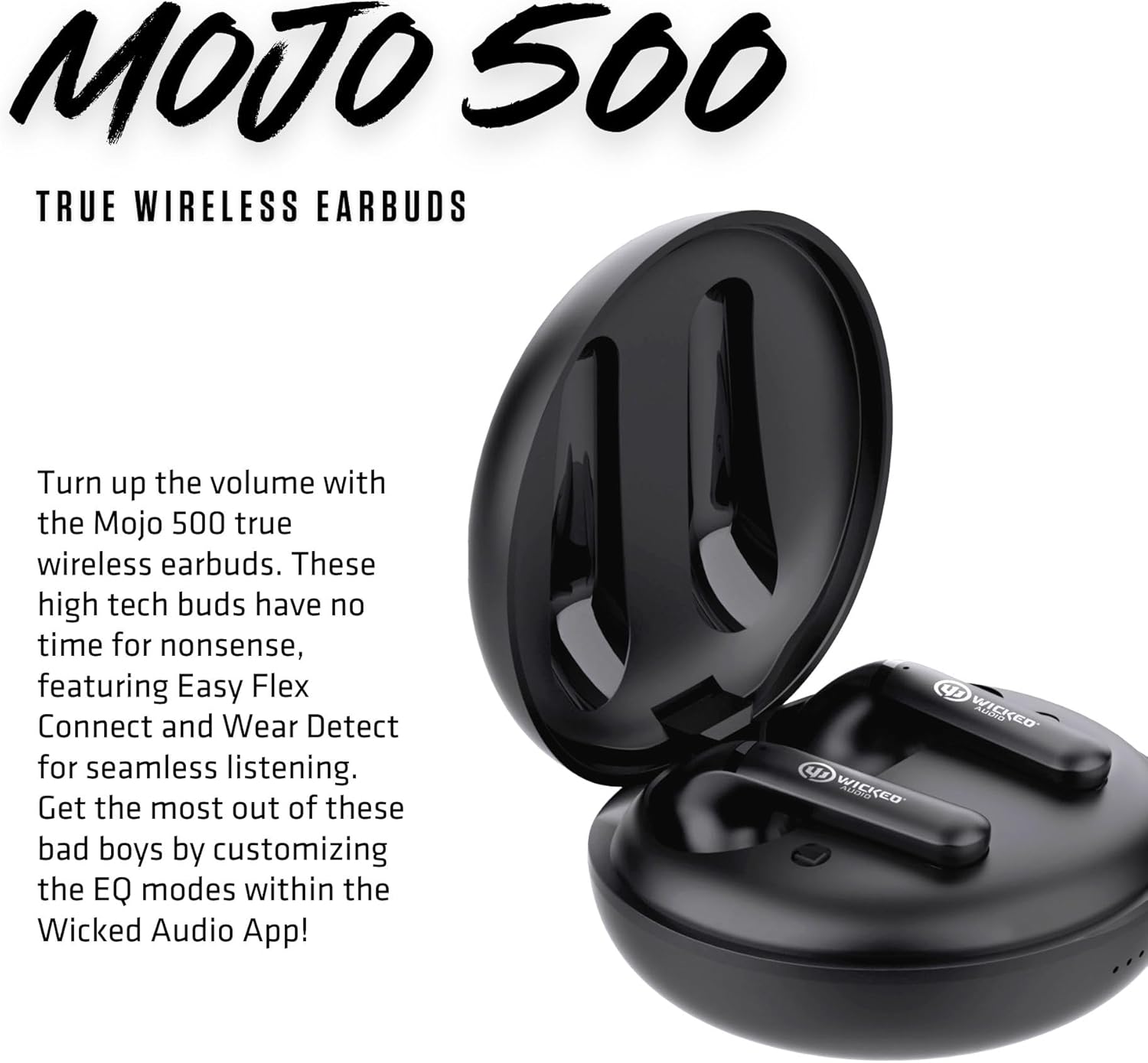
Figure 4: Earbuds inside the charging case.
Audio Quality & Calls
The Mojo 500 earbuds are designed for clear audio and communication:
- Equipped with Clear Adaptive Mics that adjust to your environment to ensure your voice is transmitted clearly during calls.
- Features a Dynamic Audio Driver for rich sound.
- Frequency Range: 20 Hz - 20,000 Hz.
การเชื่อมต่อ
The Mojo 500 earbuds utilize Bluetooth technology for seamless wireless connection:
- Wireless Communication Technology: Bluetooth.
- Bluetooth Range: 10 Meters.
- Compatible Devices: Cellphones, Gaming Consoles, Tablets, Laptops, Desktops.
Comfort & Durability
Designed for comfort and resilience:
- Ergonomic shaped housing ensures a small and comfortable fit.
- Water Resistance Level: Water Resistant, making them suitable for workouts and outdoor activities.
- Item Weight: 0.18 Pounds (earbuds only).
- Included Components: Ear Cushions for a secure and comfortable fit.

Figure 5: Earbuds designed for comfortable in-ear placement.
ข้อมูลจำเพาะ
| คุณสมบัติ | รายละเอียด |
|---|---|
| ชื่อรุ่น | Mojo 500 True Wireless Earbuds |
| การควบคุมเสียงรบกวน | ระบบตัดเสียงรบกวนแบบแอคทีฟ |
| เทคโนโลยีการเชื่อมต่อ | ไร้สาย |
| เทคโนโลยีการสื่อสารไร้สาย | บลูทูธ |
| ส่วนประกอบที่รวมอยู่ | Cable, Charging Case, Ear Cushions |
| การใช้งานที่แนะนำสำหรับผลิตภัณฑ์ | Video Calls, Running, Skateboarding, Exercising |
| อุปกรณ์ที่รองรับ | โทรศัพท์มือถือ, คอนโซลเกม, แท็บเล็ต, แล็ปท็อป, เดสก์ท็อป |
| ประเภทการควบคุม | การควบคุมเสียงรบกวน |
| ระดับความต้านทานต่อน้ำ | ทนน้ำ |
| ช่วงความถี่ | 20 เฮิรตซ์ - 20,000 เฮิรตซ์ |
| อายุการใช้งานแบตเตอรี่ | 27 Hours (Total) |
| ช่วงบลูทูธ | 10 เมตร |
| น้ำหนักสินค้า | 2.88 ออนซ์ |
| สี | สีดำ |
| การวางตำแหน่งหู | ในหู |
| ฟอร์มแฟกเตอร์ | ในหู |
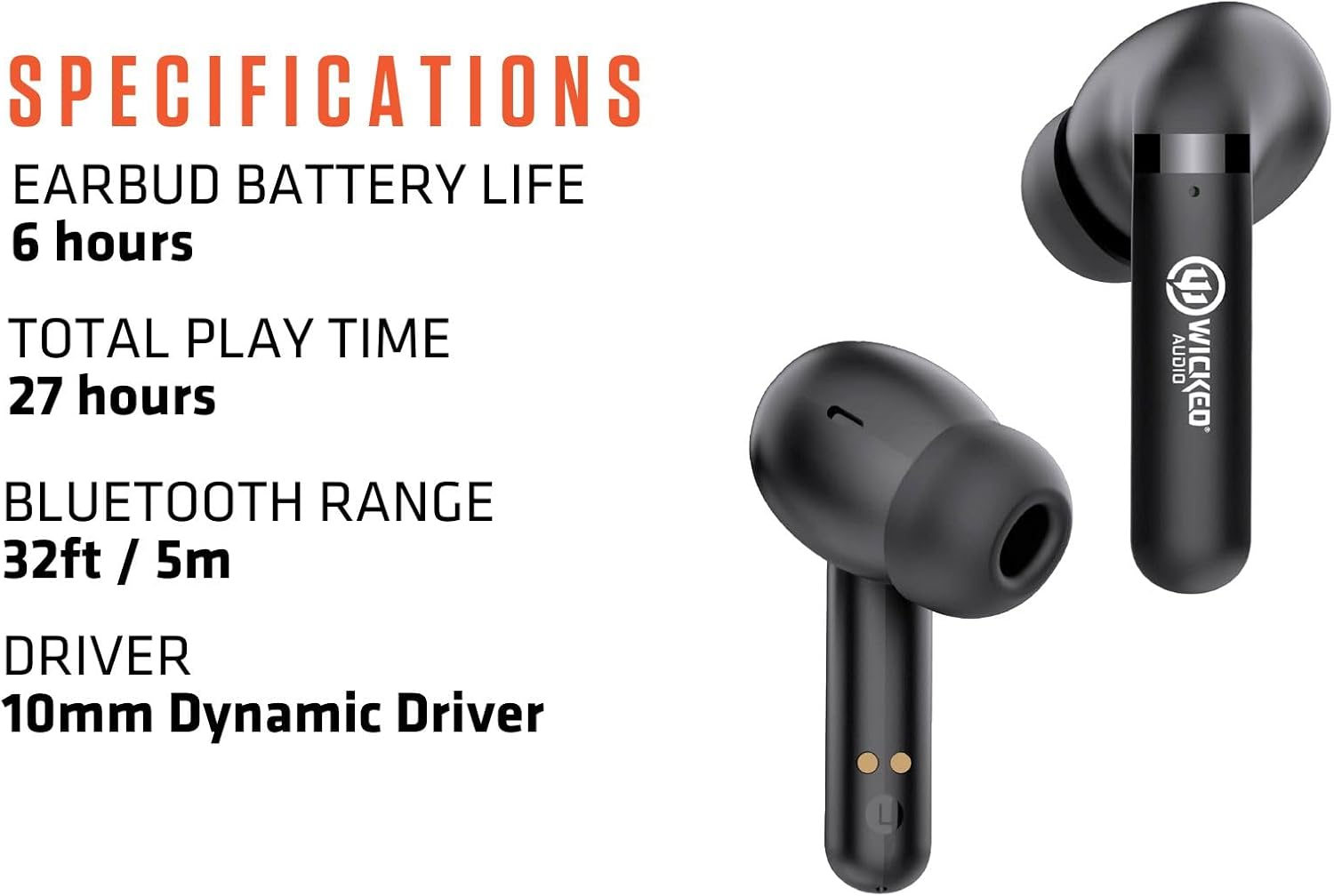
Figure 6: Key specifications of the Mojo 500 Earbuds.
การแก้ไขปัญหา
If you encounter any issues with your Wicked Audio Mojo 500 earbuds, please refer to the Easy Access User Guide within the Wicked Audio App for detailed troubleshooting steps. Common issues often relate to pairing, connectivity, or charging.
- ไม่มีเสียง: ตรวจสอบให้แน่ใจว่าหูฟังชาร์จไฟเต็มและจับคู่กับอุปกรณ์เรียบร้อยแล้ว ตรวจสอบระดับเสียงของอุปกรณ์ด้วย
- ปัญหาการจับคู่: Turn off Bluetooth on other devices. Reset earbuds and try pairing again.
- ปัญหาการชาร์จไฟ: Ensure USB-C cable is securely connected to both the case and power source. Check for debris in charging ports.
การรับประกันและการสนับสนุน
For warranty information and customer support, please visit the official Wicked Audio webหรือติดต่อฝ่ายบริการลูกค้าโดยตรง โปรดเก็บหลักฐานการซื้อไว้เพื่อใช้ในการเคลมประกัน
ข้อมูลด้านความปลอดภัย
Please read all safety warnings and instructions before using this product to avoid injury or damage. Keep out of reach of children. Avoid prolonged exposure to high volume levels to prevent hearing damage. Do not disassemble or attempt to repair the device yourself.


