การแนะนำ
This manual provides essential instructions for the safe and efficient use of your Haier 43K7700UGA 43 Inch 4K Google Smart Android Television. Please read this manual thoroughly before operating the television and retain it for future reference. This television features a 4K UHD display, Google Android 11 operating system, and built-in Chromecast for an enhanced viewการสร้างประสบการณ์
ข้อมูลด้านความปลอดภัยที่สำคัญ
ปฏิบัติตามข้อควรระวังด้านความปลอดภัยขั้นพื้นฐานเสมอเมื่อใช้โทรทัศน์เครื่องนี้เพื่อลดความเสี่ยงต่อการเกิดไฟไหม้ ไฟฟ้าช็อต และการบาดเจ็บ
- อย่าให้โทรทัศน์โดนฝนหรือความชื้น
- Do not block ventilation openings. Ensure adequate space around the television for proper airflow.
- ปกป้องสายไฟจากการถูกเหยียบหรือถูกหนีบ
- ใช้เฉพาะอุปกรณ์เสริม/สิ่งที่แนบตามที่ผู้ผลิตกำหนดเท่านั้น
- ถอดปลั๊กโทรทัศน์ในระหว่างที่มีพายุฝนฟ้าคะนองหรือเมื่อไม่ได้ใช้งานเป็นเวลานาน
- ส่งต่อการบริการทั้งหมดไปยังบุคลากรบริการที่มีคุณสมบัติเหมาะสม
เนื้อหาแพ็คเกจ
ตรวจสอบว่ามีรายการทั้งหมดอยู่ในแพ็คเกจ:
- 1 x Haier 43 Inch LED TV
- 1 x รีโมทคอนโทรล
- 1 x ขาตั้งตั้งโต๊ะ (ชุด)
- สายไฟ 1 เส้น
- แบตเตอรี่ AAA 2 ก้อน (สำหรับรีโมท)
- 1 x คู่มือผู้ใช้ (เอกสารนี้)
- ใบรับประกัน 1 ใบ
คู่มือการติดตั้ง
1. การแกะกล่องและการจัดวาง
Carefully remove the television from its packaging. Place the TV on a stable, flat surface or prepare for wall mounting (wall mount kit sold separately). Ensure proper ventilation around the TV.
2. การติดตั้งขาตั้งโต๊ะ
If using the included table top stand, align the stand components with the designated slots at the bottom of the television. Secure them firmly with the provided screws. Refer to the diagram below for guidance.
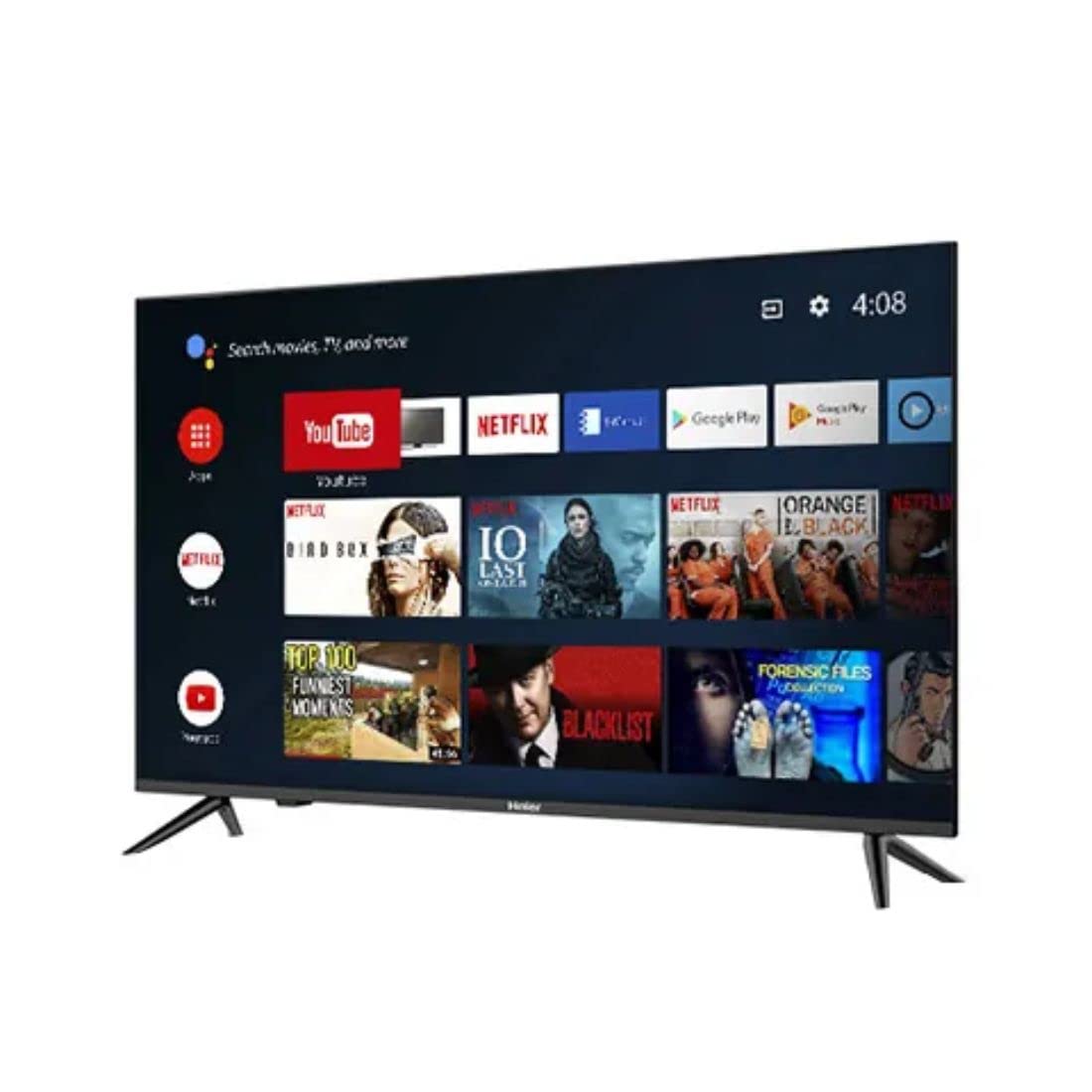
ภาพ: ด้านข้าง view of the television demonstrating stand attachment.
3. การเชื่อมต่อพลังงาน
Connect the power cable to the AC input port on the back of the television, then plug the other end into a suitable power outlet. Ensure the power supply matches the voltage requirements of the TV (230 Volts).
4. การเชื่อมต่ออุปกรณ์ภายนอก
Your Haier TV supports various connections. Use the HDMI ports for high-definition devices like set-top boxes, gaming consoles, or Blu-ray players. USB ports are available for media playback from storage devices.
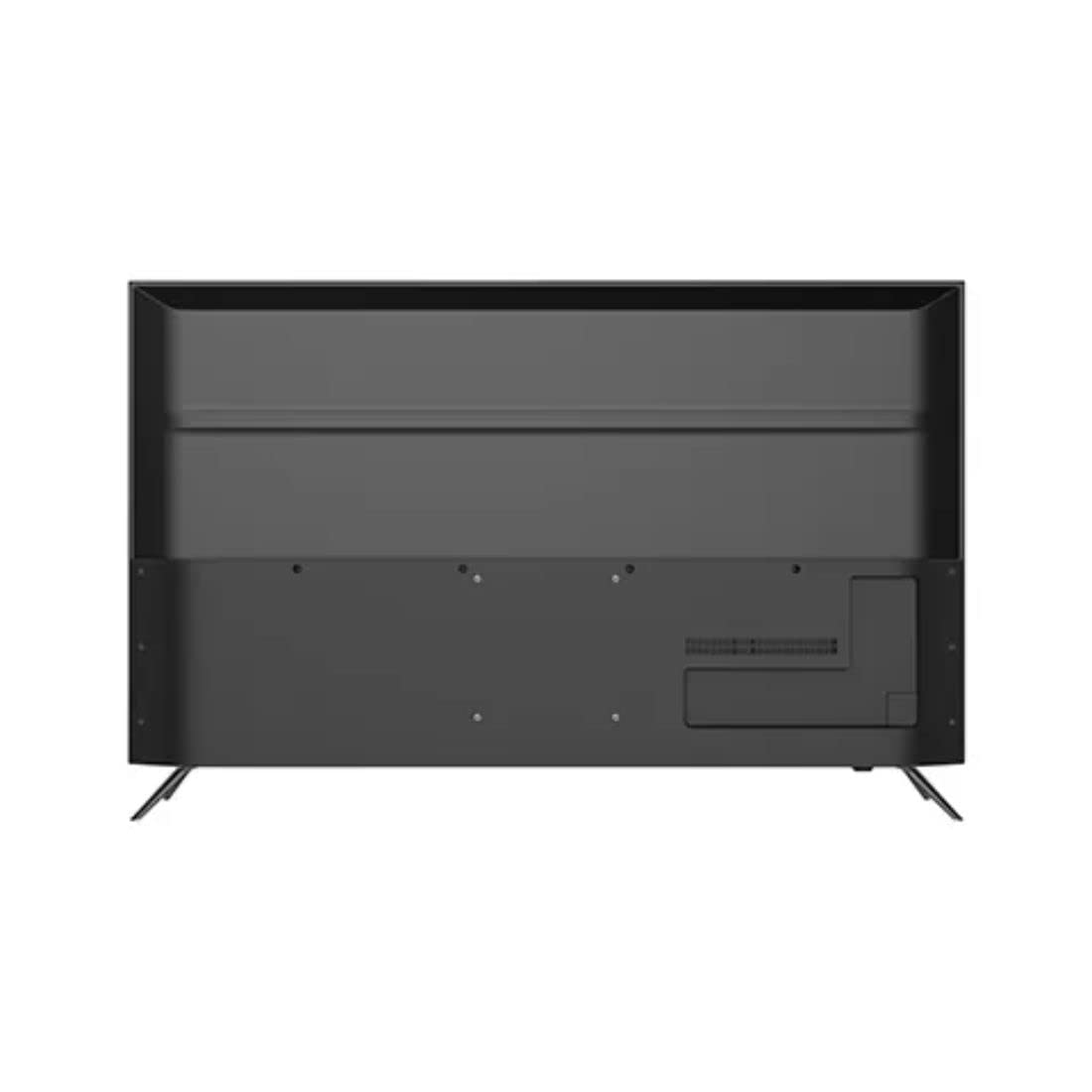
ภาพ: ด้านหลัง view of the television highlighting various input ports such as HDMI and USB.
- ช่องต่อ HDMI: เชื่อมต่อสาย HDMI จากอุปกรณ์ของคุณเข้ากับพอร์ต HDMI บนทีวี
- ยูเอสบี: Insert USB storage devices into the USB ports for accessing media files.
- บลูทูธ: Use Bluetooth for wireless audio devices or other compatible accessories.
5. Initial Setup (First Power On)
Upon first power-on, the TV will guide you through the initial setup process. This includes selecting your language, connecting to a Wi-Fi network, signing in with your Google account, and configuring basic settings for your Android TV experience.
การใช้งานโทรทัศน์ของคุณ
1. รีโมทคอนโทรล
Insert the two AAA batteries into the remote control, ensuring correct polarity. The remote allows you to navigate the TV's interface, adjust volume, change channels, and access smart features.
2. เปิด/ปิดเครื่อง
กดปุ่ม พลัง button on the remote control or on the TV to turn the television on or off.
3. อินเทอร์เฟซ Android TV
Your Haier TV runs on Google Android 11, providing access to a wide range of apps and services. Use the directional buttons on your remote to navigate the home screen, select apps, and browse content.

ภาพ: ด้านหน้า view of the television showing the Android TV home screen with applications like YouTube and Netflix.
4. การใช้ Google Assistant
Press the Google Assistant button on your remote to activate voice commands. You can ask questions, search for content, control smart home devices, and more.
5. Chromecast ในตัว
With Chromecast built-in, you can cast movies, shows, photos, and more from your smartphone, tablet, or computer directly to your TV. Ensure your device and TV are on the same Wi-Fi network.
6. การตั้งค่าภาพและเสียง
Access the settings menu to customize picture modes (e.g., Standard, Vivid, Movie), adjust brightness, contrast, color, and sound settings (e.g., sound mode, equalizer).
การซ่อมบำรุง
1. การทำความสะอาดหน้าจอ
เช็ดหน้าจอเบาๆ ด้วยผ้านุ่ม แห้ง และไม่เป็นขุย สำหรับรอยฝังแน่น ให้เช็ดเบาๆampชุบผ้าด้วยน้ำหรือน้ำยาทำความสะอาดหน้าจอโดยเฉพาะ ห้ามฉีดน้ำยาลงบนหน้าจอโดยตรง
2. การดูแลทั่วไป
Keep the television free from dust by regularly wiping the cabinet with a soft, dry cloth. Avoid placing heavy objects on the TV or exposing it to direct sunlight or extreme temperatures.
การแก้ไขปัญหา
หากคุณประสบปัญหาเกี่ยวกับโทรทัศน์ โปรดดูวิธีแก้ไขทั่วไปต่อไปนี้ก่อนติดต่อฝ่ายสนับสนุนลูกค้า
- ไม่มีไฟฟ้า: ตรวจสอบให้แน่ใจว่าสายไฟเชื่อมต่อกับทั้งทีวีและเต้ารับไฟฟ้าอย่างแน่นหนา ตรวจสอบว่าเต้ารับไฟฟ้ายังใช้งานได้หรือไม่โดยการเสียบอุปกรณ์อื่น
- ไม่มีภาพ/เสียง: Verify that the correct input source is selected. Check all cable connections (HDMI, etc.) are secure. For no sound, check volume levels and mute settings.
- รีโมทคอนโทรลไม่ทำงาน: ใส่แบตเตอรี่ AAA กลับเข้าไปในรีโมทคอนโทรล ตรวจสอบให้แน่ใจว่าไม่มีสิ่งกีดขวางระหว่างรีโมทและเซ็นเซอร์อินฟราเรดของทีวี
- ปัญหาการเชื่อมต่อเครือข่าย: Restart your Wi-Fi router. Go to the TV's network settings to reconnect to your Wi-Fi network. Ensure the Wi-Fi password is entered correctly.
- ปัญหาคุณภาพของภาพ: ปรับการตั้งค่าภาพ (ความสว่าง ความคมชัด ความละเอียด) ในเมนูของทีวี ตรวจสอบให้แน่ใจว่าแหล่งสัญญาณขาเข้าให้สัญญาณคุณภาพสูง
ข้อมูลจำเพาะทางเทคนิค
Below are the key technical specifications for the Haier 43K7700UGA television:
| คุณสมบัติ | ข้อมูลจำเพาะ |
|---|---|
| ยี่ห้อ | ไฮเออร์ |
| ชื่อรุ่น | 43K7700UGA |
| ขนาดหน้าจอ | 43 นิ้ว (109 เซนติเมตร) |
| เทคโนโลยีการแสดงผล | นำ |
| ปณิธาน | 4K Ultra HD (3840 x 2160 พิกเซล) |
| อัตราการรีเฟรช | 60 เฮิรตซ์ |
| ระบบปฏิบัติการ | Google รับรอง Android 11 |
| ความจุของหน่วยความจำ | 1GB |
| ฮาร์ดแวร์อินเตอร์เฟซ | HDMI, ยูเอสบี |
| พอร์ต USB รวม | 2 |
| ประเภทขั้วต่อ | บลูทูธ |
| บริการอินเทอร์เน็ตที่รองรับ | ผู้ช่วย Google |
| Viewอิงแองเกิล | 178 องศา |
| ขนาดสินค้า (กxยxส) | 95.9 x 23 x 61.7 ซม. |
| น้ำหนักสินค้า | 7.3 กก. |
| เล่มที่tage | 230 โวลต์ |
| วัดtage | 180 วัตต์ |

ภาพ: ด้านหน้า view of the television with key dimensions indicated.
การรับประกันและการสนับสนุน
Your Haier 43K7700UGA television comes with a รับประกัน 1 ปี นับจากวันที่ซื้อ โปรดดูข้อกำหนดและเงื่อนไขโดยละเอียดในบัตรรับประกันที่ให้มา
For technical assistance, troubleshooting not covered in this manual, or warranty claims, please contact Haier customer support. Contact information can typically be found on the warranty card or the official Haier webเว็บไซต์.