สินค้าเกินview
The Soliom BF09 Smart Bird Feeder with Camera is an innovative device designed to bring the beauty of wild birds closer to you. It features a wireless outdoor camera, AI bird species identification, automatic video recording, and instant notifications to your smartphone. Equipped with a 5W solar panel for continuous power and a 32GB SD card for local storage, this feeder offers a comprehensive bird-watching experience.
คุณสมบัติที่สำคัญ ได้แก่:
- Real-time Bird Watching: Receive instant notifications and view high-resolution snapshots and videos of birds visiting your feeder via the Soliom Pro app.
- Advanced AI Recognition: Identify over 11,000 bird species with an advanced recognition algorithm, providing educational insights.
- 1080P HD Vision: Enjoy clear 1080P HD video and images, including full-color night vision.
- การเชื่อมต่อที่เสถียร: Supports 2.4G Wi-Fi with a 5dB antenna for reliable connection. (Note: Does not support 5G Wi-Fi).
- การออกแบบที่ทนทาน: IP65 weatherproof construction ensures durability in various outdoor conditions.
- พลังงานที่มีประสิทธิภาพ: Integrated 5W solar panel keeps the internal battery charged.
- Ampที่เก็บของ: Includes a 32GB SD card for video storage, with an optional cloud service.
- ความจุขนาดใหญ่: 1.5L food container reduces the frequency of refills.

Figure 1: Soliom BF09 Smart Bird Feeder with Camera, showing the feeder, solar panel, and birds.
คู่มือการติดตั้ง
1. เนื้อหาบรรจุภัณฑ์
ก่อนที่จะเริ่มการติดตั้ง โปรดตรวจสอบว่าบรรจุภัณฑ์มีส่วนประกอบทั้งหมดอยู่:
- Soliom BF09 Bird Feeder with Camera
- แผงโซล่าเซลล์ 5W
- สายไฟ Type-C
- อะแดปเตอร์ขาตั้งกล้อง
- Small Screws & Anchors (x3)
- Big Screws & Anchors (x3)
- สกรูไม้ (x3)
- Perch (x1)
- สกรูยึดคอน (x2)
- หมุดดันออก (x1)
- การ์ด TF ขนาด 32GB (ติดตั้งมาแล้วหรือซื้อแยกต่างหาก)
- Black Strap (x1)
- Roof (x1)
- Small Hose Clip (x2)
- Big Hose Clip (x2)
- แม่แบบการเจาะ (x1)
- คู่มือการใช้งาน
2. การติดตั้งทางกายภาพ
The Soliom BF09 can be mounted in various locations such as a fence, 4x4 post, or tree. Choose a location with good sunlight exposure for the solar panel and a clear view เพื่อกล้องถ่ายรูป
- Assemble the Perch: Attach the perch to the feeder using the provided perch screws.
- ติดตั้งหลังคา: Secure the orange roof onto the top of the feeder.
- ติดตั้งแผงโซลาร์เซลล์: The 5W solar panel should be mounted in a location that receives direct sunlight for most of the day to ensure optimal charging of the internal battery. Use the provided screws and anchors or the black strap for mounting.
- Mount the Feeder:
- For wall/wood mounting: Use the drilling template to mark holes. Drill pilot holes and secure the feeder using the appropriate screws (small/big screws & anchors for walls, wood screws for wooden surfaces).
- For pole/tree mounting: Utilize the hose clips or the black strap to secure the feeder firmly to a pole or tree trunk.
- เชื่อมต่อแผงโซล่าเซลล์: Connect the solar panel's power cable to the charging port on the bird feeder camera. The IP65 weatherproof design extends to the charge port, ensuring protection from elements.
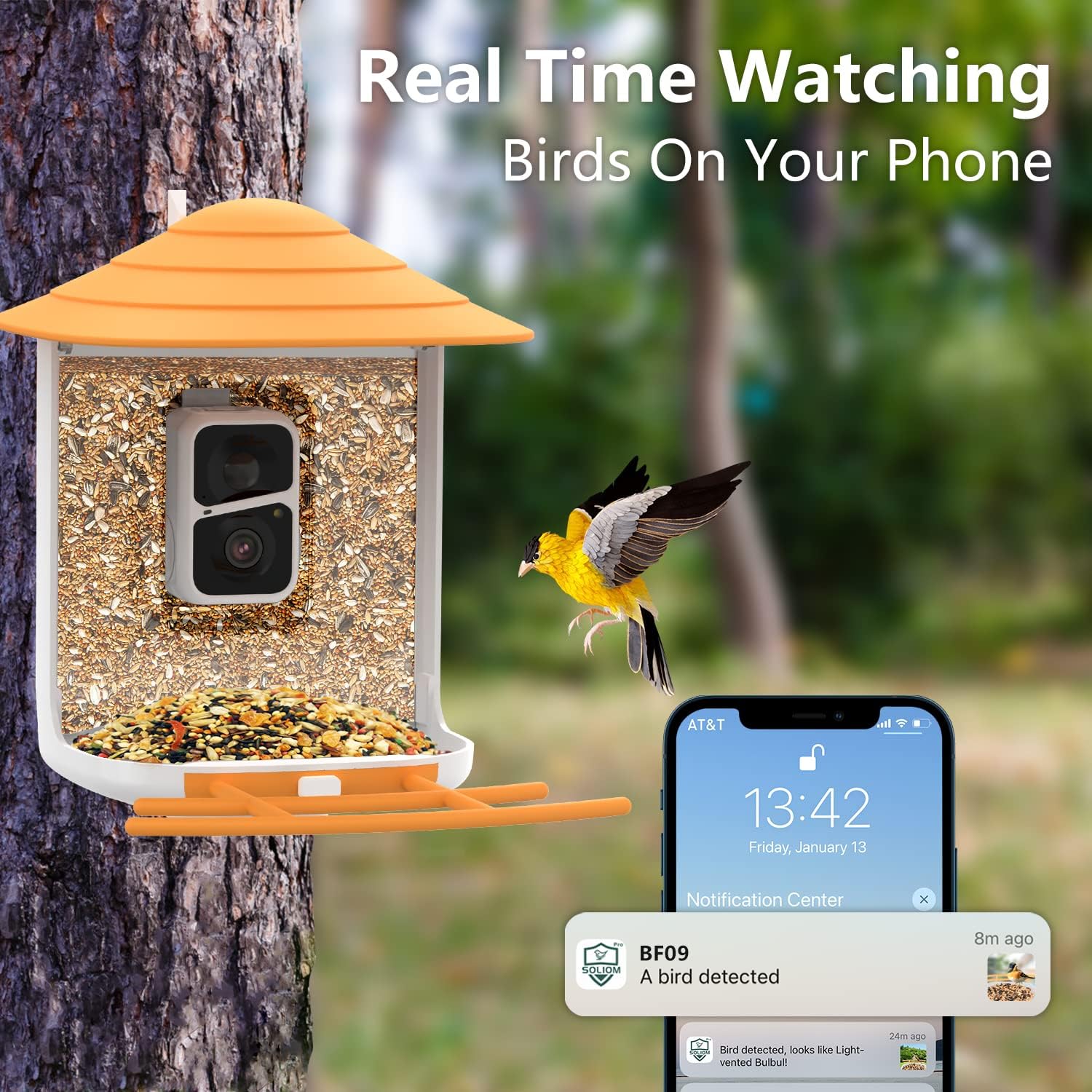
Figure 2: The IP65 weatherproof design of the Soliom BF09, including the protected charge port, mounted on a tree.
3 การติดตั้งแอปและการเชื่อมต่อ Wi-Fi
- ดาวน์โหลดแอป: ค้นหา "Soliom Pro" in your smartphone's app store (iOS or Android) and download the application.
- สร้างบัญชี: Open the Soliom Pro app and follow the on-screen instructions to create a new user account or log in if you already have one.
- เพิ่มอุปกรณ์: In the app, select the option to add a new device. Follow the prompts to connect your Soliom BF09 bird feeder camera to your home 2.4G Wi-Fi network. Ensure your Wi-Fi signal is strong at the feeder's location. Note: The camera does not support 5G Wi-Fi networks.
- ตั้งค่าเริ่มต้น: Complete any initial setup steps within the app, such as naming your device and configuring notification preferences.
คำแนะนำการใช้งาน
1. การตรวจสอบและการแจ้งเตือนแบบเรียลไทม์
Once connected, the Soliom BF09 camera will automatically detect and record videos of birds visiting the feeder. You will receive instant real-time notifications on your phone via the Soliom Pro app.
- แจ้งเตือนทันที: When a bird is detected, the app will send a notification with a high-resolution snapshot.
- สด View: Tap the notification or open the app to view ภาพสดจากกล้องวงจรปิด
- Recorded Events: Access past recorded videos and snapshots through the app's event history.

Figure 3: Real-time bird watching on a smartphone, showing a notification for a detected bird.
2. AI Bird Species Identification
The camera features an advanced AI recognition algorithm capable of identifying over 11,000 bird species. This feature provides an exciting educational experience by automatically identifying the birds that visit your feeder.
- การระบุอัตโนมัติ: The AI system processes detected bird images and provides identification results within the app.
- รายละเอียดข้อมูล: Access detailed information about identified bird species directly from the app.

Figure 4: The Soliom BF09's advanced AI identifying a bird species, with the app displaying identification details.

รูปที่ 5: อื่น ๆ view of the AI identification feature, showing the camera's ability to recognize various bird species.
3. การจับภาพและวิดีโอ
The camera records in 1080P HD resolution, providing clear images and videos. It also supports full-color night vision, allowing you to observe birds even in low-light conditions.
- วิสัยทัศน์ทั้งกลางวันและกลางคืน: The 2-megapixel lens captures high-quality footage during the day and provides clear, colorful images at night.
- ตัวเลือกการจัดเก็บ: Videos and photos are stored on the included 32GB SD card. A one-month free trial for cloud storage is also available for new users, with subscription options for extended cloud service.
- การแบ่งปัน: Easily share captured images and videos with family and friends directly from the Soliom Pro app.

Figure 6: A close-up image of a cardinal on the feeder, demonstrating the clear full-color night vision capability.
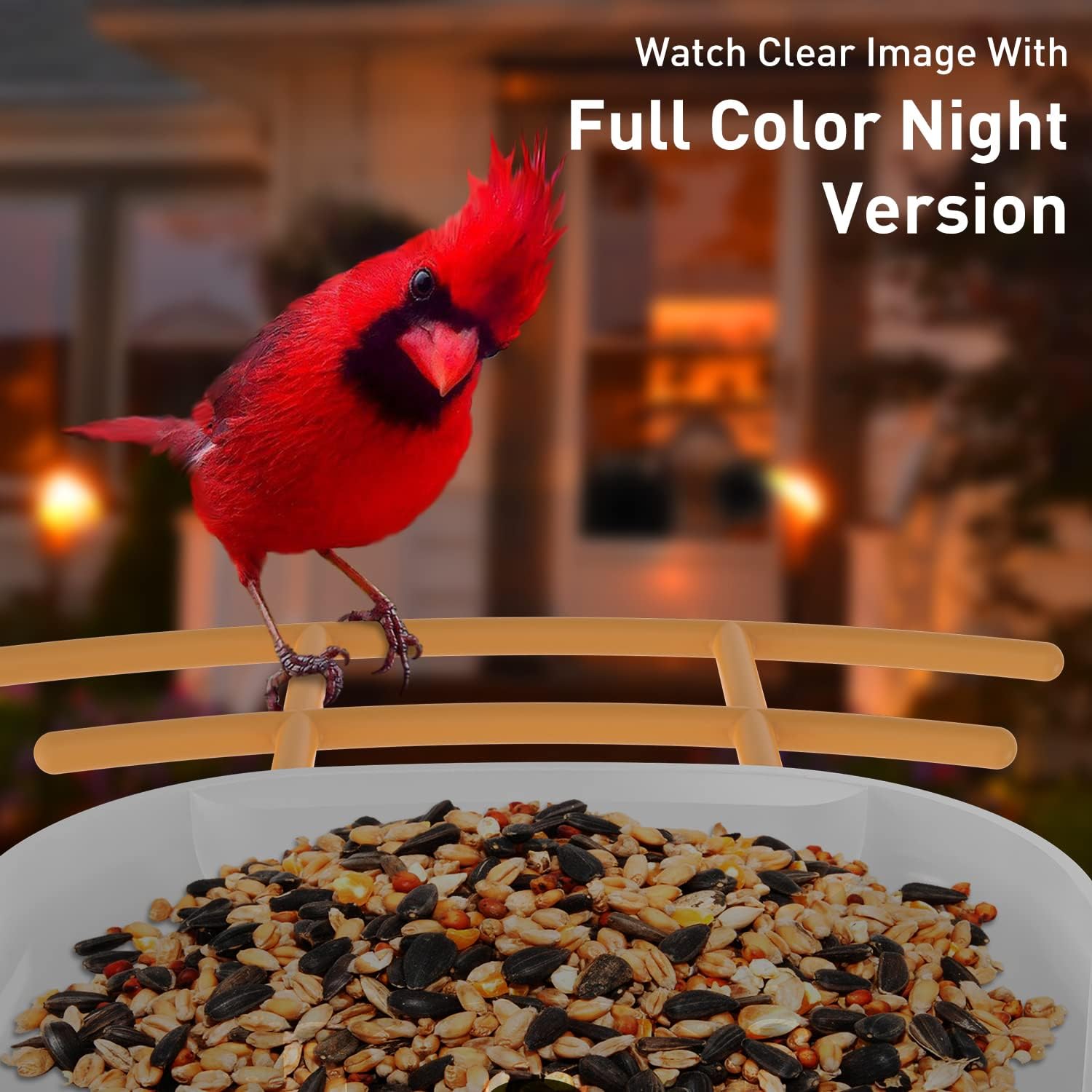
Figure 7: Illustration of how photos and videos are saved, highlighting the 30-day free cloud service and included 32GB memory card.

รูปที่ 8: อดีตamples of sharing captured bird images with family and friends on various devices.
การซ่อมบำรุง
1. การทำความสะอาดเครื่องให้อาหาร
Regular cleaning is essential to maintain a healthy environment for birds and ensure optimal camera performance.
- Feeder Body: Clean the plastic body and perch with a mild soap solution and water. Rinse thoroughly and allow to dry completely before refilling.
- เลนส์กล้อง: ค่อยๆ เช็ดเลนส์กล้องด้วยผ้าเนื้อนุ่มที่ไม่เป็นขุยเพื่อขจัดฝุ่นหรือคราบสกปรก หลีกเลี่ยงการใช้สารทำความสะอาดที่มีฤทธิ์กัดกร่อน
- แผงโซล่าเซลล์: Periodically wipe the solar panel surface to ensure it is free of dirt, leaves, or debris that could obstruct sunlight and reduce charging efficiency.
2. Refilling Bird Food
The feeder has a 1.5L capacity. Refill with appropriate bird seed as needed.
- Open the top cover of the feeder.
- Pour bird seed into the main compartment, ensuring it flows down to the feeding tray.
- Close the cover securely to maintain weather resistance.
3. การดูแลรักษาแบตเตอรี่และแผงโซลาร์เซลล์
The integrated lithium-ion battery is charged by the 5W solar panel. Ensure the solar panel is positioned to receive maximum sunlight.
- ตำแหน่งที่เหมาะสมที่สุด: Position the solar panel where it will receive at least 4-6 hours of direct sunlight daily.
- ระดับแบตเตอรี่: Monitor the battery level through the Soliom Pro app. If the battery consistently runs low, consider repositioning the solar panel or providing a temporary charge via the Type-C port during prolonged cloudy periods.
การแก้ไขปัญหา
1. No Power / Camera Not Turning On
- ตรวจสอบแผงโซล่าเซลล์: ตรวจสอบให้แน่ใจว่าแผงโซลาร์เซลล์สะอาดและได้รับแสงแดดโดยตรง
- การเชื่อมต่อสายเคเบิล: Verify the solar panel cable is securely connected to the camera's charging port.
- Manual Charge: If the battery is completely depleted, try charging the camera directly using the Type-C power cable and a standard USB power adapter for a few hours.
2. ปัญหาการเชื่อมต่อ Wi-Fi
- 2.4G Wi-Fi Only: Confirm your router is broadcasting a 2.4Ghz Wi-Fi signal and that your phone is connected to it during setup. The camera does not support 5G Wi-Fi.
- ความแรงของสัญญาณ: Ensure the feeder is within range of your Wi-Fi router. Obstacles like thick walls can weaken the signal. Consider a Wi-Fi extender if necessary.
- การตั้งค่าเราเตอร์: Check your router's settings for any MAC address filtering or other security features that might block new devices.
- ซ่อมแซมอุปกรณ์: If issues persist, try removing the device from the Soliom Pro app and re-pairing it.
3. No Notifications / Delayed Notifications
- การอนุญาตสิทธิ์ของแอป: Ensure the Soliom Pro app has notification permissions enabled in your phone's settings.
- แอปกำลังทำงาน: Make sure the app is running in the background or is not being aggressively closed by your phone's battery optimization settings.
- ความไวในการตรวจจับการเคลื่อนไหว: Adjust the motion detection sensitivity settings within the app.
- การเชื่อมต่อเครือข่าย: Verify both your phone and the bird feeder camera have stable internet connections.
4. คุณภาพภาพ/วิดีโอไม่ดี
- ทำความสะอาดเลนส์: ทำความสะอาดเลนส์กล้องตามวิธีที่อธิบายไว้ในส่วนการบำรุงรักษา
- แสงสว่าง: Ensure adequate lighting during the day. For night vision, confirm the area is dark enough for the night vision to activate.
- ความเร็วเครือข่าย: A slow internet connection can affect live stream quality.
ข้อมูลจำเพาะ
| คุณสมบัติ | รายละเอียด |
|---|---|
| หมายเลขรุ่น | BF09C |
| ยี่ห้อ | โซลิออม |
| ขนาด (กว้าง x ยาว x สูง) | 27 x 19.2 x 24.99 ซม. (10.6 x 7.5 x 9.8 นิ้ว) |
| น้ำหนัก | 2.27 กก. (5 ปอนด์) |
| วัสดุ | พลาสติก |
| แหล่งพลังงาน | DC/AC (Solar Powered with internal battery) |
| แผงโซล่าเซลล์ | 5W |
| แบตเตอรี่ | ลิเธียมไอออน 1 ก้อน (รวมอยู่ด้วย) |
| ความละเอียดของกล้อง | 1080P HD (1920x1080) |
| การมองเห็นตอนกลางคืน | Night Vision Full Color |
| การจดจำด้วย AI | 11,000+ Bird Species |
| การเชื่อมต่อ Wi-Fi | Wi-Fi 2.4G (ไม่รองรับ Wi-Fi 5G) |
| พื้นที่จัดเก็บ | 32GB SD Card (included), Cloud Storage (optional subscription) |
| ความจุตัวป้อน | 1.5 ลิตร |
| คะแนนสภาพอากาศ | IP65 |
| ยูพีซี | 710917355635, 774882771555 |
การรับประกันและการสนับสนุน
Soliom offers a รับประกันตลอดอายุการใช้งาน for the BF09 Smart Bird Feeder with Camera, as mentioned in the product features. For any technical assistance, troubleshooting, or warranty claims, please contact Soliom customer support through their official website or the Soliom Pro app.
Keep your purchase receipt or order details handy when contacting support for faster service.


