การแนะนำ
This manual provides essential information for setting up, operating, and maintaining your Linkind BR30 Matter Smart Light Bulbs. These recessed LED color-changing bulbs offer versatile lighting options and seamless integration with various smart home platforms.
มีอะไรอยู่ในกล่อง
Your Linkind BR30 Matter Smart Light Bulb package includes:
- 4 x Linkind BR30 Matter Smart Light Bulbs
- 1 x คู่มือผู้ใช้

คุณสมบัติผลิตภัณฑ์
- แอปพลิเคชัน: Designed to fit 5" or 6" recessed cans. BR30 LED bulbs have a diameter of 3.74 inches and a height of 5.04 inches.
- สีและความสว่าง: Offers 16 million vivid colors and tunable white lighting from 1800K (warm white) to 6500K (cool white). Brightness is dimmable from 1% to 100%.
- การควบคุมอัจฉริยะ: Supports app control via the AiDot App and voice control with compatible smart assistants.
- ความเข้ากันได้ของสสาร: Seamlessly integrates with Matter-compatible hubs for control via Alexa, Apple Home, Google Home, and SmartThings. No hub is required when using the Linkind AiDot app.
- การเชื่อมต่อ: Operates on 2.4GHz Wi-Fi networks only.
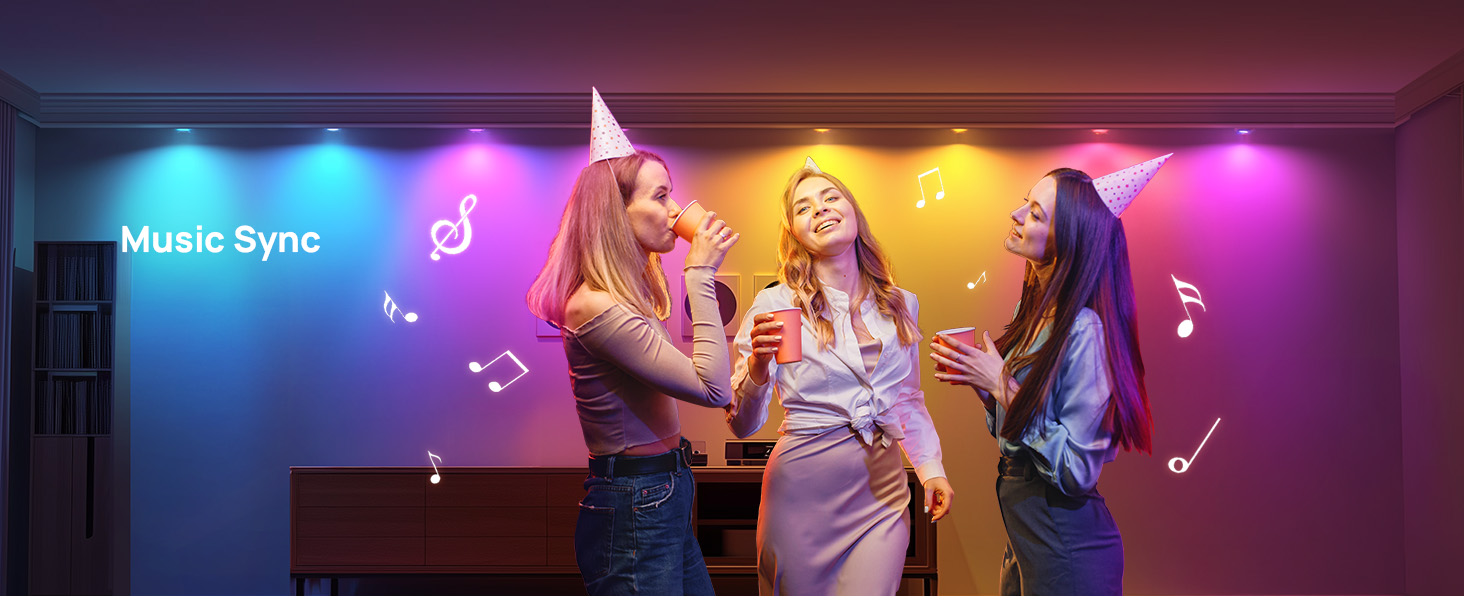
- คุณสมบัติพิเศษ: Includes music sync, preset scenes (Party, Dynamic, Calm, Auto Rhythm), scheduling, and group control.


คำแนะนำการตั้งค่า
Follow these steps to set up your Linkind BR30 Matter Smart Light Bulbs:
- ติดตั้งหลอดไฟ: Screw the smart light bulb into a standard E26 socket.
- เปิดเครื่อง: Turn on the light switch to power the bulb. The bulb should blink to indicate it's in pairing mode.
- ดาวน์โหลดแอป: Download the AiDot App from your device's app store.
- เปิดใช้งานบลูทูธและ Wi-Fi: Ensure Bluetooth is enabled on your mobile phone and connect to a 2.4GHz Wi-Fi network (5GHz networks are not supported).
- การจับคู่: Open the AiDot App and follow the on-screen instructions to add your device. You may need to scan the Matter QR code found on the bulb or in the user manual.
- การเชื่อมต่อระบบบ้านอัจฉริยะ (ไม่บังคับ): If you wish to control the bulbs with Alexa, Apple Home, Google Home, or SmartThings, ensure you have a compatible Matter hub. Follow the respective app's instructions to add the Matter device.


คำแนะนำการใช้งาน
Control your Linkind Smart Light Bulbs using the AiDot App or voice commands:
- การควบคุมแอพ: Use the AiDot App to adjust brightness (1%-100%), change colors (16 million options), set white temperature (1800K-6500K), select from preset scenes, create custom DIY colors, enable music sync modes, and set schedules or routines.
- การควบคุมด้วยเสียง: Integrate with Alexa, Apple Home, or Google Home to use simple voice commands for turning lights on/off, adjusting brightness, and changing colors.
- การควบคุมกลุ่ม: Create groups of lights within the app for simultaneous control, allowing you to manage multiple bulbs with a single command.


ข้อมูลจำเพาะ
| ยี่ห้อ | ลินคินด์ |
| ประเภทไฟ | นำ |
| คุณสมบัติพิเศษ | Color Changing, Energy Efficient, Eye-Friendly, Smart Dimming |
| วัดtage | 8 วัตต์ |
| ขนาดรูปร่างหลอดไฟ | BR30 |
| ฐานหลอดไฟ | E26 |
| หลอดไส้เทียบเท่าวัตtage | 60 วัตต์ |
| การใช้งานเฉพาะของผลิตภัณฑ์ | Recessed light bulbs |
| สีอ่อน | White (Tunable) / RGB |
| เล่มที่tage | 120 โวลต์ |
| จำนวนหน่วย | 4.0 จำนวน |
| อุณหภูมิสี | 1800 เคลวิน - 6500 เคลวิน |
| จำนวนรายการ | 4 |
| ความสว่าง | 650 ลูเมน |
| รูปร่าง | BR30 |
| วัสดุ | อลูมิเนียม, พลาสติก |
| การใช้งานภายใน/ภายนอกอาคาร | ในร่ม |
| ดัชนีการแสดงสี | 90 |
| การใช้พลังงาน | 8 วัตต์ |
| รายการ จำนวนแพ็คเกจ | 1 |
| ประเภทแหล่งกำเนิดแสง | นำ |
| แหล่งกำเนิดแสง วัดtage | 8 วัตต์ |
| ขนาดสินค้า | กว้าง 3.74 นิ้ว x สูง 5.04 นิ้ว |
| วิธีการควบคุม | แอพ, เสียง |
| สไตล์ | Glow Lite 650lm-4pk |
| ผู้ผลิต | ลินคินด์ |
| ความเข้ากันได้ของสมาร์ทโฮม | Smart Home Compatible (Matter) |
| หมายเลขรุ่นสินค้า | LS0101911266 |
การแก้ไขปัญหา
- แสงริบหรี่: Do not use these bulbs with dimmable fixtures equipped with traditional dimmer switches, as this may cause flickering. Use app or voice control for dimming.
- ปัญหาการเชื่อมต่อ: Ensure your smart device is connected to a 2.4GHz Wi-Fi network. These bulbs do not support 5GHz networks. If connection fails, reboot the device and try again within 15 minutes of powering on.
- ความเข้ากันได้: Verify that the bulb size (BR30, 3.74" diameter, 5.04" height) matches your recessed can (5" or 6" recommended).
การซ่อมบำรุง
To ensure optimal performance and longevity of your Linkind Smart Light Bulbs:
- การทำความสะอาด: Gently wipe the bulb with a soft, dry cloth. Do not use liquid cleaners or abrasive materials.
- สิ่งแวดล้อม: หลอดไฟเหล่านี้ออกแบบมาสำหรับใช้ภายในอาคารเท่านั้น หลีกเลี่ยงการสัมผัสความชื้นหรืออุณหภูมิที่สูงเกินไป
- การอัปเดตซอฟต์แวร์: Regularly check the AiDot App for firmware updates to ensure enhanced compatibility and performance.
การรับประกันและการสนับสนุน
Your Linkind BR30 Matter Smart Light Bulbs come with a ความคุ้มครอง 1 ปี. For any inquiries or assistance, please contact Linkind customer service. Live customer service is available Monday-Friday, 9 AM - 5 PM PST.