1. บทนำ
The NiTHO HEXAGON Wireless RGB Controller is designed for an enhanced gaming experience across multiple platforms. This manual provides detailed instructions for setting up, operating, customizing, and maintaining your controller. Please read this manual thoroughly before use to ensure optimal performance and longevity of your device.

Figure 1: NiTHO HEXAGON Wireless RGB Controller showcasinก. การออกแบบตามหลักสรีรศาสตร์
2. อะไรอยู่ในกล่อง
ตรวจสอบว่ามีส่วนประกอบทั้งหมดอยู่ในแพ็คเกจ:
- NiTHO HEXAGON Wireless RGB Controller (Gamepad)
- สายชาร์จ USB
- คู่มือการใช้งาน
- Customizable Parts (D-pads, Thumbsticks, Triggers)
3. ความเข้ากันได้
The NiTHO HEXAGON Wireless RGB Controller offers broad compatibility:
- เพลย์สเตชัน 4 (PS4): ใช้งานร่วมกันได้อย่างสมบูรณ์
- เพลย์สเตชัน 5 (PS5): Compatible only when playing PlayStation 4 games.
- พีซี (Windows): Compatible via wireless connection.
- อุปกรณ์แอนดรอยด์: Compatible via wireless connection.
- อุปกรณ์ iOS: Compatible via wireless connection.
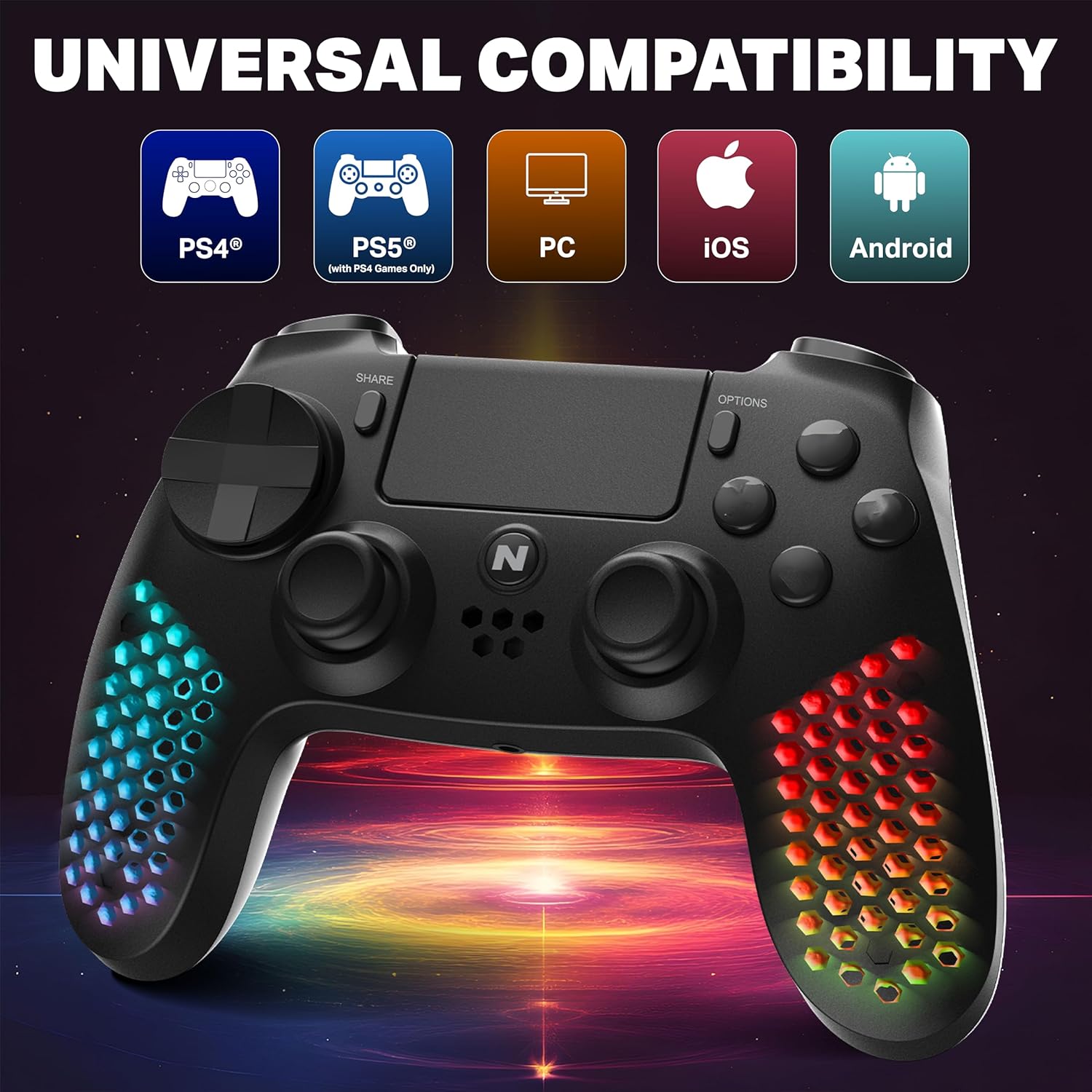
Figure 2: Visual representation of the controller's multi-platform compatibility.
4. การตั้งค่าและการเชื่อมต่อ
4.1 การจับคู่ครั้งแรก (ไร้สาย)
- ตรวจสอบให้แน่ใจว่าตัวควบคุมมีประจุเพียงพอ
- For PS4/PS5 (PS4 games): Connect the controller to the console using the provided USB cable. Press the PS button on the controller. Once paired, you can disconnect the cable for wireless use.
- For PC/Android/iOS: Activate Bluetooth on your device. Put the controller into pairing mode (refer to device-specific instructions, usually holding a combination of buttons like PS + Share). Select "NiTHO HEXAGON Controller" from the available Bluetooth devices.
4.2 การเชื่อมต่อแบบมีสาย
Connect the controller directly to your console or PC using the USB charging cable. The controller will function as a wired device and charge simultaneously.
5. การใช้งานคอนโทรลเลอร์
5.1 การควบคุมขั้นพื้นฐาน
The controller features standard gamepad buttons, analog sticks, and triggers. Refer to your game's instructions for specific button mappings.
5.2 ฟังก์ชันการทำงานของทัชแพด
The integrated multi-touch and clickable touchpad functions as a navigation and input device in compatible PS4 games.

Figure 3: Demonstrating the use of the controller's multi-touch pad.
5.3 Motion Sensing and Vibration
The built-in 6-axis motion sensor (accelerometer and gyroscope) detects the controller's movement, tilt, and rotation, providing immersive gameplay. The lightweight vibration system offers realistic feedback during gameplay.

Figure 4: Illustration of the controller's 6-axis motion sensing capability.

Figure 5: Controller in use, highlighting the vibration mode for realistic feedback.
5.4 คุณสมบัติด้านเสียง
The controller includes a built-in speaker for in-game audio cues and a stereo headset jack for connecting headphones or a headset for private audio and voice chat.
6. การปรับแต่ง
The NiTHO HEXAGON controller offers customizable components to suit your gaming style:
- Detachable L2/R2 Trigger Sets: Swap out the triggers for different tactile feedback.
- Two Types of D-pads: Choose the D-pad that best fits your preference for directional input.
- Three Styles of Thumbsticks: Select from various thumbstick shapes for optimal grip and control.
To change a component, gently pull the existing part off and align the new part with the slot, then push it firmly into place until it clicks.

รูปที่ 6: เกินview of the customizable parts for the controller, including analog sticks, triggers, and D-pad.
7. เอฟเฟกต์แสง RGB
The hexagonal grip features integrated RGB lighting with multiple modes and colors:
- 4 โหมดแสงสว่าง: Rainbow, Carousel, Breathe, Fixed.
- 8 ตัวเลือกสี: Cycle through various colors to match your preference.
Press the dedicated RGB button (location may vary, refer to controller diagram if available) to cycle through the lighting modes and colors.
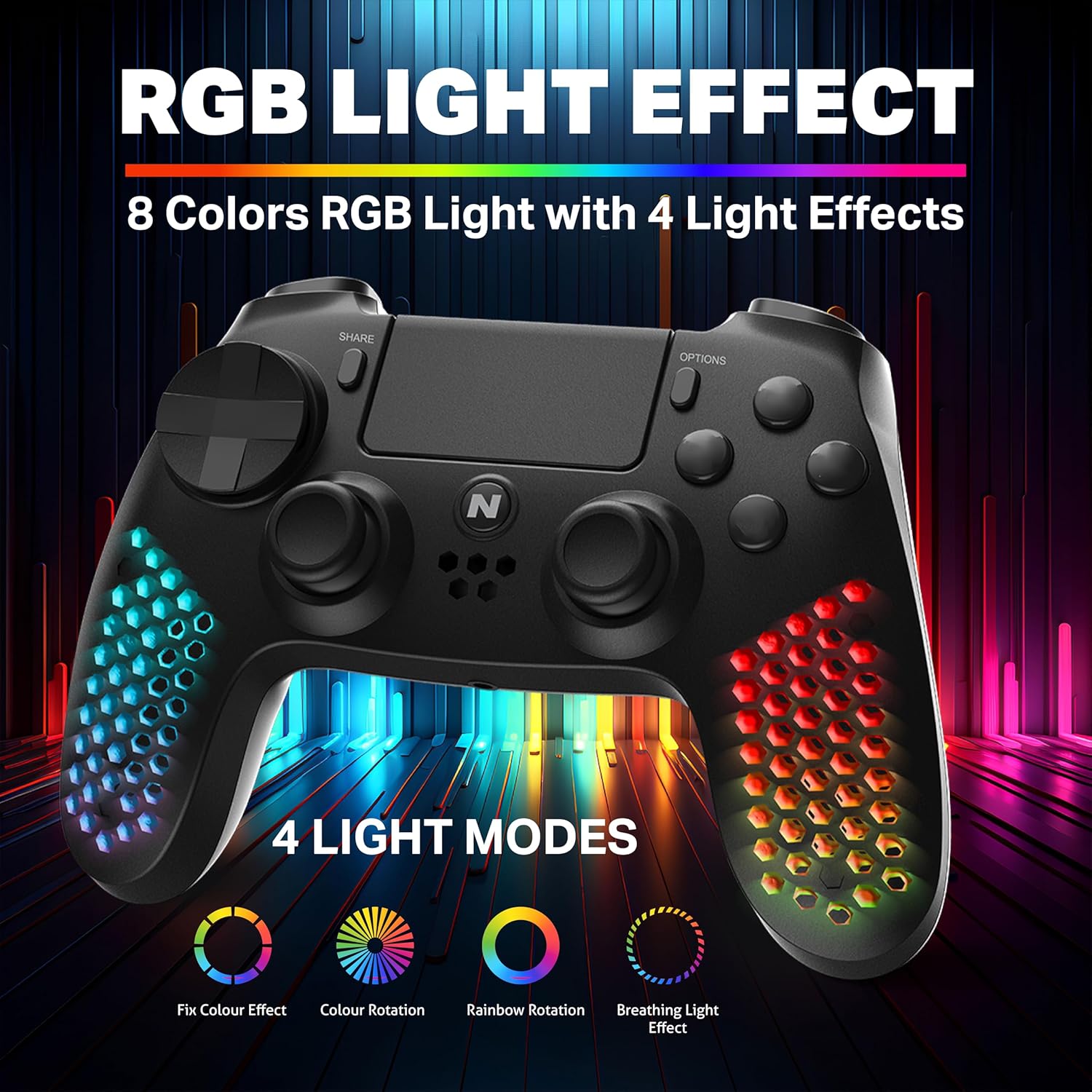
รูปที่ 7: ตัวควบคุมที่แสดงasing its RGB light effects with different modes and colors.
8. การชาร์จคอนโทรลเลอร์
The controller is equipped with a high-capacity built-in rechargeable battery, providing up to 9 hours of playtime on a single charge.
8.1 ขั้นตอนการชาร์จ
- Connect the provided USB charging cable to the USB-C port on the controller.
- Plug the other end of the USB cable into your console, PC, or any standard USB charger.
- The front LED indicator on the controller will show the charging status. It will typically change color or pattern to indicate charging and full charge.

Figure 8: The controller connected for charging, highlighting its large battery capacity.
9. การบำรุงรักษา
- รักษาตัวควบคุมให้สะอาดด้วยการเช็ดด้วยผ้าแห้งและนุ่ม
- หลีกเลี่ยงการให้ตัวควบคุมสัมผัสกับอุณหภูมิที่สูงหรือความชื้นสูงหรือแสงแดดโดยตรง
- ห้ามถอดชิ้นส่วนตัวควบคุมโดยเด็ดขาด เนื่องจากอาจทำให้การรับประกันเป็นโมฆะ
- เก็บตัวควบคุมไว้ในสถานที่ปลอดภัยเมื่อไม่ได้ใช้งานเพื่อป้องกันความเสียหาย
10 การแก้ไขปัญหา
| ปัญหา | วิธีแก้ปัญหาที่เป็นไปได้ |
|---|---|
| ตัวควบคุมไม่เปิดใช้งาน | ตรวจสอบให้แน่ใจว่าคอนโทรลเลอร์ชาร์จแบตเตอรี่เต็มแล้ว เชื่อมต่อกับแหล่งจ่ายไฟโดยใช้สาย USB |
| Controller does not pair wirelessly. | Ensure the controller is in pairing mode. Check your device's Bluetooth settings. Try re-pairing by connecting with a USB cable first. |
| ปุ่มกดตอบสนองช้าหรือไม่ตอบสนอง | Ensure the controller is fully charged. Move closer to the console/device to reduce interference. Try a wired connection to rule out wireless issues. |
| ไฟ RGB ไม่ทำงาน | Press the RGB button to cycle through modes. Ensure the controller is powered on. |
11. ข้อมูลจำเพาะ
| คุณสมบัติ | รายละเอียด |
|---|---|
| หมายเลขรุ่น | MLT-EXAG-K |
| ขนาดสินค้า (กxยxส) | 17.5 x 7.5 x 12 เซนติเมตร |
| น้ำหนักสินค้า | 270 กรัม |
| ประเภทแบตเตอรี่ | แบตเตอรี่ C 1 ก้อน (รวมอยู่ด้วย) |
| ประเทศต้นกำเนิด | จีน |
| ผู้ผลิต | บริษัท เอ็มทีเอ็ม อินดัสทรี จำกัด |
| การเชื่อมต่อ | Wireless (Bluetooth), USB-C Wired |
| คุณสมบัติพิเศษ | RGB LED Lights, Vibration, 6-Axis Motion Sensor, Touchpad, Detachable Triggers, Interchangeable D-Pad & Thumbsticks, Built-in Speaker, Stereo Headset Jack |
12. ข้อมูลการรับประกัน
The NiTHO HEXAGON Wireless RGB Controller is covered by a รับประกันจำกัด 1 ปี from the date of purchase. This warranty protects against defects in materials and workmanship.
การรับประกัน ไม่ครอบคลุม ความเสียหายที่เกิดจาก:
- การใช้ผิดวิธี
- อุบัติเหตุ
- การดัดแปลงที่ไม่ได้รับอนุญาต
จำเป็นต้องมีหลักฐานการซื้อสำหรับการเรียกร้องการรับประกันทั้งหมด
13. การสนับสนุน
If you encounter any issues or have questions regarding your NiTHO HEXAGON Wireless RGB Controller, please contact our customer support team:
- อีเมล: support@nitho.com
We are committed to providing excellent customer service and will assist you in resolving any product-related concerns.


