1. บทนำ
The IMILAB C21 is a versatile 2.5K WiFi indoor surveillance camera designed to provide comprehensive home monitoring. It features super clear images, a 360° panoramic view, sound and human detection, alarm functions, color night vision, two-way audio, and real-time video streaming. All these functions are accessible through the IMILAB Home application.
This manual provides detailed instructions for setting up, operating, maintaining, and troubleshooting your IMILAB C21 camera. Please read it carefully before use.
2. อะไรอยู่ในกล่อง
เมื่อเปิดบรรจุภัณฑ์ โปรดตรวจสอบว่ารวมส่วนประกอบทั้งหมดดังต่อไปนี้:
- กล้อง IMILAB C21
- สายไฟ
- อะแดปเตอร์แปลงไฟ
- Installation Parts (for wall mounting)
- คู่มือการใช้งาน

Image: The IMILAB C21 camera and its included accessories, such as the power cable, adapter, and mounting kit, neatly arranged in the product packaging.
3. การตั้งค่า
3.1 การติดตั้งทางกายภาพ
The IMILAB C21 camera is designed for indoor use and can be placed on a flat surface or mounted on a wall. Ensure the camera is placed within range of your Wi-Fi network and near a power outlet.
- การจัดวาง: Position the camera in a central location to maximize its 360° viewความสามารถ
- การเชื่อมต่อไฟฟ้า: Connect the provided power cable to the camera's micro USB port (located at the back) and plug the adapter into a power outlet. The camera will power on automatically.
- การติดตั้งบนผนัง (อุปกรณ์เสริม): Use the included installation parts to securely mount the camera on a wall. Ensure the mounting surface is stable and can support the camera's weight.
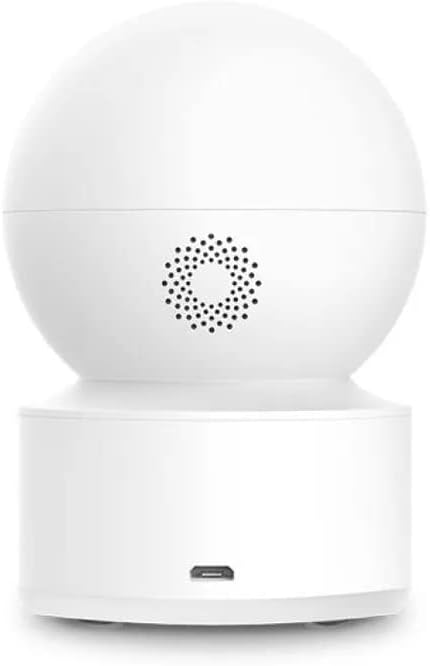
ภาพ: ด้านหลัง view of the IMILAB C21 camera, highlighting the speaker and the micro USB power input port for connection.
3.2 การติดตั้งและการจับคู่แอป
The IMILAB C21 camera operates via the IMILAB Home App. Follow these steps to install the app and pair your camera:
- ดาวน์โหลดแอป: Scan the QR codes below or search for "IMILAB Home" on Google Play Store (for Android) or Apple App Store (for iOS).
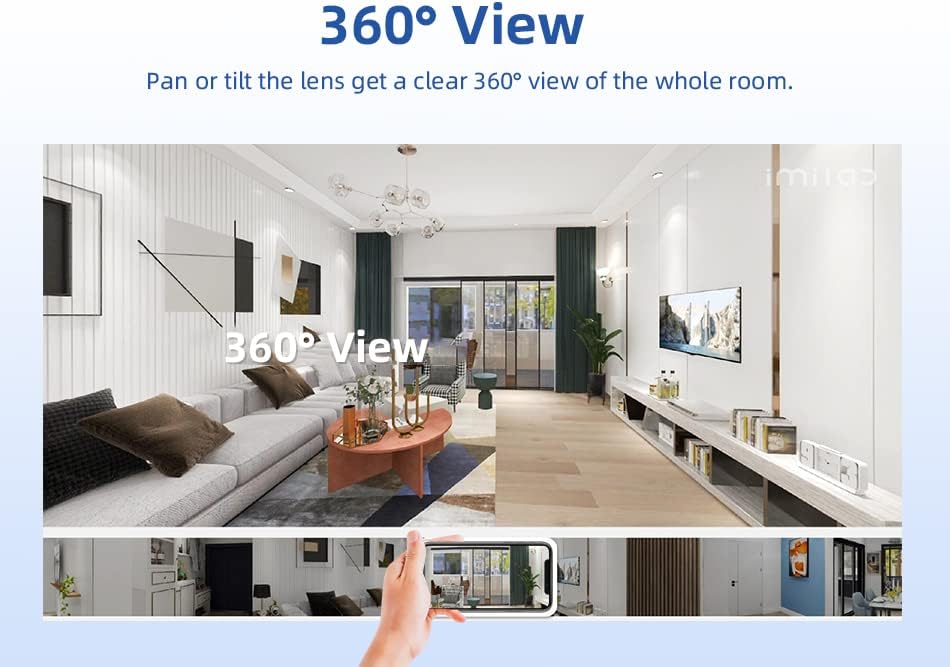
Image: Screenshot showing the IMILAB Home App download options with QR codes for Google Play and Apple App Store, along with a hand interacting with a smartphone displaying the app interface.
ร้านค้า Google Play: Download IMILAB Home App (Android)
ร้านค้า App Store ของ Apple: Download IMILAB Home App (iOS)
- สร้างบัญชี: Open the IMILAB Home App and register for a new account or log in if you already have one.
- เพิ่มอุปกรณ์: Tap the "+" icon in the app to add a new device. Select the IMILAB C21 camera from the list.
- ทำตามคำแนะนำบนหน้าจอ: The app will guide you through the pairing process, which typically involves scanning a QR code displayed on your phone with the camera lens and connecting to your Wi-Fi network.
Note: This camera is designed to work with the IMILAB Home App. It is not compatible with the Xiaomi Mi Home app.
4. คู่มือการใช้งาน
4.1 สด View and 360° Pan/Tilt Coverage
Once connected, you can access the live video feed from your camera through the IMILAB Home App. The camera offers a 2.5K resolution (2560x1440p) for clear images.
- การควบคุมการหมุน/เอียง: Use the controls within the app to remotely rotate the camera horizontally up to 360° and vertically up to 110°, providing a complete view of your room.
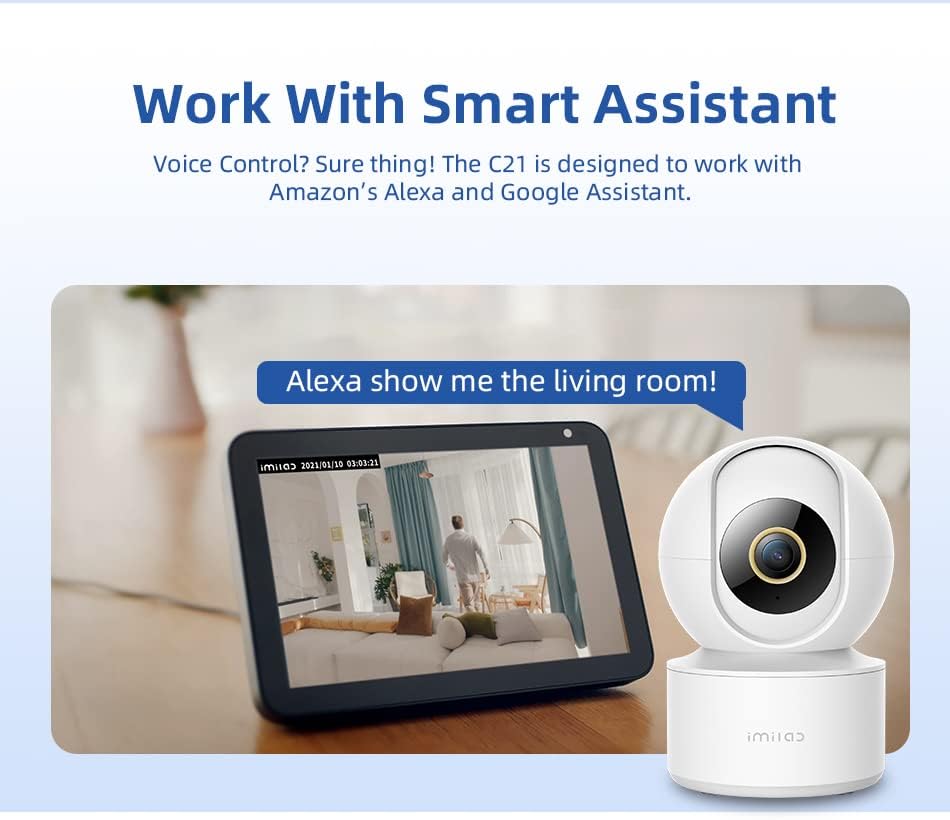
Image: A visual representation of the IMILAB C21 camera's 360° panoramic view, showing how the camera can cover an entire room, with a smartphone displaying the live feed.
4.2 ระบบมองเห็นกลางคืนแบบ Starlight
The C21 camera is equipped with an F2.0 large aperture lens, enabling it to produce clear and sharp color images even in low-light environments. It can see up to 40 feet in night vision mode.
4.3 การตรวจจับการเคลื่อนไหวและการแจ้งเตือน
The camera features advanced AI human detection. It automatically identifies human movements within its detection range and can send real-time alerts to your smartphone for suspicious activity or incidents.
- การปรับแต่ง: You can adjust detection sensitivity and set specific detection zones within the app.
- การแจ้งเตือน: Configure push notifications to receive instant alerts on your mobile device.
4.4 เสียงสองทาง
The built-in microphone and speaker allow for two-way communication. You can listen to what's happening around the camera and speak through the camera using the IMILAB Home App.
- Real-time Conversation: Engage in real-time conversations with family members or pets from anywhere.
4.5 Secure and Flexible Storage
The IMILAB C21 offers flexible storage options for your recordings:
- Micro-SD Card Storage: Insert a Micro-SD card (up to 256GB, not included) into the camera's slot for local storage of video recordings. The slot is located on the front, just below the lens.
- การเก็บข้อมูลบนคลาวด์: Optional cloud storage services may be available through the IMILAB Home App for secure, off-site backup of your footage.
The camera utilizes H.265 video compression, which reduces network bandwidth and storage requirements by 50% while maintaining video quality.

ภาพ: ด้านหน้า view of the IMILAB C21 camera, highlighting the discreetly placed microSD card slot and reset button below the main lens.
4.6 การผสานรวมผู้ช่วยอัจฉริยะ
The C21 camera is designed to work seamlessly with popular smart home assistants, including Amazon Alexa and Google Assistant.
- การควบคุมด้วยเสียง: ใช้คำสั่งเสียงเพื่อ view your camera feed on compatible smart displays (e.g., "Alexa, show me the living room").
- Integration Steps: Refer to the IMILAB Home App settings for instructions on linking your camera with Amazon Alexa or Google Assistant accounts.

Image: The IMILAB C21 camera positioned next to an Amazon Echo Show, demonstrating its compatibility with smart assistants by displaying the camera's live feed on the smart display.
5. การบำรุงรักษา
- การทำความสะอาด: ใช้ผ้าแห้งนุ่มเช็ดทำความสะอาดเลนส์และตัวกล้อง ห้ามใช้น้ำยาทำความสะอาดหรือสเปรย์กระป๋อง
- การอัปเดตซอฟต์แวร์: Regularly check the IMILAB Home App for firmware updates. Keeping your camera's software up-to-date ensures optimal performance and security.
- วงจรไฟฟ้า: If the camera becomes unresponsive, unplug it from the power source, wait 10 seconds, and then plug it back in.
6 การแก้ไขปัญหา
| ปัญหา | สาเหตุที่เป็นไปได้ | สารละลาย |
|---|---|---|
| กล้องออฟไลน์/ไม่สามารถเชื่อมต่อ Wi-Fi ได้ | สัญญาณ Wi-Fi อ่อน; รหัสผ่าน Wi-Fi ไม่ถูกต้อง; เราเตอร์มีปัญหา; กล้องอยู่ไกลจากเราเตอร์เกินไป | Ensure camera is within Wi-Fi range. Check Wi-Fi password. Restart your router. Re-pair the camera through the app. |
| No video recording to Micro-SD card | SD card not inserted correctly; SD card full; SD card corrupted; Recording settings not enabled. | Reinsert SD card. Format SD card via app. Check recording settings in the app. Replace SD card if corrupted. |
| ไม่มีการแจ้งเตือนการตรวจจับการเคลื่อนไหว | Motion detection disabled; Sensitivity too low; App notifications blocked. | Enable motion detection in app. Adjust sensitivity. Check phone notification settings for IMILAB Home App. |
| เสียงสองทางไม่ทำงาน | Microphone/speaker disabled in app; Network latency. | Ensure audio functions are enabled in the app. Check network connection stability. |
| Camera not compatible with Xiaomi Mi Home app | This camera model is specifically designed for the IMILAB Home App. | Use only the official IMILAB Home App for this device. |
7. ข้อมูลจำเพาะ
| คุณสมบัติ | ข้อมูลจำเพาะ |
|---|---|
| ชื่อรุ่น | Imilab C21 |
| หมายเลขรุ่น | CMSXJ38A |
| สี | สีขาว |
| ขนาด (กว้าง x ยาว x สูง) | 7.6 x 7.6 x 10.8 ซม. |
| น้ำหนัก | 249 กรัม |
| แหล่งพลังงาน | Wired (5 Volt, 10 Watt) |
| เทคโนโลยีการเชื่อมต่อ | ไร้สาย (Wi-Fi) |
| ความละเอียดในการบันทึกวิดีโอ | 1440p (2.5K) |
| ความละเอียดวิดีโอที่มีประสิทธิภาพ | 1440 |
| อัตราเฟรม | 20 เฟรมต่อวินาที |
| Viewอิงแองเกิล | 360 องศา (แพน/เอียง) |
| ช่วงการมองเห็นตอนกลางคืน | 40 ฟุต |
| พื้นที่จัดเก็บ | การ์ด Micro-SD (สูงสุด 256GB), พื้นที่จัดเก็บข้อมูลบนคลาวด์ (เลือกได้) |
| คุณสมบัติพิเศษ | 2-Way Audio, Motion Sensor, Cry Detection, HD Resolution, Night Vision |
| แอปพลิเคชั่นที่แนะนำ | Baby Monitoring, Pet Monitoring, Indoor Security |
| ระดับการต้านทานน้ำ | ไม่กันน้ำ |
| วัสดุ | พลาสติก |
| อุปกรณ์ที่รองรับ | สมาร์ทโฟน (Android, iOS) |
| ประเภทการติดตั้ง | ติดผนัง |
8. การรับประกันและการสนับสนุน
For warranty information, please refer to the terms and conditions provided at the time of purchase or contact IMILAB customer support directly. Keep your proof of purchase for warranty claims.
For further assistance, technical support, or to explore other IMILAB products, please visit the official IMILAB store or support channels:
- IMILAB Brand Store: https://www.amazon.de/stores/IMILab/page/79969AAF-3D90-4471-9058-8CB9313A6F70
9. ข้อมูลด้านความปลอดภัย
- This device is for indoor use only. Do not expose it to water or moisture.
- ใช้งานอุปกรณ์ภายในช่วงอุณหภูมิและความชื้นที่กำหนด
- Use only the provided power adapter and cable to prevent damage.
- Do not attempt to disassemble or repair the camera yourself. Contact qualified personnel for service.
- เก็บกล้องให้พ้นมือเด็กและสัตว์เลี้ยง
- ควรหลีกเลี่ยงการวางกล้องไว้ใกล้แหล่งความร้อนหรือในที่ที่มีแสงแดดส่องโดยตรง


