1. บทนำ
The Perixx PERIMICE-819B is an ergonomic vertical mouse designed for comfort and versatility. It features 3-in-1 wireless connectivity, allowing connection via Bluetooth, 2.4 GHz USB-A receiver, or 2.4 GHz USB-C receiver. This mouse is equipped with silent-click buttons, adjustable DPI settings, and a built-in rechargeable battery, making it suitable for prolonged use across various devices.

Image: The ergonomic design promotes a natural handshake position, reducing wrist strain.

Image: The compact size of the PERIMICE-819B makes it highly portable for on-the-go use.
2. เนื้อหาบรรจุภัณฑ์
โปรดตรวจสอบว่าสินค้าทั้งหมดมีอยู่ในแพ็คเกจของคุณ:
- Perixx PERIMICE-819B Vertical Mouse
- ตัวรับสัญญาณ USB-A
- ตัวรับสัญญาณ USB-C
- สายชาร์จ
- คู่มือการใช้งาน
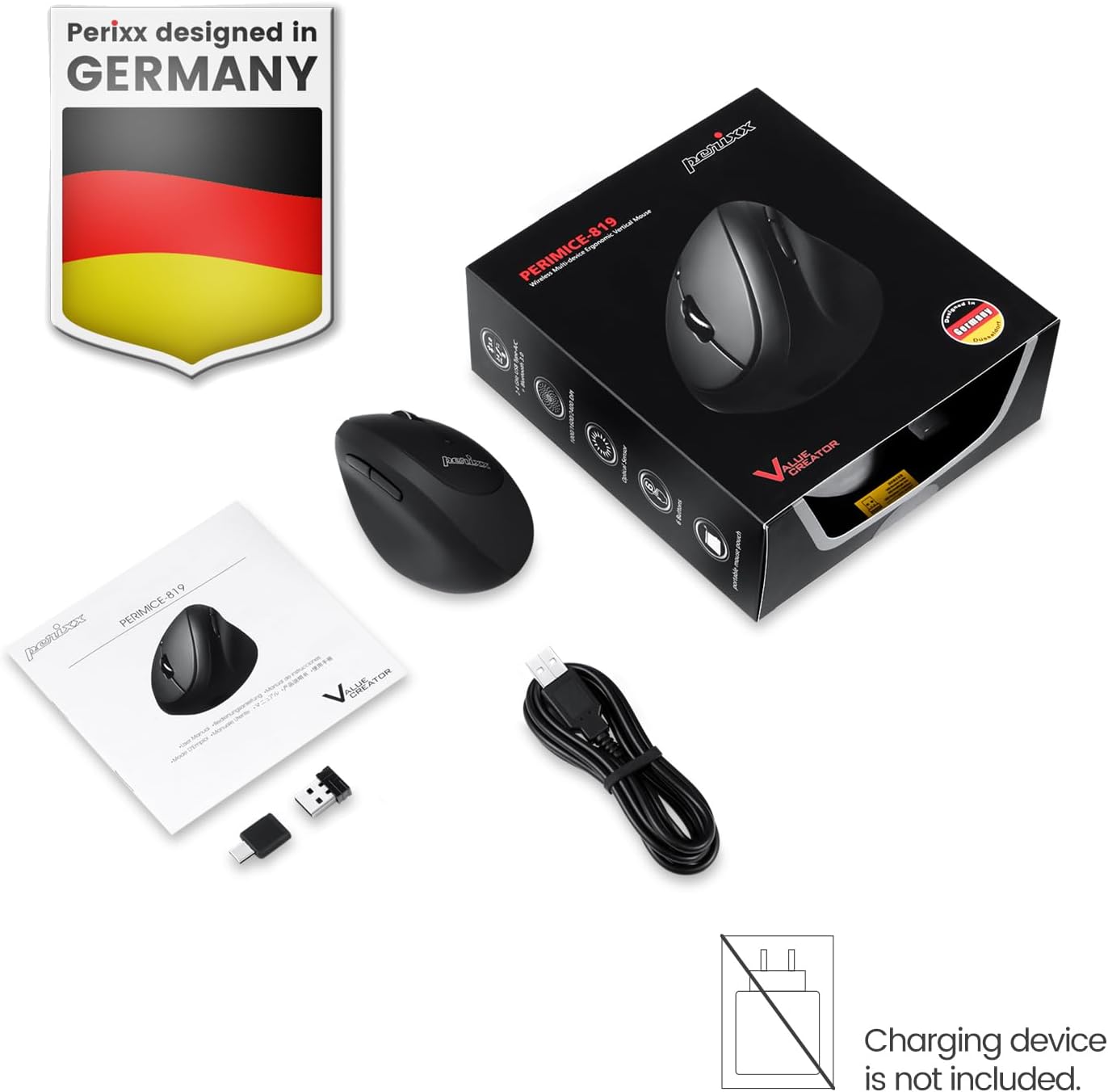
Image: The package includes the mouse, USB-A and USB-C receivers, a charging cable, and the user manual.
3. คำแนะนำในการตั้งค่า
3.1 การชาร์จเมาส์
Before initial use, fully charge the mouse. Connect the provided charging cable to the mouse's charging port and to a USB power source. The LED indicator will show charging status. A full charge can last up to 15 days with typical use (4 hours/day).

Image: Connect the mouse to a USB port using the charging cable to recharge its internal battery.
3.2 การเชื่อมต่อเมาส์
The PERIMICE-819B offers three wireless connection methods:

Image: The bottom of the mouse displays the connectivity switch and receiver storage.
- 2.4 GHz Wireless (USB-A or USB-C Receiver):
- Locate the USB-A or USB-C receiver stored in the mouse's bottom compartment.
- Plug the desired receiver into an available USB port on your computer.
- เปิดใช้งานเมาส์โดยใช้สวิตช์เปิด/ปิดที่อยู่ด้านล่าง
- เมาส์ควรเชื่อมต่อโดยอัตโนมัติ
- การเชื่อมต่อบลูทู ธ :
- เปิดใช้งานเมาส์โดยใช้สวิตช์เปิด/ปิด
- Press the 'Connect' button on the bottom of the mouse to enter Bluetooth pairing mode. The LED indicator will flash.
- บนอุปกรณ์ของคุณ (คอมพิวเตอร์ แท็บเล็ต สมาร์ทโฟน) ไปที่การตั้งค่าบลูทูธ และค้นหาอุปกรณ์ใหม่
- Select "PERIMICE-819B" from the list of available devices to pair.

Image: The mouse supports Bluetooth, 2.4 GHz USB-A, and 2.4 GHz USB-C wireless connections.
4. คู่มือการใช้งาน
4.1 การปรับ DPI
The PERIMICE-819B features an adjustable DPI (Dots Per Inch) switch, allowing you to change the mouse cursor speed and sensitivity. Press the DPI button, located behind the scroll wheel, to cycle through the available settings: 1000, 1600, and 2400 DPI. Choose the setting that best suits your task and preference.
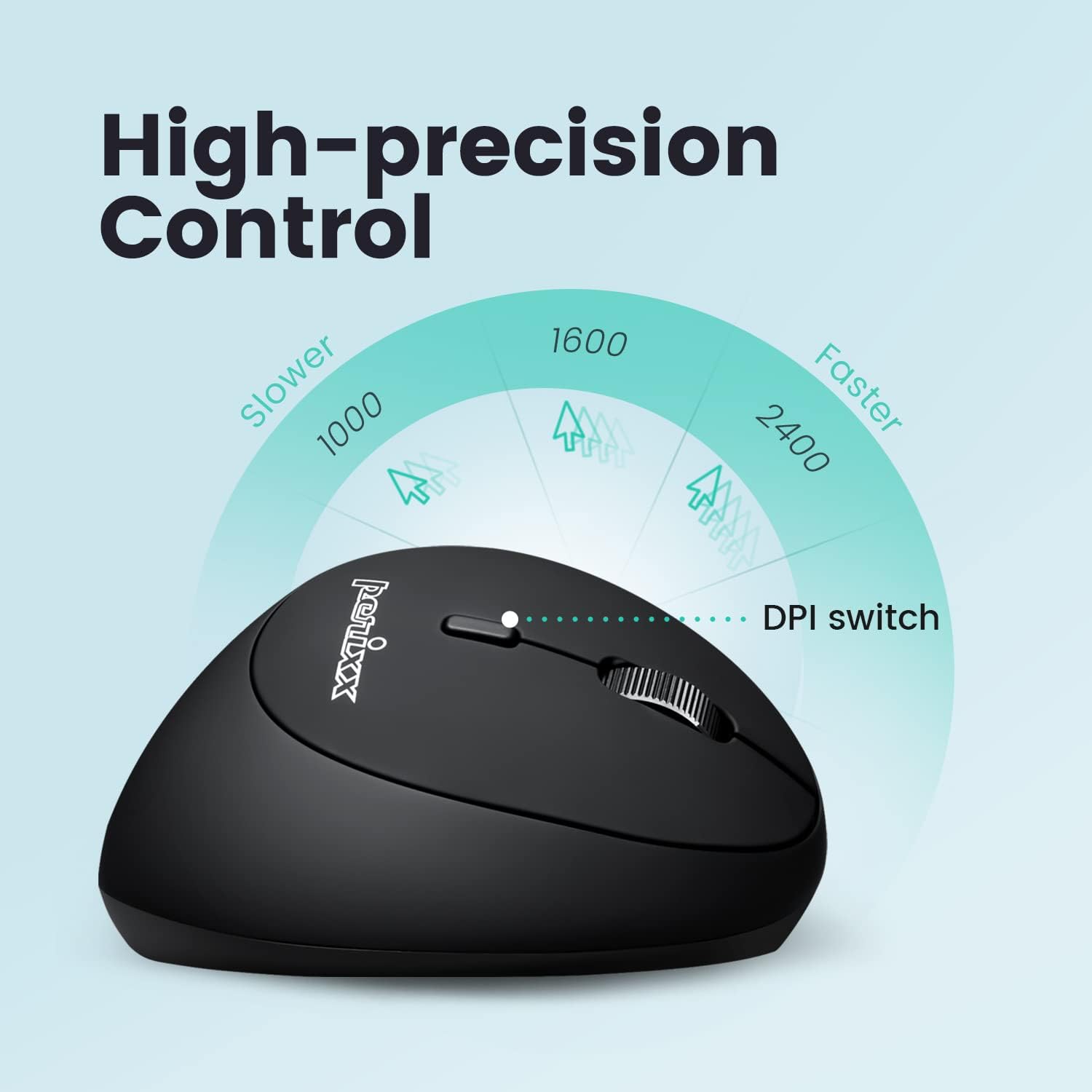
Image: Adjust the mouse sensitivity using the DPI switch for optimal control.
4.2 ปุ่มกดเงียบ
The left and right mouse buttons are designed for silent clicking, providing a quiet working environment.
4.3 ปุ่มนำทาง
The mouse includes convenient forward and backward buttons located on the side, typically operated by the thumb. These buttons allow for quick navigation in web เบราว์เซอร์และ file นักสำรวจ Note: Forward and backward buttons may not be fully functional on macOS.

Image: Use the side buttons for quick page navigation (backward and forward).
5. การบำรุงรักษา
5.1 การจัดการแบตเตอรี่
The PERIMICE-819B features a built-in rechargeable Li-Po 300mAh battery. To conserve power, the mouse will automatically enter sleep mode after a period of inactivity. Move the mouse or click a button to wake it up. Recharge the mouse when the battery indicator shows low power to ensure uninterrupted use.
5.2 การทำความสะอาด
ในการทำความสะอาดเมาส์ ให้ใช้ผ้าแห้งนุ่มๆ เช็ด หลีกเลี่ยงการใช้สารเคมีรุนแรงหรือวัสดุที่มีฤทธิ์กัดกร่อนซึ่งอาจทำให้พื้นผิวเสียหายได้
6 การแก้ไขปัญหา
- เมาส์ไม่ตอบสนอง:
- ตรวจสอบให้แน่ใจว่าเมาส์เปิดอยู่
- ตรวจสอบระดับแบตเตอรี่และชาร์จไฟหากจำเป็น
- For 2.4 GHz connection, ensure the receiver is securely plugged into a USB port. Try a different USB port.
- สำหรับการเชื่อมต่อบลูทูธ โปรดตรวจสอบให้แน่ใจว่าได้เปิดใช้งานบลูทูธบนอุปกรณ์ของคุณและได้จับคู่เมาส์อย่างถูกต้องแล้ว ลองทำการจับคู่ใหม่อีกครั้ง
- Cursor movement is erratic or stops:
- ตรวจสอบให้แน่ใจว่าเซ็นเซอร์ของเมาส์สะอาดและปราศจากสิ่งกีดขวาง
- ควรใช้เมาส์บนพื้นผิวที่เหมาะสม (เช่น แผ่นรองเมาส์)
- ตรวจสอบแบตเตอรี่ว่ามีเหลือน้อย
- Interference from other wireless devices can affect performance. Try moving closer to the receiver or device.
- การตั้งค่า DPI ไม่เปลี่ยนแปลง:
- ตรวจสอบให้แน่ใจว่าคุณกดปุ่มสวิตช์ DPI ที่ถูกต้อง
- The change in cursor speed should be noticeable. If not, try restarting the mouse and your device.
7. ข้อมูลจำเพาะ
| คุณสมบัติ | รายละเอียด |
|---|---|
| หมายเลขรุ่น | PERIMICE-819 (12013) |
| เทคโนโลยีการเชื่อมต่อ | Bluetooth, 2.4 GHz Radio Frequency (USB-A, USB-C) |
| การตรวจจับการเคลื่อนไหว | ออฟติคอล |
| การตั้งค่า DPI | 1000 / 1600 / 2400 |
| คุณสมบัติพิเศษ | Ergonomic Design, Portable, Rechargeable, Silent-Click |
| ประเภทแบตเตอรี่ | Built-in Li-Po 300mAh |
| อายุการใช้งานแบตเตอรี่โดยเฉลี่ย | Up to 60 hours (approx. 15 days at 4 hours/day) |
| น้ำหนักสินค้า | 2.93 ออนซ์ |
| ขนาดสินค้า (กxยxส) | 4.5 x 2.64 x 2.28 นิ้ว |
| สี | สีดำ |
| ความเข้ากันได้ | Windows OS, Linux Ubuntu 16.04, Chromebook, iPadOS, Android, Amazon Fire Tablet. Partial compatibility with macOS (forward/backward buttons not available). |
8. การรับประกันและการสนับสนุน
Perixx products typically come with a manufacturer's warranty. For specific warranty details, please refer to the warranty information included with your purchase or visit the official Perixx website. For technical support, product inquiries, or assistance with troubleshooting, please contact Perixx customer service through their official channels.
ผู้ผลิต: Perixx คอมพิวเตอร์ GmbH
Webเว็บไซต์: www.perixx.com