1. บทนำ
Thank you for choosing the boAt Airdopes 641 Truly Wireless Earbuds. This manual provides essential information for setting up, operating, and maintaining your earbuds to ensure optimal performance and longevity. Please read this guide carefully before using the product.
2. สินค้าหมดview
The boAt Airdopes 641 are designed for a seamless audio experience, featuring advanced connectivity and intuitive controls.

ภาพ: Key features of the Airdopes 641, highlighting RGB LEDs, Instant Wake N' Pair (IWP) technology, Bluetooth 5.0 connectivity, 6mm Dual Drivers for audio, and a Capacitive Touch Panel for controls.
2.1 ส่วนประกอบ
- หูฟัง: Left and Right truly wireless earbuds with in-ear design.
- เคสชาร์จ: เคสแบบพกพาสำหรับชาร์จและจัดเก็บหูฟังเอียร์บัด
- สาย USB Type-C: สำหรับชาร์จเคส
- คู่มือผู้ใช้: เอกสารนี้.
2.2 คุณสมบัติ
- Bluetooth 5.0: เพื่อการเชื่อมต่อไร้สายที่เสถียรและมีประสิทธิภาพ
- IWP (Instant Wake N' Pair): Enables quick pairing with your device once the case lid is opened.
- แผงสัมผัสแบบคาปาซิทีฟ: For easy control of music, calls, and voice assistant.
- 6mm Dual Drivers: Delivers immersive audio experience.
- ไฟ LED RGB: Indicator lights for status.
- โหมดสัตว์: Low latency mode for gaming.
- IPX5 Water & Sweat Shield: ช่วยป้องกันน้ำกระเด็นและเหงื่อ
- เล่นได้นานสูงสุด 30 ชั่วโมง: Combined battery life of earbuds and charging case.
- การชาร์จ USB Type-C: ช่องเสียบชาร์จที่ทันสมัยและสะดวกสบาย
3. การตั้งค่า
3.1 การชาร์จหูฟังและเคส
ก่อนใช้งานครั้งแรก โปรดตรวจสอบให้แน่ใจว่าทั้งหูฟังและกล่องชาร์จชาร์จเต็มแล้ว
- Place both earbuds into the charging case, ensuring they are correctly seated. The earbuds will automatically begin charging.
- Connect the USB Type-C charging cable to the charging port on the case and plug the other end into a compatible USB power adapter (not included).
- The LED indicators on the case will show the charging status. Once fully charged, the indicators may change or turn off.
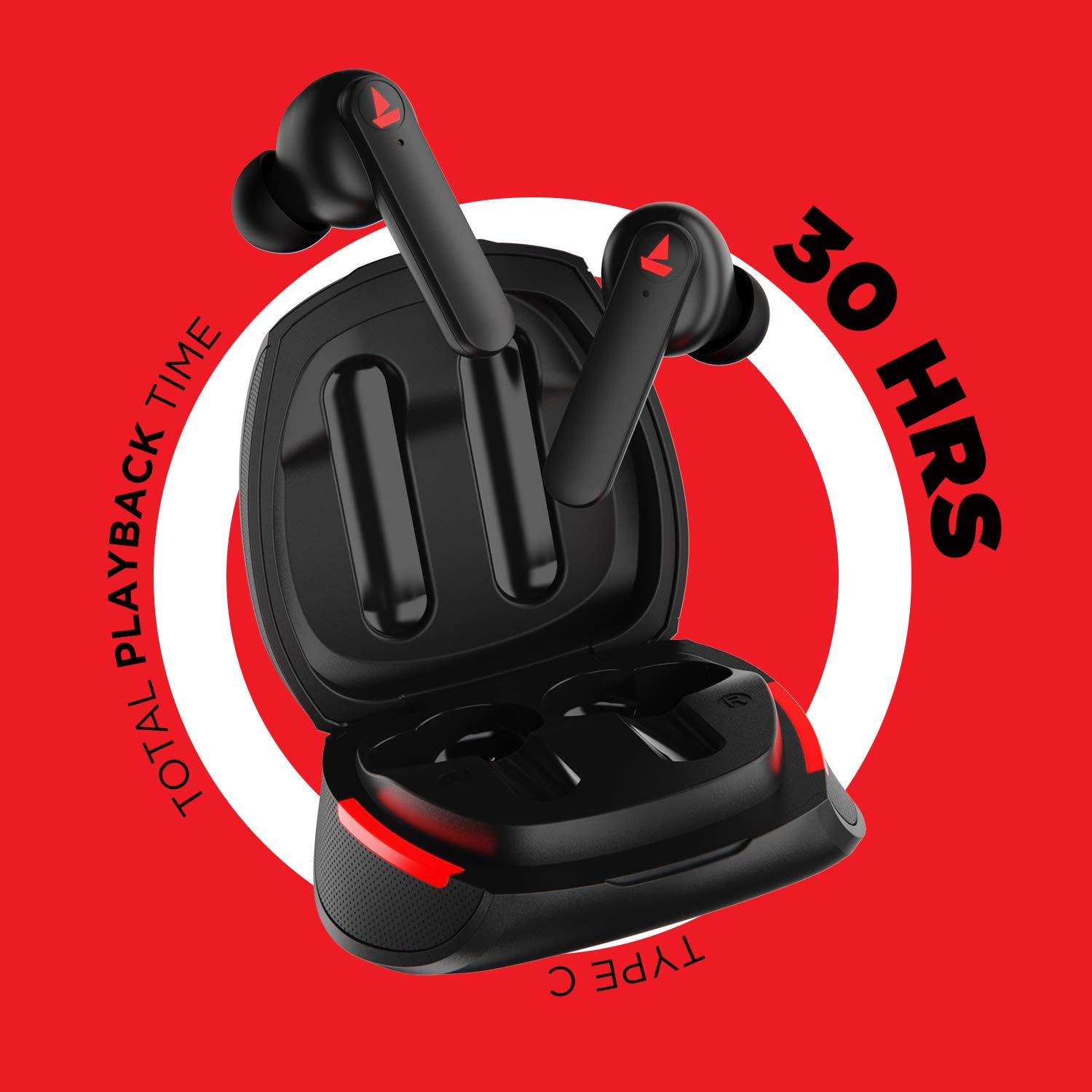
ภาพ: The Airdopes 641 earbuds resting in their charging case, illustrating the Type-C charging capability and the impressive 30 hours of total playback time.
3.2 Initial Pairing (IWP Technology)
The Airdopes 641 feature Instant Wake N' Pair (IWP) technology for quick and effortless connection.
- เปิดฝากล่องชาร์จ เอียร์บัดจะเปิดโดยอัตโนมัติและเข้าสู่โหมดจับคู่
- บนสมาร์ทโฟนหรืออุปกรณ์ที่รองรับบลูทูธ ให้เปิดใช้งานบลูทูธ
- ค้นหา "Airdopes 641" in the list of available devices and select it to pair.
- เมื่อจับคู่แล้ว คุณจะได้ยินเสียงแจ้งเตือน และหูฟังจะพร้อมใช้งาน
- The earbuds will automatically connect to the last paired device when the case lid is opened, provided Bluetooth is enabled on the device.
4. คู่มือการใช้งาน
4.1 เปิด/ปิดเครื่อง
- เปิดเครื่อง: Open the charging case lid. The earbuds will power on automatically. Alternatively, long-press the Capacitive Touch Control (CTC) on both earbuds for 3 seconds.
- หมดแรง: Place the earbuds back into the charging case and close the lid. They will power off automatically. Alternatively, long-press the CTC on both earbuds for 5 seconds.
4.2 Capacitive Touch Controls (CTC)
The Airdopes 641 feature intuitive touch controls on each earbud.
- เล่น/หยุดชั่วคราว: Single tap on either earbud's CTC.
- เพลงถัดไป: Double tap on the right earbud's CTC.
- แทร็กก่อนหน้า: Double tap on the left earbud's CTC.
- รับ/วางสาย: Single tap on either earbud's CTC.
- ปฏิเสธสาย: Long press on either earbud's CTC for 2 seconds.
- เปิดใช้งาน Voice Assistant: Triple tap on either earbud's CTC.
- ปรับระดับเสียงขึ้น: Long press the right earbud's CTC.
- ลดเสียงลง: Long press the left earbud's CTC.
4.3 โหมด BEAST (การเล่นเกมที่มีความหน่วงต่ำ)
Activate BEAST Mode for a low-latency audio experience, ideal for gaming.

ภาพ: The Airdopes 641 earbuds and their sleek charging case, emphasizing the "BEAST Mode" feature designed to provide a low-latency audio experience for gamers.
- Activate BEAST Mode: Triple tap on the right earbud's CTC.
- ปิดใช้งานโหมด BEAST: Triple tap on the right earbud's CTC again.
5. การบำรุงรักษา
Proper care ensures the longevity and performance of your Airdopes 641.
5.1 การทำความสะอาด
- เช็ดหูฟังและกล่องชาร์จเบาๆ ด้วยผ้าแห้งนุ่มที่ไม่เป็นขุย
- ห้ามใช้สารทำความสะอาดที่มีฤทธิ์กัดกร่อน แอลกอฮอล์ หรือตัวทำละลายเคมี
- Regularly clean the ear tips and mesh to prevent wax buildup, which can affect sound quality.
5.2 กันน้ำและเหงื่อ (IPX5)

ภาพ: The Airdopes 641 earbuds and their charging case surrounded by water splashes, illustrating their IPX5 rating for water and sweat resistance.
The Airdopes 641 are rated IPX5, meaning they are protected against low-pressure water jets from any direction. This makes them suitable for workouts and light rain.
- ห้ามจุ่มหูฟังลงในน้ำ
- Do not expose them to high-pressure water or steam.
- ตรวจสอบให้แน่ใจว่าหูฟังแห้งก่อนใส่กลับเข้าไปในกล่องชาร์จเพื่อป้องกันความเสียหาย
5.3 พื้นที่จัดเก็บ
เก็บหูฟังเอียร์บัดไว้ในกล่องชาร์จเมื่อไม่ได้ใช้งานเพื่อปกป้องและชาร์จอยู่เสมอ
6 การแก้ไขปัญหา
If you encounter issues with your Airdopes 641, try the following solutions.
6.1 หูฟังไม่จับคู่/เชื่อมต่อ
- ตรวจสอบให้แน่ใจว่าได้ชาร์จหูฟังเอียร์บัดทั้งสองข้างแล้ว
- Make sure Bluetooth is enabled on your device and the earbuds are within range.
- Try forgetting "Airdopes 641" from your device's Bluetooth list and re-pairing.
- Perform a factory reset as described below.
6.2 รีเซ็ตเป็นค่าโรงงาน
A factory reset can resolve many common issues by restoring the earbuds to their original settings.

ภาพ: A visual guide detailing the steps for a factory reset of the Airdopes 641. It emphasizes clearing the device from pairing history first, then long-pressing the Capacitive Touch Control (CTC) on both earbuds inside the case for 10 seconds until a green LED flashes three times, followed by closing and reopening the case.
- ขั้นตอนที่ 1: Before performing the reset, clear "Airdopes 641" from your pairing device history by forgetting the device on your phone/tablet.
- ขั้นตอนที่ 2: Place both earbuds back inside the charging case in the correct orientation.
- ขั้นตอนที่ 3: Long press the Capacitive Touch Control (CTC) on both earbuds inside the case for up to 10 seconds. The successful reset will be indicated by the flashing of a green LED three times.
- ขั้นตอนที่ 4: ปิดฝากล่องชาร์จแล้วเปิดใหม่อีกครั้ง
- ขั้นตอนที่ 5: Once you take the earbuds out from the charging case, they automatically restart and are ready for a new pairing.
Note: Please make sure the case is charged before performing a factory reset.
6.3 No Sound/Low Volume
- ตรวจสอบระดับเสียงทั้งบนอุปกรณ์และหูฟังของคุณ
- ตรวจสอบให้แน่ใจว่าหูฟังอยู่ในหูของคุณอย่างถูกต้อง
- ทำความสะอาดเศษสิ่งสกปรกออกจากตาข่ายของหูฟัง
- ลองจับคู่หูฟังอีกครั้ง
7. ข้อมูลจำเพาะ
| ชื่อรุ่น | แอร์โดปส์ 641 |
| เทคโนโลยีการเชื่อมต่อ | ไร้สาย (Bluetooth) |
| เทคโนโลยีการสื่อสารไร้สาย | บลูทูธ 5.0 |
| ประเภทการควบคุม | สัมผัส, ควบคุมด้วยเสียง |
| ประเภทไดร์เวอร์เสียง | ไดรเวอร์ไดนามิก (6 มม.) |
| การวางตำแหน่งหู | ในหู |
| ฟอร์มแฟกเตอร์ | ในหู |
| วัสดุ | พลาสติก |
| ระดับการต้านทานน้ำ | IPX5 |
| พอร์ตชาร์จ | ยูเอสบี ไทป์ ซี |
| อุปกรณ์ที่รองรับ | Tablets, Cellphones, Laptops, Desktops, Smart Speaker, Television |
8. การรับประกันและการสนับสนุน
สำหรับข้อมูลการรับประกันและการบริการลูกค้า โปรดดูบัตรรับประกันที่แนบมากับผลิตภัณฑ์ของคุณ หรือเยี่ยมชมเว็บไซต์อย่างเป็นทางการของ boAt webไซต์นี้ โปรดเก็บใบเสร็จรับเงินที่ซื้อไว้เพื่อใช้เรียกร้องการรับประกัน
ผู้ผลิต: Imagine Marketing Pvt Ltd


