การแนะนำ
Thank you for choosing the NEXT 8000 Full HD Satellite Receiver. This manual provides detailed instructions for the proper installation, operation, and maintenance of your device. Please read this manual thoroughly before using the receiver to ensure optimal performance and safety.
The NEXT 8000 is designed to deliver a high-quality viewing experience with its Full HD capabilities, multi-satellite search, and media playback features. It supports various languages and offers convenient software upgrades via USB.
เนื้อหาแพ็คเกจ
โปรดตรวจสอบว่าสินค้าทั้งหมดมีอยู่ในแพ็คเกจ:
- NEXT 8000 Satellite Receiver Unit
- รีโมทคอนโทรล
- สาย HDMI
- สาย USB
- อะแดปเตอร์แปลงไฟ

Image: The NEXT 8000 Full HD Satellite Receiver unit shown alongside its remote control.
คู่มือการติดตั้ง
1. การเชื่อมต่อเครื่องรับ
ทำตามขั้นตอนต่อไปนี้เพื่อเชื่อมต่อเครื่องรับสัญญาณดาวเทียมเข้ากับโทรทัศน์และจานดาวเทียมของคุณ:
- ดาวเทียมใน: Connect the coaxial cable from your satellite dish to the 'LNB IN' port on the back of the receiver.
- การเชื่อมต่อ HDMI: Use the provided HDMI cable to connect the 'HD OUT' port on the receiver to an available HDMI input on your television. Note the HDMI input number on your TV (e.g., HDMI 1, HDMI 2).
- การเชื่อมต่อ AV (ไม่บังคับ): If your TV does not have an HDMI input, use an AV cable (not included) to connect the 'AV' port on the receiver to the corresponding AV inputs on your television.
- การเชื่อมต่อไฟฟ้า: Connect the power adapter to the 'DC 12V' input on the receiver, then plug the adapter into a power outlet.
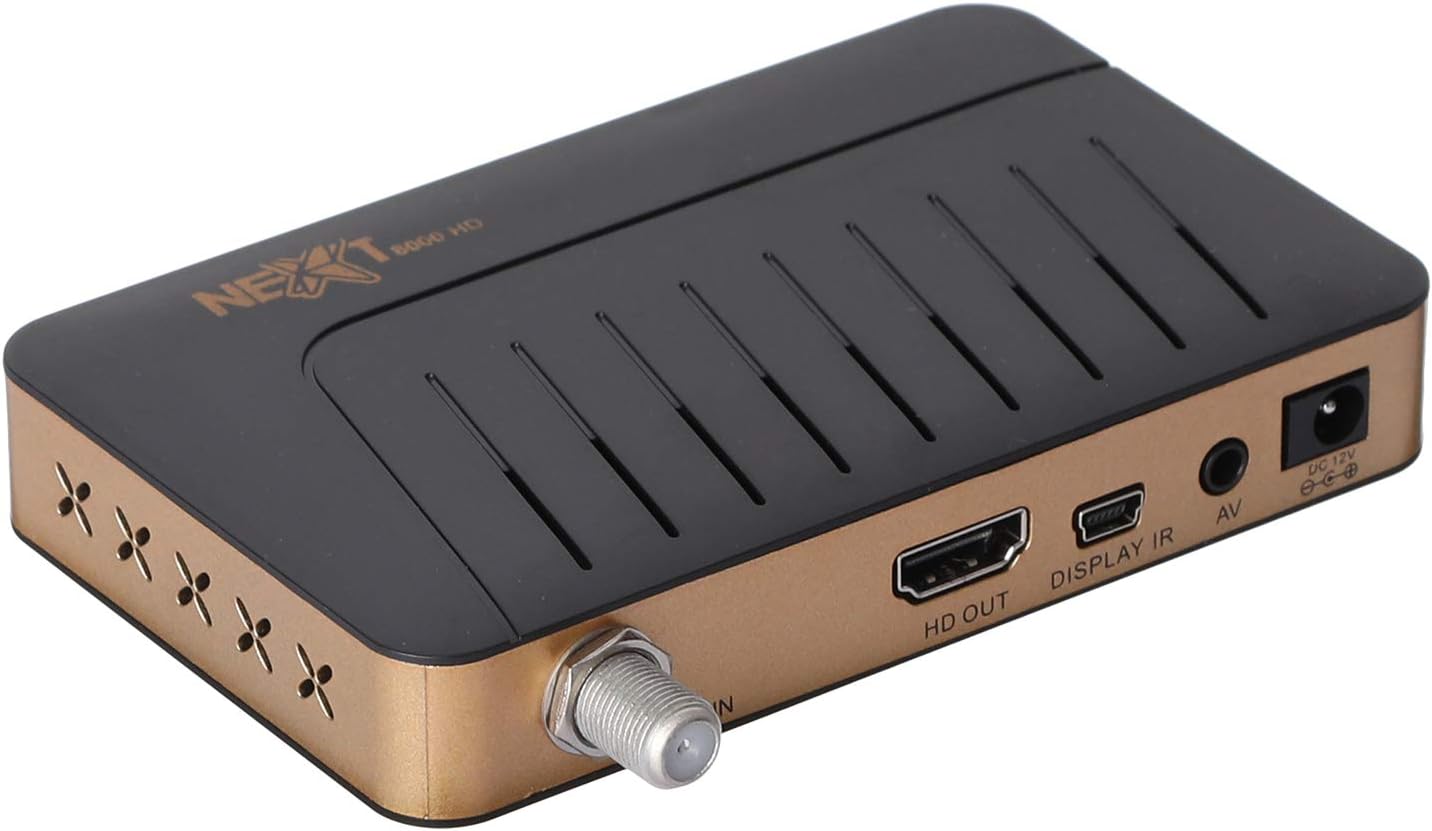
ภาพ: ด้านหลัง view of the NEXT 8000 receiver, highlighting the LNB IN, HD OUT (HDMI), AV, and DC 12V power input ports.
2. การเปิดเครื่องครั้งแรกและการตั้งค่า
After connecting all cables:
- Turn on your television and select the correct HDMI or AV input source.
- The receiver will power on automatically. The initial setup wizard should appear on your screen.
- Follow the on-screen instructions to select your preferred language, time zone, and perform a channel scan. Refer to the 'Operating Instructions' section for details on channel scanning.
3. การควบคุมระยะไกลview
ทำความคุ้นเคยกับฟังก์ชั่นของรีโมทคอนโทรล:

Image: The remote control for the NEXT 8000 satellite receiver, showing various buttons for power, navigation, volume, channel, and special functions.
- ปุ่มเปิด/ปิด: Turns the receiver on/off or to standby mode.
- เมนู: เข้าสู่เมนูหลักเพื่อเข้าถึงการตั้งค่าและคุณสมบัติต่างๆ
- ตกลง: ยืนยันการเลือกหรือแสดงรายการช่อง
- ปุ่มลูกศร (ขึ้น/ลง/ซ้าย/ขวา): นำทางผ่านเมนูและตัวเลือก
- EXIT: กลับไปยังหน้าจอที่แล้วหรือออกจากเมนู
- ฉบับ +/-: ปรับระดับเสียง
- ช +/-: เปลี่ยนช่อง
- อีพีจี: แสดงผังรายการอิเล็กทรอนิกส์
- นั่ง: Selects satellite.
- ยูเอสบี: Accesses USB media playback.
- เปลี่ยนเวลา: Activates the Timeshift function (requires USB storage).
คำแนะนำการใช้งาน
1. Channel Search and Management
To find and organize channels:
- กดปุ่ม เมนู ปุ่มบนรีโมทคอนโทรล
- Navigate to 'Installation' or 'Channel Search' using the arrow buttons and press OK.
- Select 'Multi-satellite search' or 'Network search' based on your setup.
- Follow the on-screen prompts to initiate the scan. The receiver will automatically detect available channels.
- After the scan, you can access options to 'Program lock', 'Delete', 'Move', or 'Rename' channels within the channel management menu.
2. การเล่นสื่อผ่าน USB
The receiver supports media playback from a USB flash drive.
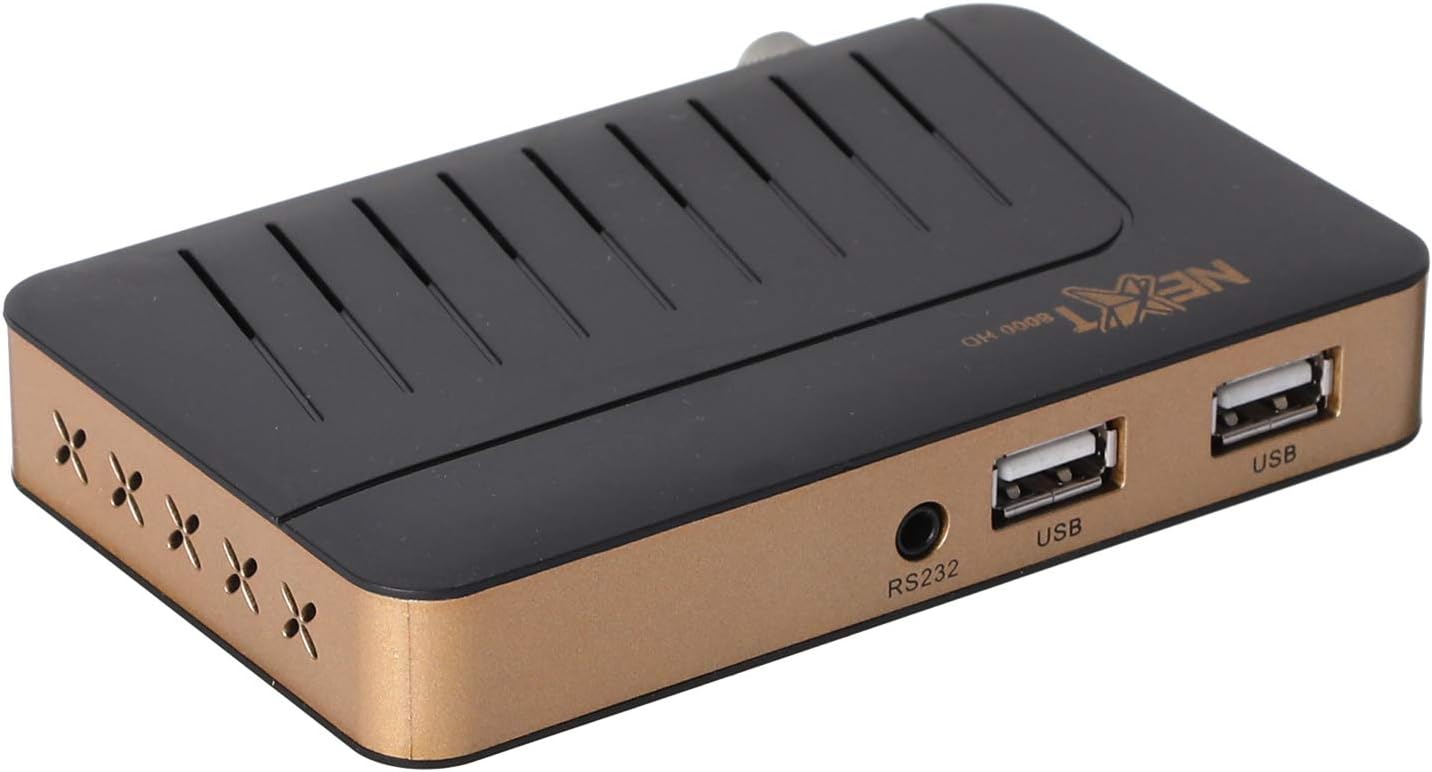
ภาพ: ด้านหน้า view of the NEXT 8000 receiver, showing the two USB ports available for connecting external storage devices.
- Insert a USB flash drive into one of the USB ports on the receiver.
- กดปุ่ม ยูเอสบี button on the remote control or navigate to the 'Media' menu.
- เลือกประเภทสื่อที่คุณต้องการเล่น (เช่น วิดีโอ เพลง ภาพถ่าย)
- Browse your USB drive content and select the desired file. The receiver supports AVI, MKV, TS, TP, TRP, MPG, and MP4 files.
3. การบันทึกและการเลื่อนเวลา
To record programs or use the Timeshift function, a USB storage device must be connected.
- การบันทึก: ขณะรับชมรายการให้กดปุ่ม บันทึก button (usually a red circle) on the remote control to start recording. Press it again to stop. Recorded content will be saved to the connected USB drive.
- เปลี่ยนเวลา: กดปุ่ม การเลื่อนเวลา button on the remote control to pause live TV. You can then fast-forward or rewind within the buffered content.
4. คู่มือรายการโทรทัศน์อิเล็กทรอนิกส์ (EPG)
กดปุ่ม อีพีจี บนรีโมทคอนโทรลไปที่ view the 7-day electronic program guide. This allows you to see upcoming programs and set reminders or recordings.
5. Parental Lock
To restrict access to certain channels or menus, navigate to the 'System Settings' or 'Parental Control' menu. You can set a password to lock programs or specific functions.
การซ่อมบำรุง
1. Software Upgrade via USB
To ensure your receiver has the latest features and bug fixes, you can upgrade its software:
- ดาวน์โหลดซอฟต์แวร์ล่าสุด file from the official NEXT website to a USB flash drive. Ensure the file is placed in the root directory of the USB drive.
- Insert the USB flash drive into the receiver's USB port.
- ไปที่ เมนู > 'System Settings' > 'Software Upgrade' (or similar option).
- Select 'Upgrade by USB' and choose the software file.
- Confirm the upgrade. The receiver will restart automatically after the upgrade is complete. Do not power off the receiver during the upgrade process.
2. การทำความสะอาด
To clean the receiver, disconnect it from the power supply. Use a soft, dry cloth to wipe the exterior surfaces. Do not use liquid cleaners or abrasive materials.
การแก้ไขปัญหา
If you encounter issues with your NEXT 8000 receiver, refer to the following table:
| ปัญหา | สาเหตุที่เป็นไปได้ | สารละลาย |
|---|---|---|
| ไม่มีภาพหรือเสียง | Incorrect TV input selected; Loose HDMI/AV cable; Receiver not powered on. | Select correct TV input; Check all cable connections; Ensure receiver is powered on. |
| ไม่พบช่อง | Satellite dish not aligned; Incorrect LNB settings; Channel scan not performed. | Check satellite dish alignment; Verify LNB settings in menu; Perform a channel scan. |
| รีโมตคอนโทรลไม่ทำงาน | Dead batteries; Obstruction between remote and receiver; Remote sensor blocked. | Replace batteries; Remove obstructions; Ensure receiver's IR sensor is clear. |
| ไม่สามารถเล่นสื่อ USB ได้ | ไม่ได้รับการสนับสนุน file format; USB drive not properly inserted; Corrupted file. | ตรวจสอบ file format compatibility; Re-insert USB drive; Try a different USB drive or file. |
หากปัญหายังคงมีอยู่หลังจากลองวิธีแก้ไขเหล่านี้แล้ว โปรดติดต่อฝ่ายสนับสนุนลูกค้า
ข้อมูลจำเพาะ
Key technical specifications for the NEXT 8000 Full HD Satellite Receiver:
- แบบอย่าง: 8000
- ความละเอียดเอาต์พุตวิดีโอ: 576i, 576p, 720p, 1080i, 1080p (50/60 Hz)
- การเชื่อมต่อ: HDMI, USB (2 ports), RS232, AV
- รูปแบบเสียงที่รองรับ: Dolby Digital, DTS, AAC, PCM
- Supported Video/Media Formats: AVI, MKV, TS, TP, TRP, MPG, MP4
- หน่วยความจำที่เก็บข้อมูล: 100 satellites, 4000 frequencies, 8000 channels
- โปรเซสเซอร์: ซันพลัส
- คุณสมบัติ: Recording by USB flash, Screen enlargement, Multi-satellite search, Network search, Media playback, 7-day Electronic Program Guide (EPG), Teletex, Timeshift, Parental lock.
- ขนาด : 19.6 x 17.4 x 6.6 ซม.
- น้ำหนัก: 396 กรัม
การรับประกันและการสนับสนุน
For warranty information and technical support, please refer to the documentation provided with your purchase or visit the official NEXT product support webไซต์ โปรดเก็บใบเสร็จรับเงินไว้เป็นหลักฐานการซื้อสำหรับการเรียกร้องการรับประกัน


