คู่มือผู้ใช้คีย์บอร์ดไร้สาย Newmen GM610 60%
Model: GM610 | Brand: Newmen
1. บทนำ
Thank you for choosing the Newmen GM610 60% Wireless Mechanical Keyboard. This compact and versatile keyboard is designed for both gaming and office use, offering multiple connectivity options, customizable RGB backlighting, and hot-swappable switches. This manual provides detailed instructions to help you set up, operate, and maintain your keyboard for optimal performance.
2. เนื้อหาบรรจุภัณฑ์
โปรดตรวจสอบว่ารายการทั้งหมดที่ระบุไว้ด้านล่างมีอยู่ในแพ็คเกจของคุณหรือไม่:
- 1 x Newmen GM610 Gaming Keyboard
- สาย USB-C 1 เส้น
- 4 x Replaceable Switches (Red Switch)
- ตัวรับ 1 x 2.4G
- 1 x เครื่องมือถอดคีย์แคปและสวิตช์แบบ 2-in-1
- 1 x คู่มือผู้ใช้

Image: Newmen GM610 Package Contents
3. สินค้าหมดview
The Newmen GM610 is a 60% mechanical keyboard featuring a compact 61-key layout with N-key rollover for anti-ghosting. It supports multiple connection modes and offers extensive customization options.
- 60% เค้าโครง: Ultra-compact design saving desktop space.
- การเชื่อมต่อหลายโหมด: Supports wired (USB-C), Bluetooth 3.0/5.0, and 2.4G wireless connections.
- ไฟแบ็คไลท์ RGB: Features 19 RGB backlit effects with adjustable brightness and speed.
- สวิตช์แบบ Hot-Swappable: Compatible with 3-pin Outemu switches, allowing for easy switch replacement without soldering.
- สามารถตั้งโปรแกรมได้: Supports macro recording and customization via dedicated software.
- ความเข้ากันได้กว้าง: Works with PC, Windows, Mac, Laptop, and Android systems.

Image: Newmen GM610 Keyboard Front View

Image: Compact Design and Dimensions
4. การตั้งค่า
ก่อนใช้งานครั้งแรก แนะนำให้ชาร์จคีย์บอร์ดให้เต็มโดยใช้สาย USB-C ที่ให้มาด้วย
4.1. การเชื่อมต่อแบบมีสาย
Connect the USB-C end of the cable to the keyboard and the USB-A end to your computer's USB port. The keyboard will be automatically recognized and ready for use.
4.2. การเชื่อมต่อไร้สาย 2.4G
- ค้นหาตัวรับสัญญาณ USB 2.4G ในกล่องบรรจุภัณฑ์
- เสียบตัวรับสัญญาณ 2.4G เข้ากับพอร์ต USB ที่ว่างอยู่บนคอมพิวเตอร์ของคุณ
- Ensure the keyboard's mode switch (usually on the back or side) is set to 2.4G wireless mode.
- แป้นพิมพ์ควรเชื่อมต่อโดยอัตโนมัติ
4.3. การเชื่อมต่อบลูทู ธ
The GM610 keyboard supports connecting up to three different Bluetooth devices.
- ตรวจสอบให้แน่ใจว่าสวิตช์โหมดของแป้นพิมพ์ถูกตั้งค่าเป็นโหมดบลูทูธ
- To enter pairing mode for a specific Bluetooth channel (BT1, BT2, BT3), press and hold เอฟเอ็น+คิว (สำหรับ BT1) Fn + ว (สำหรับ BT2) หรือ Fn + อี (for BT3) for 3-5 seconds until the corresponding key (Q, W, or E) blinks rapidly.
- บนอุปกรณ์ของคุณ (พีซี แล็ปท็อป แท็บเล็ต สมาร์ทโฟน) เปิดการตั้งค่าบลูทูธ แล้วค้นหาอุปกรณ์ใหม่
- Select "Newmen GM610" from the list of available devices to pair.
- Once paired, the blinking light will become solid, indicating a successful connection.
- หากต้องการสลับระหว่างอุปกรณ์บลูทูธที่จับคู่ เพียงแค่กด เอฟเอ็น+คิว, Fn + ว, หรือ Fn + อี สั้นๆ

Image: Easy Connectivity Options

Image: Wired and Wireless Connection Ports
5. คู่มือการใช้งาน
5.1. การควบคุมไฟแบ็คไลท์ RGB
The GM610 keyboard offers 19 different RGB backlit effects. You can customize the lighting to your preference:
- ผลกระทบจากการเปลี่ยนแปลง: กด Fn + \| เพื่อสลับไปมาระหว่างเอฟเฟกต์แสง RGB 19 แบบที่แตกต่างกัน
- ปรับความสว่าง: กด ฟน + ]} เพื่อเพิ่มความสว่างและ ฟน + [{ เพื่อลดความสว่าง (4 ระดับ)
- ปรับความเร็ว: กด ฟน + ;: เพื่อเพิ่มความเร็วและ Fn + '" to decrease speed (5 levels).
- เปิด/ปิดไฟแบ็คไลท์: กด Fn + ป้อน เพื่อเปิดหรือปิดไฟแบ็คไลท์

Image: 19 RGB Backlit Effects
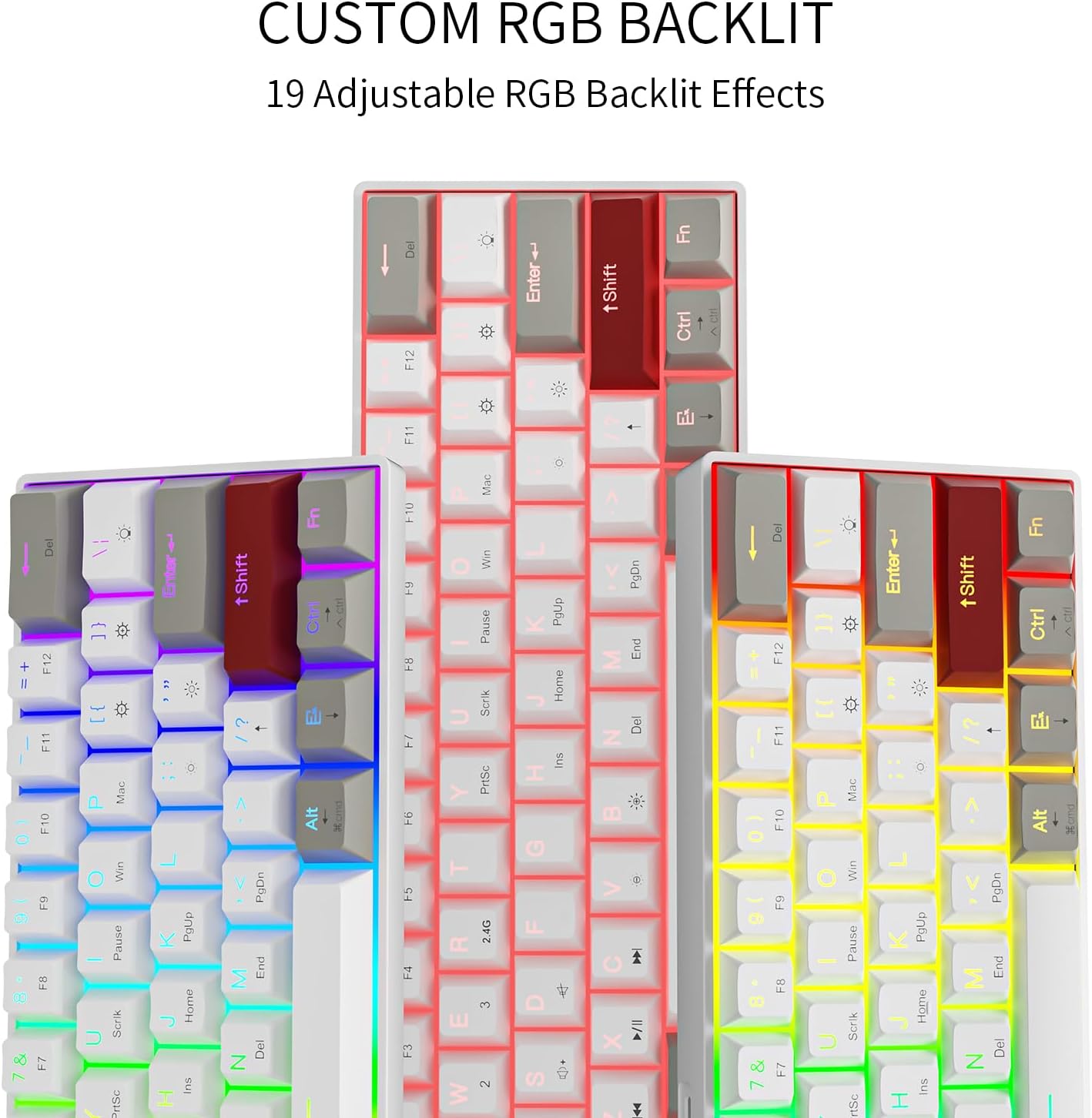
Image: Custom RGB Backlit Options
5.2. Macro Recording & Programmability
The GM610 keyboard supports macro recording and key remapping through its dedicated software. This allows you to assign complex commands or customize key functions.
- ดาวน์โหลดซอฟต์แวร์: เยี่ยม bit.ly/38Tm367 to download the official software.
- Mac Remapping Instructions: For Mac users, specific remapping instructions are available at bit.ly/3sOX7XZ.

รูปภาพ: อินเทอร์เฟซซอฟต์แวร์ปรับแต่ง
5.3. การรวมคีย์ฟังก์ชัน
เนื่องจากการออกแบบที่กะทัดรัด 60% ทำให้สามารถเข้าถึงฟังก์ชันต่างๆ ได้มากมายผ่าน Fn สำคัญ:
- Fn + 1/2/3: สลับระหว่างอุปกรณ์บลูทูธ (BT1, BT2, BT3)
- เอฟเอ็น + อาร์: Reset Bluetooth connection (useful for troubleshooting blinking lights).
- Fn + Win: ปุ่มล็อค/ปลดล็อค Windows
- เอฟเอ็น + เอ: Switch to Mac layout.
- Fn + ส: Switch to Windows layout.
- Fn + Y/U/I/O/P: Media control keys (Play/Pause, Stop, Previous, Next, Mute).
- Fn + J/K/L: Volume control (Volume Down, Volume Up, Mute).
- Fn + ปุ่มลูกศร: Use as directional arrows (Up, Down, Left, Right).
- Fn + แบ็คสเปซ: ปุ่มลบ
- กดปุ่ม Fn + Enter: Toggle backlight.
6. สวิตช์แบบ Hot-Swappable
The Newmen GM610 features hot-swappable sockets, allowing you to easily change mechanical switches without soldering. This keyboard is compatible with 3-pin Outemu switches.
6.1. การเปลี่ยนสวิตช์
- Using the provided 2-in-1 keycap and switch puller, gently remove the keycap from the switch you wish to replace.
- Insert the switch puller's prongs into the two small clips on the top and bottom of the switch.
- Squeeze the prongs firmly to compress the clips and gently pull the switch straight up to remove it from the PCB.
- จัดตำแหน่งขาของสวิตช์ใหม่ให้ตรงกับรูบนแผงวงจรพิมพ์ ตรวจสอบให้แน่ใจว่าขาตั้งตรงเพื่อป้องกันการงอ
- Gently push the new switch straight down until it clicks into place. Do not force it.
- ติดฝาครอบปุ่มกลับเข้าไปใหม่

Image: Hot-Swappable Mechanical Keyboard
7. การบำรุงรักษา
7.1. การทำความสะอาดคีย์บอร์ด
- ถอดแป้นพิมพ์ออกจากอุปกรณ์ของคุณก่อนทำความสะอาด
- ใช้กระป๋องอัดอากาศเพื่อกำจัดฝุ่นและเศษต่างๆ ออกจากระหว่างปุ่มต่างๆ
- For surface cleaning, wipe the keycaps and frame with a soft, slightly dampผ้าที่ไม่เป็นขุย หลีกเลี่ยงความชื้นมากเกินไป
- อย่าใช้สารเคมีที่รุนแรงหรือวัสดุที่มีฤทธิ์กัดกร่อน
7.2. การดูแลแบตเตอรี่
- ชาร์จแป้นพิมพ์เป็นประจำเพื่อรักษาสุขภาพแบตเตอรี่
- หลีกเลี่ยงการปล่อยแบตเตอรี่จนหมดบ่อยครั้ง
- หากจะเก็บคีย์บอร์ดไว้เป็นเวลานาน ควรชาร์จแบตเตอรี่ให้ได้ประมาณ 50% ก่อนเก็บรักษา
8 การแก้ไขปัญหา
| ปัญหา | สาเหตุที่เป็นไปได้ | สารละลาย |
|---|---|---|
| Keyboard not connecting wirelessly. | Incorrect mode, low battery, pairing issue, receiver not plugged in. | Ensure correct mode (2.4G/Bluetooth) is selected. Charge the keyboard. Re-pair Bluetooth or re-insert 2.4G receiver. |
| Keys not responding or input lag. | Low battery, loose switch, interference, software issue. | Charge the keyboard. Check if switches are properly seated. Reduce wireless interference. Try wired connection. Restart device. |
| ไฟแบ็คไลท์ RGB ไม่ทำงานหรือค้าง | ไฟแบ็คไลท์ดับลง เกิดข้อผิดพลาดทางซอฟต์แวร์ | กด Fn + ป้อน to toggle backlight. Restart keyboard. Check software settings. |
| Blinking green light on Q, W, or E keys. | ปัญหาการเชื่อมต่อบลูทูธ | กดค้างไว้ Fn + ร for 1 second to reset the Bluetooth connection. |
| Cannot use Shift + Arrow keys. | Fn key changes Shift function. | This is a design limitation of the compact layout. Consider using the software to remap keys if possible for specific needs. |
9. ข้อมูลจำเพาะ
| คุณสมบัติ | รายละเอียด |
|---|---|
| หมายเลขรุ่น | จีเอ็ม610 |
| ขนาดสินค้า | 11 x 4 x 1 นิ้ว (ยาว 11 นิ้ว x กว้าง 4 นิ้ว x สูง 1 นิ้ว) |
| น้ำหนักสินค้า | 2 ปอนด์ |
| เทคโนโลยีการเชื่อมต่อ | Bluetooth (3.0 & 5.0), USB-C (Wired), 2.4G Wireless |
| คำอธิบายแป้นพิมพ์ | เครื่องจักรกล |
| ประเภทสวิตซ์ | Red Switch (Hot-swappable, 3-pin Outemu compatible) |
| เค้าโครงคีย์ | 61-key, 60% layout, N-key rollover |
| การแบ็คไลท์ | RGB (19 effects, adjustable brightness/speed) |
| อุปกรณ์ที่รองรับ | แล็ปท็อป, พีซี, สมาร์ทโฟน, แท็บเล็ต |
| แบตเตอรี่ | แบตเตอรี่ลิเธียมโพลิเมอร์ 1 ก้อน (รวมอยู่ด้วย) |
10. การรับประกันและการสนับสนุน
Newmen products are designed for reliability and performance. For specific warranty details, please refer to the warranty card included with your product or contact Newmen customer support.
For software downloads, firmware updates, and additional support resources, please visit the official Newmen website or the links provided in this manual.


