การแนะนำ
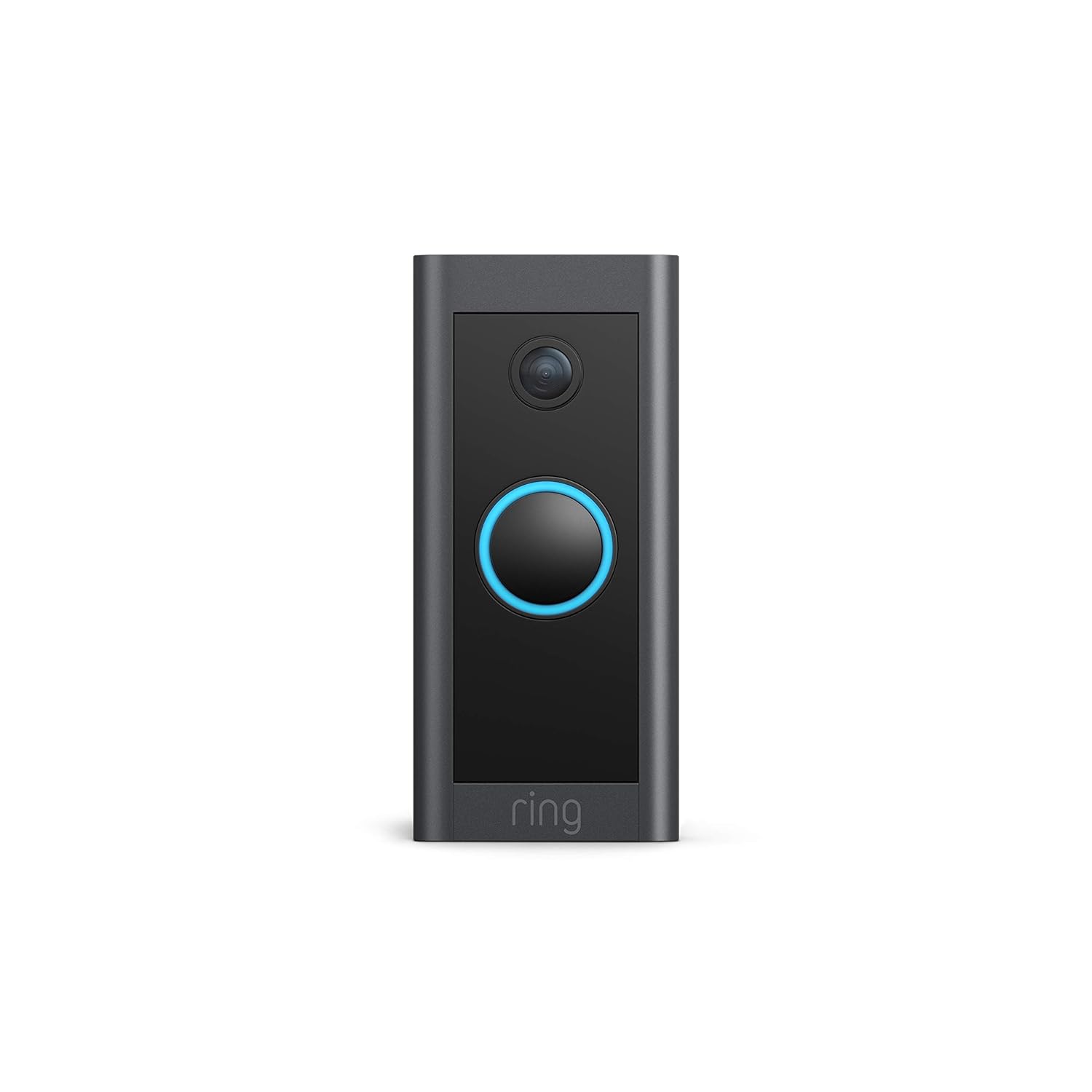
This manual provides comprehensive instructions for the installation, operation, and maintenance of your Ring Video Doorbell Wired. Please read this manual thoroughly before installation and use to ensure proper functionality and safety.
สิ่งที่รวมอยู่
Your Ring Video Doorbell Wired package includes the following items:
- Ring Video Doorbell แบบมีสาย
- เครื่องมือติดตั้งและสกรู
- คู่มือการใช้งาน (เอกสารนี้)
- คู่มือเริ่มต้นอย่างรวดเร็ว
- สติ๊กเกอร์ความปลอดภัย
การติดตั้งและการตั้งค่า
The average installation time for the Ring Video Doorbell Wired is approximately 15 minutes. This device requires hardwiring to an existing doorbell system, a Ring plug-in adapter, or a compatible transformer.
ความต้องการ:
- Standard doorbell system, Ring plug-in adapter, or transformer with 10-24 VAC, 40VA max, 50/60Hz or 24VDC, 0.5A, 12W.
- การเชื่อมต่ออินเตอร์เน็ตความเร็วสูง
- 802.11 b/g/n Wi-Fi connection at 2.4 GHz.
ขั้นตอนการติดตั้ง:
- ปิดไฟ: ก่อนเริ่มต้น โปรดตรวจสอบให้แน่ใจว่าได้ปิดไฟในระบบกริ่งประตูเดิมของคุณแล้วที่เบรกเกอร์
- ถอดกริ่งประตูเดิมออก: ถอดปลั๊กและนำปุ่มกดกริ่งประตูเก่าของคุณออก
- Connect Ring Doorbell: Connect the wires from your existing doorbell system to the terminals on the back of the Ring Video Doorbell Wired. Ensure a secure connection.
- ติดตั้งกริ่งประตู: Secure the Ring Video Doorbell Wired to your wall using the provided screws and tools.
- คืนพลังงาน: เปิดไฟฟ้าอีกครั้งที่เบรกเกอร์
- การตั้งค่าในแอป: Download the Ring app on your smartphone or tablet and follow the on-screen instructions to connect your doorbell to your Wi-Fi network and complete the setup process.

คำแนะนำการใช้งาน
The Ring Video Doorbell Wired offers various features to enhance your home security and communication.
คุณสมบัติหลัก:
- วิดีโอความละเอียดสูง 1080p: Provides clear, high-definition video with Live View and Night Vision for monitoring your front door.
- การพูดคุยแบบสองทาง: Communicate with visitors at your door from anywhere using the Ring app. Features noise cancellation for clear audio.
- การตรวจจับการเคลื่อนไหวขั้นสูง: Customizable motion zones allow you to receive alerts when motion is detected in specific areas.
- การแจ้งเตือนแบบเรียลไทม์: Get instant notifications on your phone when someone rings the doorbell or motion is detected.
- การมองเห็นตอนกลางคืน: Ensures clear visibility even in low-light conditions.
- บูรณาการของ Alexa: Connects with Alexa-enabled devices to hear alerts or view a live feed on screens.


การใช้งานแอป Ring:
The Ring app is essential for managing your Video Doorbell. Through the app, you can:
- View ฟีดวิดีโอสด
- Engage in two-way talk with visitors.
- Customize motion detection settings and zones.
- Access recorded videos (with a Ring Protect subscription).
- Manage device settings and privacy options.
การซ่อมบำรุง
เพื่อให้มั่นใจถึงประสิทธิภาพสูงสุดและอายุการใช้งานที่ยาวนานของ Ring Video Doorbell Wired โปรดพิจารณาเคล็ดลับการบำรุงรักษาดังต่อไปนี้:
- การทำความสะอาด: เช็ดเลนส์กล้องและภายนอกกริ่งประตูด้วยผ้านุ่มๆ เป็นระยะๆamp ผ้าสำหรับเช็ดฝุ่นและสิ่งสกปรก หลีกเลี่ยงน้ำยาทำความสะอาดที่มีฤทธิ์กัดกร่อน
- การอัปเดตซอฟต์แวร์: Ensure your Ring app and doorbell firmware are always up to date. Updates often include performance improvements and security enhancements.
- การตรวจสอบการเชื่อมต่อ: Regularly check your Wi-Fi signal strength in the Ring app to ensure a stable connection.
- สภาพแวดล้อม : The doorbell is weather-resistant, designed to operate between -20°C to 50°C (-5°F to 120°F). Ensure it is not exposed to conditions outside this range.
การแก้ไขปัญหา
If you encounter issues with your Ring Video Doorbell Wired, try the following troubleshooting steps:
- ไม่มีไฟฟ้า/ไม่เปิด:
- ตรวจสอบว่าระบบกริ่งประตูของคุณมีไฟฟ้าอยู่ที่เบรกเกอร์
- ตรวจสอบการเชื่อมต่อสายไฟเพื่อให้แน่ใจว่ามีความปลอดภัย
- ยืนยันว่าแหล่งพลังงานของคุณตรงตามข้อกำหนดที่กำหนด (10-24 VAC, 40VA สูงสุด, 50/60Hz หรือ 24VDC, 0.5A, 12W)
- Poor Video Quality/Offline:
- Check your Wi-Fi connection and signal strength in the Ring app.
- Ensure your internet service is active and stable.
- รีสตาร์ทเราเตอร์ Wi-Fi ของคุณ
- ทำความสะอาดเลนส์กล้อง
- ปัญหาการตรวจจับการเคลื่อนไหว:
- Adjust motion sensitivity and customize motion zones in the Ring app.
- ตรวจสอบให้แน่ใจว่าไม่มีสิ่งกีดขวางใดๆ ปิดกั้นเซ็นเซอร์ view.
- ปัญหาการพูดสองทาง:
- Check your device's microphone and speaker settings in the Ring app.
- Ensure your smartphone's volume is up.
- ตรวจสอบให้แน่ใจว่าการเชื่อมต่ออินเทอร์เน็ตมีความเสถียร
For further assistance, refer to the support section or contact Ring customer service.
ข้อมูลจำเพาะ
| คุณสมบัติ | รายละเอียด |
|---|---|
| เวลาติดตั้งเฉลี่ย | ~15 นาที |
| วีดีโอ | วิดีโอ HD 1080p ถ่ายทอดสด View, การมองเห็นตอนกลางคืน |
| ทุ่งแห่ง View | แนวนอน 155° แนวตั้ง 90° |
| การตรวจจับการเคลื่อนไหว | การตรวจจับการเคลื่อนไหวขั้นสูงพร้อมโซนการเคลื่อนไหวที่ปรับแต่งได้ |
| เสียง | ระบบเสียงสองทางพร้อมระบบตัดเสียงรบกวน |
| พลัง | เดินสาย (10-24 VAC, 40VA สูงสุด, 50/60Hz หรือ 24VDC, 0.5A, 12W) |
| ข้อกำหนดด้านอินเตอร์เน็ต | อินเตอร์เน็ตความเร็วสูง |
| การเชื่อมต่อ | 802.11 b/g/n การเชื่อมต่อ Wi-Fi @ 2.4 GHz |
| เงื่อนไขการใช้งาน | -20°C to 50°C (-5°F to 120°F), weather resistant |
| สีที่มีจำหน่าย | สีดำ |
| ขนาด | 101 มม. x 45.7 มม. x 22.4 มม. (3.98 นิ้ว x 1.81 นิ้ว x 0.88 นิ้ว) |
| รุ่น | Ring Video Doorbell แบบมีสาย รุ่นที่ 1 – วางจำหน่ายในปี 2021 |
การรับประกันและการสนับสนุน
การรับประกัน: The Ring Video Doorbell Wired comes with a 1-year limited warranty. Use of the Ring Video Doorbell is subject to the terms found on the official Ring webเว็บไซต์.
สนับสนุน: For more information and assistance, please visit the official Ring Video Doorbell Wired support page. You can typically find this by searching for "Ring Video Doorbell Wired support" on the Ring website or your preferred search engine.


