1. บทนำ
This manual provides essential instructions for the safe and effective use of your TECMATE OptiMATE TM-497 Lithium Ion Motorcycle Charger. The OptiMATE TM-497 is specifically designed for 12.8V LiFePO4 (Lithium Iron Phosphate) batteries, offering automatic charging and maintenance to ensure optimal battery performance and longevity. Please read this manual thoroughly before operating the charger.

Figure 1: TECMATE OptiMATE TM-497 Charger with included accessories.
2. ข้อมูลด้านความปลอดภัย
Always prioritize safety when working with electrical equipment and batteries. Failure to follow these safety guidelines may result in electric shock, fire, or damage to the charger or battery.
- อ่านคำแนะนำทั้งหมด: ก่อนใช้งานเครื่องชาร์จ โปรดอ่านคำแนะนำและข้อควรระวังทั้งหมดบนเครื่องชาร์จ แบตเตอรี่ และผลิตภัณฑ์ที่ใช้แบตเตอรี่นั้น
- การระบายอากาศ : Ensure adequate ventilation when charging. Do not operate the charger in a confined area or restrict ventilation in any way.
- ประเภทแบตเตอรี่ : This charger is designed exclusively for 12.8V LiFePO4 (Lithium Iron Phosphate) batteries. Do not use it with other battery types (e.g., lead-acid, Ni-Cd, Ni-MH) as this may cause damage or injury.
- Avoid sparks: Connect and disconnect the battery cables only when the AC power cord is disconnected from the outlet to prevent sparks.
- ความชื้น: Do not expose the charger to rain or excessive moisture. It is designed for indoor use.
- Damaged equipment: Do not operate the charger if it has received a sharp blow, been dropped, or otherwise damaged. Contact customer support for assistance.
- เด็ก: เก็บเครื่องชาร์จและแบตเตอรี่ให้พ้นมือเด็ก
- การใช้งานระดับมืออาชีพ: This device is intended for consumer use. For professional or commercial applications, consult the manufacturer.
3. เนื้อหาบรรจุภัณฑ์
ตรวจสอบว่ามีรายการทั้งหมดอยู่ในแพ็คเกจ:
- OptiMATE TM-497 Lithium Ion Motorcycle Charger Unit
- Vehicle Side Cable (for permanent connection to the battery)
- Alligator Clip Cable (for temporary connection to battery terminals)
- สายไฟ AC
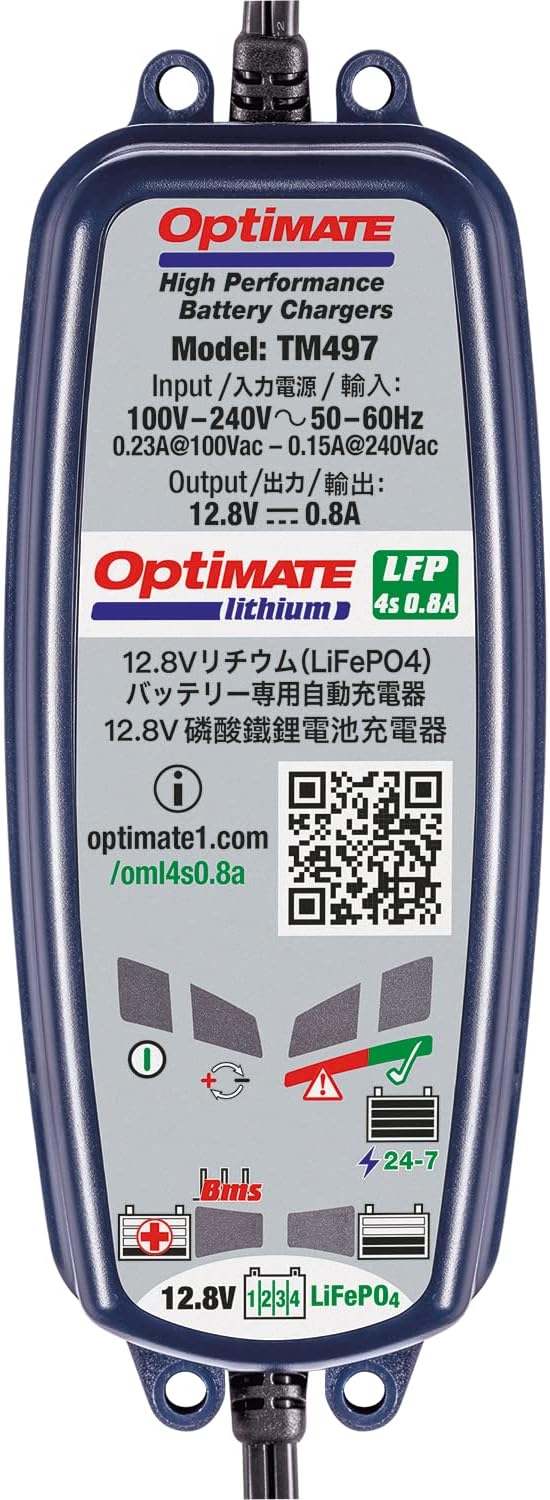
Figure 2: Contents of the OptiMATE TM-497 package.
4. การตั้งค่าและการเชื่อมต่อ
Follow these steps to connect your OptiMATE TM-497 charger to a 12.8V LiFePO4 battery:
- เลือกวิธีการเชื่อมต่อ:
- Vehicle Side Cable: For long-term maintenance, connect the ring terminals of the vehicle side cable directly to your battery terminals (red to positive, black to negative). Ensure a secure connection. This allows for quick plug-in charging without accessing the battery each time.
- Alligator Clip Cable: For temporary charging, attach the red alligator clip to the positive (+) battery terminal and the black alligator clip to the negative (-) battery terminal. Ensure clips are firmly attached and do not touch each other or other metal parts.
- Connect Charger to Battery Cable: Plug the chosen battery connection cable (vehicle side or alligator clip) into the output port of the OptiMATE TM-497 charger.
- เชื่อมต่อกับไฟฟ้ากระแสสลับ: Plug the AC power cord into a standard 100-240V AC wall outlet. The charger will automatically begin its charging program.
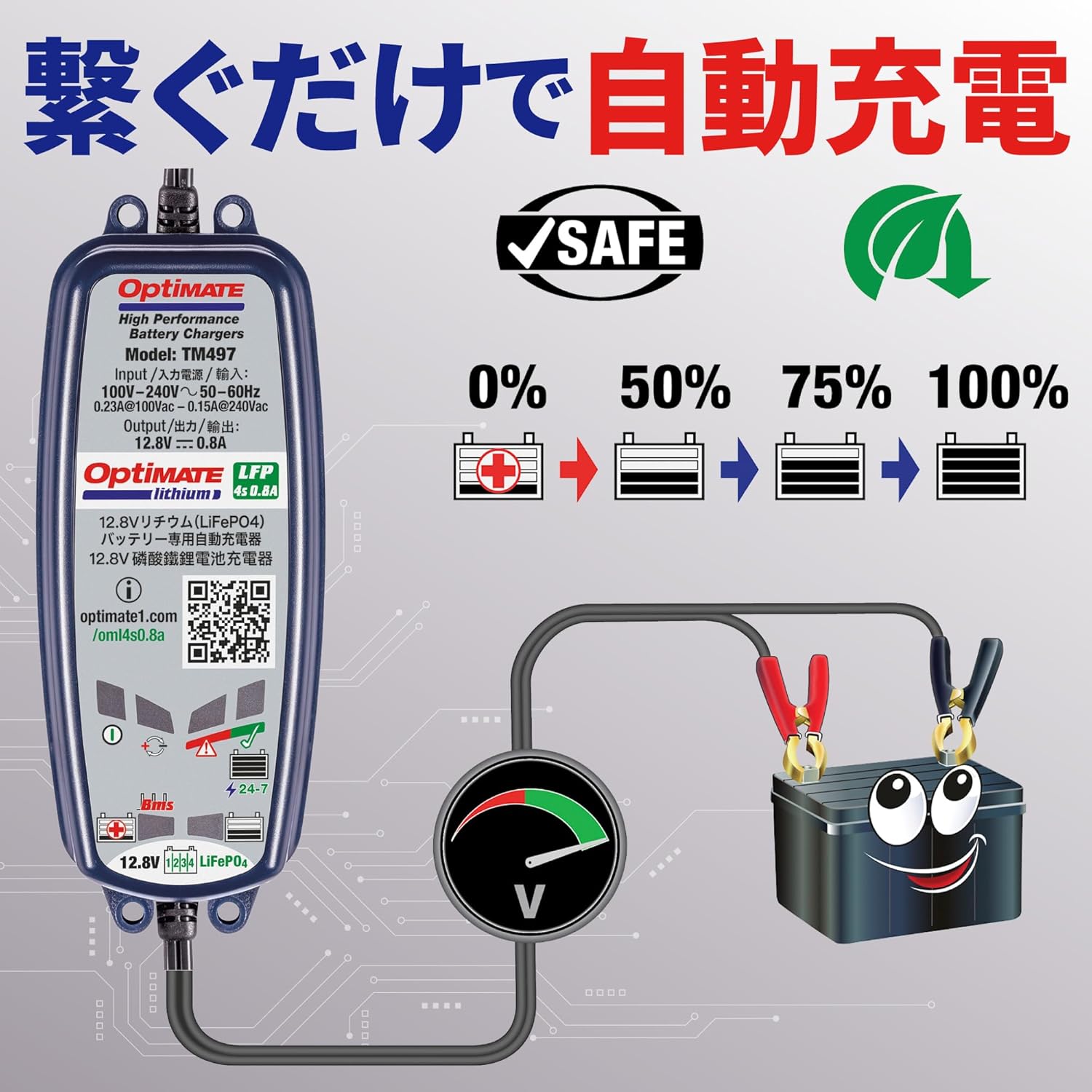
Figure 3: Illustrates connecting the charger to the battery and then to the power outlet.
5. คู่มือการใช้งาน
The OptiMATE TM-497 operates automatically once connected. It features a multi-stage charging program optimized for 12.8V LiFePO4 batteries.
5.1. กระบวนการชาร์จ
Upon connection, the charger will perform a diagnostic check and then proceed through its charging stages. The output is 12.8V at 0.8A maximum. The charger is designed to recover deeply discharged batteries and maintain them at optimal levels without overcharging.

Figure 4: Visual representation of the charging progress from 0% to 100%.
5.2. Battery Management System (BMS) Compatibility
The OptiMATE TM-497 is compatible with LiFePO4 batteries equipped with a Battery Management System (BMS). It can detect and recover batteries that have entered a 'sleep' state due to deep discharge, automatically reactivating them for charging.

Figure 5: Depicts the automatic recovery process for batteries in a 'sleep' state.
6. การบำรุงรักษา
The OptiMATE TM-497 charger requires minimal maintenance. Keep the unit clean and dry. Regularly inspect the cables and connectors for any signs of damage or wear. If any damage is observed, discontinue use and contact customer support.
For long-term battery health, it is recommended to keep the charger connected to your LiFePO4 battery when the vehicle is not in use, especially during storage periods. The charger will automatically maintain the battery at its optimal charge level.
7 การแก้ไขปัญหา
If the charger does not appear to be functioning correctly, refer to the following common issues:
- No indicator lights: Ensure the AC power cord is securely plugged into a live outlet and the charger. Check the wall outlet with another appliance.
- Charger not starting: Verify that the battery connections are correct (red to positive, black to negative) and secure. Ensure the battery is a 12.8V LiFePO4 type.
- ไม่ชาร์จแบตเตอรี่: The battery may be severely discharged or faulty. The OptiMATE TM-497 has a recovery mode for deeply discharged LiFePO4 batteries. Allow the charger sufficient time to attempt recovery. If the issue persists, the battery may need replacement.
- ความร้อนหรือกลิ่นผิดปกติ: Immediately disconnect the charger from both AC power and the battery. Do not use the charger if it exhibits unusual heat, smoke, or a burning smell. Contact customer support.
8. ข้อมูลจำเพาะ
| แบบอย่าง | ทีเอ็ม-497 |
| ยี่ห้อ | Tecmate (OptiMATE) |
| อินพุต Voltage | ไฟฟ้ากระแสสลับ 100-240V, 50-60Hz |
| ปริมาณการส่งออกtage | กระแสตรง 12.8 โวลต์ |
| กระแสไฟขาออก | 0.8A (สูงสุด) |
| ประเภทแบตเตอรี่ | แบตเตอรี่ลิเธียมเหล็กฟอสเฟต (LiFePO4) 12.8 โวลต์ |
| ขนาดสินค้า | 30 x 20 x 20 ซม. (โดยประมาณ) |
| น้ำหนัก | 670 กรัม (โดยประมาณ) |
9. การรับประกันและการสนับสนุน
For warranty information, technical support, or further inquiries regarding your OptiMATE TM-497 charger, please refer to the official Tecmate webเว็บไซต์หรือติดต่อฝ่ายบริการลูกค้าของพวกเขา
Additional product information and support can often be found at the manufacturer's dedicated product page: