1. บทนำ
The ThermoPro TP200B is a digital indoor/outdoor thermometer designed to monitor temperature and humidity levels in your environment. This manual provides detailed instructions for setting up, operating, and maintaining your device to ensure accurate readings and optimal performance.
2. เนื้อหาบรรจุภัณฑ์
- 1 x ThermoPro TP200B Main Unit (Indoor Display)
- 1 x Outdoor Temperature Sensor (Wireless)
- แบตเตอรี่ AAA 5 ก้อน (รวมอยู่ด้วย)
- 1 x คู่มือผู้ใช้
3. คุณสมบัติหลัก
- Large Backlit Display with Large Digits: Features a 3.3-inch LCD display with large digits for easy readability, even in low light conditions.
- บันทึกสูงสุด/ต่ำสุด: Stores and displays maximum and minimum temperature and humidity records for the past 24 hours.
- Color Air Comfort Indicator: A visual indicator with an arrow shows current air conditions (Dry/Comfort/Wet), allowing for environmental adjustments.
- การอ่านที่แม่นยำสูง: Equipped with a premium sensor for precise temperature and humidity measurements, accurate to ±2°F and ±2-3%RH.
- การออกแบบที่เป็นมิตรต่อผู้ใช้: Easily adjust settings with three front-facing buttons.
- ตัวเลือกตำแหน่งหลายตำแหน่ง: Can be wall-mounted, placed on a tabletop, or attached via magnetic back.
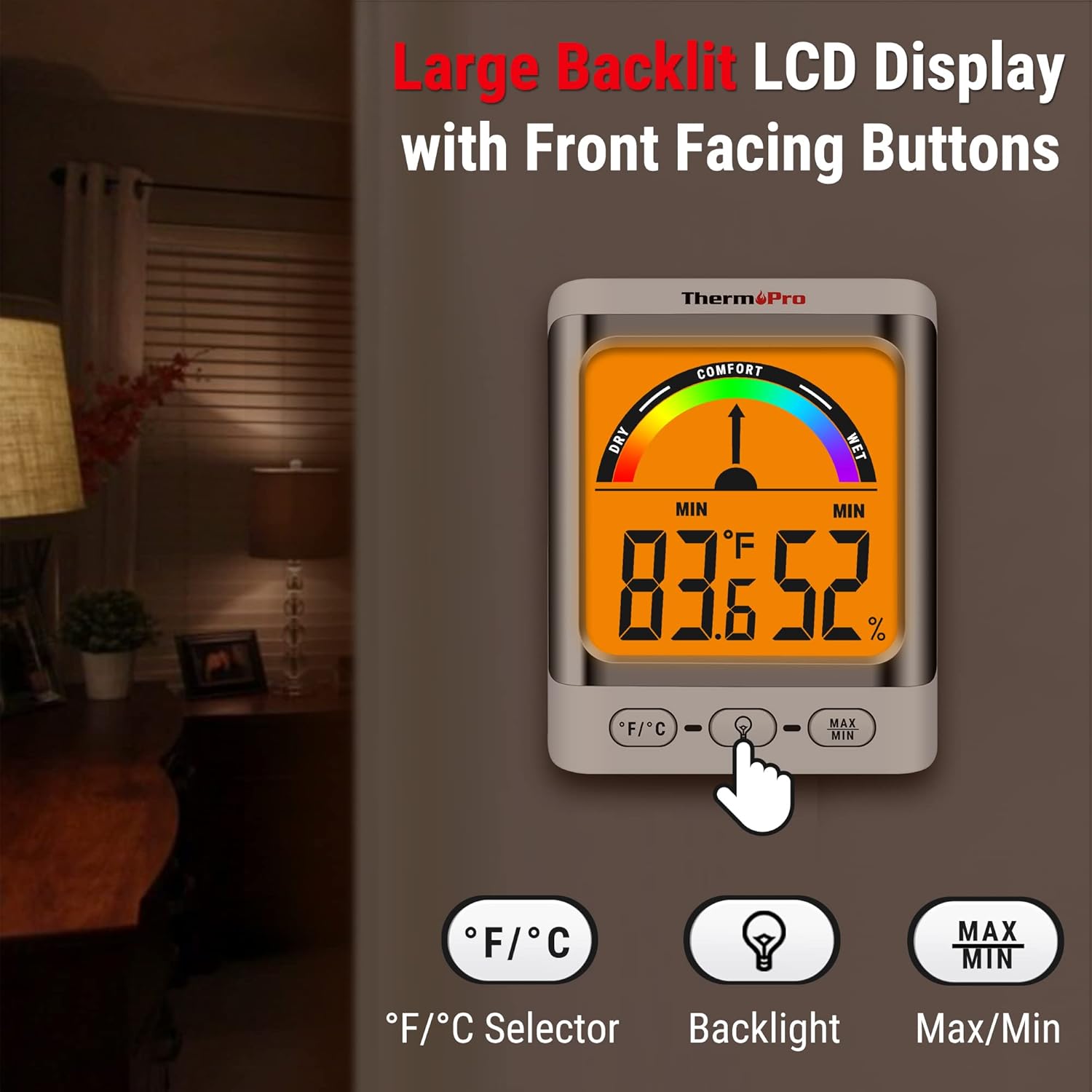
Image: The ThermoPro TP200B main unit display, highlighting the large digits, comfort indicator, and the three control buttons: °F/°C selector, Backlight, and Max/Min.
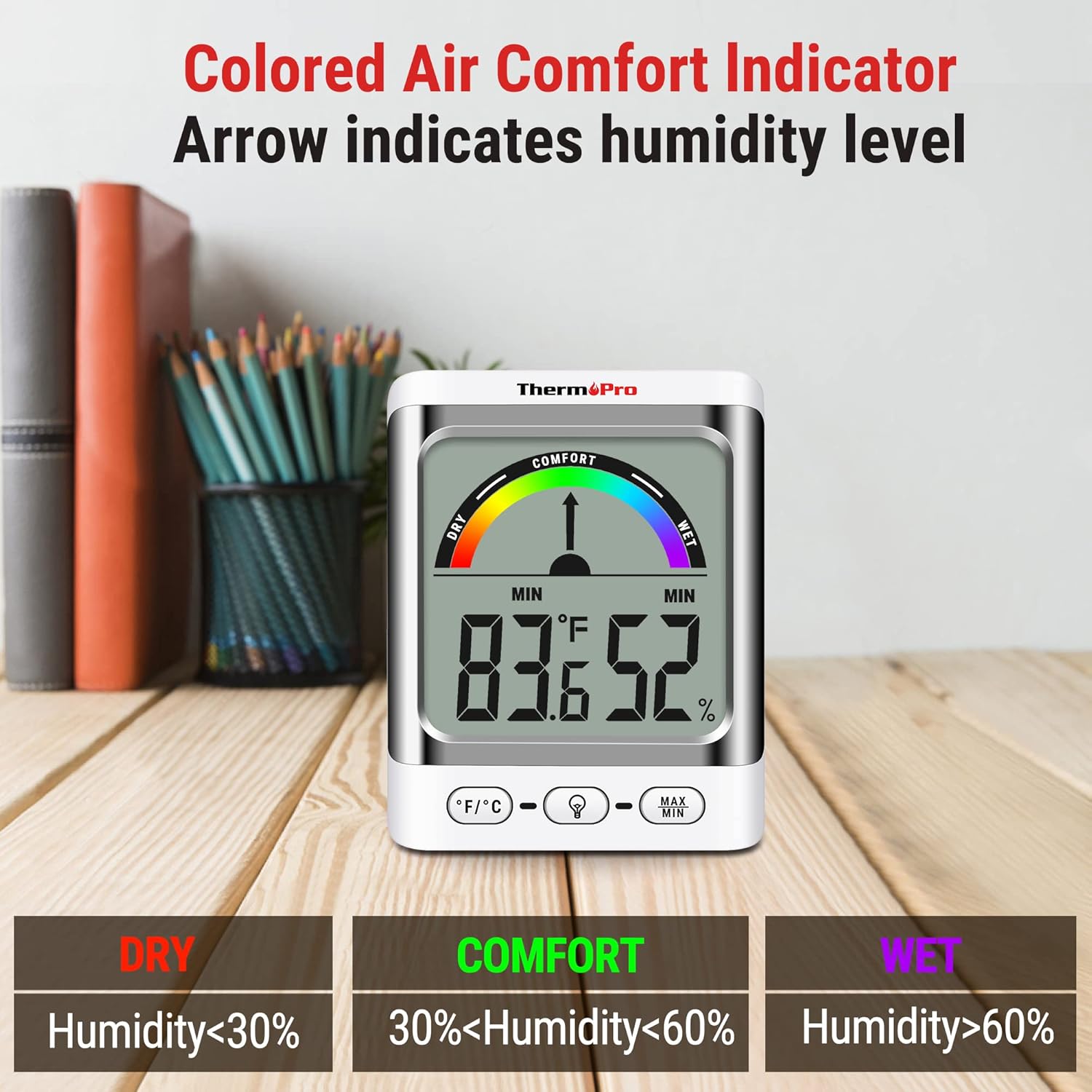
Image: A close-up of the ThermoPro TP200B display, illustrating the colored comfort indicator that visually represents dry (humidity <30%), comfort (30% < humidity < 60%), and wet (humidity >60%) conditions.
4. การตั้งค่า
- การติดตั้งแบตเตอรี่:
- เปิดช่องใส่แบตเตอรี่ที่ด้านหลังของทั้งตัวเครื่องหลักและเซ็นเซอร์ภายนอกอาคาร
- Insert the provided AAA batteries, ensuring correct polarity (+/-).
- ปิดช่องใส่แบตเตอรี่อย่างแน่นหนา
- ตำแหน่งเซนเซอร์:
- Place the outdoor sensor in a location that is protected from direct sunlight and precipitation for accurate readings.
- Ensure the sensor is within the 500ft wireless range of the main unit.
- การจัดวางหน่วยหลัก:
- The main unit can be placed on a tabletop using its integrated stand, mounted on a wall, or attached to a metallic surface via its magnetic back.
- Position the main unit in a central location indoors for optimal signal reception from the outdoor sensor.

ภาพ: อดีตamples of flexible placement options for the ThermoPro TP200B, including wall mounting, magnetic attachment to a refrigerator, and freestanding on a countertop.
5. คู่มือการใช้งาน
5.1 แสดงผลเกินview
The large LCD display shows indoor temperature, humidity, and the comfort level indicator. The outdoor temperature is displayed from the wireless sensor.
5.2 ฟังก์ชันปุ่ม
- °F/°C ปุ่ม: Press to switch between Fahrenheit and Celsius temperature units.
- ปุ่มแบ็คไลท์: Press to activate the backlight for 15 seconds, improving visibility in dim conditions.
- ปุ่มสูงสุด/นาที: กดเพื่อ view the maximum and minimum temperature and humidity recorded over the past 24 hours. Press again to cycle through current, MAX, and MIN readings. Hold to reset MAX/MIN records.

Image: The ThermoPro TP200B displaying maximum and minimum temperature and humidity values, accompanied by a conceptual graph showing how these values fluctuate over a 24-hour period.
6. การบำรุงรักษา
- การทำความสะอาด: เช็ดทำความสะอาดตัวเครื่องและเซ็นเซอร์ด้วยผ้าเนื้อนุ่มและแห้งamp ผ้า. ห้ามใช้น้ำยาทำความสะอาดที่มีฤทธิ์กัดกร่อนหรือจุ่มลงในน้ำ
- การเปลี่ยนแบตเตอรี่: Replace batteries when the low battery indicator appears on the display. Ensure to use fresh AAA batteries.
- พื้นที่จัดเก็บ: หากเก็บรักษาอุปกรณ์ไว้เป็นเวลานาน ควรถอดแบตเตอรี่ออกเพื่อป้องกันการรั่วไหล
7 การแก้ไขปัญหา
- ไม่มีการแสดงผล/ไฟแสดงสถานะแบตเตอรี่ต่ำ: Replace all batteries in both the main unit and the outdoor sensor.
- การอ่านค่าที่ไม่ถูกต้อง:
- Ensure the outdoor sensor is not in direct sunlight or exposed to extreme weather conditions.
- Verify the main unit and sensor are within effective range and not obstructed by thick walls or electronic interference.
- Allow both units to stabilize for 30 minutes after initial setup or battery replacement.
- No Signal from Outdoor Sensor:
- Relocate the main unit or sensor closer to each other.
- Check batteries in both units.
- Reset the connection by removing batteries from both units, waiting a few minutes, then reinserting them.
8. ข้อมูลจำเพาะ
| คุณสมบัติ | รายละเอียด |
|---|---|
| ชื่อรุ่น | ทีพี200บี |
| ยี่ห้อ | ThermoPro |
| คุณสมบัติพิเศษ | ความแม่นยำสูง |
| สี | สีขาว |
| ประเภทจอภาพ | ดิจิตอล |
| แหล่งพลังงาน | ใช้พลังงานจากแบตเตอรี่ (รวมแบตเตอรี่ AAA 5 ก้อน) |
| ความแม่นยำของอุณหภูมิ | ± 2 ° F (± 1.1 ° C) |
| ความแม่นยำของความชื้น | ±2% from 30% to 80% RH; ±3% outside this range |
| เวลาตอบสนอง | 0.5 วินาที |
| น้ำหนักสินค้า | 4.2 ออนซ์ |
| ความยาวสินค้า | 3.9 นิ้ว |

Image: Multiple ThermoPro TP200B units demonstrating consistent temperature and humidity readings, highlighting the specified accuracy tolerances of ±2°F (±1.1°C) for temperature and ±2% RH (30-80% range) for humidity.

Image: A visual comparison showcasing the large, compact display of the ThermoPro TP200B (3.3 inches) next to a smaller, generic thermometer (1.7 inches), emphasizing its enhanced readability.
9. การรับประกันและการสนับสนุน
ThermoPro ให้การรับประกันสินค้าชิ้นนี้ในกรณีที่สินค้ามีข้อบกพร่องด้านวัสดุและฝีมือการผลิต สำหรับข้อมูลการรับประกันโดยละเอียด การลงทะเบียนผลิตภัณฑ์ หรือการสนับสนุนทางเทคนิค โปรดเยี่ยมชมเว็บไซต์อย่างเป็นทางการของ ThermoPro webหรือติดต่อฝ่ายบริการลูกค้า เก็บใบเสร็จรับเงินไว้เป็นหลักฐานการซื้อ
เทอร์โมโปรอย่างเป็นทางการ Webเว็บไซต์: www.thermopro.com


