การแนะนำ
This manual provides detailed instructions for the safe and effective operation of your Donner DJ Par Light. Please read this manual thoroughly before use and retain it for future reference. This device is designed to produce various lighting effects for events, parties, and stagการแสดงอี
ข้อมูลด้านความปลอดภัย
- ตรวจสอบแหล่งจ่ายไฟ voltage ตรงตามข้อกำหนดของอุปกรณ์
- Do not expose the device to rain or moisture to prevent electric shock or fire.
- Always disconnect from the power supply before cleaning or servicing.
- ควรหลีกเลี่ยงการส่องแสงเข้าตาโดยตรง เนื่องจากอาจทำให้ดวงตาเสียหายได้
- ต้องแน่ใจว่ามีการระบายอากาศที่เหมาะสมเพื่อป้องกันความร้อนสูงเกินไป อย่าปิดกั้นช่องระบายอากาศ
- ใช้งานอุปกรณ์ด้วยความระมัดระวัง หลีกเลี่ยงการทำตกหรือกระแทกแรงๆ
- เก็บให้พ้นจากมือเด็ก
เนื้อหาแพ็คเกจ
ตรวจสอบว่ามีสิ่งของทั้งหมดอยู่ครบเมื่อแกะกล่อง:
- Donner DJ Par Light (1 unit)
- รีโมทคอนโทรล (1 ยูนิต)
- ขายึด (1 ชิ้น)
- สายไฟ (1 ชิ้น)
- คู่มือการใช้งาน (เอกสารนี้)
คุณสมบัติผลิตภัณฑ์
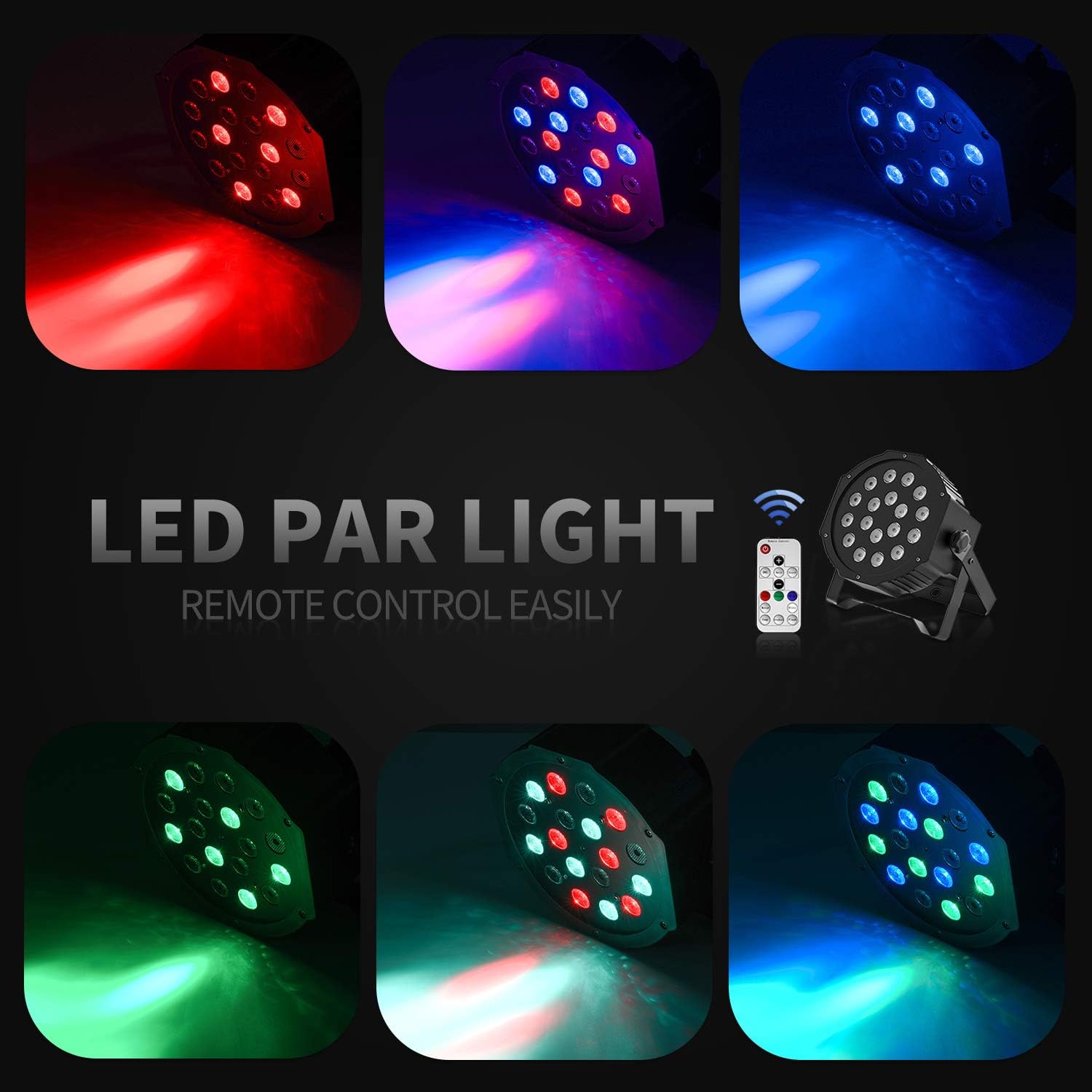
- 18 RGB LEDs: Features 18 x 3W RGB LED lights (6 Red, 6 Green, 6 Blue) for a wide range of color effects.
- การทำงานหลายโหมด: Includes Static Color, Color Changing, Color Fade, Auto, Sound-activated, Master-slave, and DMX modes.
- รีโมทคอนโทรล: Easy control via the included IR remote.
- รองรับ DMX512: For professional lighting control.
- พัดลมระบายความร้อนในตัว: Ensures stable operation and extends lifespan.
- Adjustable Dual Brackets: Allows for flexible mounting on trusses, walls, or standing on the floor.
การตั้งค่า
- การแกะกล่อง: นำไฟและอุปกรณ์เสริมทั้งหมดออกจากบรรจุภัณฑ์อย่างระมัดระวัง
- การติดตั้งวงเล็บ: Attach the dual brackets to the sides of the light using the provided screws and knobs. Ensure they are securely fastened.
- การติดตั้ง:
- ขาตั้งพื้น: Position the light on a flat, stable surface using the brackets as a stand. Adjust the angle as desired.
- Hanging/Truss Mount: ใช้ cl . ที่เหมาะสมamps (not included) to secure the light to a truss or ceiling. Always use a safety cable (not included) when hanging the unit.
- การเชื่อมต่อไฟฟ้า: เชื่อมต่อสายไฟเข้ากับช่องเสียบสายไฟของไฟ แล้วจึงเสียบเข้ากับเต้ารับไฟฟ้าที่เหมาะสม

โหมดการทำงาน
The Donner DJ Par Light offers multiple operating modes, selectable via the remote control or the control panel on the back of the unit.

- โหมดสีคงที่: Displays a single, constant color. Use the remote's color buttons (Red, Green, Blue) or the control panel to select specific colors or mix RGB values.
- Color Changing (Jump) Mode: The light rapidly switches between different colors. The speed of the color change can be adjusted.
- Color Fade (Gradual) Mode: The light smoothly transitions from one color to another. The transition speed can be adjusted.
- โหมดอัตโนมัติ: The light cycles through various pre-programmed lighting effects automatically.
- โหมดเปิดใช้งานเสียง: The light reacts to ambient sound or music, changing colors and patterns in sync with the beat. Ensure the built-in microphone is not obstructed.
- โหมดมาสเตอร์-สเลฟ: Connect multiple lights using DMX cables. One unit acts as the master, controlling all connected slave units, ensuring synchronized lighting effects.
- โหมด DMX: For advanced control using a DMX512 controller. This mode allows precise control over individual light parameters such as color intensity, strobe, and mode selection.
การควบคุมการทำงานด้วยรีโมทคอนโทรล
The included IR remote control provides convenient access to the light's functions:
- เปิด/สแตนด์บาย: Press to power on or put the device in standby mode.
- ดีเอ็มเอ็กซ์: Activates DMX mode. Use '+' and '-' to adjust the DMX address.
- อัตโนมัติ: Activates Auto mode.
- เสียง: Activates Sound-Activated mode.
- แดง/เขียว/น้ำเงิน: Selects static red, green, or blue color.
- สีขาว: Selects static white color.
- กระโดด: Activates Color Changing (Jump) mode.
- ค่อยเป็นค่อยไป: Activates Color Fade (Gradual) mode.
- แฟลช: เปิดใช้งานโหมดไฟกระพริบ
- ปุ่ม +/-: Adjust speed in Jump/Gradual/Flash modes, or DMX address in DMX mode.
การควบคุม DMX
The Donner DJ Par Light supports DMX512 protocol for professional control. Connect a DMX controller to the DMX IN port using a 3-pin XLR cable. For multiple units, daisy-chain them by connecting the DMX OUT of one unit to the DMX IN of the next.
DMX Channel Functions (Example for 7-channel mode):
| ช่อง | การทำงาน | ช่วงค่า | คำอธิบาย |
|---|---|---|---|
| 1 | มาสเตอร์ ดิมเมอร์ | 0-255 | Overall brightness (0=off, 255=max) |
| 2 | ความเข้มของสีแดง | 0-255 | Red LED brightness (0=off, 255=max) |
| 3 | ความเข้มสีเขียว | 0-255 | Green LED brightness (0=off, 255=max) |
| 4 | ความเข้มข้นของสีน้ำเงิน | 0-255 | Blue LED brightness (0=off, 255=max) |
| 5 | ไฟแฟลช | 0-255 | Strobe speed (0=off, 255=fastest) |
| 6 | การเลือกโหมด | 0-255 | Selects various internal programs (Auto, Sound, Jump, Gradual) |
| 7 | โปรแกรมความเร็ว | 0-255 | Adjusts speed of selected program (0=slow, 255=fast) |
การซ่อมบำรุง
- การทำความสะอาด: Regularly clean the lens and housing with a soft, lint-free cloth. Do not use abrasive cleaners.
- พื้นที่จัดเก็บ: เก็บอุปกรณ์ไว้ในสภาพแวดล้อมที่แห้งและปราศจากฝุ่นเมื่อไม่ได้ใช้งาน
- การตรวจสอบ: ตรวจสอบสายไฟและจุดเชื่อมต่อ DMX เป็นระยะๆ เพื่อดูว่ามีร่องรอยความเสียหายหรือไม่
การแก้ไขปัญหา
| ปัญหา | สาเหตุที่เป็นไปได้ | สารละลาย |
|---|---|---|
| ไฟไม่เปิด | No power, faulty cable, device in standby. | Check power connection. Ensure outlet is functional. Press ON/STANDBY button on remote or control panel. |
| รีโมทคอนโทรลไม่ทำงาน | Low battery, remote not aimed correctly, IR sensor blocked. | Replace remote battery. Point remote directly at the IR sensor on the front of the light. Ensure no obstructions. |
| Light not responding in DMX mode. | Incorrect DMX address, faulty DMX cable, incorrect DMX mode selected. | Verify DMX address matches controller. Check DMX cable connections. Ensure DMX mode is active on the light. |
| โหมดตรวจจับเสียงไม่ทำงาน | Microphone obstructed, sound level too low. | Ensure the microphone on the back panel is clear. Increase music volume or move the light closer to the sound source. |
ข้อมูลจำเพาะ
| แบบอย่าง: | Remote Control/DMX |
| แหล่งกำเนิดแสง: | 18 x 3W RGB LEDs (6 Red, 6 Green, 6 Blue) |
| แหล่งพลังงาน: | สายไฟ |
| โหมดควบคุม: | Static Color, Color Changing, Color Fade, Auto, Sound-activated, Master-slave, DMX512 |
| วัสดุ: | พลาสติก |
| ขนาดสินค้า : | ยาว 7.48 นิ้ว x กว้าง 5.12 นิ้ว x สูง 7.48 นิ้ว |
| น้ำหนักสินค้า: | 1.45 ปอนด์ |
การรับประกันและการสนับสนุน
Donner provides a 12-month warranty for this product, covering manufacturing defects from the date of purchase. For warranty claims, technical support, or service inquiries, please contact Donner customer service through the retailer where the product was purchased or visit the official Donner webเว็บไซต์สำหรับข้อมูลการติดต่อ


