1. บทนำ
The AXIS T8351 Mk II Microphone 3.5 mm is a high-performance analog microphone designed for integration into video surveillance systems. It provides superior audio monitoring and recording capabilities, particularly in environments with low ambient noise. This manual provides essential information for the proper installation, operation, and maintenance of your AXIS T8351 Mk II Microphone.
2. ข้อมูลด้านความปลอดภัย
- อ่านคำแนะนำทั้งหมดอย่างละเอียดก่อนการติดตั้งและใช้งาน
- Do not expose the microphone to extreme temperatures, humidity, or corrosive environments.
- Ensure the microphone is securely mounted to prevent accidental falls.
- Only use accessories and power sources specified by Axis Communications.
- ตัดการเชื่อมต่อไฟฟ้าก่อนทำความสะอาดหรือดำเนินการบำรุงรักษาใดๆ
3. เนื้อหาบรรจุภัณฑ์
ตรวจสอบว่ามีรายการทั้งหมดอยู่ในแพ็คเกจ:
- AXIS T8351 Mk II Microphone 3.5 mm
- Installation Guide (if separate)
Note: Additional mounting accessories may be sold separately.
4. การตั้งค่าและการติดตั้ง
4.1 การติดตั้งไมโครโฟน
The AXIS T8351 Mk II Microphone offers flexible mounting options for walls, ceilings, or covert areas. Choose a location that allows optimal sound capture for your surveillance needs.
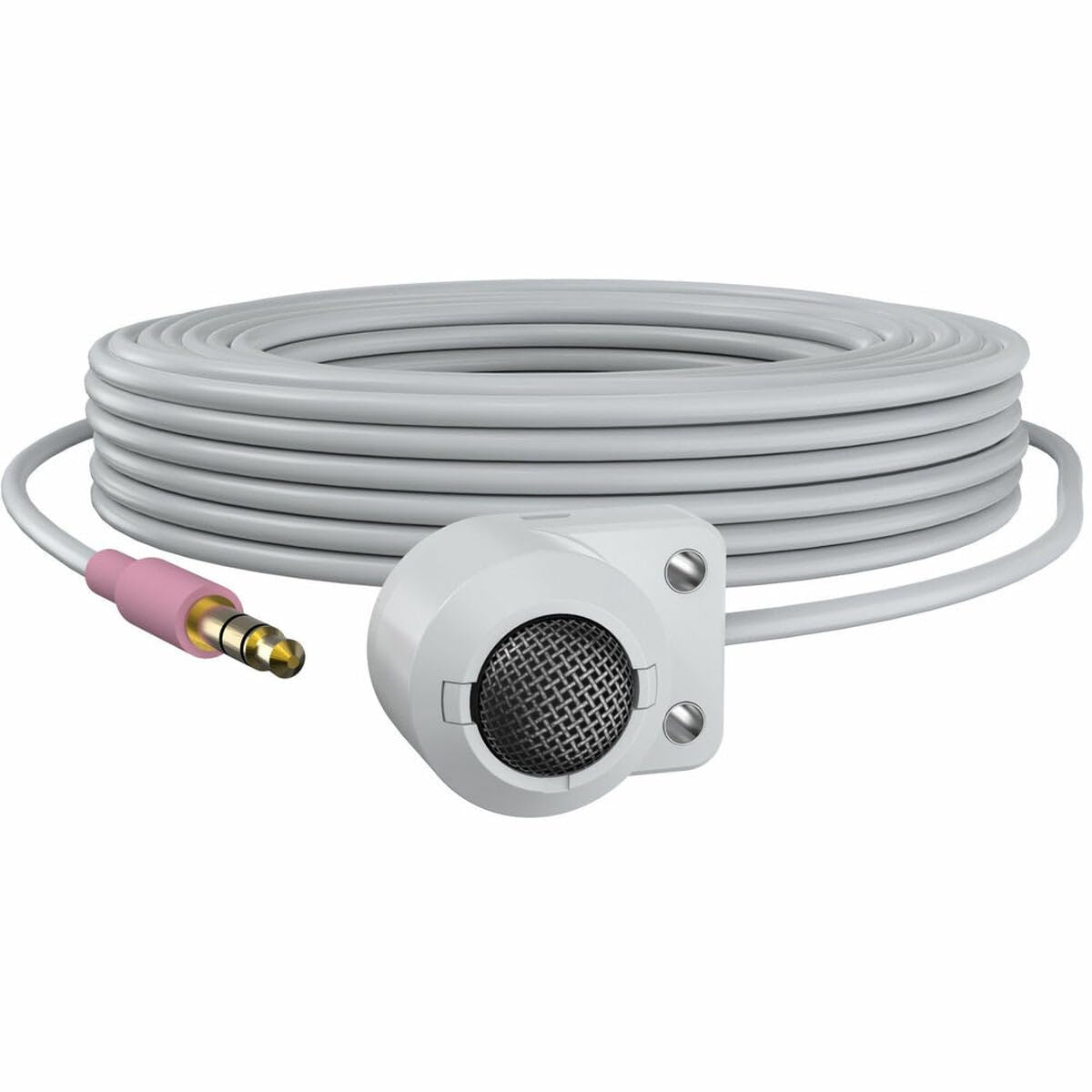
Figure 1: The AXIS T8351 Mk II Microphone, illustrating its compact design and the 3.5 mm connector for integration into surveillance systems. This image highlights the microphone's small form factor, making it suitable for discreet placement.
พิจารณาสิ่งต่อไปนี้เมื่อเลือกตำแหน่งการติดตั้ง:
- ความใกล้ชิดกับแหล่งกำเนิดเสียง: For best results, position the microphone close to the intended sound source.
- เสียงรบกวนรอบข้าง: While designed for low ambient noise environments, avoid placing the microphone near sources of constant noise (e.g., air conditioning vents, loud machinery).
- ความรอบคอบ: The compact size allows for subtle concealment if required.
4.2 การเชื่อมต่อไมโครโฟน
The AXIS T8351 Mk II Microphone connects to compatible network products via a 3.5 mm microphone input jack or a 4-pin audio connector.
- Locate the 3.5 mm microphone input jack or 4-pin audio connector on your network product (e.g., IP camera, audio encoder).
- Insert the microphone's connector firmly into the corresponding port.
- Ensure a secure connection. The microphone is powered directly by the network product, eliminating the need for additional power cables.
5. การใช้งานไมโครโฟน
5.1 การบันทึกเสียง
The AXIS T8351 Mk II is a hemispherical, omni-directional microphone, meaning it captures sound from all directions. This characteristic makes it effective for monitoring general ambient sound within a room.
- Once connected, the microphone will begin capturing audio as configured by your network product's settings.
- Adjust audio input levels and sensitivity through the interface of your connected network device to achieve optimal sound quality and prevent distortion.
5.2 Integration with Surveillance Systems
The microphone is designed to complement video surveillance by providing synchronized audio. Refer to your network product's documentation for specific instructions on:
- Enabling audio recording.
- Configuring audio triggers or events.
- Live audio monitoring.
6. การบำรุงรักษา
6.1 การทำความสะอาด
เพื่อรักษาประสิทธิภาพและรูปลักษณ์ที่เหมาะสมที่สุด:
- Gently wipe the exterior of the microphone with a soft, dry cloth.
- ห้ามใช้สารเคมีรุนแรง ตัวทำละลาย หรือน้ำยาทำความสะอาดที่มีฤทธิ์กัดกร่อน
- Ensure no moisture enters the microphone's openings.
6.2 ข้อพิจารณาด้านสิ่งแวดล้อม
The microphone is designed for indoor use. Protect it from:
- Direct sunlight or extreme heat.
- Excessive dust or dirt.
- Strong vibrations or impacts.
7 การแก้ไขปัญหา
7.1 ไม่มีเอาต์พุตเสียง
- ตรวจสอบการเชื่อมต่อ: Ensure the 3.5 mm connector is fully inserted into the network product's audio input.
- Verify Network Product Settings: Confirm that audio input is enabled and configured correctly in your network product's software interface. Check volume levels.
- พลัง: Since the microphone is powered by the network product, ensure the network product itself is powered on and functioning correctly.
- ความเข้ากันได้: Confirm your network product supports a 3.5 mm microphone input or 4-pin audio connector.
7.2 Poor Audio Quality (Distortion, Low Volume, Noise)
- ตำแหน่งการวางไมโครโฟน: Reposition the microphone closer to the sound source or away from sources of ambient noise.
- ระดับอินพุต: Adjust the audio input sensitivity and gain settings on your network product. Too high a gain can cause distortion; too low can result in faint audio.
- เสียงรบกวนจากสิ่งแวดล้อม: Identify and mitigate external noise sources in the environment.
- ความสมบูรณ์ของสายเคเบิล: ตรวจสอบสายเคเบิลว่ามีรอยชำรุดหรือบิดงอหรือไม่
8. ข้อมูลจำเพาะ
| คุณสมบัติ | รายละเอียด |
|---|---|
| ชื่อรุ่น | T8351 Mk II Microphone 3.5 mm |
| ปัจจัยรูปแบบไมโครโฟน | มินิ |
| รูปแบบขั้ว | Hemispherical, Omni-directional |
| ประเภทขั้วต่อ | Audio Line Out (3.5mm jack) |
| เทคโนโลยีการเชื่อมต่อ | เอ็กซ์แอลอาร์ (Note: Product description mentions 3.5mm, please verify specific model variant if XLR is primary) |
| แหล่งพลังงาน | Corded Electric (powered by network product) |
| การตอบสนองความถี่ | ความถี่ 16 กิโลเฮิรตซ์ |
| อัตราส่วนสัญญาณต่อเสียงรบกวน | 76 เดซิเบล |
| ความไวเสียง | 22 เดซิเบล |
| ขนาดรายการ (ยาว x กว้าง x สูง) | 1.1 x 0.8 x 0.8 นิ้ว |
| น้ำหนักสินค้า | 3.2 ออนซ์ |
| อุปกรณ์ที่รองรับ | Camera (with 3.5mm mic input or 4-pin audio connector) |
9. การรับประกันและการสนับสนุน
For information regarding the product warranty, technical support, and additional resources, please visit the official Axis Communications webเยี่ยมชมเว็บไซต์หรือติดต่อตัวแทนจำหน่ายที่ได้รับอนุญาตของคุณ เก็บใบเสร็จรับเงินไว้เพื่อใช้ในการเรียกร้องการรับประกัน
เจ้าหน้าที่ฝ่ายสื่อสารของ Axis Webเว็บไซต์: www.axis.com


