1. บทนำ
This manual provides essential information for the safe and effective operation, setup, and maintenance of your Sharp UA-HD50E-L Air Purifier with Humidification Function. Please read it thoroughly before using the appliance and keep it for future reference.
The Sharp UA-HD50E-L is designed to improve indoor air quality by combining a patented Plasmacluster ion generator with a 3-stage filtration system. It effectively removes airborne particles, allergens, viruses, pollen, dust mites, and odors. Additionally, it features an automatic humidification function to maintain a comfortable and healthy indoor climate. This unit is suitable for rooms up to 38 m² for air purification and 27 m² when using the humidification function.
2. ข้อมูลด้านความปลอดภัย
เพื่อให้การใช้งานปลอดภัย โปรดปฏิบัติตามข้อควรระวังพื้นฐานเหล่านี้เสมอ:
- อย่าใช้งานเครื่องด้วยสายไฟหรือปลั๊กที่ชำรุด
- ห้ามปิดกั้นช่องรับหรือช่องระบายอากาศ
- Keep the unit away from water and moisture. Do not immerse in water.
- ห้ามใส่สิ่งของเข้าไปในช่องเปิดใดๆ
- ถอดปลั๊กเครื่องก่อนทำความสะอาดหรือดำเนินการบำรุงรักษาใดๆ
- เครื่องใช้ไฟฟ้าตัวนี้ไม่ได้มีวัตถุประสงค์เพื่อให้บุคคล (รวมทั้งเด็ก) ที่มีความบกพร่องทางร่างกาย ทางประสาทสัมผัส หรือทางจิตใจ หรือขาดประสบการณ์และความรู้ ใช้งาน เว้นแต่จะมีการดูแลหรือคำแนะนำเกี่ยวกับการใช้เครื่องใช้ไฟฟ้าโดยบุคคลที่รับผิดชอบด้านความปลอดภัยของบุคคลดังกล่าว
- Use only genuine Sharp replacement filters.
3. สินค้าหมดview
Familiarize yourself with the main components of your Sharp UA-HD50E-L air purifier.
3.1 ด้านหน้า View

Figure 3.1: The front of the Sharp UA-HD50E-L air purifier, showcasing its sleek, light grey design and the Sharp logo.
3.2 ด้านหลัง View and Air Intake

Figure 3.2: The rear of the air purifier, showing the large air intake grille and the power cord connection point. This is where air is drawn into the unit for filtration.
3.3 Water Tank Access
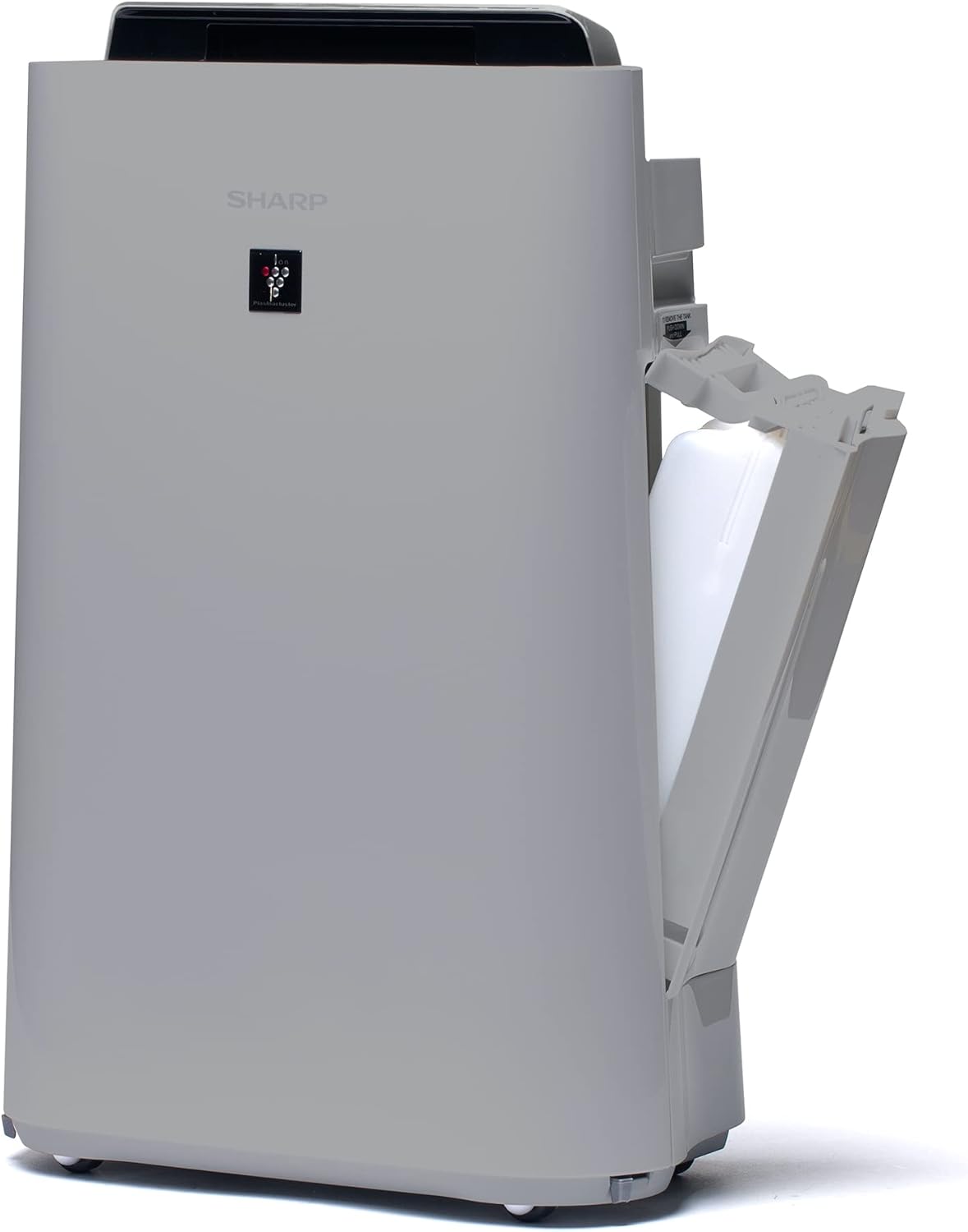
รูปที่ 3.3: ด้านหนึ่ง view of the unit with the water tank compartment door open, revealing the removable water tank for humidification.
3.4 Control Panel and Air Outlet

รูปที่ 3.4: มุมมองจากบนลงล่าง view highlighting the intuitive control panel with various function buttons and the primary air outlet where purified and humidified air is released.
3.5 ระบบกรอง
The Sharp UA-HD50E-L utilizes a multi-stage filtration system for comprehensive air purification:
- ตัวกรองล่วงหน้า: ดักจับอนุภาคขนาดใหญ่ เช่น ฝุ่นละอองและขนสัตว์
- Deodorization Filter (UZ-HD4DF): Absorbs various odors, including cigarette smoke and household smells.
- HEPA Filter (UZ-HD4HF): Traps microscopic particles such as pollen, mold spores, and fine dust.
- Humidification Filter (UZ-HD6MF): Used for the humidification function.

รูปที่ 3.5: การระเบิด view illustrating the sequence of the pre-filter, deodorization filter, and HEPA filter within the unit's rear compartment.
4. การตั้งค่า
ทำตามขั้นตอนเหล่านี้เพื่อตั้งค่าเครื่องฟอกอากาศของคุณเป็นครั้งแรก
- แกะกล่องอุปกรณ์: Carefully remove the air purifier and all its components from the packaging. Retain packaging for future transport or storage.
- ถอดบรรจุภัณฑ์ตัวกรอง: Open the rear panel of the unit. Remove all plastic packaging from the HEPA filter, deodorization filter, and humidification filter.
- ติดตั้งตัวกรอง: Insert the filters back into the unit in the correct order: deodorization filter, then HEPA filter, followed by the pre-filter. Ensure they are securely seated. Close the rear panel.

Figure 4.1: Illustration of a filter being inserted into the side compartment of the air purifier.
- เติมน้ำลงในถังเก็บน้ำ (สำหรับเพิ่มความชื้น): Open the water tank compartment on the side of the unit. Remove the water tank, fill it with clean tap water, and securely close the cap. Reinsert the water tank into the unit.
Figure 4.2: The water tank being removed from its compartment for refilling.
- การจัดวาง: Place the air purifier on a flat, stable surface, ensuring adequate clearance (at least 20 cm) from walls and furniture for optimal air circulation.
- เชื่อมต่อพลังงาน: เสียบสายไฟเข้ากับเต้ารับไฟฟ้าที่เหมาะสม (220V)
5. คู่มือการใช้งาน
The control panel on the top of the unit allows you to manage all functions.

Figure 5.1: Close-up of the control panel with various buttons and indicators, including sensors for dust, odor, temperature, humidity, light, movement, and PM2.5.
5.1 การเปิด/ปิดเครื่อง
- กดปุ่ม พลัง ปุ่มเพื่อเปิดหรือปิดเครื่อง
5.2 โหมดการทำงาน
- โหมดอัตโนมัติ: The unit automatically adjusts fan speed and humidification based on sensor readings (dust, odor, temperature, humidity, light, movement, PM2.5). This mode ensures optimal air quality and comfort.
- ความเร็วพัดลมแบบปรับเอง: Select desired fan speed (Low, Medium, High) for continuous operation.
- โหมดเพิ่มความชื้น: Activates the humidification function. The unit will maintain a comfortable humidity level. Ensure the water tank is filled.
- Air Purification Only: Disables the humidification function, focusing solely on air purification.
5.3 Plasmacluster Ion Function
- กดปุ่ม พลาสม่าคลัสเตอร์ button to activate or deactivate the Plasmacluster ion generator.
- Ion Spot Mode: This mode provides a 10-fold more intensive airflow of Plasmacluster ions to target specific areas or strong odors. Activate it by pressing the dedicated button on the control panel.
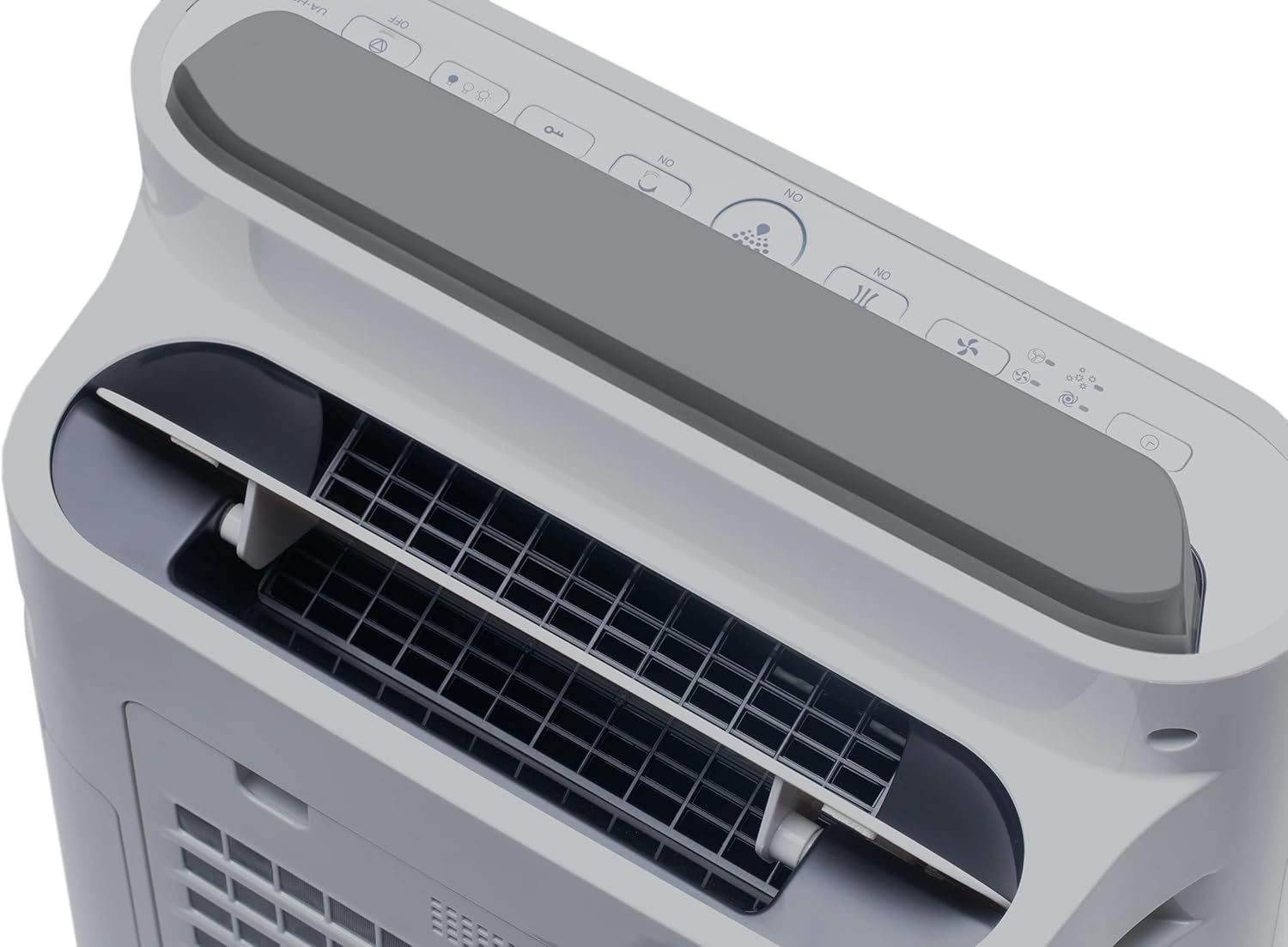
Figure 5.2: Visual representation of Plasmacluster ions being dispersed into the room, indicating the Ion Spot Mode's enhanced air circulation.
5.4 การหมุนเวียนอากาศ
The unit features 20° back air outlets to ensure perfect air circulation throughout the room, effectively distributing purified and humidified air.
Figure 5.3: A diagram showing the optimal air circulation pattern created by the unit's design, ensuring even distribution of clean air.
6. การบำรุงรักษา
การบำรุงรักษาตามปกติจะช่วยให้เครื่องฟอกอากาศของคุณทำงานได้อย่างเหมาะสมที่สุดและยืดอายุการใช้งาน
6.1 การทำความสะอาดแผ่นกรองอากาศเบื้องต้น
- The pre-filter should be cleaned approximately once a month, or more frequently if used in dusty environments.
- Remove the rear panel and carefully detach the pre-filter.
- Use a vacuum cleaner to remove dust and debris. For stubborn dirt, wash with mild soap and water, then air dry completely before reinstallation.

Figure 6.1: The pre-filter being removed from the unit, with icons indicating its function against dust and pet hair.
6.2 Deodorization and HEPA Filters (UZ-HD4DF, UZ-HD4HF)
- These filters are not washable and should not be cleaned with water.
- Periodically check for excessive dust accumulation. A vacuum cleaner can be used gently on the surface of the HEPA filter to remove loose dust.
- Replace these filters approximately every 2-5 years, depending on usage and air quality. Refer to the indicator light on the control panel for replacement reminders.

Figure 6.2: The deodorization filter, designed to combat odors such as cigarette smoke and general household smells.
6.3 Humidification Filter (UZ-HD6MF) and Water Tank
- Clean the water tank daily or every few days to prevent mold and bacterial growth. Wash with mild detergent and rinse thoroughly.
- The humidification filter should be cleaned regularly (e.g., weekly) by rinsing under running water. If mineral deposits accumulate, soak the filter in a descaling solution (e.g., citric acid solution) as per product instructions.
- Replace the humidification filter approximately once a year, or when it becomes stiff or discolored.
6.4 การทำความสะอาดภายนอก
- เช็ดด้านนอกของตัวเครื่องด้วยผ้านุ่มdamp ผ้า ห้ามใช้สารทำความสะอาดที่มีฤทธิ์กัดกร่อนหรือตัวทำละลาย
7 การแก้ไขปัญหา
หากพบปัญหาใด ๆ โปรดดูปัญหาและวิธีแก้ไขที่พบบ่อยต่อไปนี้
| ปัญหา | สาเหตุที่เป็นไปได้ | สารละลาย |
|---|---|---|
| เครื่องไม่เปิด | Power cord not properly connected; Power outage. | ตรวจสอบให้แน่ใจว่าเสียบสายไฟแน่นสนิทแล้ว และตรวจสอบเบรกเกอร์ไฟฟ้าภายในบ้านด้วย |
| การไหลเวียนของอากาศอ่อน | Clogged pre-filter; Blocked air inlets/outlets. | Clean the pre-filter; Ensure nothing is obstructing air passages. |
| ไม่มีการเพิ่มความชื้น | Water tank empty; Humidification filter clogged or improperly installed. | Refill water tank; Clean or correctly install humidification filter. |
| มีกลิ่นผิดปกติออกมาจากตัวเครื่อง | ตัวกรองสกปรก; Stagน้ำแนนท์ในถัง | Clean/replace filters; Clean water tank and humidification filter. |
| เสียงดังระหว่างการทำงาน | Foreign object in fan; Unit not on a stable surface. | Turn off and unplug, check for obstructions; Place on a flat, stable surface. |
หากปัญหายังคงมีอยู่หลังจากลองวิธีแก้ไขเหล่านี้แล้ว โปรดติดต่อฝ่ายสนับสนุนลูกค้า
8. ข้อมูลจำเพาะ
| ยี่ห้อ | คม |
| หมายเลขรุ่น | UA-HD50E-L |
| สี | สีเทาอ่อน |
| ขนาด (กว้าง x ยาว x สูง) | 39.9 x 23 x 61.5 ซม. |
| น้ำหนัก | 7.9 กิโลกรัม |
| ความจุถังน้ำ | 1 ลิตร |
| พลัง | 3600 (Please refer to product label for actual wattage) |
| เล่มที่tage | 220 โวลต์ |
| วัสดุ | พลาสติก |
| ฟังก์ชั่นปิดอัตโนมัติ | ใช่ |
| ระดับเสียง | 23 เดซิเบล |
| ประเภทตัวกรอง | แผ่นกรอง HEPA |
| วิธีการควบคุม | สัมผัส, ปุ่มควบคุม |
| Room Coverage (Purification) | มากถึง 38 m² |
| Room Coverage (with Humidification) | มากถึง 27 m² |
9. การรับประกันและการสนับสนุน
Sharp provides a warranty for this product in accordance with local regulations. Please retain your proof of purchase for warranty claims.
- ความพร้อมของอะไหล่: อะไหล่สำหรับรุ่นนี้มีจำหน่ายเป็นระยะเวลา 2 ปี นับจากวันที่ซื้อ
- For technical support, service, or to purchase replacement filters, please contact your local Sharp authorized dealer or visit the official Sharp webเว็บไซต์.


