1. บทนำ
This manual provides detailed instructions for the safe and proper installation and operation of your Continu.us CTM-7600 Articulating TV Wall Mount. This commercial-grade TV bracket is designed for televisions ranging from 37 to 80 inches, offering full articulation, tilt, and swivel capabilities for optimal viewing angles. Please read all instructions carefully before beginning installation.
2. ข้อมูลด้านความปลอดภัย
- ความจุน้ำหนัก: This mount is rated to hold up to 132 lbs (60 kg). Do not exceed this weight limit.
- ขนาดทีวี: Compatible with TVs from 37 to 80 inches. Ensure your TV's VESA pattern is compatible with the mount.
- ประเภทผนัง: This mount is designed for installation on wood studs, concrete, or brick walls. Do not install on drywall alone.
- การติดตั้ง: Two people are recommended for safe installation. If you are unsure about the installation process, consult a qualified professional.
- การจัดการสายเคเบิล: ตรวจสอบให้แน่ใจว่าสายเคเบิลทั้งหมดถูกจัดวางอย่างปลอดภัยและไม่กีดขวางการเคลื่อนที่ของฐานยึด
- ความปลอดภัย: The integrated safety lock helps secure the TV to the mount. Always engage this feature after installation.
3. เนื้อหาบรรจุภัณฑ์
ตรวจสอบให้แน่ใจว่ามีอุปกรณ์ครบทุกชิ้นก่อนเริ่มการติดตั้ง โปรดดูชุดอุปกรณ์ที่ให้มาเพื่อระบุขนาดและจำนวนสกรูที่ต้องการ
- ชุดแผ่นผนัง
- แขนยึดทีวี (2)
- ชุดแขนข้อต่อ
- ระดับฟองแบบบูรณาการ
- ชุดอุปกรณ์ติดตั้ง (สกรู แหวนรอง ตัวเว้นระยะ พุกต่างๆ)
- คู่มือการใช้งาน
4. คู่มือการติดตั้ง
Follow these steps carefully to install your TV wall mount. A drill, stud finder, and level (beyond the integrated one) may be required.
4.1. การติดตั้งขาตั้งทีวีเข้ากับทีวี
Identify the correct VESA mounting holes on the back of your TV. Select the appropriate screws, washers, and spacers from the hardware kit. Attach the TV bracket arms securely to the back of your TV. Ensure the arms are level and centered.

รูปที่ 1: Universal VESA patterns supported by the mount, including 200x100, 200x200, 300x200, 300x300, 400x200, 400x300, 400x400, 500x400, and 600x400 mm.
4.2. การติดตั้งแผ่นยึดผนัง
Locate the wall studs using a stud finder. Mark the desired height and position for your TV. Use the integrated bubble level to ensure the wall plate is perfectly horizontal before drilling pilot holes. Secure the wall plate to the wall using the provided lag screws. For concrete or brick walls, use appropriate anchors.

รูปที่ 2: The wall plate features a built-in spirit bubble to assist in achieving a level installation.
4.3. Attaching the TV to the Wall Mount
Carefully lift the TV with the attached brackets and hook them onto the wall plate. Ensure the TV is securely seated. Engage the integrated safety lock mechanism to prevent accidental dislodgement and deter theft.
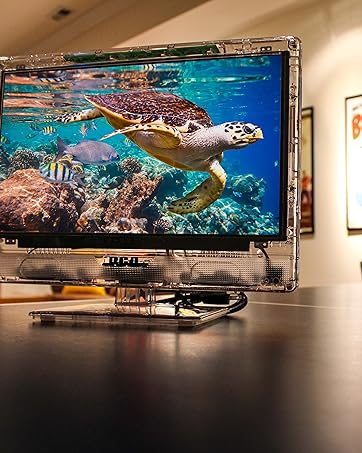
รูปที่ 3: A television securely mounted to the wall using the articulating bracket.
4.4. การติดตั้งเกินview วีดีโอ
Watch this video for a visual guide on the installation process and different mount types.
1 วิดีโอ: โอเวอร์view of Continu.us wall mount selection and general installation concepts, including various models and their mounting methods.
5. คุณสมบัติและการใช้งาน
5.1. Full Articulation
The CTM-7600 mount allows you to extend your TV up to 28 inches from the wall or retract it to within 3 inches. This smooth articulation can be adjusted with ease, without the need for tools, providing flexibility for various room layouts.

รูปที่ 4: The articulating arm extends the TV up to 28 inches and retracts to 3.2 inches from the wall.
5.2. การเอียงและการหมุน
Adjust your TV to eliminate glare and achieve the perfect viewing angle from anywhere in the room. The mount allows for swiveling the TV both left and right, and tilting the screen up to 5 degrees up and 15 degrees down.

รูปที่ 5: The mount allows the TV to swivel in both directions for optimal viewการไอเอ็นจี
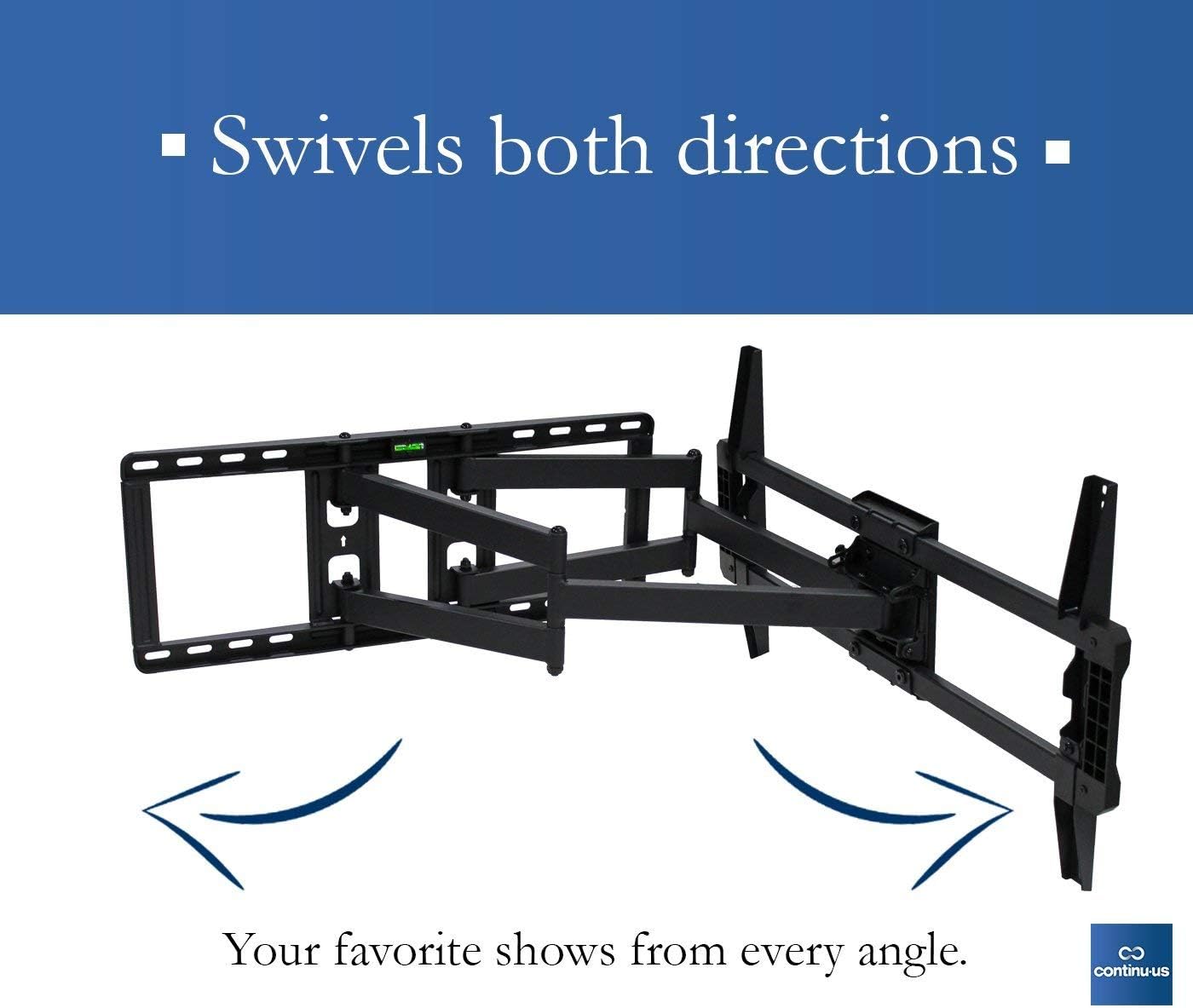
รูปที่ 6: The mount provides tilt functionality, allowing for adjustments of 5 degrees up and 15 degrees down.
6. ข้อมูลจำเพาะ
| คุณสมบัติ | รายละเอียด |
|---|---|
| หมายเลขรุ่น | ซีทีเอ็ม-7600 |
| ยี่ห้อ | ต่อเนื่อง.us |
| ประเภทการติดตั้ง | ติดผนัง |
| ประเภทการเคลื่อนไหว | ปรับมุมได้ หมุนได้ เอียงได้ |
| อุปกรณ์ที่รองรับ | Television (37" - 80") |
| วัสดุ | เหล็กอัลลอยด์ |
| สี | สีดำ |
| น้ำหนักสินค้า | 28.2 ปอนด์ |
| มุมเอียงสูงสุด | 15 องศา |
| ยูพีซี | 811635021625 |
7. การบำรุงรักษา
- การทำความสะอาด: เช็ดฐานยึดด้วยผ้าแห้งเนื้อนุ่ม หลีกเลี่ยงการใช้สารทำความสะอาดที่มีฤทธิ์กัดกร่อนหรือตัวทำละลาย
- การตรวจสอบเป็นระยะ: ตรวจสอบสกรูและการเชื่อมต่อทั้งหมดเป็นระยะๆ เพื่อให้แน่ใจว่าแน่นหนาและปลอดภัย
- การหล่อลื่น: The articulating joints are designed for smooth movement. If movement becomes stiff, a small amount of silicone-based lubricant can be applied to the moving parts.
8 การแก้ไขปัญหา
- ทีวีไม่ตั้งตรง: Use the integrated bubble level during installation to ensure the wall plate is perfectly horizontal. Some mounts allow for minor post-installation leveling adjustments.
- การปรับฐานยึดค่อนข้างฝืด: Check for any obstructions. Apply a small amount of silicone-based lubricant to the moving joints if necessary.
- ทีวีดูไม่เสถียร: Re-check all mounting screws and ensure they are securely fastened to the wall studs or appropriate anchors. Verify the safety lock is engaged.
- ส่วนที่หายไป: Refer to the package contents list. Contact customer support if any parts are missing.
9. การรับประกันและการสนับสนุน
Continu.us products are designed, tested, and manufactured to high standards. If you encounter any issues with your product, our US-based support team is available to assist you. We pride ourselves on offering the best support possible and give immediate attention to any concerns.
For assistance, please refer to the contact information provided with your product or visit the official Continu.us webเว็บไซต์.


