1. ข้อมูลด้านความปลอดภัยที่สำคัญ
Read all instructions carefully before assembling, installing, operating, or maintaining this fan. Failure to follow these instructions may result in electric shock, fire, or serious personal injury.
- ความปลอดภัยทางไฟฟ้า: Ensure the fan is connected to a properly grounded 120 Volt AC outlet. Do not operate the fan with a damaged cord or plug. Do not run the power cord under carpeting or cover it with throw rugs, runners, or similar coverings. Arrange the cord away from traffic areas where it will not be tripped over.
- การดำเนินการทั่วไป: Always place the fan on a stable, level surface to prevent tipping. Keep hands, hair, clothing, and other objects away from the fan blades during operation. Do not insert fingers or foreign objects into the grille.
- สิ่งแวดล้อม: This fan is designed for indoor use. Do not use outdoors or in wet locations. Keep the fan away from water and excessive humidity.
- การซ่อมบำรุง: ควรถอดปลั๊กพัดลมออกจากเต้ารับไฟฟ้าทุกครั้งก่อนทำความสะอาดหรือดำเนินการบำรุงรักษาใดๆ
- คำเตือนข้อเสนอ 65: ผลิตภัณฑ์นี้อาจมีสารเคมีที่รัฐแคลิฟอร์เนียรู้จักว่าก่อให้เกิดมะเร็งและความพิการ แต่กำเนิดหรือเป็นอันตรายต่อระบบสืบพันธุ์อื่น ๆ
2. คุณสมบัติผลิตภัณฑ์และมากกว่าview
The Master 24-Inch Oscillating Industrial High Velocity Pedestal Fan is designed for powerful air circulation in various indoor environments such as shops, garages, and warehouses. It features durable all-metal construction and OSHA-compliant safety guards.
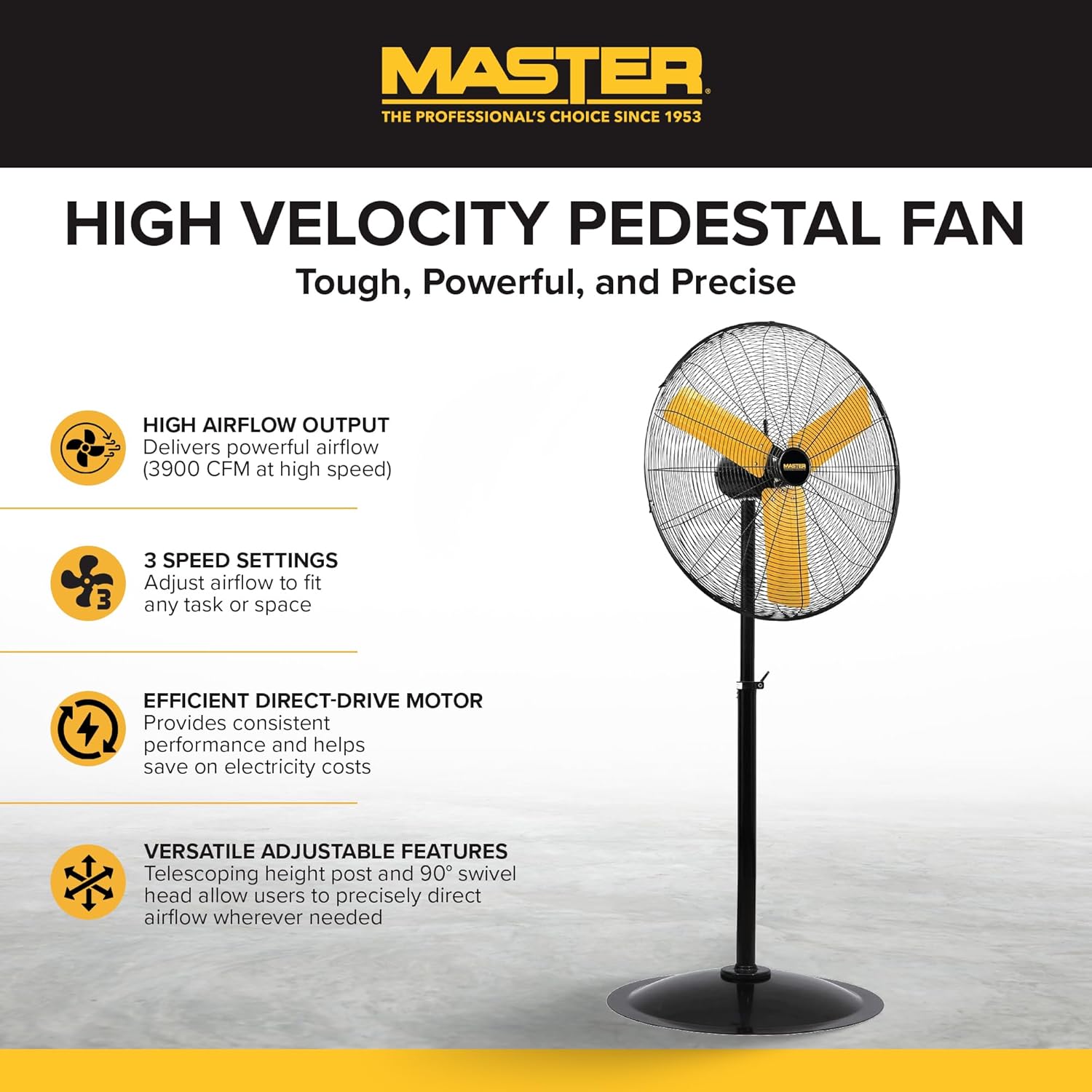
เต็มอิ่ม view of the Master 24-Inch Oscillating Pedestal Fan, showcasing its black metal construction and yellow fan blades.

ด้านหนึ่ง view of the Master 24-Inch Oscillating Pedestal Fan, showing its adjustable height post and stable base.
คุณสมบัติหลัก:
- High Airflow Output: Delivers powerful airflow up to 3900 CFM.
- การตั้งค่าความเร็ว 3: Allows adjustment of airflow to suit various needs.
- Efficient Direct-Drive Motor: Provides consistent performance and helps conserve electricity.
- ปรับได้เต็มที่: Features a telescoping adjustable height post for customized positioning.
- การสั่น: The fan head oscillates to cool a wide area.
- ฐานที่มั่นคง: A wide, heavy-duty pedestal base prevents the fan from tipping over.
- การก่อสร้างด้วยโลหะทั้งหมด: Ensures durability and longevity.
3. การติดตั้งและการประกอบ
Assembly is required for this fan. Follow these steps to ensure proper setup:
- แกะส่วนประกอบ: นำชิ้นส่วนทั้งหมดออกจากบรรจุภัณฑ์อย่างระมัดระวัง ตรวจสอบว่ามีส่วนประกอบทั้งหมดที่ระบุไว้ในรายการบรรจุภัณฑ์อยู่ครบถ้วน
- ประกอบฐาน: Attach the main support pole to the sturdy pedestal base. Ensure it is securely fastened.
- Attach Motor Assembly: Secure the fan motor assembly to the top of the support pole. This typically involves attaching the motor to a bolt that connects to the pole via a bracket. Ensure all screws and fasteners are tightened.
- Install Grilles and Blades: Mount the fan blades onto the motor shaft, followed by the front and rear safety grilles. Ensure the grilles are properly aligned and secured to prevent accidental contact with the blades.
- ปรับความสูง: Adjust the telescoping height post to your desired operating height. Secure it in place using the provided locking mechanism.
- ตำแหน่งพัดลม : Place the assembled fan on a firm, level surface in the desired location.

A close-up of the fan's wide, heavy-duty round base designed for stability.

A close-up showing the bolt and knob used to adjust the fan head's tilt angle.
4. คู่มือการใช้งาน
Once assembled and placed, the fan is ready for operation.
- การเชื่อมต่อไฟฟ้า: Plug the fan's power cord into a standard 120 Volt AC electrical outlet.
- Turn On/Adjust Speed: Locate the push-button switch, typically on the rear of the motor housing. Rotate the knob to select one of the three available speed settings (1, 2, or 3). Position '0' is off.
- Adjust Oscillation: The fan head is designed to oscillate automatically. To stop oscillation, consult the fan's specific mechanism, which may involve disengaging a drive arm or a dedicated switch.
- ปรับมุมเอียง: Loosen the adjustment knob on the side of the fan head to tilt the fan up or down to direct airflow. Tighten the knob securely once the desired angle is set.
- วิธีการควบคุม: This model may support app control. Refer to the manufacturer's website or additional documentation for details on connecting and using the fan with a compatible application.
- ปิด: Rotate the speed control knob to the '0' position to turn off the fan. Unplug the fan from the outlet when not in use for extended periods.

A close-up of the fan's rotary switch, indicating three speed settings (0-1-2-3).

รายละเอียด view of the fan's yellow blades and protective metal grille.
5. การบำรุงรักษา
การบำรุงรักษาอย่างสม่ำเสมอจะช่วยให้พัดลมทำงานได้อย่างมีประสิทธิภาพสูงสุดและยืดอายุการใช้งาน
- การทำความสะอาด: ควรดึงปลั๊กพัดลมออกทุกครั้งก่อนทำความสะอาด ใช้ผ้าเนื้อนุ่มและแห้งเช็ดทำความสะอาดamp cloth to wipe down the exterior surfaces. For the fan blades and grilles, hand wash with mild soap and water if necessary, ensuring they are completely dry before reassembly and operation. Do not use abrasive cleaners or solvents.
- การหล่อลื่นมอเตอร์: มอเตอร์พัดลมได้รับการหล่อลื่นตลอดเวลาและไม่จำเป็นต้องใช้น้ำมันเพิ่มเติม
- พื้นที่จัดเก็บ: If storing the fan for an extended period, cover it to protect against dust and store in a dry location.
6 การแก้ไขปัญหา
หากคุณพบปัญหาเกี่ยวกับพัดลม โปรดลองทำตามขั้นตอนการแก้ไขปัญหาทั่วไปต่อไปนี้:
- พัดลมไม่เปิด:
- ตรวจสอบให้แน่ใจว่าเสียบสายไฟเข้ากับเต้ารับ 120V ที่ใช้งานได้แน่นสนิทแล้ว
- ตรวจสอบเบรกเกอร์หรือกล่องฟิวส์
- Verify the speed control knob is set to a speed setting (1, 2, or 3) and not '0' (off).
- ลดการไหลของอากาศ:
- Check for any obstructions around the fan grilles.
- Clean any dust or debris from the fan blades and grilles.
- เสียงหรือการสั่นสะเทือนที่ผิดปกติ:
- ตรวจสอบให้แน่ใจว่าได้วางพัดลมไว้บนพื้นผิวที่มั่นคงและเรียบเสมอกัน
- Check that all assembly screws and fasteners are tight.
- Inspect fan blades for any damage or imbalance.
- ระบบสั่นไม่ทำงาน:
- Verify that the oscillation mechanism is engaged (if applicable).
- Check for any obstructions preventing the fan head from moving.
If these steps do not resolve the issue, contact Master customer support for further assistance. Availability of replacement parts may vary; inquire with customer support.
7. ข้อมูลจำเพาะ
| ชื่อรุ่น | MAC-24POSC |
| ยี่ห้อ | ผู้เชี่ยวชาญ |
| สไตล์ | 24-Inch Oscillating Pedestal Fan |
| สี | สีดำ |
| การออกแบบพัดลมไฟฟ้า | พัดลมตั้งพื้น |
| แหล่งพลังงาน | สายไฟ |
| ขนาดสินค้า | ลึก 7 นิ้ว x กว้าง 35 นิ้ว x สูง 31.5 นิ้ว |
| คุณสมบัติพิเศษ | ที่สั่น |
| วัดtage | 2.2 กิโลวัตต์ |
| จำนวนใบมีด | 3 |
| ความจุการไหลของอากาศ | 3900 ลูกบาศก์ฟุตต่อนาที |
| เล่มที่tage | 120 โวลต์ |
| ประเภทสวิตซ์ | ปุ่มกด |
| น้ำหนักสินค้า | 52.9 ปอนด์ |
| การใช้งานภายใน/ภายนอกอาคาร | ในร่ม |
| ตรงตามข้อกำหนด | OSHA |
| วิธีการควบคุม | แอปพลิเคชัน (โปรดสอบถามรายละเอียดเพิ่มเติมจากผู้ผลิต) |
| จำนวนระดับพลังงาน | 3 |
| จำเป็นต้องประกอบ | ใช่ |
| เส้นผ่านศูนย์กลาง | 24 นิ้ว |
8. การรับประกันและการสนับสนุน
ข้อมูลการรับประกัน:
This Master 24-Inch Oscillating Industrial High Velocity Pedestal Fan (MAC-24POSC) comes with a รับประกันจำกัด 1 ปีการรับประกันนี้ครอบคลุมข้อบกพร่องด้านวัสดุและฝีมือการผลิตภายใต้การใช้งานปกติ โปรดเก็บหลักฐานการซื้อไว้เพื่อขอรับสิทธิ์การรับประกัน
การสนับสนุนลูกค้า:
For technical assistance, warranty claims, or inquiries regarding replacement parts, please contact Master customer support. Refer to the product packaging or the official Master webเว็บไซต์สำหรับข้อมูลการติดต่อล่าสุด