การแนะนำ
The Babysense 7 is a highly sensitive, non-contact infant movement monitor designed to provide peace of mind to parents. It detects even the slightest movements through the mattress, alerting you if no movement is detected within 20 seconds or if the movement rate slows significantly. This system is non-wearable and does not require Wi-Fi or an internet connection, ensuring a secure and stable monitoring environment.

Figure 1: Babysense 7 Control Unit and Two Sensor Pads
This image displays the Babysense 7 system, featuring the compact white control unit with a green indicator light and two circular white sensor pads. The pads are designed to be placed under the baby's mattress for non-contact movement monitoring.
มีอะไรอยู่ในกล่อง
- หน่วยควบคุม
- แผ่นเซ็นเซอร์ 2 แผ่น
- ที่ยึดหน่วยควบคุม
- ขอแขวน
- คู่มือการใช้งาน (เอกสารนี้)
การติดตั้งและการตั้งค่า
Proper installation is crucial for the accurate operation of your Babysense 7 monitor. Follow these steps carefully:
- เตรียมเปลเด็ก: Ensure the crib has a hard, rigid base. The Babysense 7 is compatible with most baby cribs and beds with a hard base.
หมายเหตุสำคัญ:
This monitor is not suitable for use with memory foam mattresses, as memory foam will not work properly with the Babysense Movement Monitor.
- Place Sensor Pads:
- For newborns and infants who are not yet crawling, place one sensor pad directly on the crib base, centered under where the baby will sleep.
- Once your baby begins to crawl or move significantly in the crib, use both sensor pads. Place them side-by-side on the crib base, ensuring they cover the entire sleeping area. The pads should be placed with the Babysense logo facing upwards.

Figure 2: Safe, Hassle-Free Installation of Sensor Pads
This image shows a person's hands placing one of the circular sensor pads onto the crib base, beneath the mattress. The control unit is visible attached to the side of the crib, demonstrating the under-the-mattress setup with hidden connecting wires.

Figure 3: Maximum Monitoring Accuracy with Sensor Pads
This illustration depicts a baby sleeping on a mattress, with a transparent overlay showing the placement and coverage area of the Babysense sensor pads underneath. It highlights how the two-pad system ensures full bed coverage for accurate micro-movement detection.
- เชื่อมต่อหน่วยควบคุม: Connect the sensor pad cables to the corresponding sockets on the control unit. Ensure the connections are secure.
- ชุดควบคุมการติดตั้ง: Attach the control unit holder to the side of the crib using the provided hanging hook. The control unit should be positioned outside the crib, away from the baby's reach, with the cables neatly tucked away to eliminate entanglement risks.

Figure 4: Non-Contact & Non-Wearable Monitoring Setup
This image shows the Babysense 7 control unit securely mounted on the exterior of a baby's crib, with a baby sleeping peacefully inside. It emphasizes the non-contact and non-wearable nature of the monitoring system, keeping the baby free from wires or gadgets.
- ใส่แบตเตอรี่: Open the battery compartment on the control unit and insert the required batteries (not included). Ensure correct polarity. The monitor is battery-operated and does not require Wi-Fi or an internet connection.
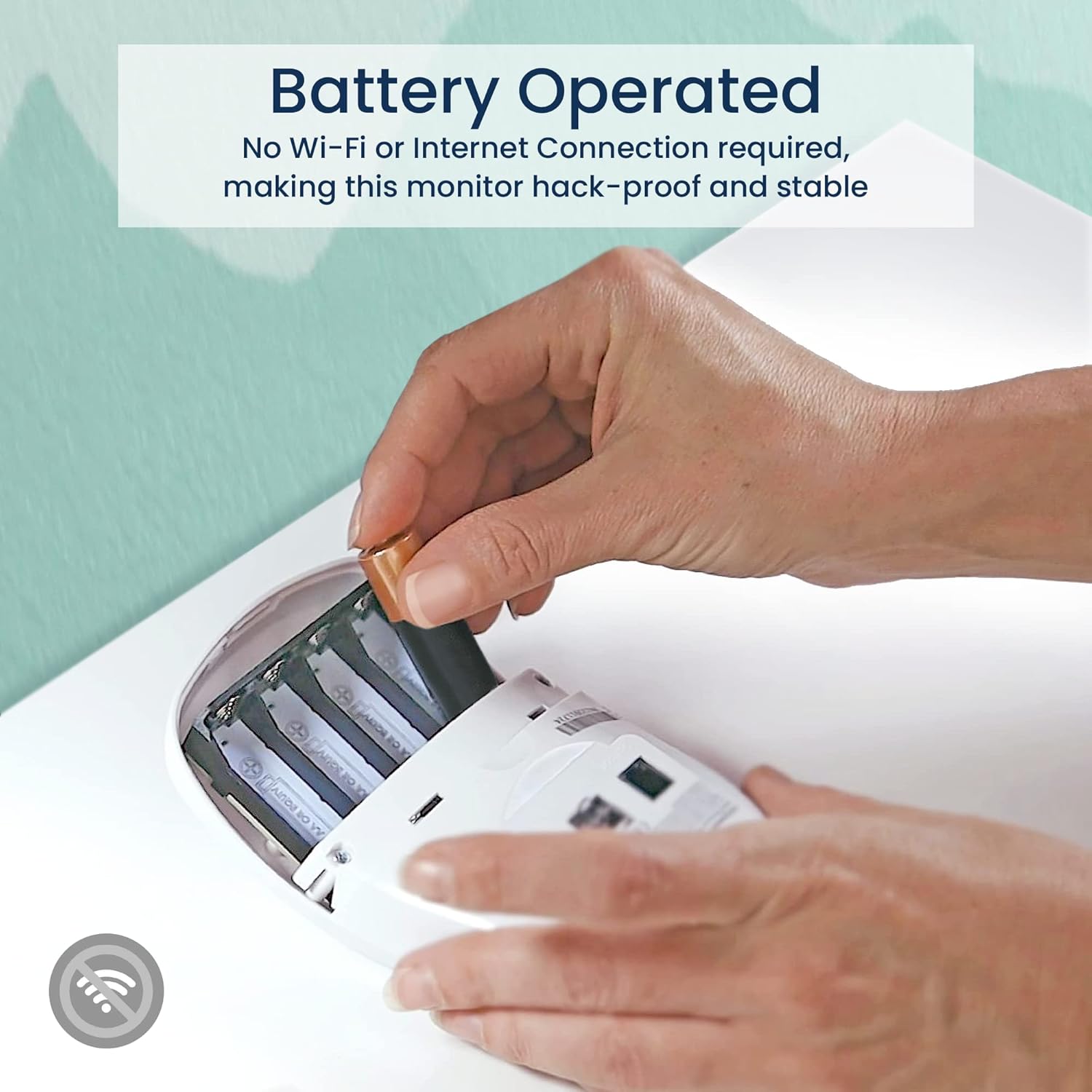
Figure 5: Battery Operated Control Unit
This image shows hands inserting batteries into the compartment of the Babysense 7 control unit. This highlights the monitor's battery-operated design, which eliminates the need for Wi-Fi or an internet connection, making it hack-proof and stable.
คำแนะนำการใช้งาน
Using your Babysense 7 monitor is straightforward:
- เปิดเครื่อง: After placing your baby in the crib, press the power button on the control unit to turn the monitor on. A green indicator light will illuminate, signifying active monitoring.

Figure 6: One Button Activation
This image shows a finger pressing the single button on the Babysense 7 control unit, which activates the monitor. The design is compact and user-friendly for simple operation.
- การติดตาม: The monitor will continuously detect your baby's micro-movements through the mattress. The green indicator light will blink with each detected movement.
- เงื่อนไขการเตือน: The Babysense 7 will sound an alarm if:
- No movement is detected within 20 seconds.
- The movement rate slows to less than 10 micro-movements per minute.
- หมดแรง: When you remove your baby from the crib, remember to turn off the monitor by pressing the power button. If you forget, the monitor will sound an alarm after a short period, indicating no movement is detected.
การซ่อมบำรุง
To ensure the longevity and optimal performance of your Babysense 7 monitor, follow these maintenance guidelines:
- การทำความสะอาด: Wipe the control unit and sensor pads with a soft, dry cloth. Do not use abrasive cleaners or immerse any part of the unit in water.
- การเปลี่ยนแบตเตอรี่: Replace batteries promptly when the low battery indicator appears. Always use new, high-quality batteries of the specified type.
- พื้นที่จัดเก็บ: If storing the monitor for an extended period, remove the batteries to prevent leakage and damage. Store in a cool, dry place.
- การตรวจสอบสายเคเบิล: Periodically check all cables for any signs of wear or damage. If any damage is found, discontinue use and contact customer support.
การแก้ไขปัญหา
If you encounter issues with your Babysense 7 monitor, refer to the following common problems and solutions:
| ปัญหา | สาเหตุที่เป็นไปได้ | สารละลาย |
|---|---|---|
| False Alarms (Alarm sounds when baby is present and moving) |
|
|
| จอภาพไม่เปิด |
|
|
| Alarm sounds immediately after turning on (no baby in crib) | Normal operation if no movement is detected. | This is expected behavior. The alarm indicates the system is working and no movement is present. Turn off the monitor when the crib is empty. |
ข้อมูลจำเพาะ
| คุณสมบัติ | รายละเอียด |
|---|---|
| ยี่ห้อ | เบบี้เซนส์ |
| หมายเลขรุ่น | BS7 |
| ประเภทเซนเซอร์ | ความเคลื่อนไหว |
| Number of Sensor Pads | 2 |
| แหล่งพลังงาน | ใช้พลังงานจากแบตเตอรี่ (ไม่รวมแบตเตอรี่) |
| อายุการใช้งานแบตเตอรี่ (โดยประมาณ) | 24 Hours (continuous use, depends on battery type) |
| การเชื่อมต่อ | No Wi-Fi, No Internet Connection Required |
| Alarm Condition (No Movement) | 20 วินาที |
| Alarm Condition (Slow Movement) | Less than 10 micro-movements per minute |
| Compatible Cribs | Any baby crib/bed with hard base |
| Incompatible Mattresses | Memory foam mattresses |
| น้ำหนักสินค้า | 1.77 ปอนด์ |
| ขนาดแพ็คเกจ | 9.53 x 8.86 x 3.62 นิ้ว |
| ยูพีซี | 854459007123 |
การรับประกันและการสนับสนุน
For specific warranty details, please refer to the warranty card included with your product packaging or visit the official Babysense website. If you require technical assistance, have questions about product operation, or need to report an issue, please contact Babysense customer support.
ผู้ผลิต: บริษัท ไฮเซ่นส์ จำกัด
For the most up-to-date support information, please visit the Babysense brand store or their official support channels.
ความสามารถในการพกพา

Figure 7: Easily Portable Design
This image illustrates the portability of the Babysense 7 system, showing the control unit and sensor pads neatly placed next to a travel bag. Its snap-and-go mounting system and simple setup make it convenient for travel or overnight stays.


