1. บทนำ
This manual provides instructions for the proper installation, use, and maintenance of your Canon PG-46 Black Ink Cartridge. The PG-46 is a black ink cartridge designed to deliver high-quality prints and offers a page yield of approximately 400 pages. Please read this manual thoroughly before using the product to ensure safe and efficient operation.
2. ข้อมูลด้านความปลอดภัย
- เก็บตลับหมึกให้พ้นมือเด็ก
- ห้ามกลืนหมึก หากกลืนหมึกเข้าไป ให้รีบไปพบแพทย์ทันที
- Avoid contact with eyes. If ink gets into your eyes, flush immediately with water and seek medical attention.
- Do not attempt to disassemble or modify the ink cartridge.
- Store cartridges in their original packaging until ready for use to prevent drying or damage.
3. ความเข้ากันได้
The Canon PG-46 Black Ink Cartridge is compatible with the following Canon PIXMA printer models:
- Canon PIXMA E204
- Canon PIXMA E304
- Canon PIXMA E3140
- Canon PIXMA E3340
- Canon PIXMA E3440
- Canon PIXMA E404
- Canon PIXMA E414
- Canon PIXMA E464
- Canon PIXMA E474
- Canon PIXMA E484
- Canon PIXMA E4240

Image: Packaging of the Canon PG-46 ink cartridge, clearly listing compatible PIXMA printer models.
4. การตั้งค่าและการติดตั้ง
Follow these steps to install the Canon PG-46 Black Ink Cartridge into your compatible printer:
- แกะตลับเกมออก: Carefully remove the new ink cartridge from its sealed packaging.
- Remove Protective Tape: Gently pull off the orange protective tape or cap from the cartridge. Do not touch the electrical contacts or the ink nozzles.
- เปิดฝาครอบเครื่องพิมพ์: Ensure your printer is turned on. Open the printer's top cover or access door to expose the cartridge carriage. The carriage will typically move to the center.
- ถอดตลับหมึกเก่าออก (ถ้ามี): If replacing an existing cartridge, press down on the old cartridge until it clicks, then lift it out of its slot.
- ใส่ตลับหมึกใหม่: Insert the new PG-46 cartridge into the correct black ink slot. Push it firmly until it clicks into place.
- ปิดฝาครอบเครื่องพิมพ์: Close the printer's top cover or access door. The printer will perform an initialization process.
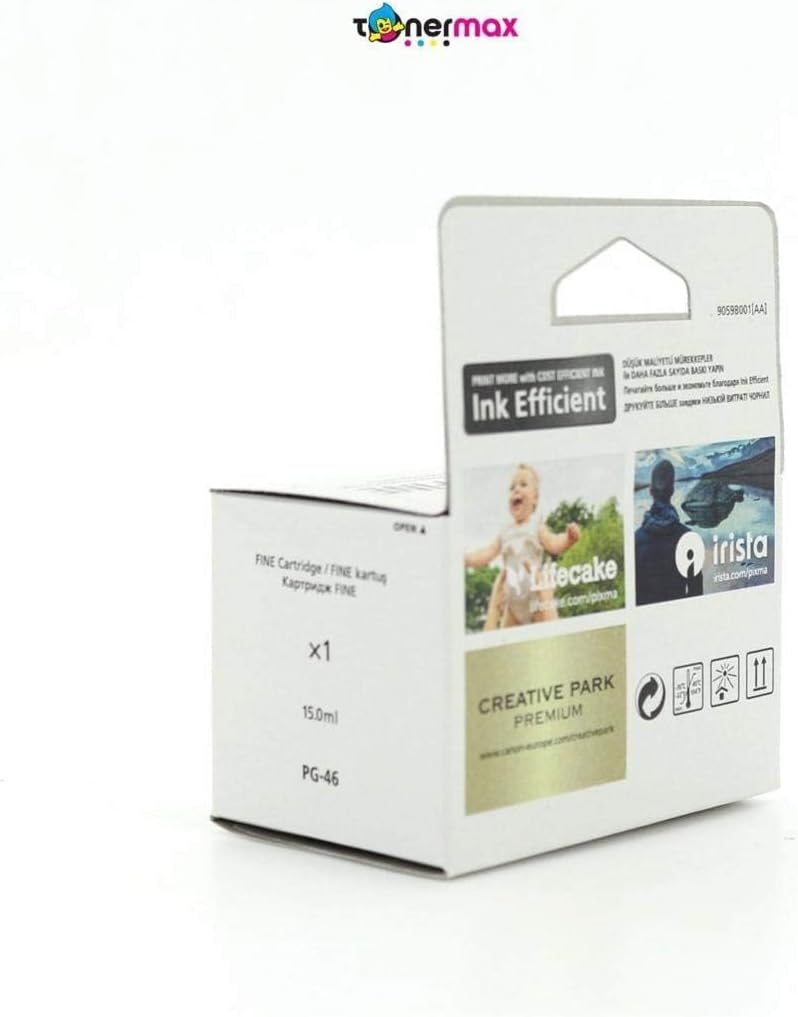
Image: The Canon PG-46 black ink cartridge, ready for installation.
5. คู่มือการใช้งาน
Once the ink cartridge is installed, your printer is ready for use. For detailed printing instructions, refer to your printer's specific user manual.
- การพิมพ์: Send print jobs from your computer or device as usual. The printer will automatically detect the new ink cartridge.
- การตรวจสอบระดับหมึก: You can monitor the ink levels through your printer's software utility on your computer. Refer to your printer's manual for specific steps.
- คุณภาพการพิมพ์: If print quality issues arise, perform a nozzle check and print head cleaning using your printer's maintenance functions.
6. การบำรุงรักษาและการจัดเก็บ
Proper maintenance and storage ensure the longevity and performance of your ink cartridge:
- เงื่อนไขการจัดเก็บ: Store unused cartridges in a cool, dry place, away from direct sunlight. The recommended storage temperature range is -30°C to 40°C (-22°F to 104°F).
- วันหมดอายุ : Install the cartridge before the date indicated on the packaging.
- การจัดการ: Avoid touching the ink nozzles or electrical contacts on the cartridge.
- การใช้งานเครื่องพิมพ์: Use your printer regularly to prevent ink from drying out in the print head.

ภาพ: ด้านหลัง view of the Canon PG-46 ink cartridge packaging, showing storage temperature guidelines and a 'use by' date indicator.
7 การแก้ไขปัญหา
If you encounter issues with your Canon PG-46 ink cartridge, consider the following common solutions:
- คุณภาพการพิมพ์ไม่ดี (มีรอยเปื้อน สีซีดจาง): Perform a print head cleaning and nozzle check through your printer's utility software. Ensure the cartridge is properly seated.
- ระบบไม่รู้จักตลับหมึก: Remove the cartridge and reinsert it firmly. Clean the electrical contacts on the cartridge and inside the printer with a lint-free cloth. Ensure the protective tape was fully removed.
- แจ้งเตือนหมึกเหลือน้อย: Replace the cartridge when the low ink warning appears to avoid print interruptions.
- ข้อความแสดงข้อผิดพลาด: Refer to your printer's manual for specific error codes and their solutions.
8. ข้อมูลจำเพาะ
| ผู้ผลิต | แคนนอน |
| หมายเลขรุ่นสินค้า | 9059B001 |
| ขนาดสินค้า | 20 x 15 x 10 ซม. |
| น้ำหนักสินค้า | 60 กรัม |
| สีหมึก | สีดำ |
| ผลผลิตหน้า | 400 หน้า |
| ฐานหมึก | น้ำ |
| คุณสมบัติพิเศษ | Black cartridge |
| รุ่นเครื่องพิมพ์ที่ใช้งานร่วมกันได้ | E204, E304, E3140, E3340, E3440, E404, E414, E464, E474, E484, E4240 |
9. การรับประกันและการสนับสนุน
For warranty information, technical support, or additional resources, please visit the official Canon webเข้าชมเว็บไซต์หรือติดต่อฝ่ายบริการลูกค้าของ Canon
- แคนนอนอย่างเป็นทางการ Webเว็บไซต์: www.canon-europe.com
- Canon Creative Park: Explore creative printing projects and templates at creativepark.canon
- Printer Setup and Resources: Find guides and software for your printer at Canon Printer Resources
บริษัท แคนนอน อิงค์
30-2, Shimomaruko 3-chome, Ohta-ku, โตเกียว 146-8501, Japan
แคนอน ยูโรปา NV
Bovenkerkerweg 59, 1185 XB Amstelveen เนเธอร์แลนด์


