การแนะนำ
This manual provides detailed instructions for the installation, operation, and maintenance of the Altronix BC100 Battery Enclosure. Please read this manual thoroughly before installation and keep it for future reference.
The Altronix BC100 is a durable 19-gauge steel enclosure designed to house batteries for various security and surveillance applications. It can accommodate two 12VDC/4AH batteries or one 12VDC/7AH battery.
สินค้าเกินview
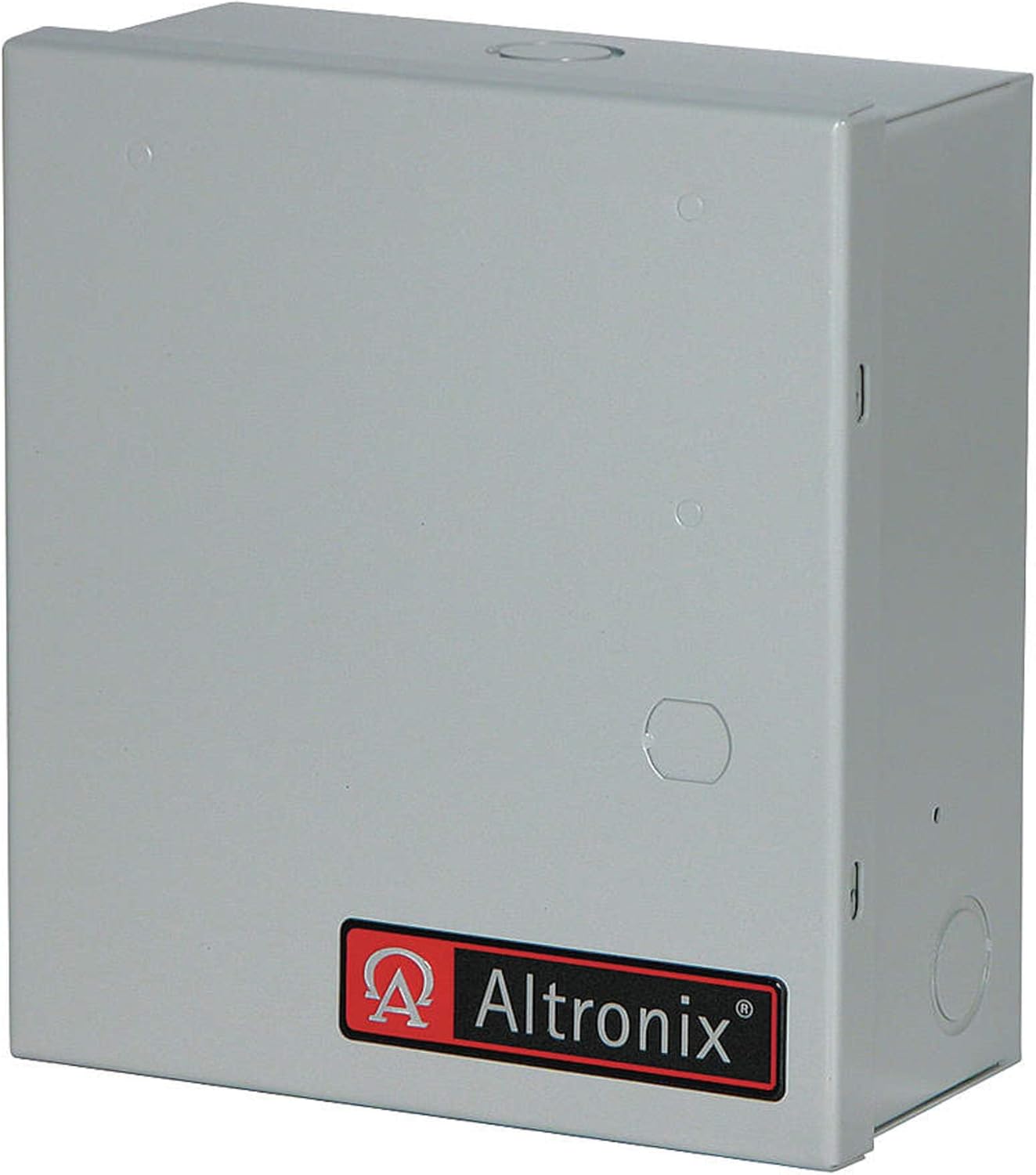
รูปที่ 1 : ด้านหน้า view of the Altronix BC100 Battery Enclosure. The enclosure is grey with the Altronix logo on the front panel. It features knockouts for cable entry on the top and sides.
The BC100 enclosure is constructed from robust 19-gauge steel, providing a secure and protective housing for power supply batteries. Its compact design allows for versatile placement in various environments.
ข้อมูลจำเพาะ
| คุณสมบัติ | รายละเอียด |
|---|---|
| ขนาด (สูง x กว้าง x ลึก) | 8.5" x 7.5" x 3.5" |
| วัสดุ | เหล็กเกจ 19 |
| ความจุของแบตเตอรี่ | Accommodates 2 x 12VDC/4AH batteries or 1 x 12VDC/7AH battery |
| สี | Grey finish |
| ประเภทการติดตั้ง | สกรูเข้า |
การติดตั้งและการตั้งค่า
1. ข้อควรระวังเพื่อความปลอดภัย
- Ensure all power is disconnected before installation.
- สวมอุปกรณ์ป้องกันภัยส่วนบุคคล (PPE) ที่เหมาะสม
- Consult local electrical codes for proper wiring and grounding.
2. Mounting the Enclosure
- Select a suitable mounting location that is dry, secure, and provides adequate ventilation.
- ใช้รูที่เจาะไว้ล่วงหน้าบนตัวกล่องเป็นแบบในการกำหนดตำแหน่งติดตั้งบนผนัง
- Drill pilot holes if necessary, then secure the enclosure to the wall using appropriate screws and anchors (installation hardware included).
3. การติดตั้งแบตเตอรี่
- เปิดประตูตู้
- Carefully place the batteries inside the enclosure. Ensure proper polarity when connecting battery terminals to the power supply unit (not included).
- Secure any loose wiring to prevent short circuits or damage.
บันทึก: The enclosure is designed to fit two 12VDC/4AH batteries or one 12VDC/7AH battery. Do not force larger batteries into the enclosure.
การดำเนินการ
The Altronix BC100 Battery Enclosure is a passive component designed to protect and house batteries for various electronic systems. Its operation is directly tied to the power supply and battery charging system it is connected to.
การเชื่อมต่อไฟฟ้า
- Ensure the power supply unit (PSU) connected to the batteries within the enclosure is properly configured and operational.
- Verify that all battery connections are secure and correctly polarized.
- The enclosure itself does not require power; it merely provides a protective housing.
การซ่อมบำรุง
Regular maintenance ensures the longevity and optimal performance of your Altronix BC100 Battery Enclosure and the batteries housed within it.
การตรวจสอบตามปกติ
- รายเดือน: Inspect the enclosure for any signs of physical damage, corrosion, or loose connections.
- รายไตรมาส: Check the battery terminals for corrosion. Clean if necessary using a wire brush and battery terminal cleaner.
- รายปี: Verify the integrity of the mounting screws and ensure the enclosure remains securely fastened.
การทำความสะอาด
ทำความสะอาดด้านนอกของตู้ด้วยผ้าเนื้อนุ่มและแห้งamp ผ้า ห้ามใช้น้ำยาทำความสะอาดที่มีฤทธิ์กัดกร่อนหรือตัวทำละลาย เพราะอาจทำให้พื้นผิวเสียหายได้
การเปลี่ยนแบตเตอรี่
Follow the battery manufacturer's guidelines for replacement intervals. Always replace batteries with the same type and rating to ensure compatibility and proper system function.
การแก้ไขปัญหา
The Altronix BC100 is a passive enclosure. Most issues will relate to the batteries or the connected power supply/charging system. This section addresses common enclosure-related concerns.
| ปัญหา | สาเหตุที่เป็นไปได้ | สารละลาย |
|---|---|---|
| Enclosure door does not close properly | Obstruction inside; bent hinge/latch | Check for cables or batteries blocking the door. Inspect hinges and latch for damage and gently realign if possible. |
| Corrosion on battery terminals inside enclosure | Normal battery off-gassing; high humidity | Clean terminals with a wire brush and battery terminal cleaner. Ensure adequate ventilation if possible. |
| Enclosure feels hot | Overcharging batteries; faulty power supply | This indicates an issue with the batteries or the connected power supply. Disconnect power immediately and consult a qualified technician. The enclosure itself does not generate heat. |
ข้อมูลการรับประกัน
Altronix products are backed by a comprehensive warranty. For specific warranty terms and conditions, please refer to the official Altronix webหรือติดต่อฝ่ายสนับสนุนลูกค้า เก็บหลักฐานการซื้อไว้เพื่อใช้ในการเคลมประกัน
การสนับสนุนลูกค้า
For technical assistance, product inquiries, or troubleshooting beyond this manual, please contact Altronix customer support:
- Webเว็บไซต์: www.altronix.com
- โทรศัพท์: Refer to the Altronix webเว็บไซต์สำหรับหมายเลขติดต่อในภูมิภาค
- อีเมล: Refer to the Altronix webเว็บไซต์สำหรับรวบรวมที่อยู่อีเมลสำหรับติดต่อฝ่ายสนับสนุน