1. สินค้าหมดview
The Radwin RW-7102-2000 IDU-E is an Indoor Unit (IDU) designed for telecommunication applications, specifically featuring 2 TDM ports. This unit also includes 2 Ethernet interfaces and external alarm interfaces, providing comprehensive connectivity and monitoring capabilities. It operates with a wide range DC power feed, from -20VDC to -60VDC. Please note that the AC/DC power adaptor (RW-9921-0032) must be ordered separately.
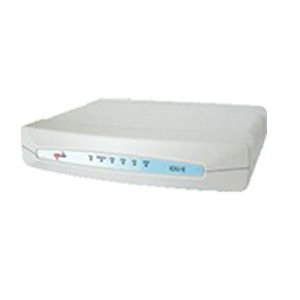
This image displays the Radwin RW-7102-2000 IDU-E, an indoor unit for telecommunications. It is a compact, rectangular device, predominantly white, featuring a series of indicator lights on its front panel. These lights, colored blue and red, provide visual status feedback for the unit's operation. The device is designed for integration into network infrastructure, facilitating data and voice transmission.
คุณสมบัติหลัก:
- 2 TDM ports (RW-9312204050) for traditional telecommunication services.
- 2 Ethernet interfaces for modern IP-based network connectivity.
- External alarm interfaces for system monitoring and fault detection.
- Wide range DC power input: -20VDC to -60VDC.
2. การตั้งค่าและการติดตั้ง
This section provides general guidelines for setting up your Radwin RW-7102-2000 IDU-E. For detailed installation procedures, refer to the comprehensive installation guide provided with your unit or available on the manufacturer's webเว็บไซต์.
2.1 การแกะบรรจุภัณฑ์และการตรวจสอบ
- Carefully unpack the IDU-E unit from its packaging.
- Inspect the unit for any signs of physical damage that may have occurred during transit. If damage is found, contact your supplier immediately.
- ตรวจสอบว่ามีส่วนประกอบทั้งหมดที่ระบุไว้ในรายการบรรจุภัณฑ์อยู่
ข้อกำหนดการใช้พลังงาน 2.2
- The IDU-E requires a DC power input ranging from -20VDC to -60VDC.
- An AC/DC power adaptor (model RW-9921-0032) is required for operation but is sold separately. Ensure you have the correct adaptor before proceeding.
- Connect the power adaptor to the designated power input port on the IDU-E.
2.3 Connecting Interfaces
- TDM Ports: Connect your TDM lines to the 2 TDM ports using appropriate cabling.
- อินเทอร์เฟซอีเทอร์เน็ต: Connect your Ethernet cables to the 2 Ethernet ports for network integration.
- External Alarm Interfaces: If utilizing, connect external alarm systems to the dedicated alarm interfaces for remote monitoring.
3. คู่มือการใช้งาน
Once the Radwin RW-7102-2000 IDU-E is properly installed and powered, it is ready for operation. The unit typically operates autonomously after initial configuration. Configuration details are usually managed via a network management system or direct console access, depending on your network setup.
3.1 การเปิดเครื่อง
- Ensure all necessary cables (power, TDM, Ethernet, alarms) are securely connected.
- Apply power to the unit via the connected AC/DC adaptor.
- Observe the indicator lights on the front panel. Refer to the unit's specific documentation for the meaning of each light (e.g., power status, link status, activity).
3.2 การทำงานพื้นฐาน
- The IDU-E facilitates the transmission of TDM and Ethernet traffic.
- Monitor the status indicators for normal operation. Green lights typically indicate active links and proper functioning.
- Any red or amber lights, or unexpected blinking patterns, may indicate a fault or an issue requiring attention.
4. การบำรุงรักษา
The Radwin RW-7102-2000 IDU-E is designed for reliable operation with minimal maintenance. However, periodic checks can help ensure optimal performance and longevity.
4.1 การดูแลทั่วไป
- Keep the unit in a clean, dry, and well-ventilated environment.
- ตรวจสอบให้แน่ใจว่ามีการระบายอากาศที่เหมาะสมรอบๆ ตัวเครื่องเพื่อป้องกันความร้อนสูงเกินไป
- หลีกเลี่ยงการให้เครื่องสัมผัสกับอุณหภูมิที่สูงหรือความชื้นสูงหรือแสงแดดโดยตรง
4.2 การทำความสะอาด
- Dust the exterior of the unit periodically with a soft, dry cloth.
- ห้ามใช้น้ำยาทำความสะอาดหรือสเปรย์แอโรซอลโดยตรงกับตัวเครื่อง
การอัปเดตเฟิร์มแวร์ 4.3 รายการ
Periodically check the Radwin support website for available firmware updates. Firmware updates can provide performance enhancements, new features, and security improvements. Follow the manufacturer's instructions carefully when performing firmware updates.
5 การแก้ไขปัญหา
This section provides basic troubleshooting steps for common issues. For more complex problems, consult the detailed technical documentation or contact Radwin support.
5.1 ไม่มีไฟฟ้า
- ตรวจสอบการเชื่อมต่อพลังงาน: Ensure the AC/DC power adaptor is securely connected to both the IDU-E and a working power outlet.
- ตรวจสอบแหล่งพลังงาน: ยืนยันว่าเต้ารับไฟฟ้าใช้งานได้
- Inspect Adaptor: Ensure the correct Radwin AC/DC power adaptor (RW-9921-0032) is being used and that it is not damaged.
5.2 No Link on Ethernet/TDM Ports
- ตรวจสอบสายเคเบิล: Ensure all Ethernet and TDM cables are properly connected and not damaged.
- Verify Peer Device: Confirm that the connected device (e.g., switch, router, TDM equipment) is powered on and functioning correctly.
- ไฟแสดงสถานะ: Observe the link/activity indicator lights on the IDU-E and the connected device.
5.3 สัญญาณเตือนระบบ
- If external alarms are triggered or internal alarm indicators are active, consult the detailed product documentation for specific alarm codes and their meanings.
- Address the root cause of the alarm as indicated by the system.
6. ข้อมูลจำเพาะ
| คุณสมบัติ | รายละเอียด |
|---|---|
| ยี่ห้อ | ราดวิน |
| แบบอย่าง | RW-7102-2000 (IDU-E) |
| ผู้ผลิต | ราดวิน |
| TDM Ports | 2 (RW-9312204050) |
| อินเทอร์เฟซอีเทอร์เน็ต | 2 |
| Alarm Interfaces | External alarms interfaces included |
| DC Power Feed | -20VDC to -60VDC (wide range) |
| อะแดปเตอร์ AC/DC | RW-9921-0032 (ordered separately) |
| ขนาดแพ็คเกจ | 43.18 x 27.94 x 5.08 ซม. |
| หมายเลขชิ้นส่วนสินค้า | Radwin2TDM |
| ASIN | B00KC2TNHW |
| วันที่พร้อมใช้งานครั้งแรก | 13 สิงหาคม 2018 |
7. ข้อมูลการรับประกัน
This Radwin RW-7102-2000 IDU-E unit comes with a รับประกัน 3 เดือน from the date of purchase. This warranty covers manufacturing defects and malfunctions under normal use conditions. For specific terms, conditions, and claim procedures, please refer to the official warranty documentation provided with your product or contact Radwin customer support.
โปรดเก็บหลักฐานการซื้อของคุณไว้เพื่อเรียกร้องการรับประกัน
8. การสนับสนุน
For technical assistance, product inquiries, or to report issues, please contact Radwin customer support. You can typically find support contact information, including phone numbers, email addresses, and online support portals, on the official Radwin webเว็บไซต์.
ผู้ผลิต: ราดวิน
Webเว็บไซต์: www.radwin.com
When contacting support, please have your product model (RW-7102-2000) and serial number ready to expedite assistance.


