1. บทนำ
This manual provides comprehensive instructions for the Sony Cyber-shot DSC-W810 Digital Camera. It covers essential information for setting up, operating, maintaining, and troubleshooting your camera to ensure optimal performance and longevity. Please read this manual thoroughly before using your camera.
2. สินค้าหมดview
Familiarize yourself with the components and controls of your Sony Cyber-shot DSC-W810 camera.
2.1 ส่วนประกอบของกล้อง
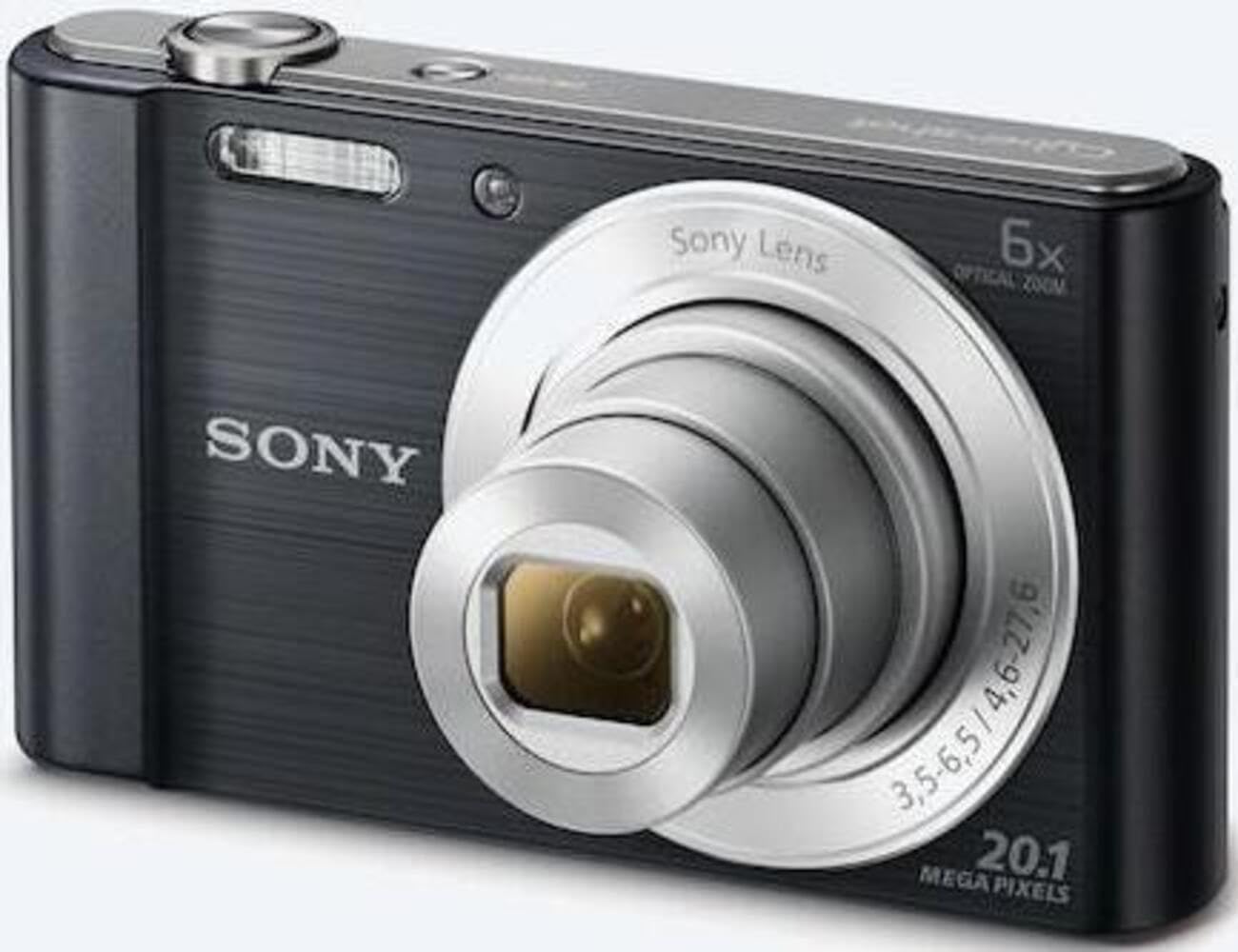
รูปที่ 1 : ด้านหน้า view of the camera with the lens retracted. This shows the lens, flash, and shutter button.
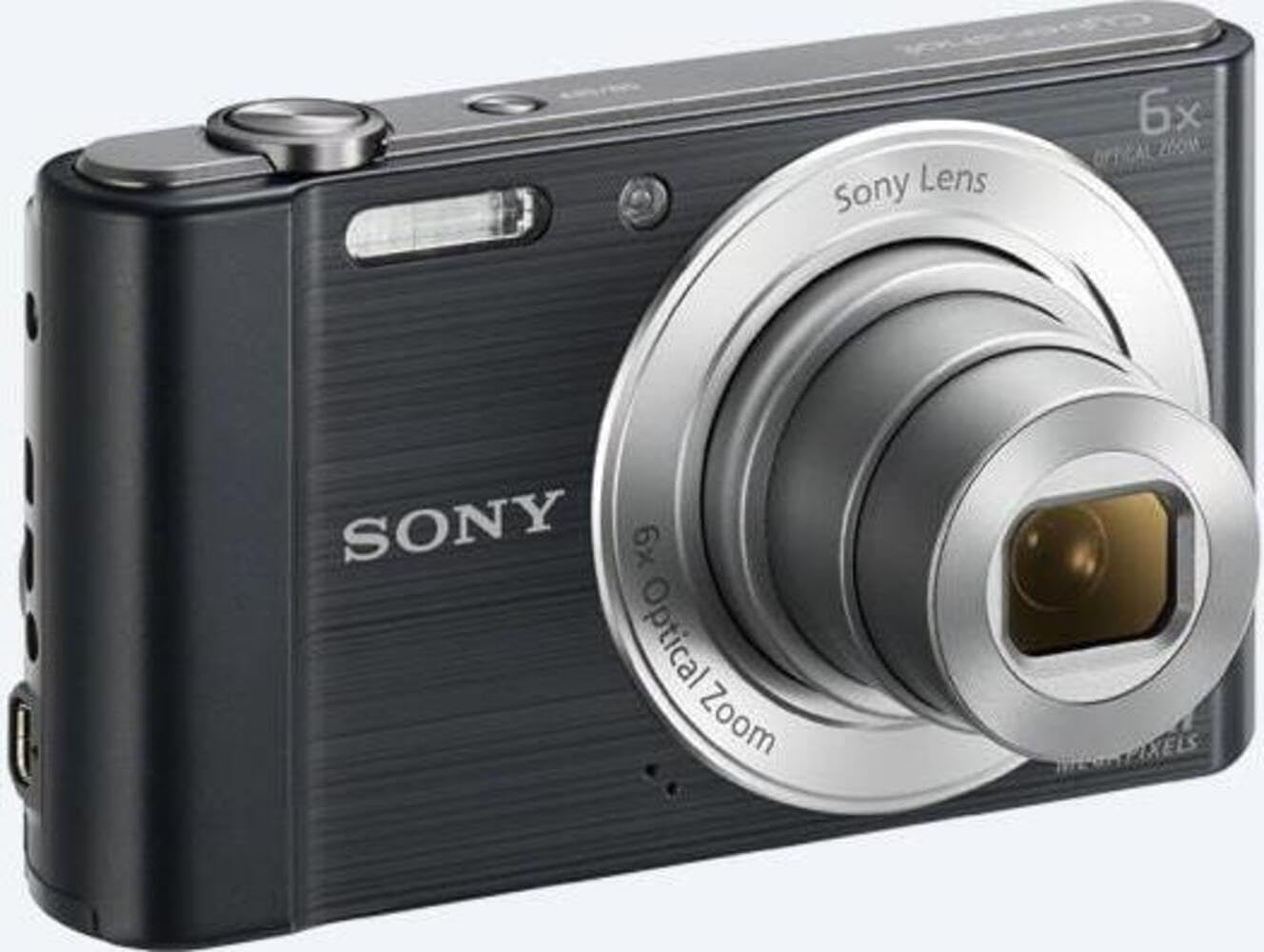
รูปที่ 2 : ด้านหน้า view of the camera with the lens extended, ready for shooting. This illustrates the camera's compact design when in use.

รูปที่ 3: ด้านหลัง view of the camera, highlighting the 2.7-inch LCD screen, navigation buttons, movie record button, and menu button.

รูปที่ 4: ด้านบน view of the camera, showing the power button, shutter button, and zoom lever.
2.2 ปุ่มควบคุมและฟังก์ชันต่างๆ
- ปุ่มชัตเตอร์: กดครึ่งหนึ่งเพื่อโฟกัส กดจนสุดเพื่อจับภาพ
- คันโยกซูม (W/T): Adjusts optical and digital zoom. "W" for wide-angle, "T" for telephoto.
- ปุ่มเปิด/ปิด: เปิดหรือปิดกล้อง
- ปุ่มภาพยนตร์: เริ่มและหยุดการบันทึกวิดีโอ
- ปุ่มเล่น: เข้าสู่โหมดการเล่นเพื่อ view ภาพถ่ายและวีดีโอ
- ปุ่มเมนู: เข้าถึงการตั้งค่าและตัวเลือกของกล้อง
- ปุ่มทิศทาง: Navigate menus and select options. Also used for flash settings, self-timer, and display options.
- แฟลช: มีแฟลชในตัวสำหรับใช้งานในสภาพแสงน้อย
- หน้าจอ LCD: จอแสดงผลขนาด 2.7 นิ้ว สำหรับจัดองค์ประกอบภาพ viewการใส่รูปภาพและการนำทางเมนู
3. การตั้งค่า
Follow these steps to prepare your camera for first use.
3.1 การใส่แบตเตอรี่
- เปิดฝาปิดแบตเตอรี่/การ์ดหน่วยความจำที่อยู่บริเวณด้านล่างของกล้อง
- Insert the battery with the correct orientation, ensuring the terminals align. Push until it clicks into place.
- ปิดฝาให้แน่น
Note: The camera does not include batteries. Please use compatible Sony NP-BN or NP-BN1 batteries.
3.2 การใส่การ์ดหน่วยความจำ
The camera supports SDXC or SDHC memory cards.
- เปิดฝาครอบแบตเตอรี่/การ์ดหน่วยความจำ
- Insert the memory card into the slot with the correct orientation until it clicks.
- ปิดฝาให้แน่น
Note: A memory card is not included with the camera. Purchase a compatible SDXC or SDHC card separately.
3.3 การเปิดเครื่องครั้งแรกและการตั้งค่า
- กดปุ่มเปิด/ปิดเพื่อเปิดกล้อง
- The initial setup screen will appear. Follow the on-screen prompts to set the language, date, and time.
- Ensure the date and time are accurate for proper photo organization.
4. การใช้งานกล้อง
Learn how to capture photos and videos with your DSC-W810.
4.1 การถ่ายภาพ
- เปิดกล้อง
- จัดกรอบภาพของคุณโดยใช้หน้าจอ LCD
- ใช้คันโยกซูม (W/T) เพื่อปรับการซูมแบบออปติคอล 6 เท่า
- Press the Shutter button halfway down to focus. The focus frame will turn green when focus is achieved.
- Press the Shutter button fully to take the picture.
4.2 Using Flash Modes
The camera features a built-in flash with various modes. Press the right directional button (flash icon) to cycle through modes:
- แฟลชอัตโนมัติ: กล้องจะตรวจสอบโดยอัตโนมัติว่าจำเป็นต้องใช้แฟลชหรือไม่
- Fill-flash: Flash fires for every shot.
- การซิงค์ช้า: Flash fires, and shutter speed is slowed to capture background light.
- ไม่ใช้แฟลช: Flash is disabled.
Tip: For low-light environments, the "Party Mode" (accessible via the menu) can optimize settings for clearer images without harsh flash.
4.3 การบันทึกวิดีโอ
- เปิดกล้อง
- Press the dedicated Movie button to start recording.
- Press the Movie button again to stop recording.
Note: Videos are recorded in 720p resolution in MP4 format.
4.4 โหมดการเล่น
- กดปุ่มเล่นเพื่อเข้าสู่โหมดเล่น
- Use the left/right directional buttons to browse through your photos and videos.
- กดปุ่มตรงกลางเพื่อเล่นวิดีโอ
- กดปุ่มเล่นอีกครั้งเพื่อกลับสู่โหมดถ่ายภาพ
5. การบำรุงรักษา
การดูแลรักษาอย่างถูกวิธีจะช่วยให้กล้องของคุณมีอายุการใช้งานยาวนานและรักษาประสิทธิภาพการทำงานได้ดี
5.1 การทำความสะอาดกล้อง
- ตัวกล้อง: เช็ดด้วยผ้านุ่มและแห้ง สำหรับคราบฝังแน่น ให้ใช้ผ้าเช็ดเบาๆampเติมน้ำลงไป
- เลนส์: ใช้แปรงปัดเลนส์เพื่อกำจัดฝุ่น จากนั้นเช็ดเบาๆ ด้วยผ้าทำความสะอาดเลนส์ หลีกเลี่ยงการสัมผัสพื้นผิวเลนส์ด้วยนิ้วมือ
- หน้าจอ LCD: ใช้ผ้าแห้งนุ่มที่ออกแบบมาสำหรับหน้าจอ LCD โดยเฉพาะ
Caution: Do not use organic solvents such as alcohol or thinner to clean the camera.
5.2 การดูแลแบตเตอรี่
- ชาร์จแบตเตอรี่ให้เต็มก่อนใช้งานครั้งแรก
- ถอดแบตเตอรี่ออกหากจะไม่ได้ใช้งานกล้องเป็นเวลานาน
- เก็บแบตเตอรี่ไว้ในที่แห้งและเย็น
5.3 พื้นที่จัดเก็บ
When not in use, store the camera in a dry, well-ventilated area, away from direct sunlight, high temperatures, and humidity. Use a camera case for protection during transport.
6 การแก้ไขปัญหา
โปรดดูส่วนนี้เพื่อดูวิธีแก้ไขปัญหาทั่วไป
| ปัญหา | สารละลาย |
|---|---|
| กล้องไม่สามารถเปิดได้ |
|
| ภาพมีความเบลอ |
|
| Flash is too bright or too dim. |
|
| ข้อผิดพลาดการ์ดหน่วยความจำ |
|
7. ข้อมูลจำเพาะ
Key technical specifications for the Sony Cyber-shot DSC-W810 Digital Camera.
| คุณสมบัติ | รายละเอียด |
|---|---|
| ชื่อรุ่น | DSCW810B.CE3 |
| ความละเอียดของภาพนิ่งที่มีประสิทธิภาพ | 20.1 MP |
| เทคโนโลยีโฟโต้เซนเซอร์ | ซีซีดี |
| ซูมออปติคอล | 6x |
| ซูมดิจิตอล | 48 เท่า |
| ความยาวโฟกัสสูงสุด | 27.6 มม. |
| ความยาวโฟกัสต่ำสุด | 4.6 มม. |
| ระบบป้องกันภาพสั่นไหว | ดิจิตอล, ออปติคัล |
| ขนาดหน้าจอ | จอ LCD ขนาด 2.7 นิ้ว |
| ความละเอียดวิดีโอ | 720p |
| รองรับ File รูปแบบ | JPEG, RAW (ภาพนิ่ง), MP4 (วิดีโอ) |
| ประเภทหน่วยความจำแฟลช | SDXC or SDHC |
| การเชื่อมต่อ | USB,HDMI |
| น้ำหนักสินค้า | 111 กรัม |
| สี | สีดำ |
8. การรับประกันและการสนับสนุน
8.1 ข้อมูลการรับประกัน
This product comes with a 90-day Limited Hardware Warranty. For full details, please refer to the official warranty document:
View 90-day Limited Hardware Warranty
Note: This is an international version of the camera and may have warranty limitations in certain regions.
8.2 การสนับสนุนลูกค้า
หากต้องการความช่วยเหลือเพิ่มเติม การสนับสนุนด้านเทคนิค หรือการสอบถามบริการ โปรดไปที่ฝ่ายสนับสนุนอย่างเป็นทางการของ Sony webเว็บไซต์หรือติดต่อฝ่ายบริการลูกค้าของพวกเขา