การแนะนำ
The Bose CineMate 1 SR Digital Home Theater Speaker System offers a streamlined approach to home entertainment, delivering expansive sound from a single soundbar speaker. This system is designed to integrate seamlessly with your HDTV, providing enhanced audio performance for movies, music, and games. It features a wireless Acoustimass module for deep low-note effects and incorporates proprietary technologies to optimize sound delivery based on room acoustics and speaker placement.

มีอะไรอยู่ในกล่อง
- ซาวด์บาร์
- โมดูล Acoustimass ไร้สาย
- รีโมทคอนโทรล
- สายเคเบิลดิจิตอลออปติก (2)
- สายดิจิตอลโคแอกเซียล
- สายสัญญาณเสียงสเตอริโอ
- สายไฟ
- ADAPTiQ audio calibration headset
- USB flash drive (for system updating only)
- Acoustimass module feet
- Speaker array extension feet
- แบตเตอรี่ AA 2 ก้อน
การตั้งค่า
1. Connecting the Soundbar to your TV
The CineMate 1 SR system connects directly to your HDTV without requiring a separate receiver. Use the provided optical digital cable or coaxial digital cable to connect the soundbar to your TV's audio output. Ensure a secure connection for optimal sound transmission.

2. Positioning the Soundbar
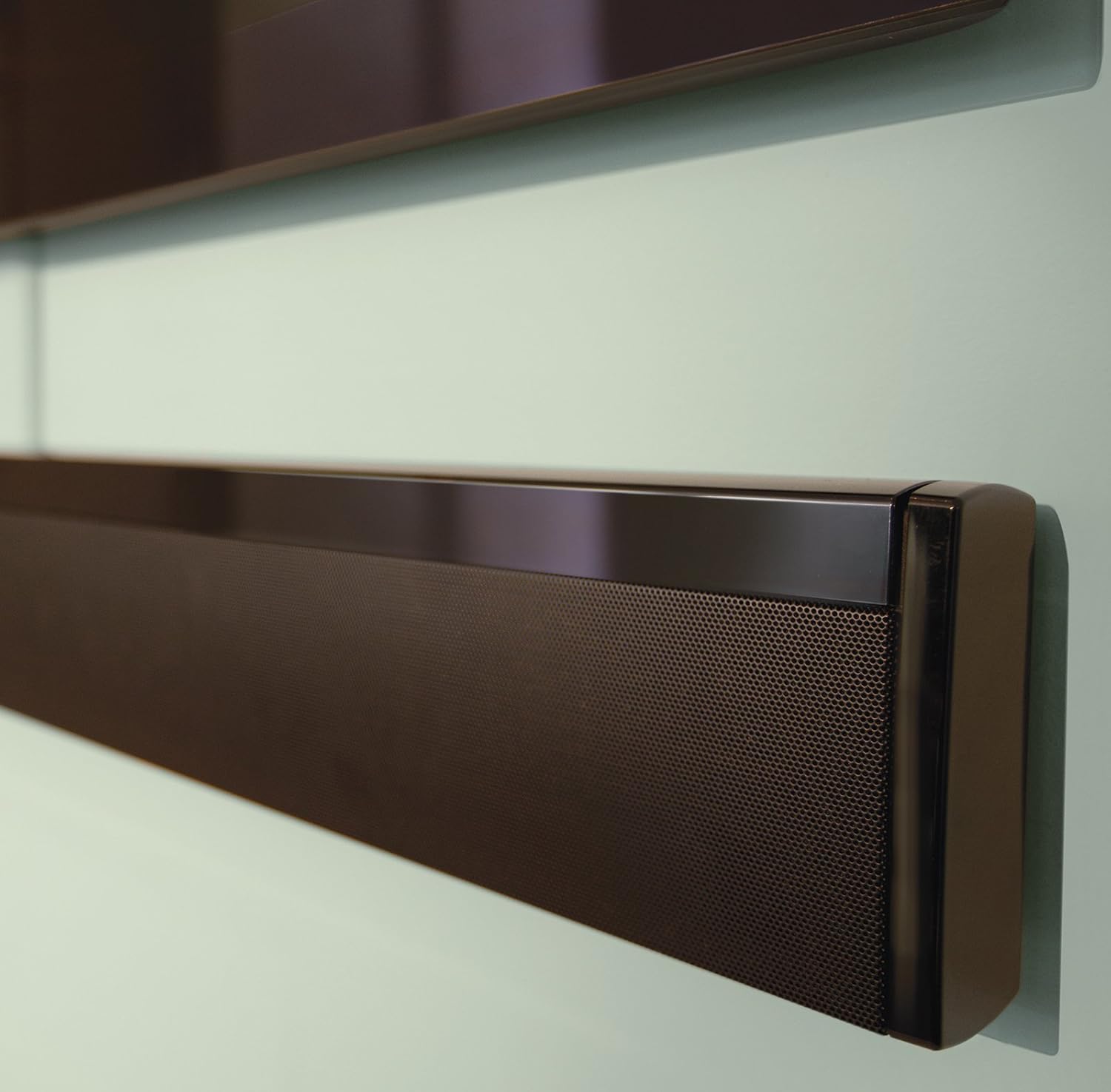
The sleek design of the soundbar allows for flexible placement. It can be laid flat on a table or flush-mounted on a wall beneath your TV. Proprietary Flexmount technology automatically detects the speaker's orientation and adjusts audio output for optimal performance.

3. Wireless Acoustimass Module Setup
The Acoustimass module connects wirelessly to the soundbar, providing deep bass without the need for additional cables. Place the module in a convenient location within the room, ensuring it is within range of the soundbar for a stable wireless connection.
Video 1: A short demonstration highlighting the bass performance of the CineMate 1 SR system's Acoustimass module.
4. ADAPTiQ Audio Calibration System
The ADAPTiQ audio calibration system customizes the soundbar's performance to your room's acoustics. After placing your speaker, use the provided ADAPTiQ headset and follow the on-screen instructions to calibrate the system. This process analyzes room dimensions and furnishings to ensure consistent, optimal sound throughout the listening area.
คำแนะนำการใช้งาน
1. การใช้รีโมทคอนโทรลสากล
The programmable IR remote controls the CineMate 1 SR system and can be configured to operate nearly any attached entertainment device, reducing remote clutter. Use it to power on/off, adjust volume, and select audio sources.
2. SmartSource Input Selection System
The SmartSource input selection system automatically monitors the soundbar's auxiliary audio inputs. As you switch between connected devices (e.g., Blu-ray player, game console), the system automatically selects the best available audio signal, ensuring synchronized audio and video.
วิดีโอ 2: จบแล้วview of the Bose CineMate 1 SR system, detailing its features and ease of use.
Video 3: A demonstration of the performance capabilities of the Bose CineMate 1 SR Digital Home Theater Speaker System.
Video 4: This video showcases the elegant design and aesthetic integration of the CineMate 1 SR soundbar into a living space.
Video 5: A brief look at the Bose CineMate 1 SR soundbar, highlighting its compact form factor and audio output.
คุณสมบัติ
- ADAPTiQ audio calibration system: Analyzes room acoustics and adjusts speaker system sound for optimal performance.
- Flexmount automatic placement compensation: Automatically detects speaker orientation (flat or wall-mounted) and adjusts sound for wide, spacious audio.
- PhaseGuide sound radiators: Work with TrueSpace technology to direct acoustic detail to the left, right, and center of your room.
- SmartSource input selection system: Continuously monitors auxiliary audio inputs and automatically switches to the best available audio signal.
- Wireless Acoustimass module: Produces deep low notes for enhanced home theater realism, with a wireless link for flexible placement.
- Programmable IR remote: Controls the CineMate 1 SR system and most attached entertainment devices, simplifying your experience.
การซ่อมบำรุง
To maintain the performance and appearance of your Bose CineMate 1 SR system, regularly wipe the surfaces of the soundbar and Acoustimass module with a soft, dry cloth. Avoid using liquid cleaners or solvents. Ensure proper ventilation around the Acoustimass module to prevent overheating.
การแก้ไขปัญหา
If you experience issues with your CineMate 1 SR system, first check all cable connections to ensure they are secure. Verify that the power cords are properly plugged into active outlets. For sound-related problems, re-run the ADAPTiQ audio calibration. If the wireless Acoustimass module is not connecting, ensure it is powered on and within range of the soundbar. Consult the full product manual (available on the Bose support website) for more detailed troubleshooting steps or contact Bose customer support.
ข้อมูลจำเพาะ
| คุณลักษณะ | ค่า |
|---|---|
| ขนาดสินค้า (ซาวด์บาร์) | 4.9 x 36.8 x 2.4 นิ้ว |
| Product Dimensions (Acoustimass module) | 11.1 x 14.7 x 7.6 นิ้ว |
| Item Weight (Soundbar) | 7.8 ปอนด์ |
| Item Weight (Acoustimass module) | 13.8 ปอนด์ |
| หมายเลขรุ่น | 329198-1100 |
| ผู้ผลิต | บริษัท โบส คอร์ปอเรชั่น |
| วันที่พร้อมใช้งานครั้งแรก | วันที่ 20 กันยายน 2011 |
การรับประกันและการสนับสนุน
For warranty information and technical support, please refer to the documentation included with your product or visit the official Bose support website. Contacting Bose directly will provide the most accurate and up-to-date information regarding your product's warranty coverage and service options.


