การแนะนำ
This manual provides instructions for the KODAK Easyshare C190 Digital Camera. Please read this manual thoroughly before using your camera to ensure proper operation and to maximize its features. Keep this manual for future reference.
การตั้งค่า
1. การแกะกล่องกล้อง
นำส่วนประกอบทั้งหมดออกจากบรรจุภัณฑ์อย่างระมัดระวัง ตรวจสอบให้แน่ใจว่ามีส่วนประกอบต่อไปนี้:
- KODAK Easyshare C190 Digital Camera
- สายรัดข้อมือ
- สาย USB
- คู่มือการใช้งาน (เอกสารนี้)
- Note: Batteries and SD/SDHC memory card are not included and must be purchased separately.
2. การติดตั้งแบตเตอรี่
The KODAK Easyshare C190 uses AA batteries. Locate the battery compartment on the bottom or side of the camera. Open the compartment cover, insert two fresh AA batteries, ensuring correct polarity (+/-), then close the cover securely.
3. การใส่การ์ดหน่วยความจำ
The camera supports SD and SDHC memory cards. Open the memory card slot cover, typically located near the battery compartment. Insert the memory card with the metal contacts facing the correct direction (refer to the diagram inside the compartment). Push until it clicks into place. Close the cover.
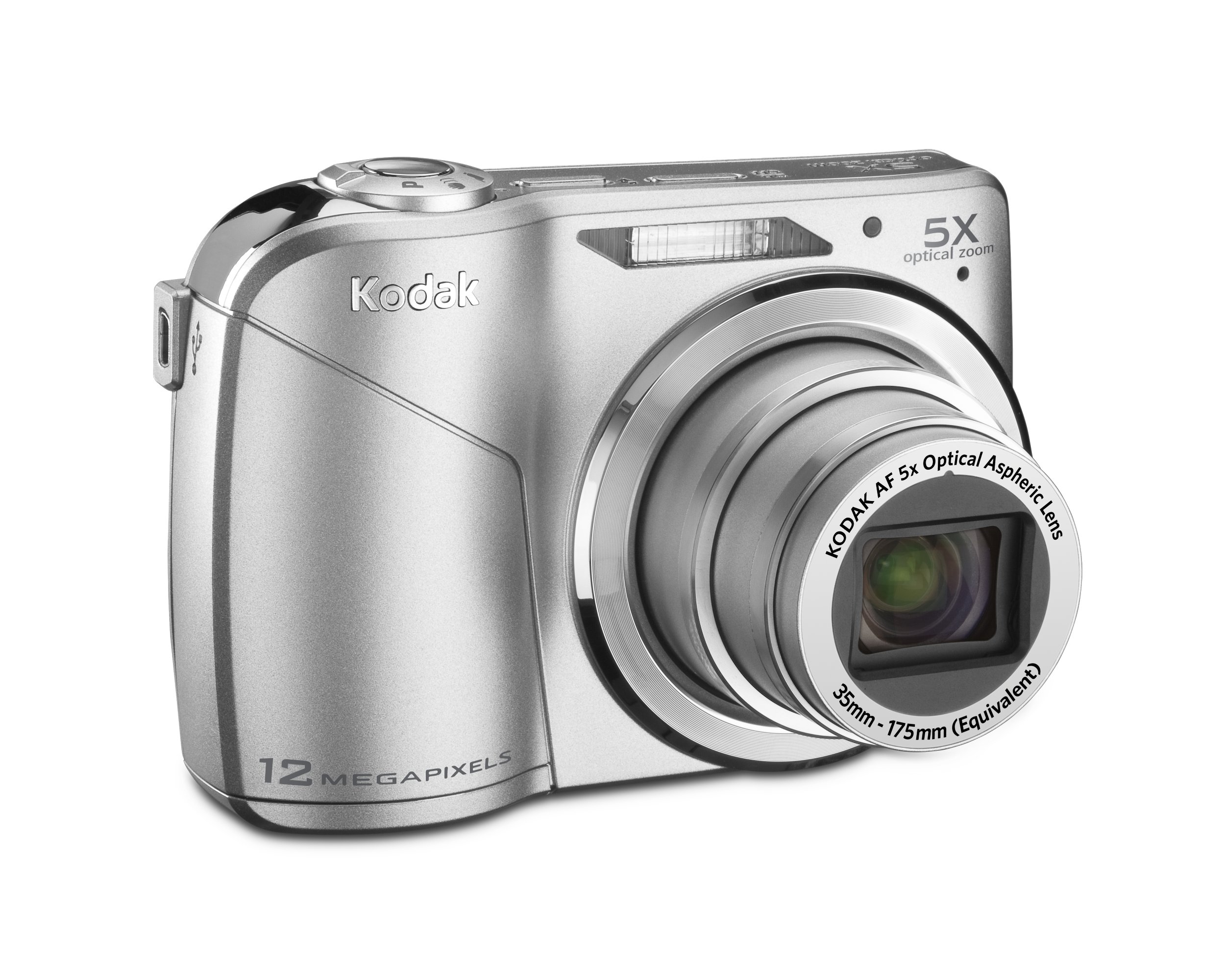
Image: KODAK Easyshare C190 Digital Camera. This image shows the overall design of the camera, including the lens and LCD screen.
การใช้งานกล้อง
1. การเปิด/ปิดเครื่อง
กดปุ่ม พลัง button, usually located on the top of the camera, to turn it on. Press and hold the button again to turn it off.
2.การถ่ายภาพ
- เลือกโหมด: Use the mode dial (if present) or menu to select a shooting mode (e.g., Auto, Program, Scene). The camera features การจับภาพอัจฉริยะ, which automatically identifies the scene and adjusts settings for optimal results.
- วางกรอบภาพของคุณ: ใช้หน้าจอ LCD ขนาด 2.7 นิ้วเพื่อจัดองค์ประกอบภาพของคุณ
- ซูม: ใช้คันโยก/ปุ่มซูมเพื่อปรับการซูมแบบออปติคอล 5 เท่า
- จุดสนใจ: Press the shutter button halfway down to allow the camera to focus. The camera will confirm focus, often with a green box or beep.
- การจับกุม: Press the shutter button fully down to take the picture. The camera has a 12-megapixel resolution for detailed images.
3. บันทึกวิดีโอ
Switch the camera to video mode (if available via a dedicated button or mode dial). Press the shutter button to start recording and press it again to stop. Videos are recorded without sound during zoom operations.
4. Viewการบันทึกและจัดการรูปภาพ/วิดีโอ
กดปุ่ม Review or การเล่นซ้ำ ปุ่มที่จะ view your captured images and videos on the 2.7-inch LCD screen. Use the directional pad to navigate through your media. Options for deleting, protecting, or sharing may be available through the menu.
5. การโอน Fileไปที่คอมพิวเตอร์
Connect the camera to your computer using the provided USB cable. The camera should appear as a removable drive. You can then copy photos and videos directly to your computer. KODAK Easyshare software may be available for enhanced management and sharing features.
การซ่อมบำรุง
1. การทำความสะอาดกล้อง
- เลนส์: Use a soft, lint-free cloth specifically designed for camera lenses. Gently wipe in a circular motion. Avoid harsh chemicals.
- หน้าจอ LCD: Use a soft, dry cloth. For stubborn smudges, a specialized LCD screen cleaner can be used sparingly.
- ตัวกล้อง: Wipe with a soft, dry cloth. Do not use water or cleaning solutions directly on the camera.
2. การดูแลแบตเตอรี่
Remove batteries when the camera will not be used for an extended period to prevent leakage. Store batteries in a cool, dry place. Dispose of used batteries according to local regulations.
3. การจัดเก็บ
Store the camera in a dry, dust-free environment, away from extreme temperatures and direct sunlight. Use a camera case for protection during transport.
การแก้ไขปัญหา
| ปัญหา | สาเหตุที่เป็นไปได้ / วิธีแก้ไข |
|---|---|
| กล้องไม่สามารถเปิดได้ |
|
| ข้อความ "ข้อผิดพลาดการ์ดหน่วยความจำ" |
|
| ภาพถ่ายมันเบลอๆ |
|
| หน้าจอ LCD มองเห็นได้ยากในที่แสงจ้า |
|
ข้อมูลจำเพาะ
- ชื่อรุ่น : KODAK Easyshare C190
- ปณิธาน: 12 ล้านพิกเซล
- ซูมออปติคอล: 5x
- หน้าจอ LCD: 2.7 นิ้ว
- ระบบป้องกันภาพสั่นไหว: ดิจิตอล, ออปติคัล
- เทคโนโลยีโฟโต้เซนเซอร์: ซีซีดี
- รองรับ File รูปแบบ: เจพีเจ
- ระยะโฟกัสสูงสุด: 175 มิลลิเมตร
- รูรับแสงสูงสุด: 2.8 มิลลิเมตร
- ขยาย ISO ขั้นต่ำ: 64
- การวัดแสง: หลายจุด, เน้นกลางภาพ, เฉพาะจุด
- รองรับการ์ดหน่วยความจำ: SD/SDHC (not included)
- ขนาดสินค้า : 3.78 x 0.75 x 2.32 นิ้ว
- น้ำหนักสินค้า: 4.8 ออนซ์
- ผู้ผลิต: โคดัก
- หมายเลขรุ่นสินค้า: 8871840
การรับประกันและการสนับสนุน
For warranty information and technical support, please refer to the documentation provided at the time of purchase or visit the official KODAK support webไซต์นี้ โปรดเก็บหลักฐานการซื้อไว้เพื่อใช้ยืนยันการรับประกัน
Official KODAK Store: ร้านค้า KODAK บน Amazon


