1. บทนำ
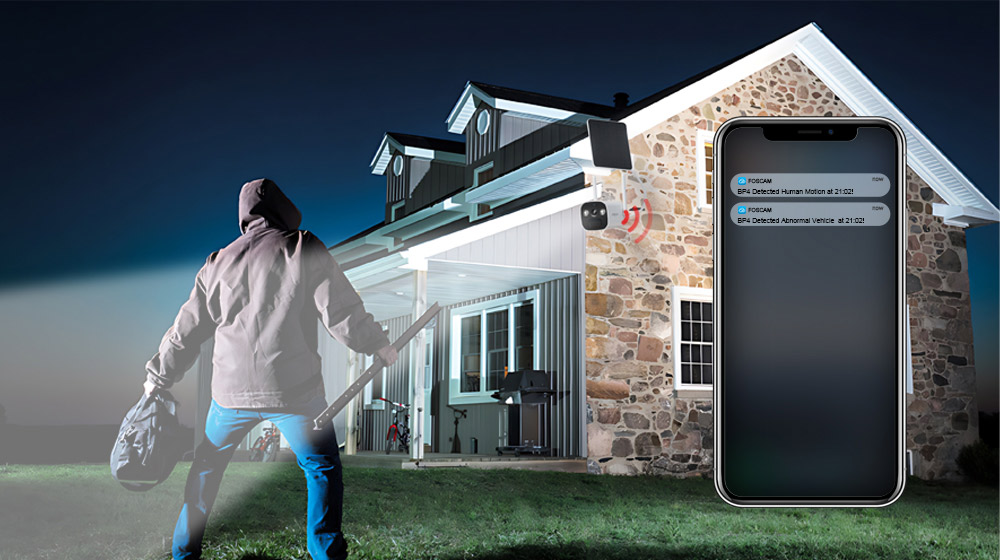
The FOSCAM BP4 is a 2K (4MP) wireless outdoor security camera designed for home surveillance. It features a built-in rechargeable battery and is powered by a high-efficiency solar panel, offering a truly wire-free installation. With advanced features like color night vision, PIR human detection, and sound and light alarms, the BP4 provides reliable and intelligent monitoring for your property. This manual will guide you through the setup, operation, and maintenance of your FOSCAM BP4 camera.
2. เนื้อหาบรรจุภัณฑ์
Please check the package carefully to ensure all items are present and in good condition. If anything is missing or damaged, please contact FOSCAM support.
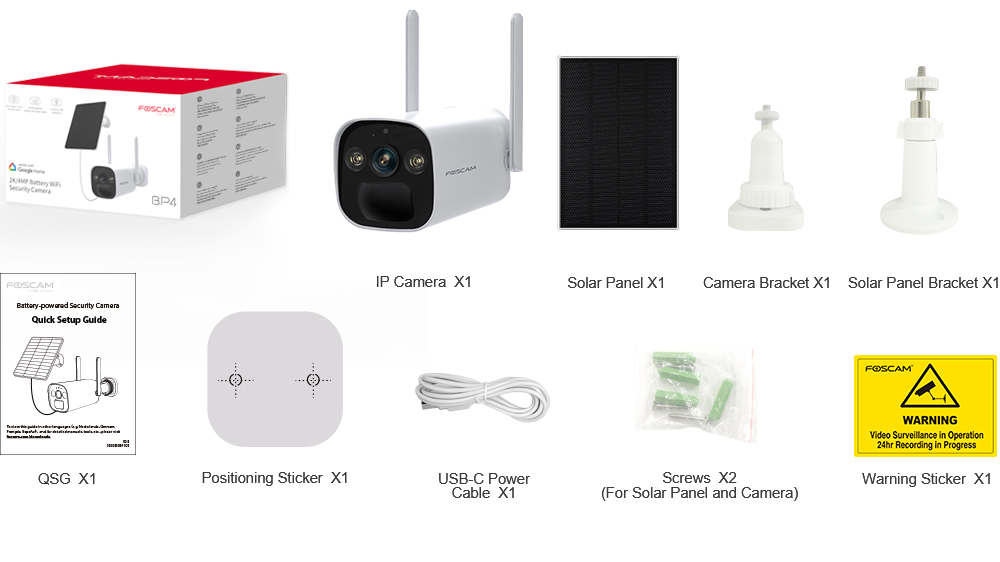
- IP Camera (BP4) x1
- แผงโซลาร์ x1
- ขายึดกล้อง x1
- ขายึดแผงโซล่าเซลล์ x1
- Quick Setup Guide (QSG) x1
- สติ๊กเกอร์ระบุตำแหน่ง x1
- USB-C Power Cable x1
- Screws x2 (for Solar Panel and Camera)
- Warning Sticker x1
3. คุณสมบัติหลัก
- 2K (4MP) Quad HD Video: บันทึกภาพอาหารได้อย่างชัดเจนและละเอียดtage with a resolution of 2560 x 1440 pixels at 20 frames per second.
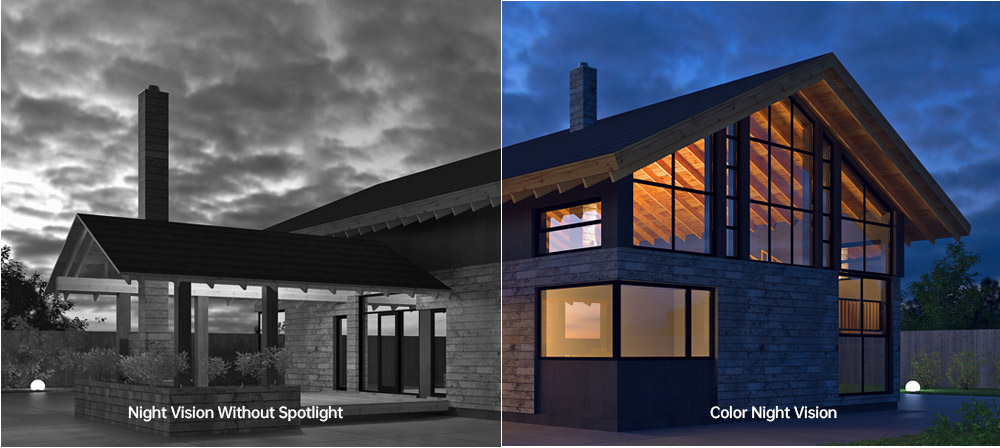
- การมองเห็นสีกลางคืน: Equipped with 2pcs Spotlight IR LED, providing a night vision range up to 10m (33ft) and supporting full-color images even in low-light conditions.
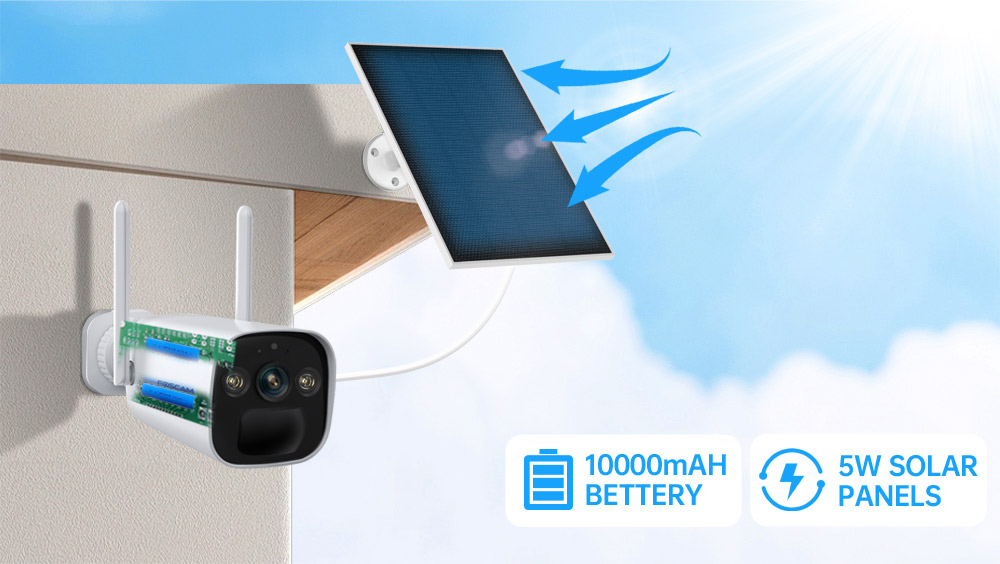
- Rechargeable Battery & Solar Panel: Features a 10000mAh rechargeable battery (4pcs 18650 battery included) and a 5W high-efficiency solar panel for continuous power, ensuring truly wire-free operation.
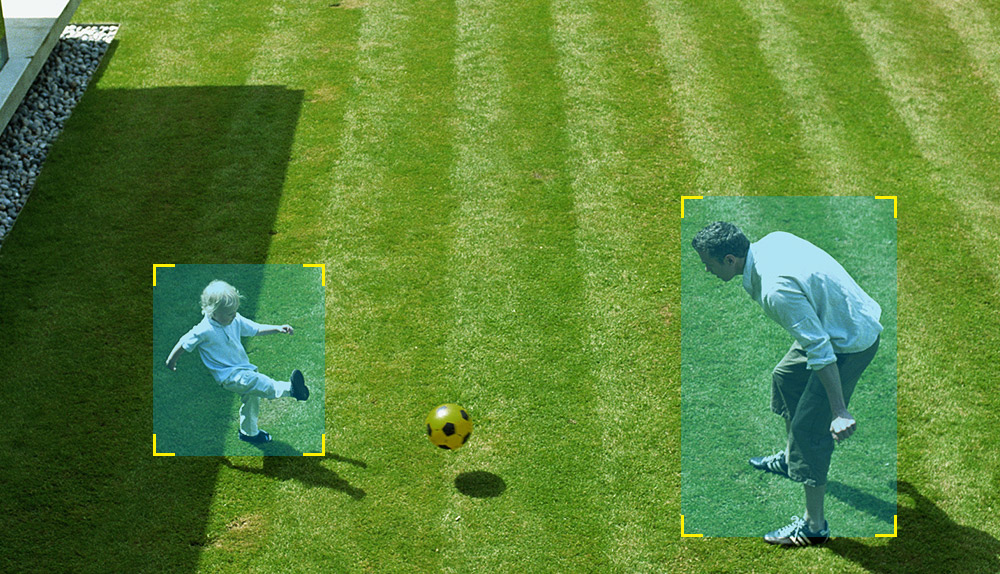
- ระบบตรวจจับความเคลื่อนไหว PIR ตรวจจับมนุษย์: Advanced Passive Infrared (PIR) sensor distinguishes human movement from other objects, reducing false alarms and sending accurate alerts.
- สัญญาณเสียงและแสง: Triggers a spotlight and a siren (up to 110dB) upon detection of an intruder, acting as a deterrent. Can also be manually activated.
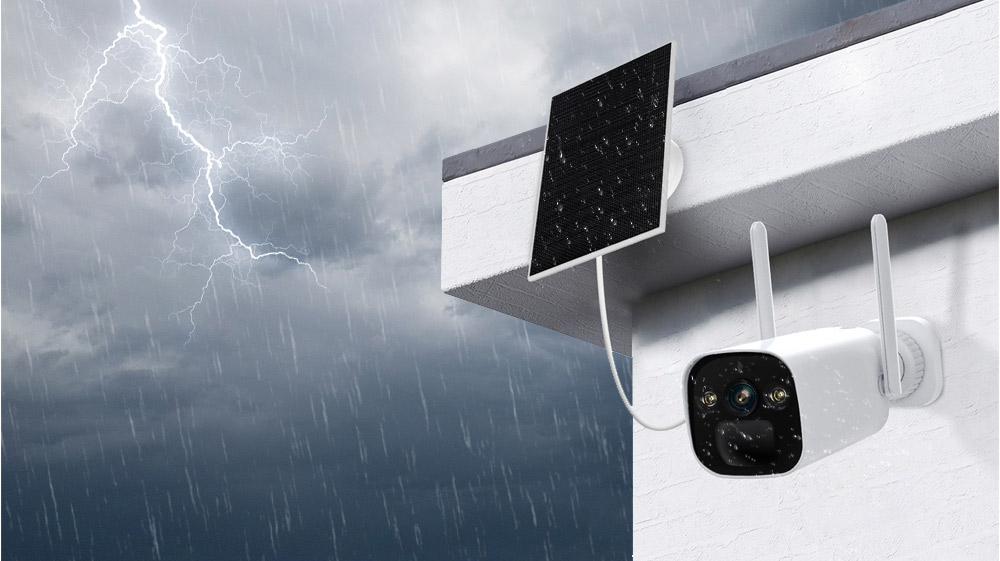
- IP66 Rated Weatherproof: Designed to withstand harsh outdoor weather conditions, operating reliably in temperatures from -20°C to 60°C (-4°F to 140°F).
- เสียงสองทาง: ไมโครโฟนและลำโพงในตัวช่วยให้สามารถสื่อสารกับผู้มาเยือนหรือผู้บุกรุกได้แบบเรียลไทม์
- การรวมระบบบ้านอัจฉริยะ: Supports integration with Alexa and Google Home for convenient voice control and smart home automation.
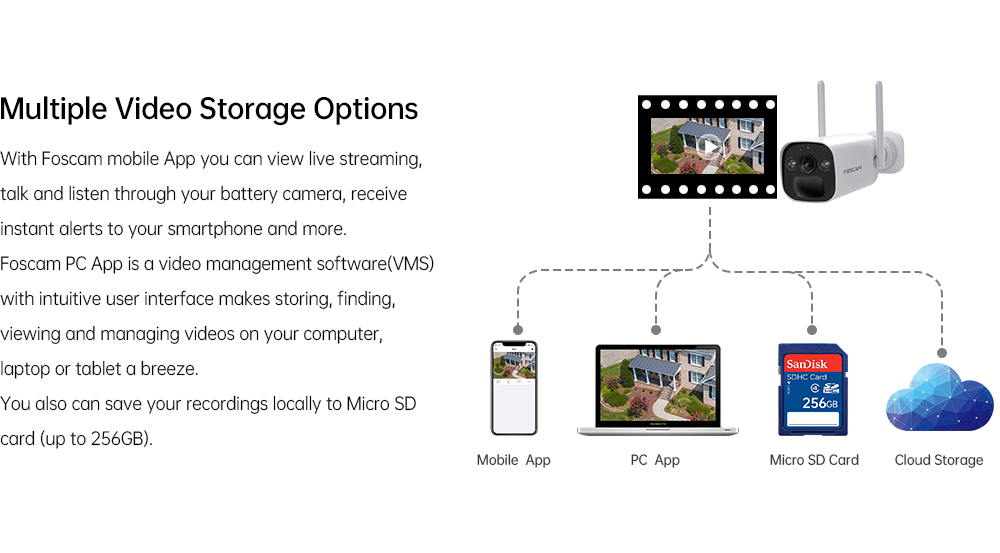
- ตัวเลือกการจัดเก็บข้อมูลหลากหลาย: Supports local storage via Micro SD Card (up to 256GB) and Foscam cloud storage for flexible video recording and backup.
- การบีบอัดวิดีโอ H.264: Efficient video compression technology to save storage space and bandwidth.
- P2P Feature: Enables easy remote access to your camera feed from anywhere.
- Mobile App & VMS Compatibility: Compatible with the free Foscam iOS and Android APP, as well as Foscam Video Management Software (VMS) for Windows and macOS.

4. คู่มือการติดตั้ง
4.1 การติดตั้งทางกายภาพ
- เลือกตำแหน่ง: เลือกสถานที่กลางแจ้งที่ให้บรรยากาศที่ต้องการ viewมุมการมองและรับ ample direct sunlight for the solar panel. Ensure the camera is within range of your 2.4GHz Wi-Fi network.
- ติดตั้งขาตั้งกล้อง: Use the positioning sticker to mark drill holes. Drill holes and insert wall plugs if necessary. Secure the camera bracket to the wall using the provided screws.
- Mount the Solar Panel Bracket: Similarly, choose a location for the solar panel that maximizes sun exposure. Mount the solar panel bracket using the provided screws.
- ติดตั้งกล้องและแผงโซลาร์เซลล์: Attach the FOSCAM BP4 camera to the camera bracket and the solar panel to its bracket. Adjust their angles for optimal coverage and sun exposure.
- เชื่อมต่อแผงโซล่าเซลล์: Connect the USB-C cable from the solar panel to the USB-C port on the camera.
4.2 การติดตั้งแอปและการตั้งค่าเริ่มต้น
- Download Foscam App: ค้นหา 'Foscam' in the App Store (iOS) or Google Play Store (Android) and download the official Foscam app.
- สร้างบัญชี: Open the app and register for a new Foscam account if you don't have one.
- เพิ่มกล้อง: Tap the '+' icon in the app to add a new device. Follow the on-screen instructions to scan the QR code on your camera or manually enter its details.
- เชื่อมต่อกับ Wi-Fi: The app will guide you through connecting the camera to your 2.4GHz Wi-Fi network. Ensure your phone is connected to the same 2.4GHz network during this process.
- กำหนดค่าการตั้งค่า: Once connected, you can name your camera, set a password, and configure initial settings like time zone and recording preferences.
5. คู่มือการใช้งาน
5.1 สด View
Open the Foscam app and select your BP4 camera from the device list. You will see the live video feed. From here, you can:
- Take Snapshots: จับภาพนิ่งจากฟีดสด
- Record Manually: Start and stop video recording manually.
- Use Two-Way Audio: Tap the microphone icon to speak through the camera's speaker, and listen through your phone.
- ซูมดิจิตอล: Pinch to zoom in on the live video feed.
5.2 การบันทึกและการเล่น
The FOSCAM BP4 supports event-triggered recording (motion/human detection) and continuous recording (with cloud subscription or local storage). Recorded footage can be accessed via the app or Foscam VMS.
- การบันทึกการเข้าถึง: In the app, navigate to the camera's settings or playback section to view วิดีโอที่ถูกเก็บไว้
- กรองเหตุการณ์: Use filters to quickly find recordings based on date, time, or event type (e.g., human detection).
5.3 การตั้งค่าสัญญาณเตือน
Configure the camera's detection and alarm features for optimal security.
- ระบบตรวจจับความเคลื่อนไหว PIR ตรวจจับมนุษย์: Enable or disable human detection. Adjust sensitivity levels and detection zones to minimize false alarms.
- สัญญาณเสียงและแสง: Set the camera to automatically trigger its spotlight and siren when an intruder is detected. You can also manually activate these alarms from the app.
- การแจ้งเตือน: Ensure push notifications are enabled in the Foscam app and your phone's settings to receive instant alerts.
6. การบำรุงรักษา
- การชาร์จแบตเตอรี่: The solar panel will continuously charge the internal battery. If the camera is in a shaded area or during prolonged cloudy weather, you may need to manually charge the battery using the USB-C power cable and a DC 5V/2A USB power adapter (not included).
- การทำความสะอาด: ควรทำความสะอาดเลนส์กล้องและพื้นผิวแผงโซลาร์เซลล์เป็นระยะด้วยวัสดุที่อ่อนนุ่มและแห้งamp ใช้ผ้าสะอาดเพื่อประสิทธิภาพสูงสุด หลีกเลี่ยงการใช้สารทำความสะอาดที่มีฤทธิ์กัดกร่อน
- อัพเดตเฟิร์มแวร์: FOSCAM regularly releases firmware updates to improve performance and add new features. Check the Foscam app for available updates and follow the instructions to install them.
- การจัดการการ์ด Micro SD: If using a Micro SD card, ensure it is formatted correctly (FAT32 recommended for cards over 32GB, check app for specific instructions). Regularly review และสำรองอาหารสำคัญtage, and consider setting up automatic overwriting for continuous recording.
7 การแก้ไขปัญหา
7.1 กล้องไม่เชื่อมต่อกับ Wi-Fi
- Ensure your Wi-Fi network is 2.4GHz. The BP4 does not support 5GHz Wi-Fi.
- ตรวจสอบให้แน่ใจว่ากล้องอยู่ในระยะสัญญาณของเราเตอร์ Wi-Fi ของคุณ
- ตรวจสอบว่ารหัสผ่าน Wi-Fi ที่ป้อนในแอปถูกต้อง
- รีสตาร์ทเราเตอร์และกล้อง จากนั้นลองเชื่อมต่ออีกครั้ง
7.2 คุณภาพวิดีโอไม่ดี
- ตรวจสอบความแรงของสัญญาณ Wi-Fi สัญญาณอ่อนอาจส่งผลต่อคุณภาพวิดีโอ
- ตรวจสอบให้แน่ใจว่าเลนส์กล้องสะอาดและไม่มีสิ่งกีดขวาง
- ปรับตำแหน่งกล้องเพื่อหลีกเลี่ยงแสงสะท้อนโดยตรงหรือแสงย้อนแสงที่แรง
7.3 Battery Not Charging / Draining Quickly
- Ensure the solar panel is receiving direct sunlight for several hours a day. Clear any obstructions.
- ตรวจสอบการเชื่อมต่อระหว่างแผงโซลาร์เซลล์กับกล้อง
- อุณหภูมิที่เย็นจัดอาจส่งผลต่อประสิทธิภาพของแบตเตอรี่
- ถ่ายทอดสดบ่อยครั้ง view access or excessive motion detections can drain the battery faster. Adjust detection sensitivity and recording schedules.
7.4 สัญญาณเตือนภัยผิดพลาด
- ปรับความไวในการตรวจจับ PIR ในแอป
- Define specific detection zones to exclude areas with frequent non-human movement (e.g., trees swaying, passing cars).
- Ensure the camera is not pointing directly at heat sources or reflective surfaces that could trigger the PIR sensor.
8. ข้อมูลจำเพาะ

| หมวดหมู่ | รายการ | ข้อมูลจำเพาะ |
|---|---|---|
| สปอตไลท์ | อุณหภูมิสี | 6500K |
| เซ็นเซอร์รับภาพ | ประเภทเซนเซอร์ | เซนเซอร์ CMOS สีความละเอียดสูง |
| ความละเอียดการแสดงผล | 4.0 ล้านพิกเซล (2560*1440) | |
| ระดับความสว่างขั้นต่ำ | 0 Lux (พร้อมไฟ IR) | |
| เลนส์ | ประเภทเลนส์ | ฉ:3.3มม.; F2.0 |
| มุมของ view | แนวทแยง: 104° แนวนอน: 89° แนวตั้ง: 48° | |
| วีดีโอ | การบีบอัดภาพ | เอช.264 |
| ปณิธาน | 2K (2560*1440) 20fps, VGA (640 x 360) | |
| ลำธาร | สตรีมคู่ | |
| พลิกภาพ | พลิกและกระจก | |
| ซูมดิจิตอล | ซูมดิจิตอล 20× | |
| โหมดอินฟราเรด | Automatic / Color Night / Night Vision | |
| ทัศนวิสัยตอนกลางคืน | With 2pcs Spotlight and IR LED, Night Vision Range up to 10m (33ft) | |
| เสียง | อินพุต/เอาท์พุต | Full Duplex two-way audio |
| ไซเรน | Supports maximum 110dB alarm siren | |
| เครือข่าย | ไร้มาตรฐาน | IEEE802.11b/g/n |
| ความปลอดภัยแบบไร้สาย | ดับเบิลยูพีเอ, ดับเบิลยูพีเอ2 | |
| การเข้าถึงระยะไกล | พี2พี | |
| โปรโตคอลเครือข่าย | ไอพี, TCP, UDP | |
| ความต้องการของระบบ | ระบบปฏิบัติการ | Microsoft Windows (Foscam VMS), Mac OS (Foscam VMS), Android (Foscam app), iOS (Foscam app) |
| คุณสมบัติอื่น ๆ | ระยะตรวจจับ PIR | ปรับได้สูงสุด 8 ม. (26.2 ฟุต) |
| มุมตรวจจับ PIR | 110 °แนวนอน | |
| ระบบเตือนภัยอัจฉริยะ | PIR Detection/Human Detection | |
| พื้นที่จัดเก็บ | Support max 256G Micro SD card, Foscam cloud storage | |
| บล็อกความเป็นส่วนตัว | ใช่ | |
| ผู้ช่วยอัจฉริยะ | รองรับ Alexa, Google Home | |
| พลัง | แบตเตอรี่ | 10000mAh rechargeable battery (battery life varies based on settings, usage & temperature) |
| พลังงานแสงอาทิตย์ | แผงโซล่าเซลล์ 5W | |
| กระแสไฟตรง | DC 5V/2A USB power adapter (Not included) | |
| ทางกายภาพ | ขนาด (กxยxส) | 67มม.*67มม.*203มม. |
| น้ำหนักสุทธิ | 690กรัม | |
| สิ่งแวดล้อม | กันน้ำ | IP66 |
| อุณหภูมิในการทำงาน | -20°C ~ 60°C (-4°F ~ 140°F) | |
| ความชื้นในการทำงาน | 10% ~ 80% ไม่มีการควบแน่น | |
| อุณหภูมิในการจัดเก็บ | -20°C ~ 60°C (-4°F ~ 140°F) | |
| ความชื้นในการเก็บรักษา | 0% ~ 90% ไม่มีการควบแน่น | |
| อุณหภูมิการชาร์จแบตเตอรี่ | 0°C ~ 45°C (32°F ~ 113°F) | |
| การรับรอง | การรับรอง | FCC, CE, RoHS, WEEE, IP66 |
9. เคล็ดลับผู้ใช้
- ตำแหน่งการติดตั้งแผงโซลาร์เซลล์ที่เหมาะสมที่สุด: For best battery performance, ensure the solar panel is installed in a location that receives at least 4-6 hours of direct sunlight daily. Avoid shaded areas.
- ความแรงของสัญญาณ Wi-Fi: Before final installation, use your smartphone to check the Wi-Fi signal strength at the camera's intended location to ensure a stable connection.
- Customize Detection Zones: To reduce unwanted notifications, utilize the Foscam app to draw specific detection zones, focusing on critical areas and excluding public pathways or moving foliage.
- การตรวจสอบแอปเป็นประจำ: Periodically check the Foscam app for battery status, recording history, and any available firmware updates to keep your camera running smoothly.
10. การรับประกันและการสนับสนุน
FOSCAM products come with a standard manufacturer's warranty. For detailed warranty information, technical support, or service inquiries, please visit the official FOSCAM webหรือติดต่อฝ่ายบริการลูกค้าโดยตรง โปรดเก็บใบเสร็จรับเงินไว้เป็นหลักฐานการซื้อสำหรับการเรียกร้องการรับประกัน


