పరిచయం
This manual provides detailed instructions for the setup, operation, maintenance, and troubleshooting of your realme GT 7T Smartphone. Please read this guide thoroughly to ensure proper use and to maximize the device's capabilities.
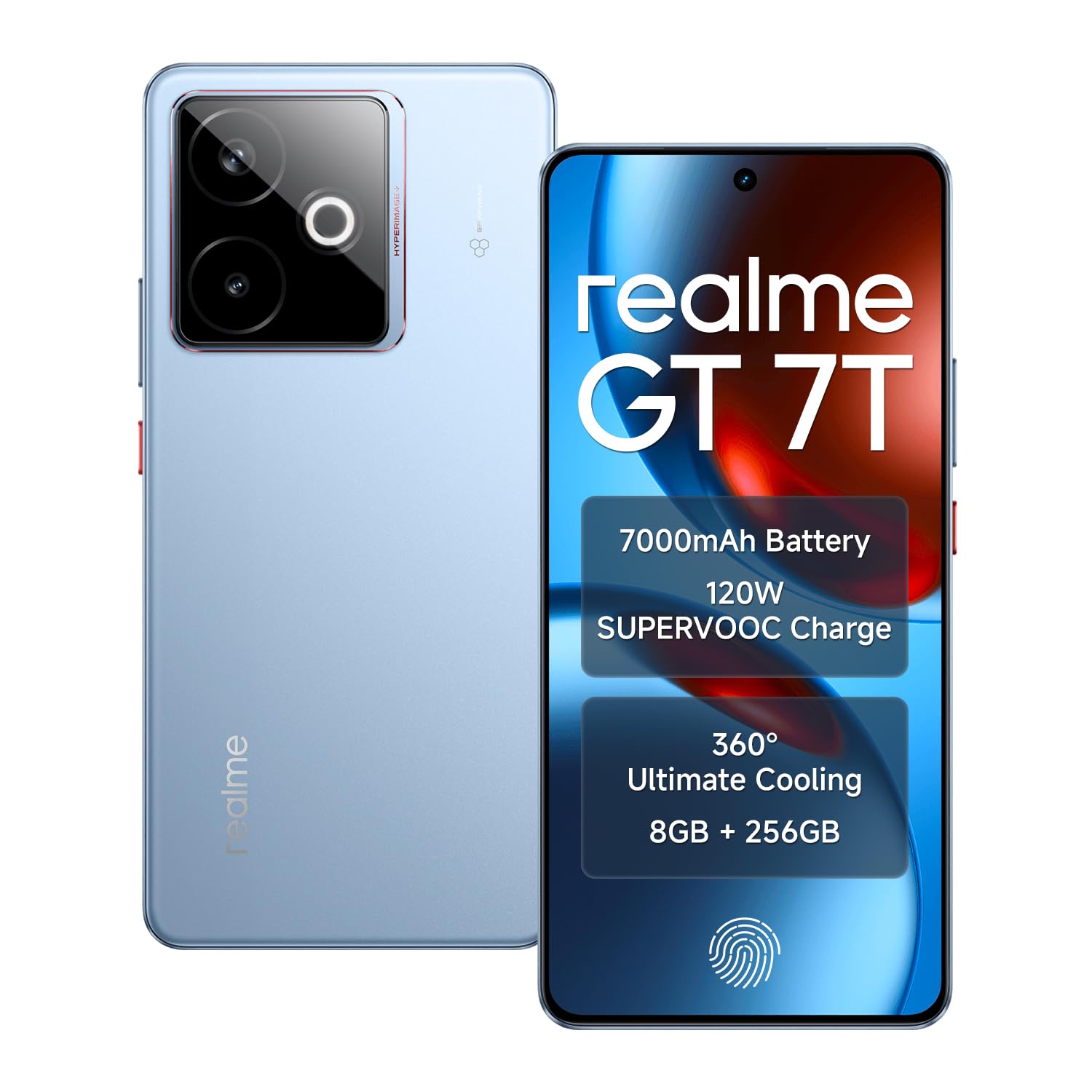
Image: The realme GT 7T Smartphone, showcasing its design and color.
The realme GT 7T features a 6.8-inch 120Hz display, MediaTek Dimensity 8400-MAX processor, 7000mAh battery with 120W UltraDART charging, a 50MP AI Triple Camera system, and IP69 durability. It operates on Android 15.
పెట్టెలో ఏముంది
ప్యాకేజింగ్లో అన్ని వస్తువులు ఉన్నాయని నిర్ధారించుకోండి:
- realme GT 7T Smartphone
- USB డేటా కేబుల్
- Charger (120W UltraDART)
- త్వరిత ప్రారంభ గైడ్
సెటప్
1. SIM కార్డ్ని చొప్పించండి
- పరికరం వైపున SIM కార్డ్ ట్రేని గుర్తించండి.
- ట్రేని తెరవడానికి అందించిన SIM ఎజెక్టర్ సాధనాన్ని ఉపయోగించండి.
- Place your Nano-SIM cards (supports Dual 5G SIM) into the tray with the gold contacts facing down.
- ట్రేని జాగ్రత్తగా ఫోన్లోకి తిరిగి చొప్పించండి.
2. ప్రారంభ ఛార్జింగ్
Before first use, it is recommended to fully charge your realme GT 7T.
- Connect the USB data cable to the phone's charging port and the 120W UltraDART charger.
- పవర్ అవుట్లెట్లో ఛార్జర్ను ప్లగ్ చేయండి.
- The device supports 120W fast charging, allowing for rapid power-up.
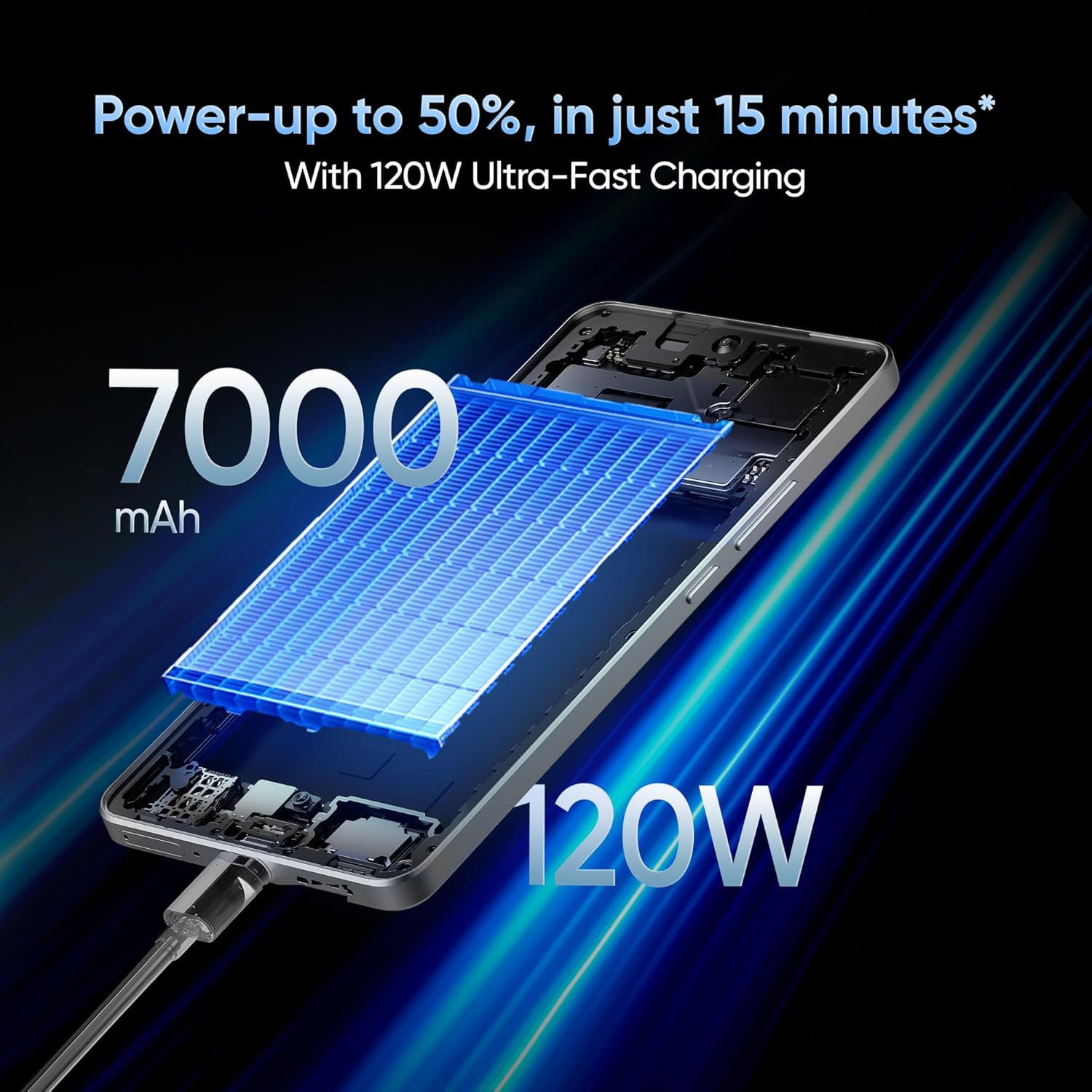
Image: The realme GT 7T connected to its 120W Ultra-Fast Charger, illustrating the rapid charging capability.
3. పవర్ ఆన్ మరియు ప్రారంభ కాన్ఫిగరేషన్
- realme లోగో కనిపించే వరకు పవర్ బటన్ను నొక్కి పట్టుకోండి.
- భాష ఎంపిక, Wi-Fi కనెక్షన్, Google ఖాతా లాగిన్ మరియు భద్రతా సెట్టింగ్లతో సహా ప్రారంభ సెటప్ను పూర్తి చేయడానికి ఆన్-స్క్రీన్ ప్రాంప్ట్లను అనుసరించండి.
ఆపరేటింగ్ సూచనలు
ప్రదర్శన మరియు నావిగేషన్
The realme GT 7T features a 6.8-inch display with a 120Hz refresh rate for smooth visuals and a 2160Hz high-frequency PWM dimming to reduce eye strain.
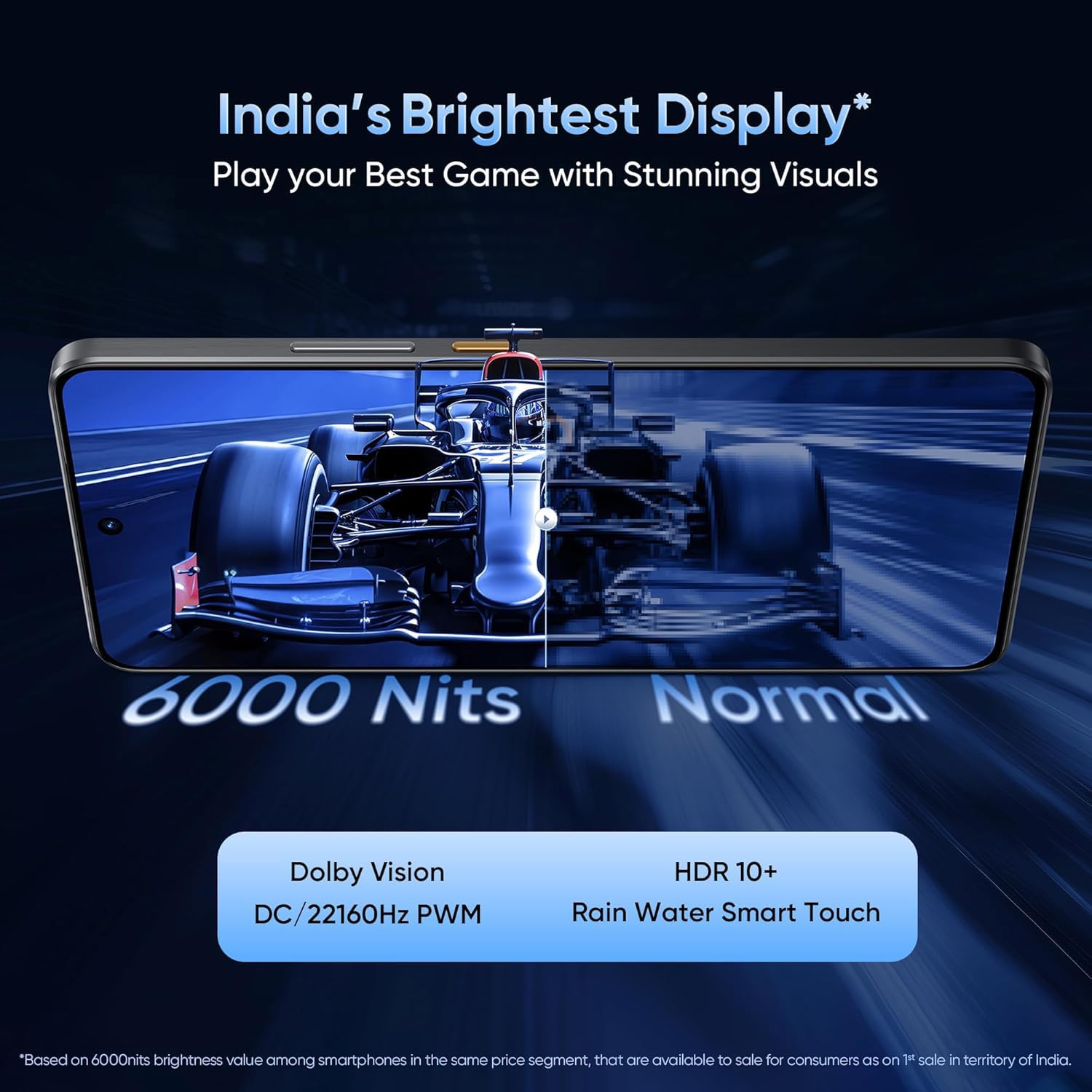
Image: The realme GT 7T's 6.8-inch display showcasing its vibrant colors and smooth 120Hz refresh rate.
ప్రదర్శన
Powered by the MediaTek Dimensity 8400-MAX 4nm chipset and 8GB RAM, the device offers high performance for multitasking and demanding applications.

చిత్రం: వివరణాత్మక view of the MediaTek Dimensity 8400-MAX Flagship Chipset, highlighting its advanced architecture.
కెమెరా వినియోగం
The AI Camera system includes a 50MP OIS main camera. Utilize features like AI Landscape Mode for enhanced scenery, AI Swift Capture for fast-moving subjects, and AI Reflection Elimination for clear shots through glass or water.
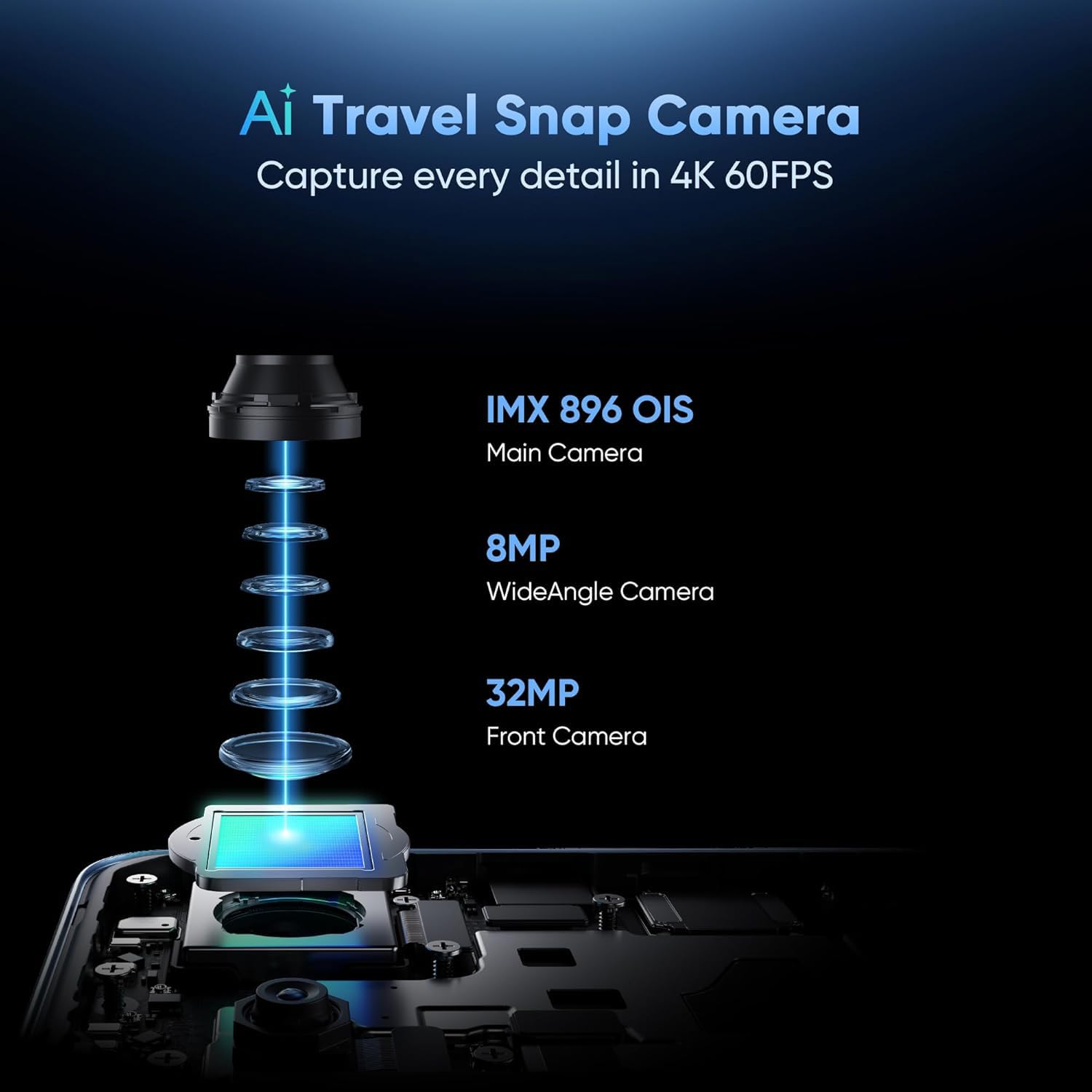
చిత్రం: పేలింది view of the AI Travel Snap Camera system, detailing its IMX 896 OIS Main Camera, Wide Angle Camera, and Front Camera.
కనెక్టివిటీ
The device supports various connectivity options including Bluetooth, NFC, USB, Wi-Fi, and Dual 5G SIM for high-speed internet access.
నిర్వహణ
మీ పరికరాన్ని శుభ్రపరచడం
- స్క్రీన్ మరియు బాడీని తుడవడానికి మృదువైన, మెత్తటి బట్టను ఉపయోగించండి.
- కఠినమైన రసాయనాలు లేదా రాపిడి పదార్థాలను ఉపయోగించడం మానుకోండి.
- The device has an IP69 rating for dust and water resistance, but avoid intentional submersion.

Image: The realme GT 7T highlighting its IP69 rating and ArmorShell™ Glass for enhanced durability.
సాఫ్ట్వేర్ నవీకరణలు
Regularly check for and install software updates to ensure optimal performance, security, and access to new features. Updates are typically found in the device's Settings menu under "System" or "About Phone."
శీతలీకరణ వ్యవస్థ
The IceSense graphene cooling system helps dissipate heat. Ensure the device's vents (if any) are not obstructed during heavy use.

Image: Two realme GT 7T phones illustrating the Graphene Cover IceSense Design for 360° Ultimate Cooling.
ట్రబుల్షూటింగ్
సాధారణ సమస్యలు మరియు పరిష్కారాలు
- పరికరం ఆన్ చేయడం లేదు: బ్యాటరీ ఛార్జ్ అయ్యిందని నిర్ధారించుకోండి. పవర్ బటన్ను కనీసం 10 సెకన్ల పాటు నొక్కి ఉంచండి.
- స్క్రీన్ స్పందించడం లేదు: Restart the device. If the issue persists, perform a force restart (refer to Quick Start Guide for specific key combinations).
- బ్యాటరీ త్వరగా ఆరిపోతుంది: Close background applications, reduce screen brightness, disable unnecessary connectivity features (Bluetooth, GPS, Wi-Fi) when not in use. Check battery usage in Settings to identify power-hungry apps.
- ఉపయోగం సమయంలో వేడెక్కడం: Avoid using the device in direct sunlight or poorly ventilated areas. Close demanding applications. The IceSense cooling system is designed to manage heat, but prolonged heavy use can still generate warmth.
- నెట్వర్క్ కనెక్టివిటీ సమస్యలు: Check if Airplane Mode is off. Restart the device. Verify SIM card insertion. Contact your network provider if problems persist.
మరింత సంక్లిష్ట సమస్యల కోసం, ఫ్యాక్టరీ రీసెట్ చేయడాన్ని పరిగణించండి (గమనిక: ఇది మీ పరికరంలోని మొత్తం డేటాను తొలగిస్తుంది. కొనసాగే ముందు ముఖ్యమైన సమాచారాన్ని బ్యాకప్ చేయండి.) or contact realme customer support.
స్పెసిఫికేషన్లు
| ఫీచర్ | వివరాలు |
|---|---|
| మోడల్ సంఖ్య | realme GT 7T |
| ఆపరేటింగ్ సిస్టమ్ | ఆండ్రాయిడ్ 15 |
| ప్రాసెసర్ | MediaTek Dimensity 8400-MAX 4nm |
| RAM | 8 GB |
| ప్రదర్శించు | 6.8-inch, 120Hz Refresh Rate, 2160Hz PWM Dimming, 2560 x 1080 Resolution |
| ప్రధాన కెమెరా | 50MP OIS AI Camera |
| బ్యాటరీ కెపాసిటీ | 7000mAh |
| ఛార్జింగ్ | 120W UltraDART Fast Charging |
| కనెక్టివిటీ | Bluetooth, NFC, USB, Wi-Fi, Dual 5G SIM |
| మన్నిక | IP69 Water and Dust Resistance, ArmorShell™ Glass |
| కొలతలు | 16.24 x 7.6 x 0.82 సెం.మీ |
| బరువు | 202 గ్రా |
వారంటీ మరియు మద్దతు
వారంటీ సమాచారం
Your realme GT 7T Smartphone comes with a standard manufacturer's warranty. Please refer to the warranty card included in your product packaging for specific terms, conditions, and duration. Keep your proof of purchase for warranty claims.
కస్టమర్ మద్దతు
మరిన్ని సహాయం, సాంకేతిక మద్దతు లేదా సేవా విచారణల కోసం, దయచేసి అధికారిక realme మద్దతును సందర్శించండి. webసైట్ లేదా వారి కస్టమర్ సర్వీస్ హాట్లైన్ను సంప్రదించండి.
అధికారిక రియల్మీ Webసైట్: realme Support (ఉదాampలింక్, వాస్తవ లింక్ ప్రాంతం వారీగా మారవచ్చు)


