1. పరిచయం
The KONNWEI KW450 is a comprehensive OBD2 diagnostic scanner designed for both VAG group vehicles (Volkswagen, Audi, Seat, Skoda) and universal OBDII/EOBD compliant cars. This advanced, user-friendly tool enables technicians and car owners to accurately diagnose and perform maintenance functions on various vehicle systems. It supports a wide range of special functions for VAG vehicles and standard OBDII diagnostic capabilities for all compatible cars.
The device is certified with CE, FCC, and RoHS, ensuring compliance with safety and environmental standards.
2. సెటప్ మరియు ప్రారంభ ఉపయోగం
2.1 ప్యాకేజీ విషయాలు
- KONNWEI KW450 Diagnostic Scanner
- OBD2 కేబుల్
- USB Cable for updates
- వినియోగదారు మాన్యువల్
2.2 మీ వాహనానికి కనెక్ట్ చేయడం
- వాహనం యొక్క 16-పిన్ డేటా లింక్ కనెక్టర్ (DLC)ని గుర్తించండి. ఇది సాధారణంగా డ్రైవర్ వైపు డాష్బోర్డ్ కింద ఉంటుంది.
- వాహనం యొక్క ఇగ్నిషన్ ఆఫ్ స్థానంలో ఉందని నిర్ధారించుకోండి.
- Firmly plug the OBD2 cable into the vehicle's DLC port.
- Turn the vehicle's ignition to the ON position (engine off). The scanner will power on automatically.
2.3 భాషా సెట్టింగ్లు
Upon first use, or if you need to change the language, navigate to the 'Settings' menu on the device. Select 'Language' and choose your preferred language (English is the default).
3. ఆపరేటింగ్ సూచనలు
3.1 VAG Special Functions
The KW450 provides 9 special maintenance functions specifically for Volkswagen, Audi, Seat, and Skoda vehicles. Access these functions from the main menu by selecting the appropriate VAG vehicle brand.
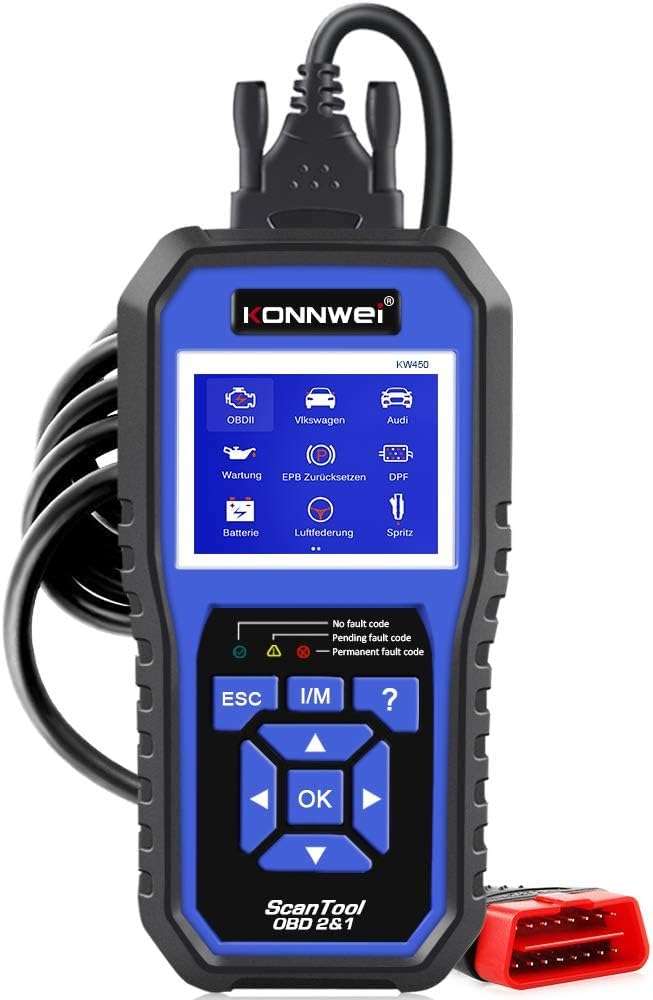
Figure 1: KONNWEI KW450 displaying its 9 special functions for VAG vehicles. These include Oil Service Reset, TPS Replacement Reset, Electronic Parking Brake (EPB) Reset, Battery Matching, Diesel Particulate Filter (DPF) Regeneration, Steering Angle Sensor (SAS) Calibration, Injector Coding, Suspension Adjustment, and Lamp సెట్టింగ్.
- ఆయిల్ సర్వీస్ రీసెట్: ఆయిల్ మార్పు తర్వాత ఆయిల్ సర్వీస్ లైట్ను రీసెట్ చేస్తుంది.
- TPS Replacement Reset: Calibrates the throttle position sensor.
- EPB రీసెట్: Resets the electronic parking brake system for pad replacement.
- బ్యాటరీ సరిపోలిక: వాహనం యొక్క వ్యవస్థతో కొత్త బ్యాటరీని నమోదు చేస్తుంది.
- DPF పునరుత్పత్తి: Initiates the regeneration process for the Diesel Particulate Filter.
- SAS క్రమాంకనం: స్టీరింగ్ యాంగిల్ సెన్సార్ను క్రమాంకనం చేస్తుంది.
- ఇంజెక్టర్ కోడింగ్: కొత్త ఇంజెక్టర్ విలువలను ECU లోకి కోడ్ చేస్తుంది.
- సస్పెన్షన్ సర్దుబాటు: Adjusts vehicle suspension settings.
- Lamp సెట్టింగ్: Configures vehicle lighting parameters.
3.2 Universal OBDII/EOBD Functions
For all other OBDII/EOBD compliant vehicles, the KW450 offers standard diagnostic capabilities. Select 'OBDII' from the main menu to access these functions.
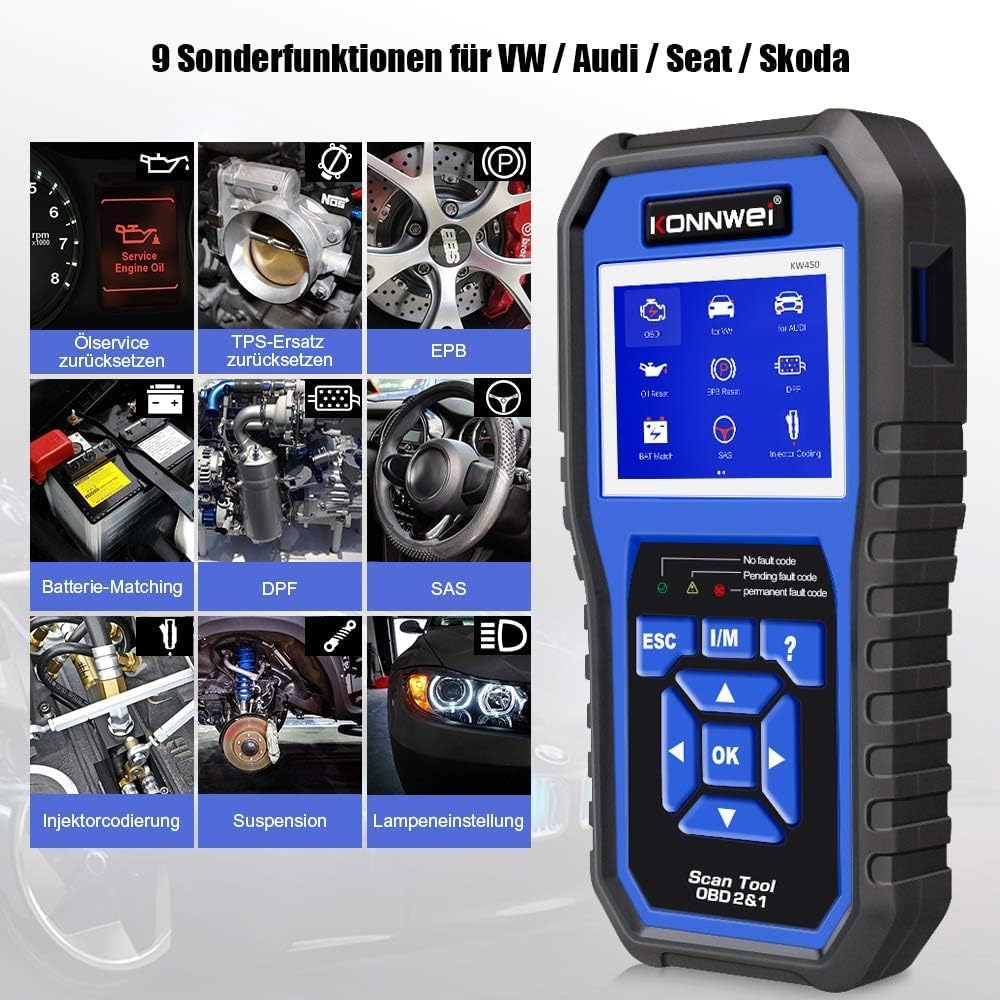
Figure 2: KONNWEI KW450 displaying universal OBD2 functions. These include Read Codes, Erase Codes, Live Data, Freeze Frame, O2 Sensor Test, I/M Readiness, On-Board Monitor Test, EVAP System Test, DTC Code Lookup, and VIN Information.
- కోడ్లను చదవండి: వాహనం యొక్క కంప్యూటర్ నుండి డయాగ్నస్టిక్ ట్రబుల్ కోడ్లను (DTCలు) తిరిగి పొందుతుంది.
- కోడ్లను తొలగించండి: వాహనం యొక్క కంప్యూటర్ నుండి DTC లను క్లియర్ చేస్తుంది మరియు పనిచేయని సూచిక L ను ఆపివేస్తుంది.amp (MIL).
- ప్రత్యక్ష డేటా: వాహనం యొక్క సెన్సార్ల నుండి నిజ-సమయ డేటా స్ట్రీమ్ను ప్రదర్శిస్తుంది.
- ఫ్రీజ్ ఫ్రేమ్: లోపం సంభవించిన సమయంలో ఆపరేటింగ్ పరిస్థితుల స్నాప్షాట్ను చూపుతుంది.
- O2 సెన్సార్ టెస్ట్: O2 సెన్సార్ మానిటర్ పరీక్ష ఫలితాలను పొందుతుంది.
- I/M సంసిద్ధత: ఉద్గార సంబంధిత మానిటర్ల సంసిద్ధతను తనిఖీ చేస్తుంది.
- ఆన్-బోర్డ్ మానిటర్ టెస్ట్: Retrieves results for on-board diagnostic monitoring tests.
- EVAP సిస్టమ్ పరీక్ష: బాష్పీభవన ఉద్గార నియంత్రణ వ్యవస్థ యొక్క పరీక్షను ప్రారంభిస్తుంది.
- DTC Code Lookup: Provides detailed descriptions of DTCs.
- VIN సమాచారం: Displays Vehicle Identification Number and other vehicle information.
4. నిర్వహణ
4.1 సాఫ్ట్వేర్ నవీకరణలు
The KONNWEI KW450 supports lifetime free software updates to ensure compatibility with new vehicle models and diagnostic protocols. To update the device:
- Download the 'Uplink' software from the official KONNWEI website onto a computer running Windows XP, 7, 8, or 10.
- Install the 'Uplink' software.
- Connect the KW450 scanner to your computer using the provided USB cable.
- On the scanner, press and hold the 'OK' button while plugging in the USB cable. The scanner screen should indicate 'Update Mode'.
- Open the 'Uplink' software on your computer and click 'Check Update'. Follow the on-screen instructions to complete the update process.

Figure 3: The KONNWEI KW450 connected to a computer for software updates. The 'Uplink' software facilitates the update process, ensuring the device has the latest diagnostic capabilities.
4.2 శుభ్రపరచడం మరియు నిల్వ చేయడం
- పరికరాన్ని మృదువైన, డితో శుభ్రం చేయండిamp గుడ్డ. రాపిడి క్లీనర్లు లేదా ద్రావకాలు ఉపయోగించవద్దు.
- Store the scanner in a dry, cool place, away from direct sunlight and extreme temperatures.
- Keep the cables free from kinks and damage.
5. ట్రబుల్షూటింగ్
| సమస్య | సాధ్యమైన కారణం | పరిష్కారం |
|---|---|---|
| పరికరం పవర్ ఆన్ చేయదు. | Loose connection to DLC; vehicle ignition not ON; faulty OBD2 cable. | Ensure cable is securely connected. Turn ignition to ON. Try a different OBD2 port if available or check cable for damage. |
| వాహనంతో కమ్యూనికేషన్ లోపం. | Incorrect protocol selected; vehicle not OBDII compliant; faulty vehicle DLC. | Verify vehicle is OBDII compliant. Check vehicle manual for DLC issues. Try on another compatible vehicle. |
| Cannot clear fault codes. | Underlying issue not resolved; ignition not ON; specific codes cannot be cleared by generic OBD2. | Address the root cause of the fault. Ensure ignition is ON. Some manufacturer-specific codes require specialized tools. |
| సాఫ్ట్వేర్ నవీకరణ విఫలమైంది. | Incorrect 'Uplink' software version; unstable USB connection; firewall/antivirus blocking. | Download the latest 'Uplink' software. Ensure a stable USB connection. Temporarily disable firewall/antivirus. |
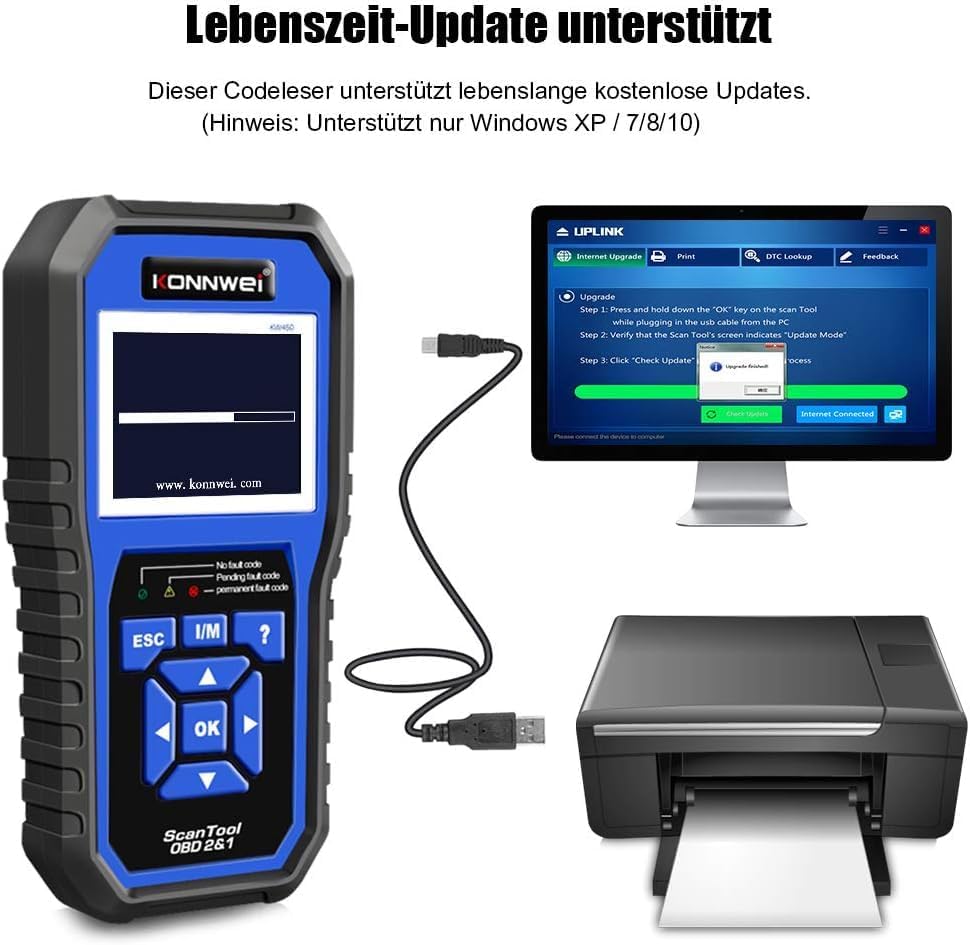
Figure 4: The KONNWEI KW450 main screen, showing indicators for 'No fault code', 'Pending fault code', and 'Permanent fault code' which are crucial for troubleshooting.
6. స్పెసిఫికేషన్లు
| ఫీచర్ | వివరాలు |
|---|---|
| బ్రాండ్ | కొన్వే |
| మోడల్ | KW450 |
| స్క్రీన్ పరిమాణం | 5 అంగుళాలు |
| ఆపరేటింగ్ సిస్టమ్ (నవీకరణల కోసం) | Windows XP, 7, 8, 10 |
| శక్తి మూలం | Wired (via OBD2 port) |
| ఉత్పత్తి కొలతలు (L x W x H) | 15.01 x 10 x 5 సెం.మీ |
| వస్తువు బరువు | 20 గ్రాములు |
| ధృవపత్రాలు | CE, FCC, RoHS Compliant |
7. వారంటీ సమాచారం
Please refer to the warranty card included with your product or contact the retailer/manufacturer for specific warranty terms and conditions. Extended warranty options may be available from third-party providers.
8. కస్టమర్ మద్దతు
For technical assistance, troubleshooting, or general inquiries, please contact KONNWEI customer support through their official website or the contact information provided in your product packaging. Ensure you have your product model (KW450) and purchase details ready when contacting support.


