1. ఉత్పత్తి ముగిసిందిview
The Mibro 2 True Wireless Bluetooth Earbuds with SinglePoint technology and an IPX5 rating offer a seamless and durable audio experience. The elegant white design ensures a sleek look, while the SinglePoint feature enhances connectivity. With an IPX5 rating, these earbuds are splash-resistant, making them suitable for various activities.
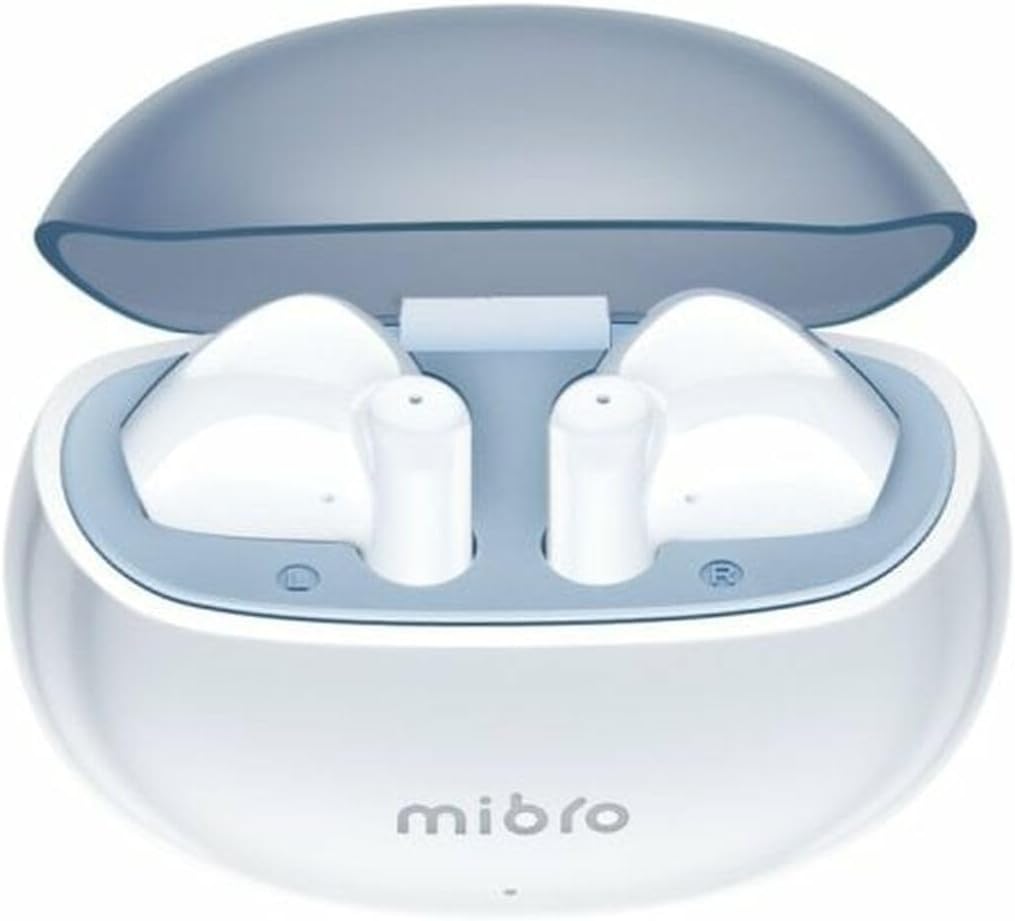
Figure 1.1: Mibro 2 Earbuds in their charging case, showcasing సొగసైన తెల్లని డిజైన్.
2 కీ ఫీచర్లు
- Seamless and durable audio experience
- SinglePoint technology enhances connectivity
- Elegant white design for a modern look
- Ideal for various activities with a stylish appearance
- Ensures a sleek and reliable audio solution

Figure 2.1: The Mibro 2 Earbuds and charging case, highlighting their compact and modern design.
3. ప్రారంభ సెటప్
3.1. ఇయర్బడ్లు మరియు కేస్ను ఛార్జ్ చేయడం
Before first use, fully charge the earbuds and the charging case. Place the earbuds into the charging case. Connect the charging case to a power source using a compatible USB cable (not included). The indicator light on the case will show charging status.
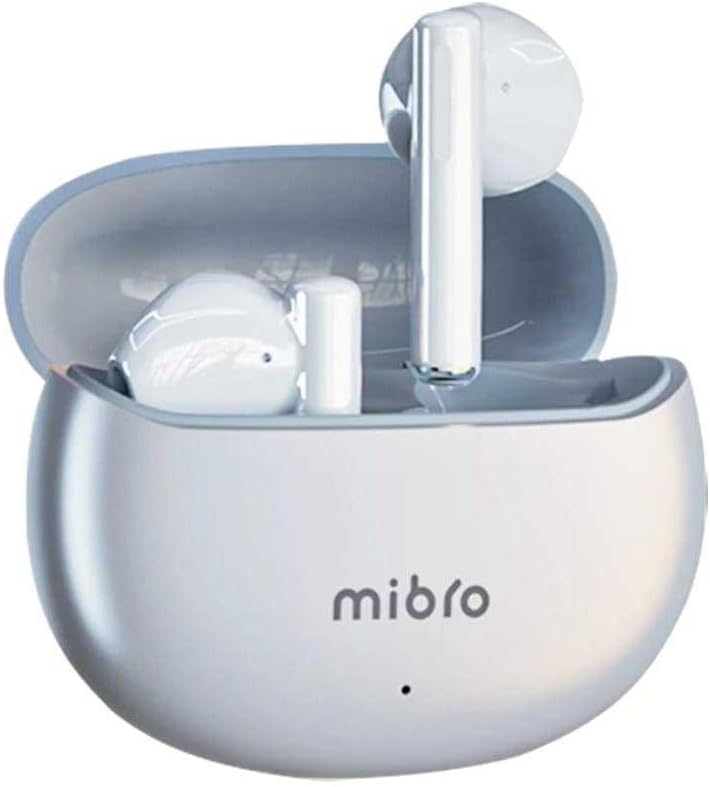
Figure 3.1: Mibro 2 Earbuds in their closed charging case, ready for charging.
3.2. పరికరంతో జత చేయడం
- ఇయర్బడ్లు ఛార్జ్ అయ్యాయని నిర్ధారించుకోండి.
- ఛార్జింగ్ కేస్ను తెరవండి. ఇయర్బడ్లు ఆటోమేటిక్గా జత చేసే మోడ్లోకి ప్రవేశిస్తాయి.
- మీ మొబైల్ ఫోన్ లేదా బ్లూటూత్-ప్రారంభించబడిన పరికరంలో, బ్లూటూత్ సెట్టింగ్లకు వెళ్లండి.
- కోసం వెతకండి available devices and select "Mibro 2 Earbuds" from the list.
- కనెక్ట్ అయిన తర్వాత, నిర్ధారణ ధ్వని ప్లే అవుతుంది మరియు ఇయర్బడ్లు ఉపయోగం కోసం సిద్ధంగా ఉంటాయి.

Figure 3.2: Pairing the Mibro 2 Earbuds with a mobile device.
4. ఆపరేషన్ గైడ్
4.1. పవర్ ఆన్/ఆఫ్
- పవర్ ఆన్: ఛార్జింగ్ కేస్ని తెరవండి, ఇయర్బడ్లు ఆటోమేటిక్గా పవర్ ఆన్ అవుతాయి.
- పవర్ ఆఫ్: ఇయర్బడ్లను తిరిగి ఛార్జింగ్ కేసులో ఉంచి, మూత మూసివేయండి. అవి ఆటోమేటిక్గా డిస్కనెక్ట్ అయి, పవర్ ఆఫ్ అవుతాయి.
4.2. టచ్ నియంత్రణలు
The Mibro 2 Earbuds feature intuitive touch controls for various functions:
- ప్లే/పాజ్: ఇయర్బడ్పై ఒక్కసారి నొక్కండి.
- తదుపరి ట్రాక్: కుడి ఇయర్బడ్పై రెండుసార్లు నొక్కండి.
- మునుపటి ట్రాక్: ఎడమ ఇయర్బడ్పై రెండుసార్లు నొక్కండి.
- సమాధానం/ముగింపు కాల్: ఇన్కమింగ్ కాల్ సమయంలో ఇయర్బడ్లలో దేనినైనా ఒకసారి నొక్కండి.
- కాల్ని తిరస్కరించండి: ఇన్కమింగ్ కాల్ సమయంలో ఇయర్బడ్లో దేనినైనా 2 సెకన్ల పాటు నొక్కి పట్టుకోండి.
- వాయిస్ అసిస్టెంట్ను సక్రియం చేయండి: ఏ ఇయర్బడ్పైనా మూడుసార్లు నొక్కండి.

Figure 4.1: Demonstrating the touch control on the Mibro 2 Earbuds.
5. సంరక్షణ మరియు నిర్వహణ
- శుభ్రపరచడం: ఇయర్బడ్లు మరియు ఛార్జింగ్ కేసును మృదువైన, పొడి, మెత్తటి బట్టతో క్రమం తప్పకుండా శుభ్రం చేయండి. కఠినమైన రసాయనాలు లేదా రాపిడి పదార్థాలను ఉపయోగించవద్దు.
- నీటి నిరోధకత: The earbuds are IPX5 splash-resistant. Avoid submerging them in water or exposing them to heavy rain. Dry them thoroughly if they get wet.
- నిల్వ: ఇయర్బడ్లను ఉపయోగించనప్పుడు వాటిని రక్షించడానికి మరియు ఛార్జ్లో ఉంచడానికి వాటి ఛార్జింగ్ కేసులో నిల్వ చేయండి. తీవ్రమైన ఉష్ణోగ్రతలను నివారించండి.
- బ్యాటరీ సంరక్షణ: To prolong battery life, avoid fully discharging the earbuds frequently. Charge them regularly, even if not used for extended periods.
6. ట్రబుల్షూటింగ్
- ఇయర్బడ్లు జత కావడం లేదు: Ensure earbuds are charged and within range of your device. Turn off and on your device's Bluetooth. Try resetting the earbuds (refer to manufacturer's specific reset instructions if available).
- ఒక ఇయర్బడ్ నుండి శబ్దం లేదు: రెండు ఇయర్బడ్లను తిరిగి ఛార్జింగ్ కేసులో ఉంచండి, మూత మూసివేసి, కొన్ని సెకన్లు వేచి ఉండి, ఆపై దాన్ని మళ్ళీ తెరవండి. ఇది తరచుగా వాటిని తిరిగి సమకాలీకరిస్తుంది.
- తక్కువ వాల్యూమ్: Adjust the volume on both your connected device and the earbuds. Ensure eartips are properly sealed in your ear canal.
- ఛార్జింగ్ సమస్యలు: Check the charging cable and power adapter. Ensure the charging contacts on the earbuds and inside the case are clean and free of debris.
7. సాంకేతిక లక్షణాలు
| ఫీచర్ | స్పెసిఫికేషన్ |
|---|---|
| బ్రాండ్ | మిబ్రో |
| మోడల్ పేరు | 2 ఇయర్బడ్స్ |
| అంశం మోడల్ సంఖ్య | sol-me2 |
| కనెక్టివిటీ టెక్నాలజీ | వైర్లెస్ బ్లూటూత్ |
| నియంత్రణ పద్ధతి | టచ్ |
| ఫారమ్ ఫ్యాక్టర్ | ఇన్-ఇయర్ |
| రంగు | తెలుపు |
| మెటీరియల్ | ప్లాస్టిక్ |
| వస్తువు బరువు | 100 గ్రాములు |
| నీటి నిరోధక స్థాయి | IPX5 Splash-resistant |
| పునర్వినియోగపరచదగిన బ్యాటరీ | అవును |
| ప్రత్యేక లక్షణాలు | తేలికైనది |
| అనుకూల పరికరాలు | మొబైల్ ఫోన్ |
| చేర్చబడిన భాగాలు | ఎర్టిప్ |
8. వారంటీ మరియు మద్దతు
8.1. వారంటీ సమాచారం
Specific warranty information for the Mibro 2 True Wireless Bluetooth Earbuds is not available in the provided product data. Please refer to the product packaging or the official Mibro webవివరణాత్మక వారంటీ నిబంధనలు మరియు షరతుల కోసం సైట్.
8.2. కస్టమర్ మద్దతు
Customer support contact details are not available in the provided product data. For assistance, please visit the official Mibro webఉత్పత్తిని కొనుగోలు చేసిన సైట్ లేదా రిటైలర్ను సంప్రదించండి.


