1. పరిచయం
Thank you for choosing the realme TechLife Portable Room Air Purifier. This manual provides essential information for the safe and efficient operation, maintenance, and troubleshooting of your device. Please read this manual thoroughly before use and retain it for future reference.
2. భద్రతా సూచనలు
విద్యుత్ షాక్, అగ్ని ప్రమాదం లేదా గాయం ప్రమాదాన్ని తగ్గించడానికి, దయచేసి ఈ క్రింది భద్రతా జాగ్రత్తలను గమనించండి:
- Always unplug the air purifier before cleaning, performing maintenance, or when not in use.
- దెబ్బతిన్న త్రాడు లేదా ప్లగ్తో యూనిట్ను ఆపరేట్ చేయవద్దు. త్రాడు లేదా ప్లగ్ దెబ్బతిన్నట్లయితే, కస్టమర్ సపోర్ట్ను సంప్రదించండి.
- గాలి ఇన్లెట్లు లేదా అవుట్లెట్లను నిరోధించవద్దు. సరైన గాలి ప్రవాహం కోసం యూనిట్ చుట్టూ తగినంత స్థలం ఉండేలా చూసుకోండి.
- తడి లేదా డిలో ఎయిర్ ప్యూరిఫైయర్ని ఉపయోగించవద్దుamp environments, such as bathrooms or laundries.
- యూనిట్ను ఉష్ణ వనరులు, ప్రత్యక్ష సూర్యకాంతి మరియు మండే పదార్థాల నుండి దూరంగా ఉంచండి.
- ఈ ఉపకరణం వారి భద్రతకు బాధ్యత వహించే వ్యక్తి ద్వారా ఉపకరణాన్ని ఉపయోగించడం గురించి పర్యవేక్షణ లేదా సూచనలను అందిస్తే తప్ప, శారీరక, ఇంద్రియ లేదా మానసిక సామర్థ్యాలు తగ్గిన వ్యక్తులు (పిల్లలతో సహా) లేదా అనుభవం మరియు జ్ఞానం లేకపోవడం కోసం ఉద్దేశించబడలేదు.
- Only use genuine realme replacement filters.
3. ప్యాకేజీ విషయాలు
ప్యాకేజీలో అన్ని అంశాలు ఉన్నాయని నిర్ధారించుకోండి:
- realme TechLife Portable Room Air Purifier Unit
- HEPA H12 Filter (pre-installed or separate)
- పవర్ అడాప్టర్
- వినియోగదారు మాన్యువల్
4. ఉత్పత్తి ముగిసిందిview
4.1 భాగాలు
The image below illustrates the main components of the realme TechLife Portable Room Air Purifier.
మూర్తి 1: ముందు view of the realme TechLife Portable Room Air Purifier. The unit is white with a sleek, minimalist design.
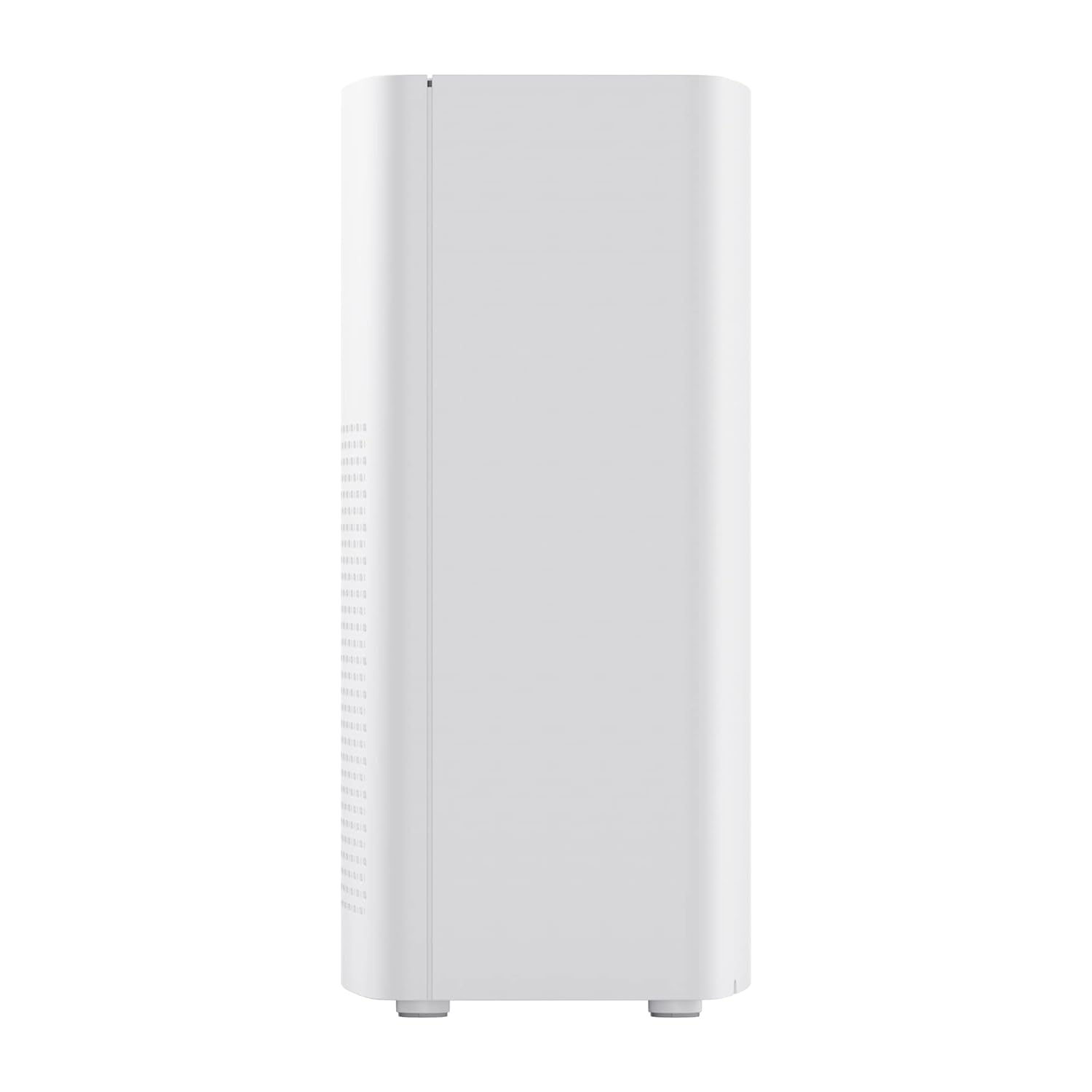
మూర్తి 2: వైపు view of the realme TechLife Portable Room Air Purifier, showing its compact and lightweight profile.
4.2 నియంత్రణ ప్యానెల్
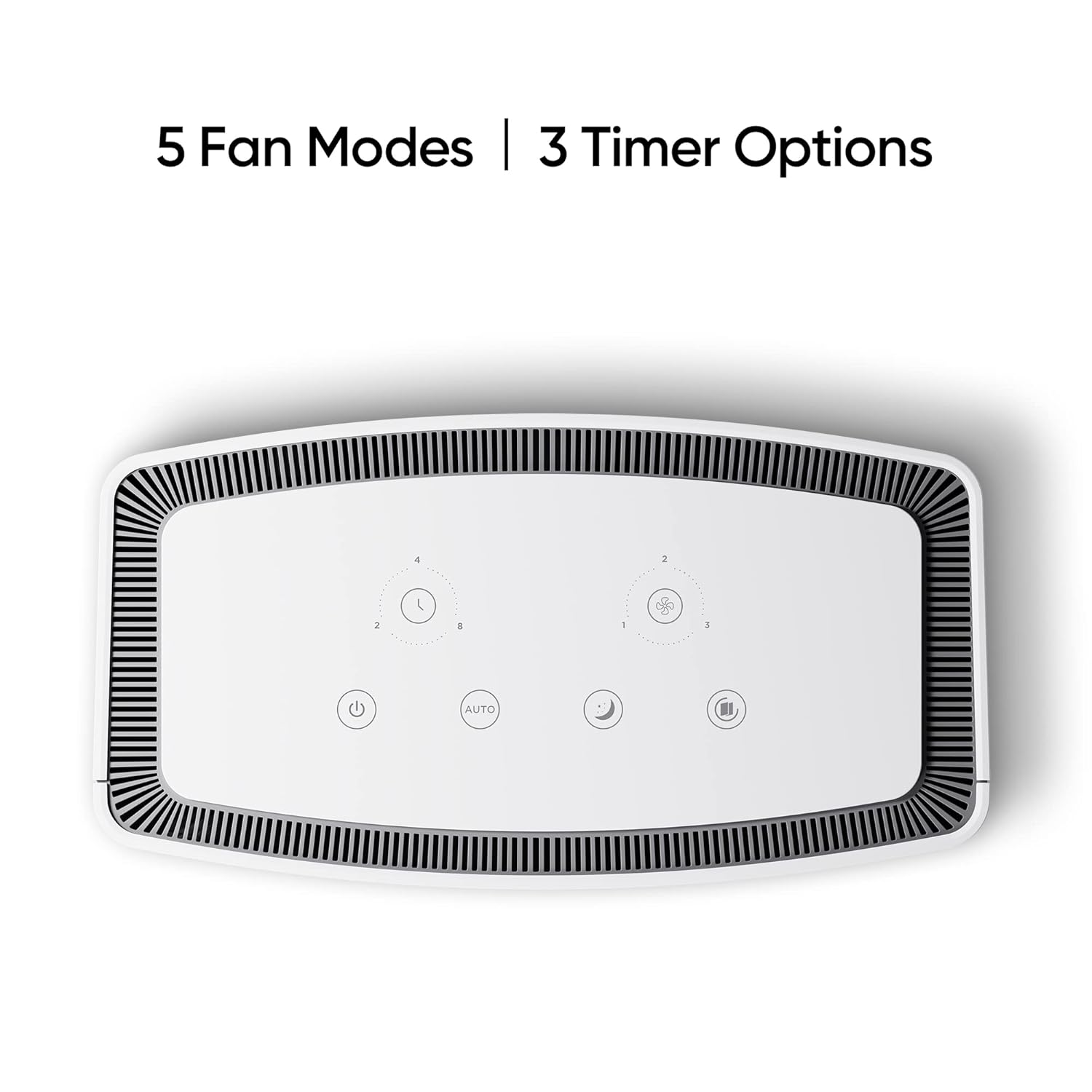
The control panel is located on the top of the air purifier and features touch-sensitive buttons for various functions.

చిత్రం 3: పై నుండి క్రిందికి view of the control panel, displaying touch buttons for power, auto mode, sleep mode, fan speed, and timer settings.
- పవర్ బటన్: యూనిట్ని ఆన్ లేదా ఆఫ్ చేస్తుంది.
- AUTO Mode Button: గాలి నాణ్యత ఆధారంగా ఆటోమేటిక్ ఫ్యాన్ స్పీడ్ సర్దుబాటును సక్రియం చేస్తుంది.
- స్లీప్ మోడ్ బటన్: Sets the fan to its lowest speed for quiet operation.
- ఫ్యాన్ స్పీడ్ బటన్: Cycles through manual fan speed settings (e.g., Level 1, 2, 3).
- టైమర్ బటన్: Sets the operating duration (e.g., 2, 4, 8 hours).
- గాలి నాణ్యత సూచిక: Displays current air quality (color-coded).
5. సెటప్
5.1 ఫిల్టర్ సంస్థాపన
The HEPA filter may be pre-installed or require installation before first use.
- Unpack the air purifier and place it on a stable, flat surface.
- Locate the filter compartment cover, usually at the bottom or rear of the unit.
- Open the cover and remove any plastic packaging from the HEPA filter.
- ఫిల్టర్ను కంపార్ట్మెంట్లోకి చొప్పించండి, అది సరిగ్గా అమర్చబడిందని నిర్ధారించుకోండి.
- ఫిల్టర్ కంపార్ట్మెంట్ కవర్ను సురక్షితంగా మూసివేయండి.
5.2 ప్లేస్మెంట్
For optimal performance, place the air purifier in a location with good air circulation, away from walls or furniture that might obstruct airflow. Avoid placing it near windows or vents.
5.3 పవర్ కనెక్షన్
Connect the power adapter to the air purifier's power port, then plug the adapter into a standard electrical outlet.
6. ఆపరేటింగ్ సూచనలు
6.1 పవర్ ఆన్/ఆఫ్
నొక్కండి పవర్ బటన్ once to turn the air purifier on. Press it again to turn the unit off.
6.2 Fan Speed Modes
- ఆటో మోడ్: నొక్కండి ఆటో బటన్. The purifier will automatically adjust its fan speed based on the detected air quality.
- స్లీప్ మోడ్: నొక్కండి స్లీప్ మోడ్ బటన్. The fan operates at its lowest speed for quiet purification, ideal for nighttime use.
- మాన్యువల్ ఫ్యాన్ వేగం: నొక్కండి ఫ్యాన్ స్పీడ్ బటన్ repeatedly to cycle through different fan speed levels (e.g., Level 1, Level 2, Level 3).
6.3 టైమర్ సెట్టింగ్లు
నొక్కండి టైమర్ బటన్ repeatedly to set the desired operating duration (e.g., 2 hours, 4 hours, 8 hours). The unit will automatically turn off after the set time expires.
6.4 గాలి నాణ్యత సూచిక
The air quality indicator light changes color to reflect the current air quality:
- ఆకుపచ్చ: మంచి గాలి నాణ్యత
- పసుపు/నారింజ: గాలి నాణ్యత మధ్యస్థంగా ఉంది
- ఎరుపు: పేలవమైన గాలి నాణ్యత
7. నిర్వహణ
7.1 ఫిల్టర్ భర్తీ
The HEPA filter has a limited lifespan and needs regular replacement to maintain purification efficiency. The filter life depends on usage and air quality. A filter replacement indicator light will typically illuminate when replacement is due.
- పవర్ అవుట్లెట్ నుండి ఎయిర్ ప్యూరిఫైయర్ను అన్ప్లగ్ చేయండి.
- ఫిల్టర్ కంపార్ట్మెంట్ కవర్ను తెరవండి.
- పాత ఫిల్టర్ను తీసివేసి సరిగ్గా పారవేయండి.
- Insert a new, genuine realme HEPA H12 replacement filter.
- ఫిల్టర్ కంపార్ట్మెంట్ కవర్ను సురక్షితంగా మూసివేయండి.
- Plug in the air purifier and reset the filter life indicator (refer to specific model instructions if available, usually by pressing and holding the filter button for a few seconds).
Note: Replacement filters may need to be purchased separately. Ensure availability of replacement filters for continued use of the product.
7.2 యూనిట్ శుభ్రపరచడం
Regular cleaning helps maintain performance and appearance.
- యూనిట్ వెలుపలి భాగాన్ని మృదువైన, పొడి వస్త్రంతో తుడవండి.
- రాపిడి క్లీనర్లు, మైనపులు లేదా ద్రావకాలను ఉపయోగించవద్దు.
- Gently vacuum the air inlet and outlet grilles to remove dust accumulation.
8. ట్రబుల్షూటింగ్
మీ ఎయిర్ ప్యూరిఫైయర్తో మీరు సమస్యలను ఎదుర్కొంటే, సాధారణ సమస్యలు మరియు పరిష్కారాల కోసం క్రింది పట్టికను చూడండి.
| సమస్య | సాధ్యమైన కారణం | పరిష్కారం |
|---|---|---|
| యూనిట్ ఆన్ చేయబడలేదు | No power supply; Power adapter not connected; Unit damaged. | Check power cord and outlet; Ensure adapter is securely connected; Contact customer support if damaged. |
| బలహీనమైన గాలి ప్రవాహం | Air inlets/outlets blocked; Filter clogged; Filter not installed correctly. | Clear obstructions; Replace filter; Reinstall filter correctly. |
| అసాధారణ శబ్దం | Foreign object inside; Unit not on a flat surface; Filter not seated correctly. | Unplug and check for obstructions; Place on a stable surface; Reinstall filter. |
| Air quality indicator always red/orange | High pollution level; Sensor dirty; Sensor malfunction. | Allow more time for purification; Clean the sensor area (if accessible); Contact customer support. |
If the problem persists after trying these solutions, please contact realme customer support.
9. స్పెసిఫికేషన్లు
Technical specifications for the realme TechLife Portable Room Air Purifier:
| ఫీచర్ | స్పెసిఫికేషన్ |
|---|---|
| బ్రాండ్ | నిజమే |
| మోడల్ | TechLife Portable Room Air Purifier |
| రంగు | తెలుపు |
| ఫిల్టర్ రకం | HEPA H12 |
| Contaminant Filtration | 99.97% |
| కంట్రోలర్ రకం | టచ్ కంట్రోల్ |
| ప్రత్యేక లక్షణాలు | High Precision Air Quality Sensor, Lightweight |
| వస్తువు బరువు | 5 కిలో 780 గ్రా |
| శక్తి మూలం | Battery Powered (Please refer to product label for specific power input) |
10. వారంటీ మరియు మద్దతు
The realme TechLife Portable Room Air Purifier comes with a limited warranty. Please refer to the warranty card included with your product for detailed terms and conditions, including warranty period and coverage.
For technical support, service, or to purchase genuine replacement parts and filters, please visit the official realme website or contact realme customer service through the contact information provided in your warranty documentation.
వారంటీ క్లెయిమ్ల కోసం కొనుగోలు రుజువుగా మీ కొనుగోలు రసీదును ఉంచండి.


