R4 Manuals & User Guides

User manuals, setup guides, troubleshooting help, and repair information for R4 products.

Tip: include the full model number printed on your R4 label for the best match.

R4 manuals

Latest posts, featured manuals, and retailer-linked manuals for this brand tag.

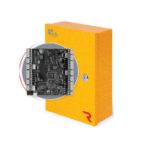
pdk R4 Four Door Controller User Guide

August 25, 2022
pdk R4 Four Door Controller Package Contents Mounting Controller Mount - Mount the Red 4 enclosure securely to a wall. A Reader(s) - Use a 22/5 or 22/6 wire to wire the reader to the controller, as shown above. Be…

Avrtx R4 Radio-Network Link Box User Manual

August 18, 2022
Avrtx R4 Radio-Network Link Box Avrtx R4 Radio-Network Link Box list P 2, Product features are as below P 2, Control Principle P 2, Controller applications:- P 2, The softwares that this product supports are P 2, Motherboard function diagram…

LORD R4 Monoclimatic Refrigerator User Manual

April 18, 2022
LORD R4 Monoclimatic Refrigerator Safety information In the interest of your safety and to ensure the correct use, before installing and first using the appliance, read this user manual carefully, including its hints and warnings. To avoid unnecessary mistakes and…

REYEE RG-R4 Mesh Router User Manual

January 16, 2022
REYEE RG-R4 Mesh Router Packing List Name Quantity Unit Router 1 Set Power Adapter 1 Piece Warranty Card 1 Copy User Manual 1 Copy Network Cable 1 Piece Product Appearance ① Reset button ② Power port ③ WAN port ④…

CORN R4 Smart Phone User Guide

January 7, 2022
R4 Quick Guide For more information Consult the quick guide in the packing box. Open cellphone service and enjoy the following service: Consult the manual Get help through various channels such as self-service, intelligent questioning and answering, manual service, question…

Alienware 17 R4 User Guide

October 24, 2021
Alienware 17 R4 Setup and Specifications Regulatory Model: P31E Regulatory Type: P31E001 Notes, cautions, and warnings NOTE: A NOTE indicates important information that helps you make better use of your product. CAUTION: A CAUTION indicates either potential damage to hardware…