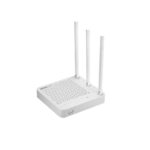
A702R Manuals & User Guides

User manuals, setup guides, troubleshooting help, and repair information for A702R products.

Tip: include the full model number printed on your A702R label for the best match.

A702R manuals

Latest posts, featured manuals, and retailer-linked manuals for this brand tag.

How to Find Router’s Serial Number

October 24, 2023
How to Find Router’s Serial Number? It is suitable for: N100RE, N150RH, N150RT, N151RT, N200RE, N210RE, N300RT, N300RH, N300RU, N301RT, N302R Plus, N600R, A702R, A850R,  A800R, A810R, A3002RU, A3100R, T10, A950RG, A3000RU For most TOTOLINK routers, you can see two bar…

How to setup N200RE V3 Multi-SSID

October 24, 2023
How to setup N200RE V3 Multi-SSID? It is suitable for: N100RE, N150RH, N150RT, N151RT, N200RE, N210RE, N300RT, N301RT , N300RH, N302R Plus, A702R, A850R, A3002RU  Application introduction:  Multi-SSID allows users to create multiple WiFi networks with different priority. It is good for…

How to change LAN IP address

October 24, 2023
How to change LAN IP address? It is suitable for: N100RE, N150RH, N150RT, N151RT, N200RE, N210RE, N300RT, N301RT , N300RH, N302R Plus, A702R, A850R, A3002RU Application introduction:  IP conflict may happen while there are two routers in series connection or other…

How to setup Multiple SSIDs

October 24, 2023
How to setup Multiple SSIDs? It is suitable for: N100RE, N150RH, N150RT, N151RT, N200RE, N210RE, N300RT, N301RT , N300RH, N302R Plus, A702R, A850R, A3002RU Application introduction:  Multiple APs function allows users to create network name for clients or friends accordingly. It…

How to change the login password

October 24, 2023
How to change the login password? It is suitable for: N100RE, N150RH, N150RT, N151RT, N200RE, N210RE, N300RT, N301RT , N300RH, N302R Plus, A702R, A850R, A3002RU Application introduction: If you want to reset the router’s User Name and Password, please follow the steps…

How to use Reboot schedule?

October 24, 2023
How to use Reboot schedule? It is suitable for: N100RE, N150RH, N150RT, N151RT, N200RE, N210RE, N300RT, N301RT , N300RH, N302R Plus, A702R, A850R, A3002RU Application introduction:  The schedule function allows you to setup the time that the router will reboot automatically.…

How to reset the router to factory defaults?

October 24, 2023
How to reset the router to factory defaults? It is suitable for: N100RE, N150RH, N150RT, N151RT, N200RE, N210RE, N300RT, N301RT , N300RH, N302R Plus, A702R, A850R, A3002RU Application introduction: If you can’t access the router’s setup interface or simply forgot the…

How to setup the router to work as a repeater

October 24, 2023
How to setup the router to work as a repeater? It is suitable for: N100RE, N150RH, N150RT, N151RT, N200RE, N210RE, N300RT, N301RT , N300RH, N302R Plus, A702R, A850R, A3002RU Application introduction: TOTOLINK router provided repeater function, with this function users can…

What’s MAC address clone used for and how to configure

October 22, 2023
What's MAC address clone used for and how to configure? This FAQ is suitable for: N100RE, N150RH, N150RT, N151RT, N200RE, N210RE, N300RT, N301RT , N300RH, N302R Plus, A702R, A850R, A3002RU Application introduction: MAC address is the physical address of your computer’s network…

A3002RU Change the WIFI password setting

October 22, 2023
A3002RU Change the WIFI password setting It is suitable for: N100RE, N150RH, N150RT, N151RT, N200RE, N210RE, N300RT, N301RT , N300RH, N302R Plus, A702R, A850R, A3002RU Application introduction: Solution about how to change the wireless name and password on the TOTOLINK products STEP-1:…