1. அறிமுகம்
Thank you for choosing the Teamgee 14-inch FHD IPS Triple Portable Monitor. This device is designed to significantly enhance your productivity by providing a multi-display solution for your laptop. It supports various display modes, including expansion and mirroring, allowing you to manage multiple tasks simultaneously. Its portable design makes it ideal for office presentations, remote work, and business travel.

Image: The Teamgee 14-inch Triple Portable Monitor in use, demonstrating its multi-screen capability.
2. பாதுகாப்பு தகவல்
- சாதனத்தை அதிக வெப்பநிலை அல்லது ஈரப்பதத்திற்கு வெளிப்படுத்த வேண்டாம்.
- வலுவான தாக்கங்களுக்கு சாதனத்தை கைவிடுவதையோ அல்லது உட்படுத்துவதையோ தவிர்க்கவும்.
- சேதத்தைத் தடுக்க வழங்கப்பட்ட கேபிள்கள் மற்றும் துணைக்கருவிகளை மட்டும் பயன்படுத்தவும்.
- சாதனத்தை தண்ணீர் மற்றும் பிற திரவங்களிலிருந்து விலக்கி வைக்கவும்.
- சாதனத்தை நீங்களே பிரிக்கவோ அல்லது சரிசெய்யவோ முயற்சிக்காதீர்கள். உதவிக்கு வாடிக்கையாளர் ஆதரவைத் தொடர்பு கொள்ளவும்.
- அதிக வெப்பமடைவதைத் தடுக்க, பயன்படுத்தும் போது சரியான காற்றோட்டத்தை உறுதி செய்யவும்.
3. தொகுப்பு உள்ளடக்கங்கள்
அனைத்து பொருட்களும் இருப்பதை உறுதிசெய்ய, பெட்டியை திறக்கும்போது தொகுப்பின் உள்ளடக்கங்களைச் சரிபார்க்கவும்:
- Triple Screen Monitor (x1)
- சேமிப்பு பை (x1)
- பயனர் கையேடு (x1)
- விரைவு தொடக்க வழிகாட்டி (x1)
- USB-C to USB-C Cable (x2)
- USB-A to USB-C Cable (x2)
- HDMI to Type-C Cable (x2)

படம்: விரிவானது view of the package contents, including the triple screen monitor, cables, and accessories.
4. தயாரிப்பு முடிந்துவிட்டதுview
The Teamgee Triple Portable Monitor features a thoughtful design for portability and ease of use. Key components include:
- இரட்டை பேச்சாளர்கள்: Integrated speakers on each screen for audio output.
- சரிசெய்யக்கூடிய அடைப்புக்குறி: Built-in stand for stable positioning.
- Stretchable Frame: Allows adjustment to fit various laptop sizes (13.3 to 17.3 inches).
- Top Bracket: Secures the monitor to the top of your laptop screen.
- மல்டிஃபங்க்ஷன் பட்டன்: Controls various display settings.
- 180° சுழற்சி: Each screen can rotate up to 180 degrees for flexible viewing angles and easy folding.
- பாதுகாப்பு திணிப்பு: Anti-pinch rubber mats for laptop protection.

படம்: வெடித்தது view of the monitor's components and their functions.
5. அமைவு வழிகாட்டி
5.1 ஆரம்ப அமைப்பு
- Carefully unpack the triple screen monitor and all accessories.
- Place your laptop on a stable, flat surface.
- Extend the stretchable frame of the Teamgee monitor to fit your laptop screen size (13.3 to 17.3 inches).
- Gently attach the monitor to the top of your laptop screen using the top bracket and ensure the anti-pinch rubber mats are in place to protect your laptop.
- Adjust the integrated adjustable bracket for stability.
5.2 இணைப்பு முறைகள்
The Teamgee monitor offers versatile connectivity options. No drivers are required for most operating systems.

படம்: முடிந்ததுview of compatible devices and connection types.
- Full-featured Type-C Connection (Recommended):
If your laptop has two full-featured Type-C ports, connect each monitor directly to your laptop using the provided USB-C to USB-C cables. This method typically provides both video and power.

Image: Connection using two USB-C to USB-C cables.
- Mixed Connection (Type-C, USB-A, HDMI):
If your laptop has one full-featured Type-C port, one USB-A port, and one HDMI port:
- First, connect one monitor using a USB-C to USB-C cable to the full-featured Type-C port.
- Then, connect the other monitor using a USB-A to USB-C cable for power and an HDMI to Type-C cable for video.

Image: Connection using a combination of USB-C, USB-A, and HDMI cables.
5.3 இணக்கத்தன்மை
The Teamgee monitor is compatible with a wide range of devices and operating systems, including:
- விண்டோஸ்
- Mac (M1 Max and M1 Pro only)
- Chrome OS
- அண்ட்ராய்டு
- லினக்ஸ்
- சாம்சங் டெக்ஸ்
- நிண்டெண்டோ சுவிட்ச்
It is designed to fit laptops ranging from 13.3 to 17.3 inches.
6. இயக்க வழிமுறைகள்
6.1 காட்சி முறைகள்
The monitor supports two primary display modes:
- நீட்டிப்பு முறை: Extends your desktop across all three screens, allowing for increased workspace and multitasking.
- மிரர் பயன்முறை: Duplicates your main laptop screen onto the external monitors, useful for presentations or sharing content.
You can switch between these modes and adjust display settings through your operating system's display settings (e.g., Display Settings on Windows, System Preferences > Displays on Mac).

Image: The triple monitor setup enabling efficient multitasking.
6.2 காட்சி அமைப்புகளை சரிசெய்தல்
Each screen is equipped with a multifunction button for quick adjustments. Refer to the Quick Start Guide for specific button functions, which typically include:
- பிரகாசம் சரிசெய்தல்
- மாறுபாடு சரிசெய்தல்
- வண்ண வெப்பநிலை அமைப்புகள்
- உள்ளீட்டு மூல தேர்வு
6.3 Portability and Rotation
The monitor's design allows for easy portability and flexible viewing:
- The screens can be rotated up to 180 degrees, allowing for various viewing angles or folding for compact storage and transport.
- The integrated adjustable bracket provides stability on different surfaces.
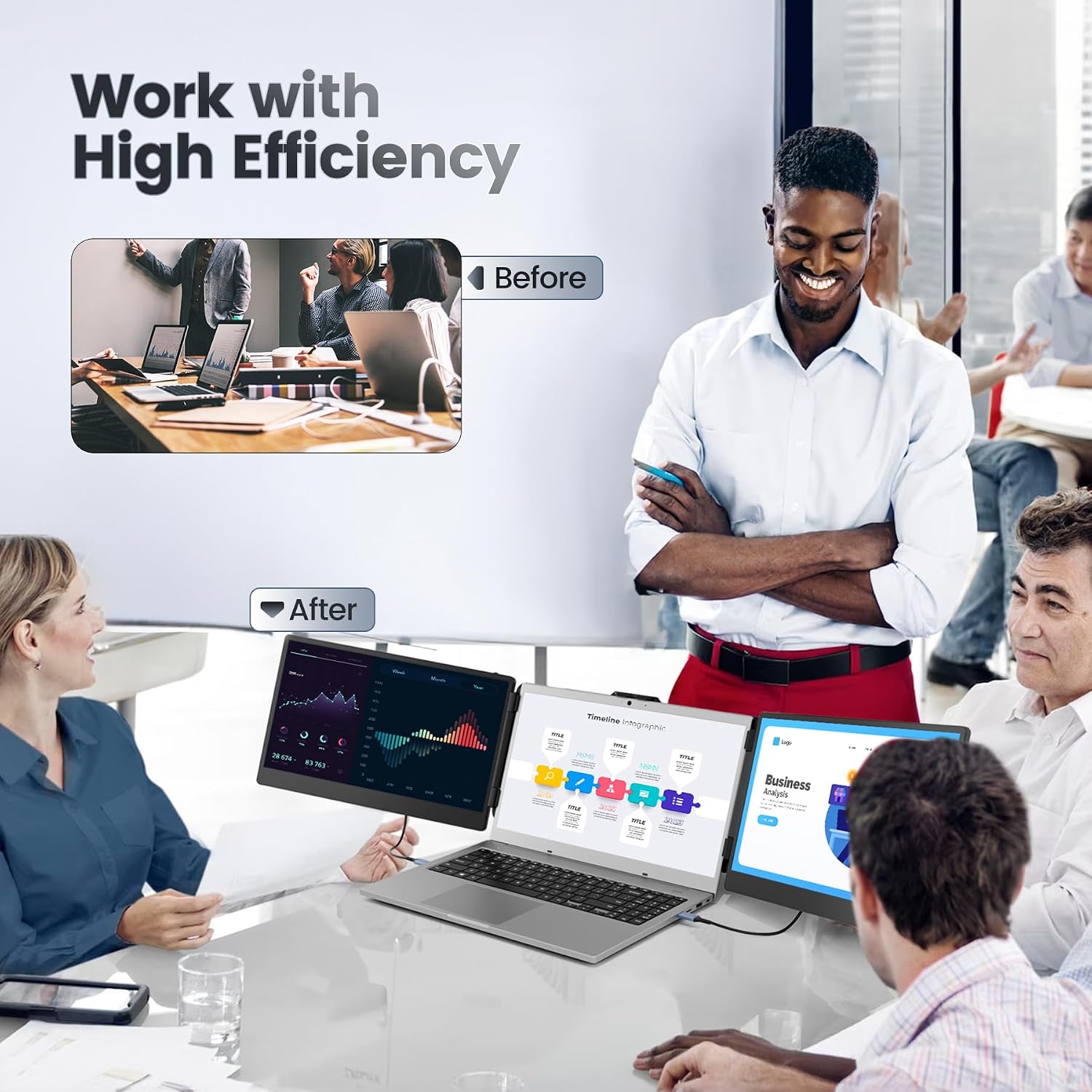
Image: The monitor in a professional setting, highlighting its contribution to high efficiency.
7. பராமரிப்பு
- சுத்தம்: Use a soft, lint-free cloth to gently wipe the screens and exterior. For stubborn smudges, slightly dampதுணியை தண்ணீர் அல்லது திரை-பாதுகாப்பான துப்புரவு கரைசலில் நனைக்கவும். கடுமையான இரசாயனங்கள் அல்லது சிராய்ப்பு பொருட்களைத் தவிர்க்கவும்.
- சேமிப்பு: When not in use, fold the monitor compactly and store it in the provided storage bag to protect it from dust and scratches.
- கையாளுதல்: Always handle the monitor by its frame, avoiding direct pressure on the screens.
8. சரிசெய்தல்
| பிரச்சனை | சாத்தியமான காரணம் | தீர்வு |
|---|---|---|
| No display on one or both screens. |
|
|
| மினுமினுப்பு அல்லது நிலையற்ற காட்சி. |
|
|
| Audio not working. |
|
|
| Laptop feels unstable or heavy. |
|
|
If you encounter issues not listed here or if the solutions do not resolve your problem, please contact Teamgee customer support.
9. விவரக்குறிப்புகள்
| அம்சம் | விவரம் |
|---|---|
| பிராண்ட் | டீம்ஜி |
| மாதிரி எண் | B0CD7HS1KM |
| திரை அளவு | 14 Inches (each) |
| தீர்மானம் | FHD 1080p (1920 x 1080) |
| காட்சி தொழில்நுட்பம் | ஐ.பி.எஸ் |
| தோற்ற விகிதம் | 16:9 |
| மாறுபாடு விகிதம் | 1000:1 |
| பிரகாசம் | 300 நைட் |
| வண்ண வரம்பு | 72% NTSC |
| பதில் நேரம் | 1 மில்லி விநாடி |
| இணைப்பு | HDMI, USB-A, Type-C |
| சிறப்பு அம்சங்கள் | Anti-glare screen, Integrated Dual Speakers, Adjustable Bracket, Stretchable Frame, 180° Rotation |
| Compatible Laptop Sizes | 13.3 - 17.3 அங்குலம் |
| இணக்கமான சாதனங்கள் | Windows, Mac (M1 Max/Pro), Chrome, Android, Linux, Dex, Switch |

Image: Visual representation of the display's key specifications.
10. உத்தரவாதம் மற்றும் ஆதரவு
Teamgee is dedicated to providing comprehensive customer service.
- உத்தரவாதம்: All Teamgee products come with a one-year warranty from the date of purchase.
- வாடிக்கையாளர் ஆதரவு: If you find any missing accessories, or have questions regarding compatibility or connectivity, please do not hesitate to contact us. We aim to provide a solution within 24 hours.
- தொடர்பு தகவல்: Please refer to the contact details provided on the product packaging or in the Quick Start Guide for the most up-to-date support information.


