1. Utangulizi
This manual provides essential information for the safe and efficient operation, maintenance, and troubleshooting of your VEVOR 12-inch Rechargeable Floor Fan, Model FS30. Please read this manual thoroughly before using the product and retain it for future reference.
2. Maagizo ya Usalama
Ili kupunguza hatari ya moto, mshtuko wa umeme, au jeraha, fuata tahadhari zifuatazo za usalama:
- Daima ondoa plagi ya feni kabla ya kusafisha au kufanya matengenezo yoyote.
- Do not operate the fan with a damaged cord or plug. If the cord or plug is damaged, contact customer service for replacement.
- Keep fingers and other objects away from the fan blades and openings during operation.
- Usitumbukize feni kwenye maji au vimiminiko vingine.
- This fan is designed for indoor use. Do not use outdoors or in wet locations.
- Hakikisha feni imewekwa juu ya uso thabiti, ulio sawa ili kuzuia kupiga.
- Usitumie feni karibu na mapazia, mapazia, au vitu vingine vinavyoweza kuvutwa ndani ya feni.
- Keep the fan away from heat sources, open flames, and flammable materials.
- Kifaa hiki hakikusudiwa kutumiwa na watu (pamoja na watoto) wenye uwezo mdogo wa kimwili, hisi, au kiakili, au wasio na uzoefu na ujuzi, isipokuwa kama wamepewa usimamizi au maagizo kuhusu matumizi ya kifaa na mtu anayehusika na usalama wao. .
- Watoto wanapaswa kusimamiwa ili kuhakikisha kwamba hawachezi na kifaa.
3. Vipengele vya Bidhaa
The VEVOR 12-inch Rechargeable Floor Fan (Model FS30) includes the following components:
- 1 x Fan Unit
- Adapta ya kuchaji 1 x
- 1 x Mwongozo wa Maagizo (hati hii)
- 2 x Plastic Knobs (for assembly/adjustment)

Picha: Juuview of the VEVOR 12-inch Rechargeable Floor Fan and its included accessories: the fan unit, charging adapter, and two plastic knobs.
4. Vipimo
| Kipengele | Vipimo |
|---|---|
| Jina la Mfano | FS30 |
| Kipenyo cha Blade | Inchi 12 / 30.48 cm |
| Uwezo wa Betri | 15600mAh |
| Fan Operating Voltage | 12V |
| Muda Kamili wa Malipo | 2.5 masaa |
| Kiwango cha juu cha mtiririko wa hewa | Futi za Ujazo 1035 kwa Dakika (CFM) |
| Kasi ya Upepo | 5.1 m/s (futi 16.73/s) |
| Nyenzo Kuu | Chuma |
| Uzito wa Bidhaa | Pauni 5.95 / kilo 2.7 |
| Vipimo vya Bidhaa (D x W x H) | 16.34"D x 8.07"W x 14.37"H (415mm x 205mm x 365mm) |
| Aina ya Magari | Brushless Copper Motor |
| Njia ya Kudhibiti | Touch / Stepless Speed Knob |
| Kipengele Maalum | 360 Degree Manual Rotation |

Image: Detailed specifications and dimensional drawing of the VEVOR 12-inch Rechargeable Floor Fan, Model FS30, including battery capacity, charge time, airflow, and physical measurements.
5. Kuweka na Kukusanya
The VEVOR FS30 fan requires minimal assembly. Follow these steps:
- Ondoa: Ondoa kwa uangalifu vifaa vyote kutoka kwa kifurushi. Hifadhi kifurushi kwa uhifadhi au usafirishaji wa siku zijazo.
- Kagua: Check all parts for any signs of damage. If any parts are damaged or missing, do not proceed with assembly and contact customer support.
- Attach Knobs (if detached): If the side adjustment knobs are not pre-attached, align the fan head with the stand and secure it using the provided plastic knobs. Ensure they are tightened sufficiently to hold the fan head in position but allow for manual adjustment.
- Malipo ya awali: Before first use, fully charge the fan's internal battery. Connect the charging adapter to the charging port on the back of the fan and plug it into a standard electrical outlet. The battery indicator lights will show charging progress. A full charge takes approximately 2.5 hours.

Picha: Upande view of the VEVOR 12-inch Rechargeable Floor Fan, highlighting the control panel and charging port on the rear of the fan unit.
6. Uendeshaji
6.1 Kuwasha/Kuzima na Kudhibiti Kasi
- Washa: Locate the control knob on the back of the fan. Rotate the knob clockwise from the "OFF" position to turn the fan on.
- Rekebisha Kasi: Continue rotating the knob clockwise to increase the fan speed. The fan features stepless speed regulation, allowing for precise control over airflow. Rotate counter-clockwise to decrease speed.
- Zima umeme: Rotate the knob counter-clockwise until it clicks into the "OFF" position.
6.2 Kiashiria cha Betri
The control panel includes LED lights that indicate the remaining battery percentage (20%, 40%, 60%, 80%, 100%). These lights illuminate when the fan is in operation or when the charging adapter is connected.
6.3 Bandari ya kuchaji USB
A USB port is located on the back of the fan, allowing you to charge small electronic devices (e.g., smartphones) using the fan's internal battery. Simply connect your device's USB charging cable to this port.
6.4 Marekebisho ya Angle
The fan head can be manually rotated 360 degrees. Loosen the plastic knobs on the sides of the fan stand, adjust the fan head to the desired angle, and then tighten the knobs to secure it in place.

Image: Close-up of the VEVOR 12-inch Rechargeable Floor Fan's control panel, showing the stepless speed knob and LED battery indicator lights.
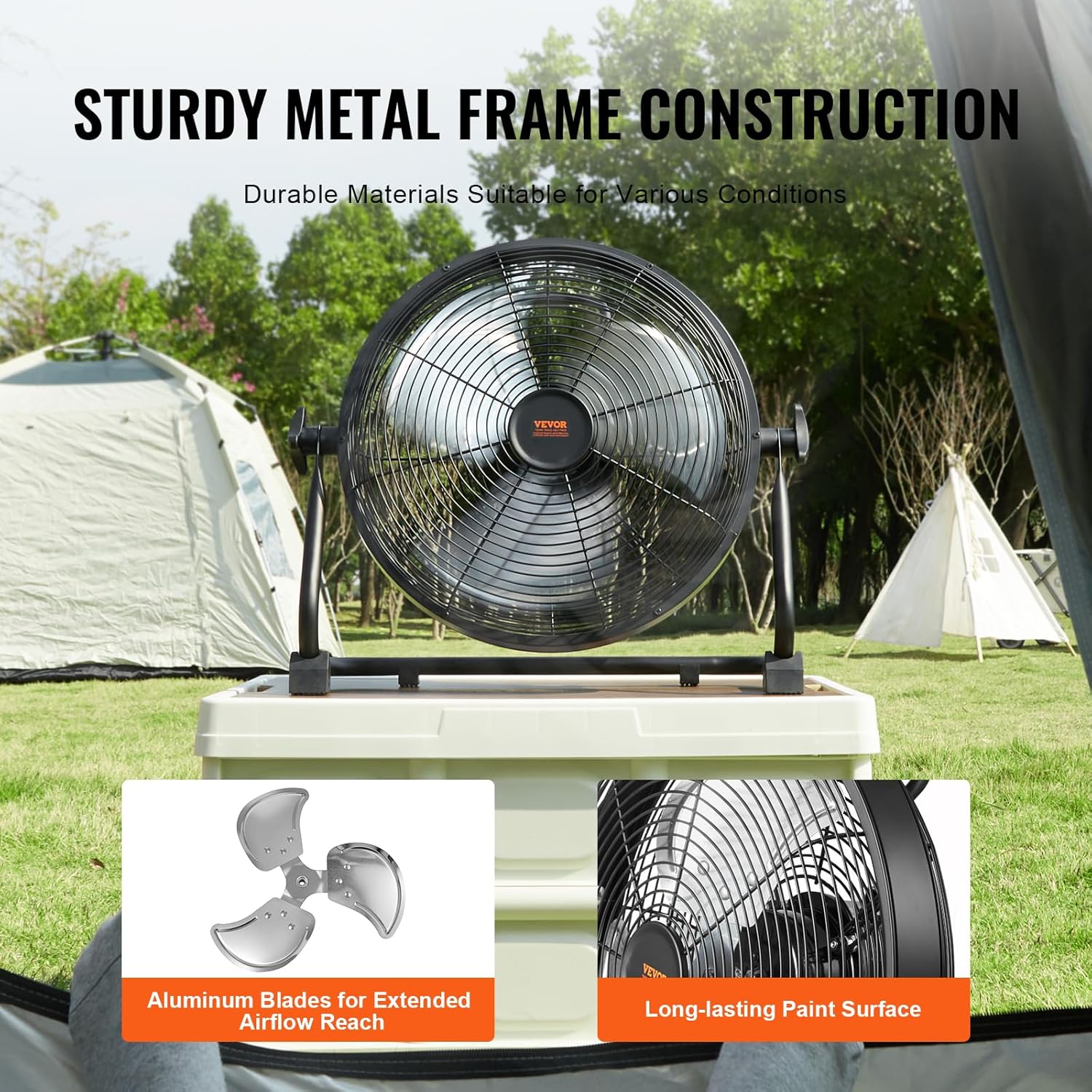
Image: The VEVOR 12-inch Rechargeable Floor Fan demonstrating its 360-degree manual pivoting head for versatile airflow direction.
7. Kuchaji Betri
The fan is equipped with a 15600mAh rechargeable battery. To charge:
- Ensure the fan is turned off.
- Connect the provided charging adapter to the charging port on the back of the fan.
- Plug the adapter into a suitable power outlet (100-240V AC, 50/60Hz).
- The LED battery indicators will light up to show the charging status. All five lights will be solid when fully charged.
- Chaji kamili huchukua takriban saa 2.5.
- Once fully charged, disconnect the adapter from the fan and the power outlet.
Kumbuka: The fan can operate while charging, but charging time may be extended. Battery life varies with speed setting; approximately 24 hours at the lowest speed.

Image: Illustration showing the estimated battery life of the VEVOR 12-inch Rechargeable Floor Fan: up to 24 hours at the lowest speed and approximately 5 hours at the highest speed.
8. Matengenezo na Usafishaji
Matengenezo ya mara kwa mara huhakikisha utendaji bora na uimara wa feni yako.
- Kusafisha:
- Daima chomoa feni kabla ya kusafisha.
- Tumia laini, damp kitambaa kuifuta nyuso za nje za shabiki. Usitumie visafishaji vya abrasive au vimumunyisho.
- To clean the fan blades, the front grille may need to be removed. Refer to the assembly instructions for safe removal and reattachment. Use a soft brush or vacuum cleaner to remove dust from the blades and grille.
- Ensure all parts are completely dry before plugging the fan back in or operating it.
- Hifadhi:
- Wakati haitumiki kwa muda mrefu, hifadhi feni mahali pa baridi na kavu.
- Inashauriwa kuhifadhi feni katika kifungashio chake cha asili ili kuilinda kutokana na vumbi na uharibifu.
- Charge the battery fully before storing and recharge every 3-6 months to maintain battery health.

Image: Close-up of the VEVOR 12-inch Rechargeable Floor Fan's durable metal frame and aluminum blades, emphasizing its robust construction for various environments.
9. Utatuzi wa shida
If you encounter issues with your VEVOR FS30 fan, refer to the following table for common problems and solutions.
| Tatizo | Sababu inayowezekana | Suluhisho |
|---|---|---|
| Shabiki haiwashi. | Betri imeisha. Kitufe cha umeme kiko katika nafasi ya "ZIMA". Charging adapter not properly connected (if charging). | Chaji betri kikamilifu. Rotate the power knob clockwise to turn on. Ensure charging adapter is securely connected and plugged into a live outlet. |
| Fan runs slowly or with reduced airflow. | Betri iko chini. Mpangilio wa kasi ya feni ni mdogo sana. Grille or blades are obstructed/dirty. | Chaji upya betri. Rotate the speed knob clockwise to increase speed. Clean the fan grille and blades as per maintenance instructions. |
| Shabiki hufanya kelele isiyo ya kawaida. | Kuziba kwa vile vya feni. Vipengele vilivyolegea. | Turn off and unplug the fan. Carefully check for and remove any obstructions. Ensure all assembly knobs are tightened. |
| Lango la kuchaji la USB halifanyi kazi. | Fan battery is too low. Kebo ya kifaa ina hitilafu. | Ensure the fan battery has sufficient charge. Jaribu kebo tofauti ya USB au kifaa ili kuthibitisha utendakazi. |
Tatizo likiendelea baada ya kujaribu suluhu hizi, tafadhali wasiliana na usaidizi kwa wateja wa VEVOR.
10. Udhamini na Msaada
For warranty information, technical support, or service inquiries, please refer to the contact details provided on the VEVOR official website or your purchase documentation. Keep your purchase receipt as proof of purchase for warranty claims.
VEVOR Rasmi Webtovuti: www.vevor.com


