Introduktion
Welcome to the user manual for your new Infinix Smart 8 smartphone. This guide provides essential information on setting up, operating, maintaining, and troubleshooting your device. The Infinix Smart 8 is designed for efficient performance, featuring a G36 processor, 4GB RAM, 64GB internal storage, a 50MP main camera, and a long-lasting 5000 mAh battery. Please read this manual thoroughly to ensure optimal use of your device.
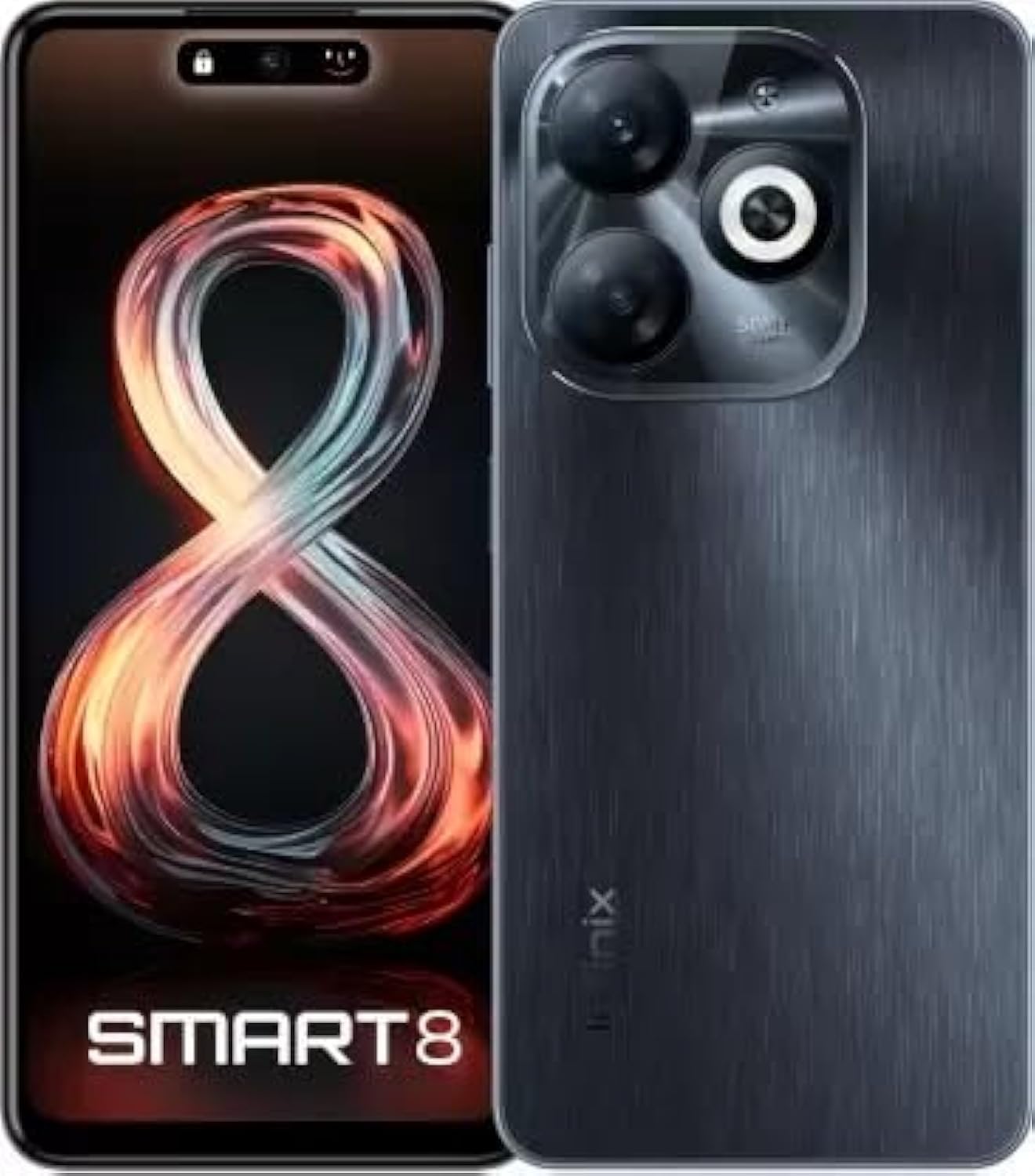
Image: Infinix Smart 8 smartphone in Timber Black, showcasing dess eleganta design och kameramodul.
Vad finns i lådan
Upon unboxing your Infinix Smart 8, please verify that all the following items are included:
- Telefonlur
- Adapter
- USB Type-C-kabel
- TPU fodral
- SIM Ejector Pin
- Snabbstartguide
- Garantikort
- Xclub Card
Installationsguide
1. Sätta i SIM-kort och minneskort
Locate the SIM card tray on the side of your device. Use the provided SIM ejector pin to open the tray. Insert your Nano-SIM card(s) and/or a microSD card (for expandable storage up to 1 TB) into the designated slots. Ensure the cards are correctly oriented as shown in the diagram in the Quick Start Guide. Gently push the tray back into the device until it clicks into place.
2. Slå på / av
- För att slå på: Tryck och håll ner strömknappen (vanligtvis på höger sida) tills Infinix-logotypen visas.
- För att stänga av: Håll strömknappen intryckt och välj sedan "Stäng av" bland alternativen som visas på skärmen.
- Att starta om: Håll strömknappen intryckt och välj sedan "Starta om" från alternativen.
3. Inledande installation
The first time you power on your device, you will be guided through an initial setup process. This includes selecting your language, connecting to a Wi-Fi network, setting up your Google account, and configuring security features like fingerprint unlock. Follow the on-screen prompts to complete the setup.
Bruksanvisning
Grundläggande navigering
- Röra: Tryck på en ikon för att öppna en app eller välja ett objekt.
- Hårt slag: Dra fingret över skärmen för att bläddra eller navigera mellan skärmar.
- Nypa: Använd två fingrar för att zooma in eller ut på foton och web sidor.
- Lång press: Tryck och håll ner ett objekt för fler alternativ eller för att flytta det.
Ringa samtal och skicka meddelanden
To make a call, open the Phone app, enter the number, and tap the call icon. To send a message, open the Messages app, tap the new message icon, enter the recipient's number or select from contacts, type your message, and tap send.
Ansluter till nätverk
- Wi-Fi: Go to Settings > Network & internet > Wi-Fi. Turn Wi-Fi on, select your desired network, and enter the password if required.
- Bluetooth: Go to Settings > Connected devices > Bluetooth. Turn Bluetooth on, then pair with available devices.
- Mobil data: Ensure your SIM card is active. Go to Settings > Network & internet > Mobile network to manage data usage and settings.
Nyckelfunktioner
The Infinix Smart 8 offers a range of features designed to enhance your mobile experience:
- Minne och lagring: Equipped with 4 GB RAM and 64 GB internal storage, expandable up to 1 TB via microSD card.
- Visa: Features a 16.76 cm (6.6 inch) HD+ Display with a 90 Hz refresh rate and 5000 Nits brightness for clear and vibrant visuals.
- Kamerasystem: A powerful 50MP main camera with AI Lens and a 5MP front camera for high-quality photos and selfies.
- Batteri: A large 5000 mAh battery ensures extended usage on a single charge.
- Processor: Powered by a G36 Processor for smooth performance and multitasking.
- Anslutning: Supports 4G cellular networks, Bluetooth, USB, and Wi-Fi.
- Säkerhet: Includes a fingerprint sensor for secure and convenient unlocking.
Kameraanvändning
Your Infinix Smart 8 comes with an advanced camera system to capture your moments.
Bakre kamera
The main rear camera is 50 Megapixels, complemented by an AI Lens for enhanced image processing. It features a Quad-LED Flashlight for improved low-light photography.
Främre kamera
The front camera is 5 Megapixels, perfect for clear selfies and video calls.

Bild: Detaljerad view of the Infinix Smart 8's rear camera setup, highlighting the 50MP dual camera and Quad-LED flashlight.
To access the camera, tap the Camera app icon. You can switch between photo, video, and other modes. Tap the shutter button to take a picture or start/stop recording a video.
Visa information
The Infinix Smart 8 features a vibrant 6.6-inch HD+ display.
- Storlek: 16.76 cm (6.6 tum)
- Upplösning: 1600 x 720 pixlar
- Uppdateringshastighet: 90 Hz for smoother scrolling and gaming.
- Ljusstyrka: Up to 5000 Nits, ensuring visibility even in bright sunlight.
- Typ: Punch-Hole Display design.

Image: The Infinix Smart 8's 6.6-inch HD+ display, illustrating its punch-hole design and high brightness.
Tekniska specifikationer
Below are the detailed technical specifications for the Infinix Smart 8:
| Särdrag | Specifikation |
|---|---|
| Operativsystem | Android |
| RAM | 4 GB |
| Intern lagring | 64 GB |
| Expanderbar lagring | Upp till 1 TB |
| Processor | G36 Processor |
| Displaystorlek | 16.76 cm (6.6 inch) HD+ |
| Skärmupplösning | 1600 x 720 pixlar |
| Bakre kamera | 50MP + AI Lens |
| Främre kamera | 5 MP |
| Batterikapacitet | 5000 mAh |
| Telefonsamtalstid | 25 XNUMX timmar |
| Trådlös kommunikation | Cellular (4G Ready) |
| Anslutningsteknik | Bluetooth, USB, Wi-Fi |
| GPS | GLONASS |
| Ljudjack | Ja |
| Objektets vikt | 350 g |
| Artikelnummer | smart 8 |

Image: A visual summary of the Infinix Smart 8's technical specifications, including RAM, storage, battery, and processor details.
Batteriinformation
The Infinix Smart 8 is equipped with a 5000 mAh battery, providing ample power för dagligt bruk.
- Kapacitet: 5000 miljoneramp Timmar
- Taltid: Upp till 25 timmar på full laddning.
- Laddning: Use the provided Adaptor and USB Type-C Cable for optimal charging.
For best battery life, avoid fully discharging the battery frequently and use the original charger.
Felsökning
If you encounter issues with your Infinix Smart 8, refer to the following common solutions:
- Enheten slås inte på: Ensure the battery is charged. Connect the charger and wait a few minutes before attempting to power on again. If unresponsive, try a forced restart by holding the power button for 10-15 seconds.
- Appar kraschar/fryser: Close the problematic app and reopen it. If the issue persists, clear the app's cache (Settings > Apps > [App Name] > Storage & cache > Clear cache). Consider updating the app or the phone's software.
- Dålig nätverkssignal: Kontrollera om ditt SIM-kort är korrekt isatt. Försök att starta om enheten. Se till att du befinner dig i ett område med nätverkstäckning.
- Batteriet töms snabbt: Reduce screen brightness, close unused apps running in the background, disable unnecessary notifications, and turn off Wi-Fi/Bluetooth when not in use.
- Pekskärmen svarar inte: Starta om enheten. Om problemet kvarstår, se till att skärmen är ren och fri från fukt.
For more complex issues, refer to the official Infinix support webwebbplats eller kontakta kundtjänst.
Underhåll och skötsel
To ensure the longevity and optimal performance of your Infinix Smart 8, follow these maintenance guidelines:
- Rengöring: Använd en mjuk, luddfri trasa för att rengöra skärmen och höljet. Undvik starka kemikalier eller slipande material.
- Temperatur: Utsätt inte enheten för extrema temperaturer (varma eller kalla) eller direkt solljus under längre perioder.
- Vattenexponering: The device is not waterproof. Avoid contact with water or other liquids.
- Programuppdateringar: Regularly check for and install software updates to benefit from performance improvements and security patches.
- Lagring: Avoid overfilling your device's storage. Regularly clear unnecessary files and app caches.
Garanti och support
Your Infinix Smart 8 is covered by a 7-day service center replacement/repair policy from the date of purchase. Please retain your purchase receipt and the warranty card for service claims.
- Tillverkare: Infinix (G mobile devices private ltd)
- Avgiftsfri support: 18004190525
- Online support: Visit the official Infinix webwebbplats för vanliga frågor, supportresurser och kontaktinformation.
For any issues or queries, please contact the manufacturer's support team.
Viktig säkerhetsinformation
Please read the following safety information carefully to prevent injury or damage to your device:
- Do not attempt to disassemble, repair, or modify the device yourself. This can cause damage, fire, or electric shock.
- Use only original or certified compatible chargers and accessories.
- Avoid exposing the device to open flames or extreme heat.
- Kasta inte enheten i eld eller vatten.
- Förvara enheten och dess tillbehör utom räckhåll för barn och husdjur.
- Följ alla lokala lagar och förordningar gällande mobiltelefonanvändning, särskilt vid bilkörning.
Produkt överview Video
Se den här officiella produktvideon för en visuell överblickview of the Infinix Smart 8's features and capabilities.
Video: En officiell övergångview of the Infinix Smart 8 smartphone, detailing its technical specifications, key features, camera, and display.