

Suprema SVP Android SDK Programming Interface

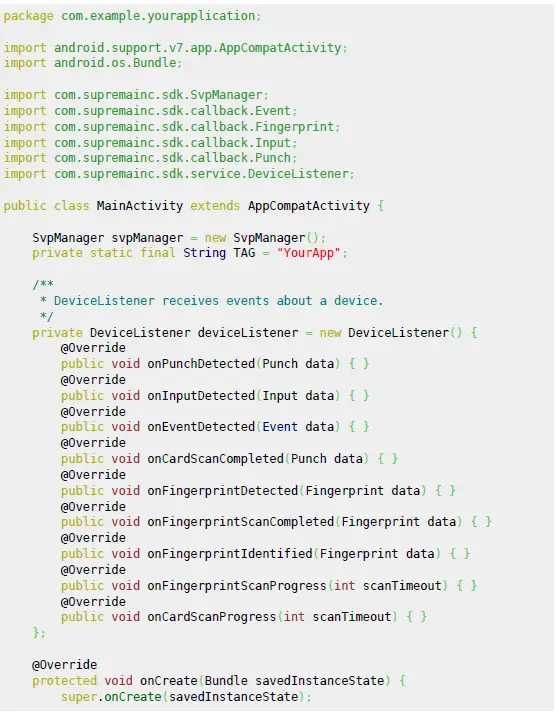
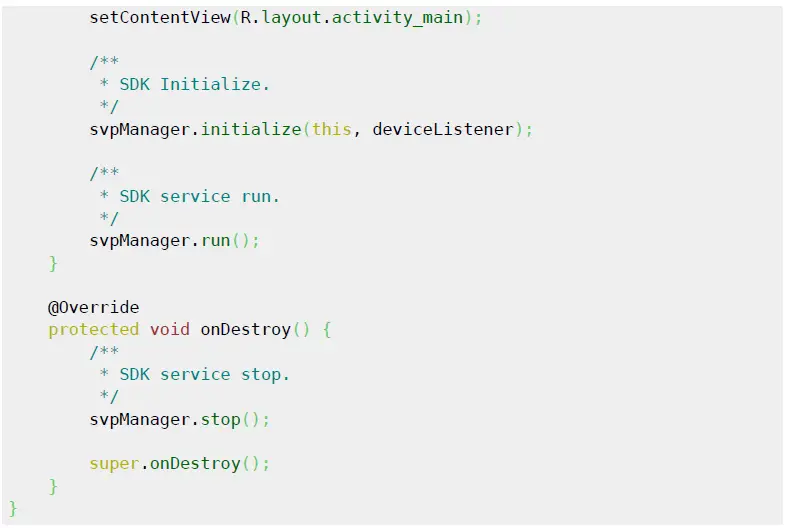
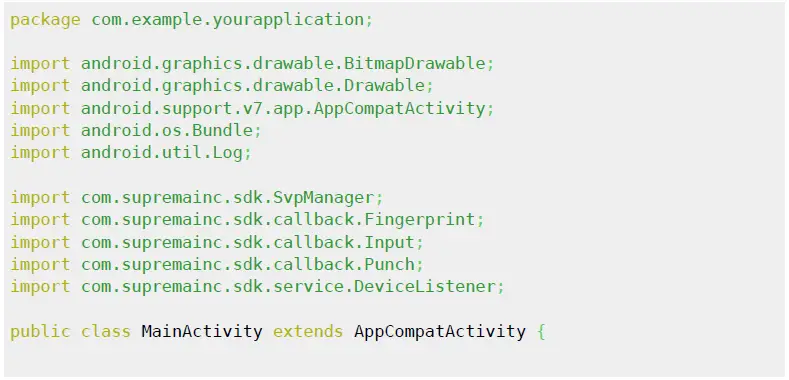
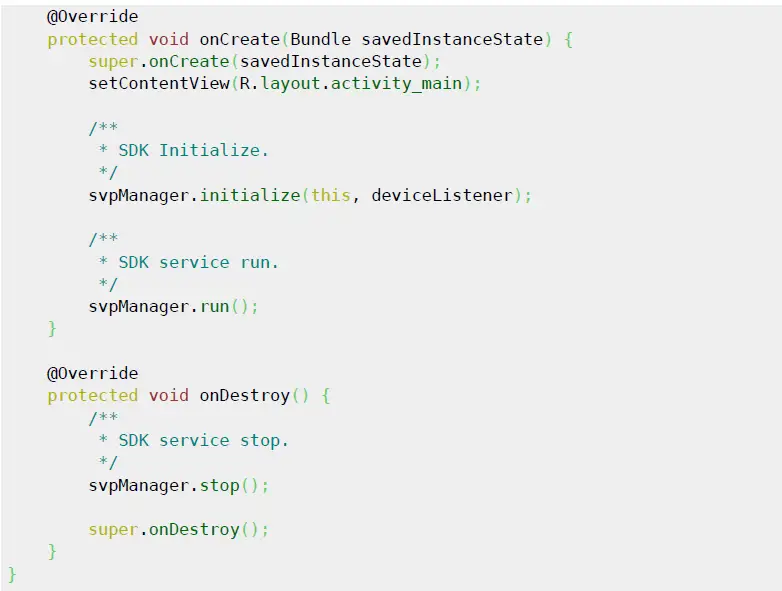
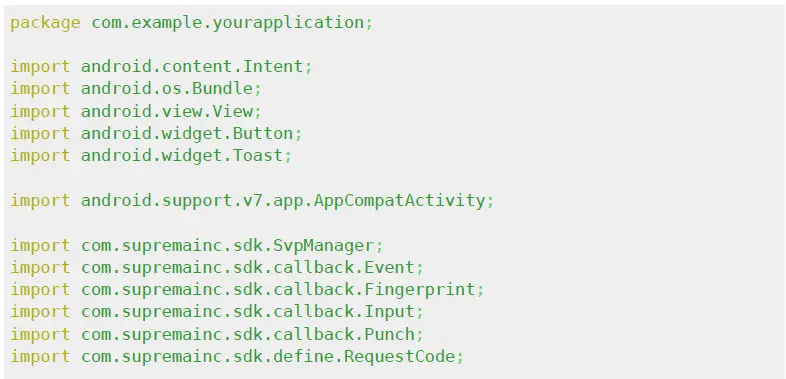
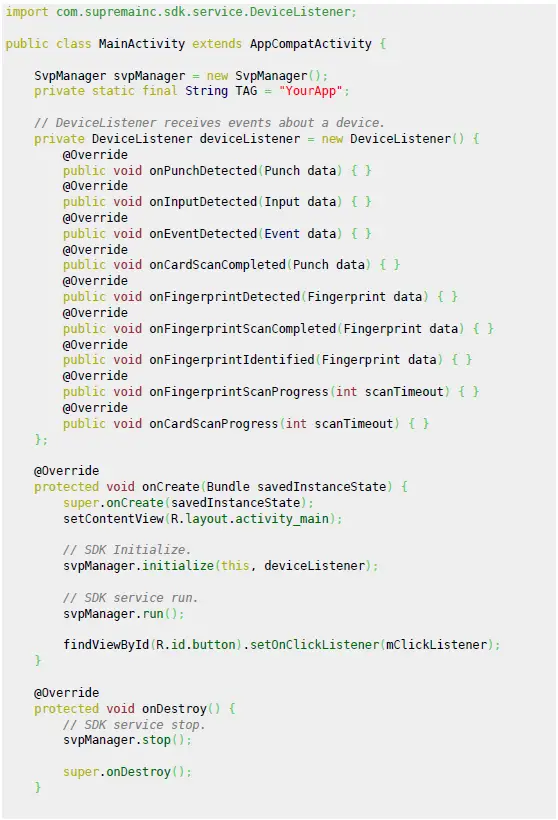
Initialize
Setting Options 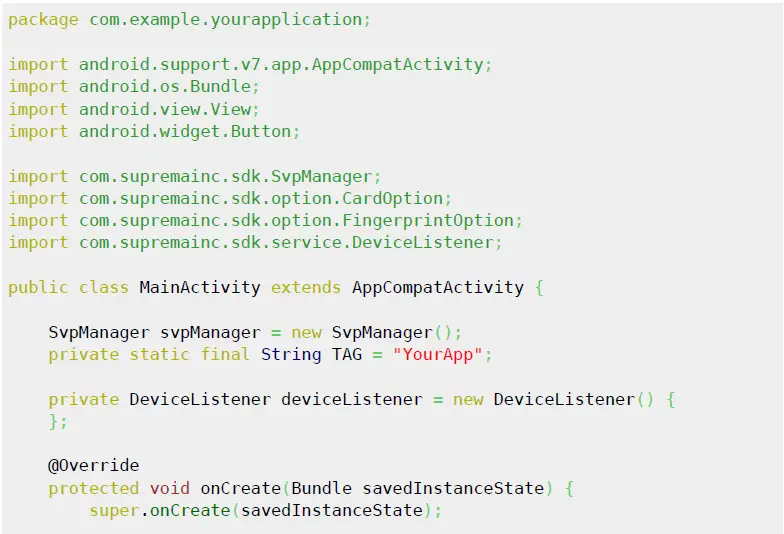
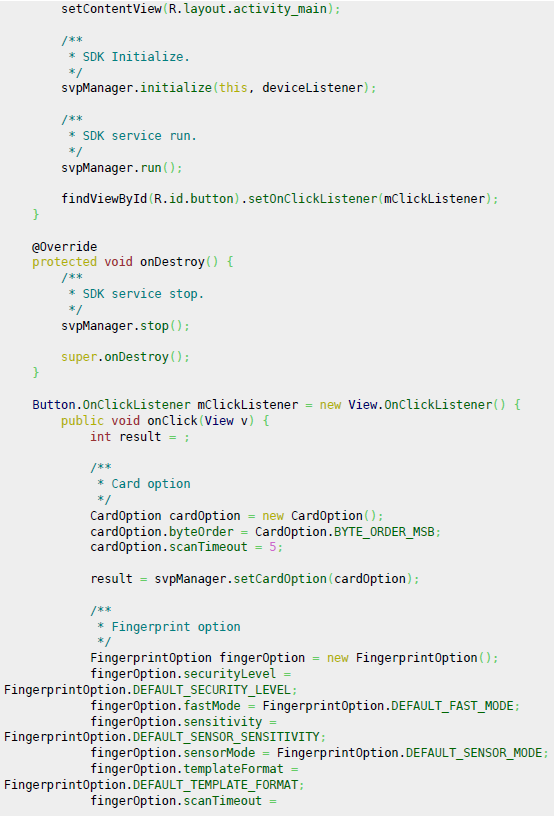
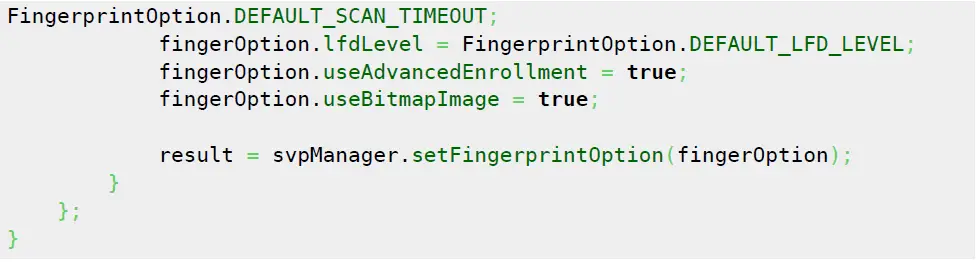
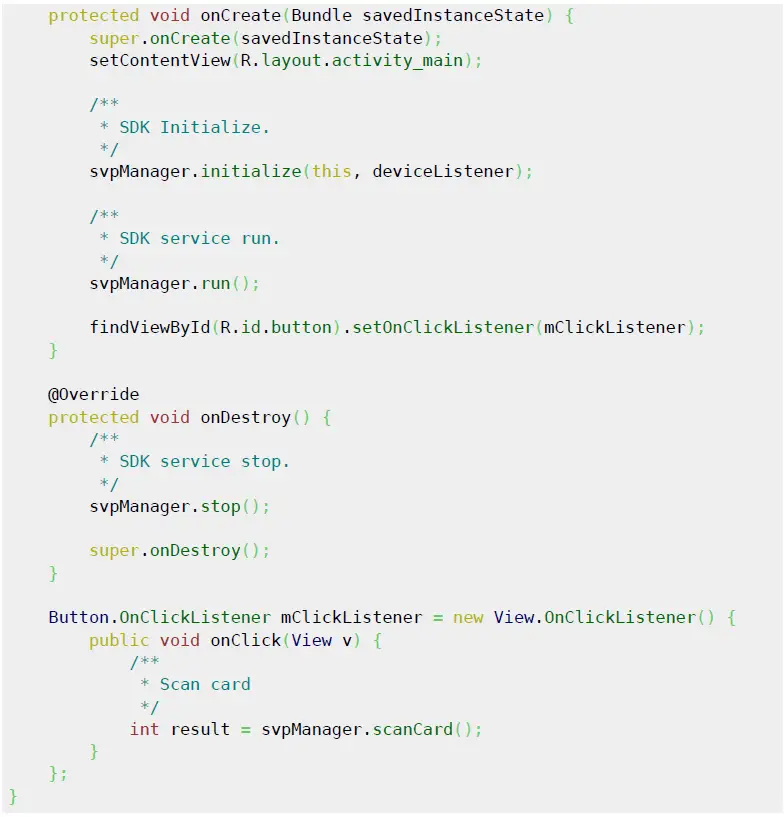
Scan Card 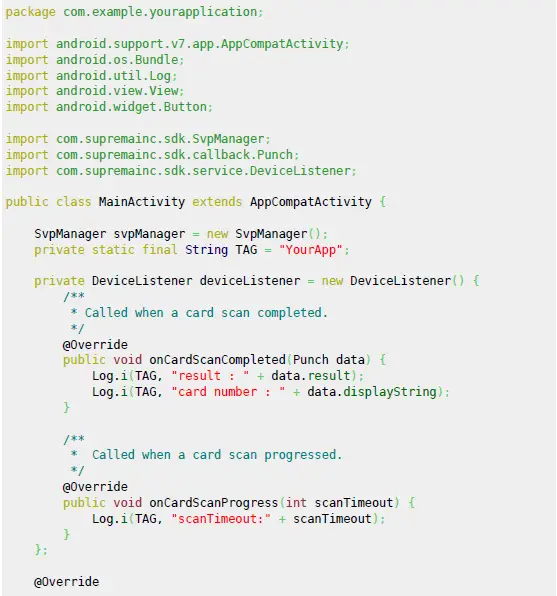
Scan Finger
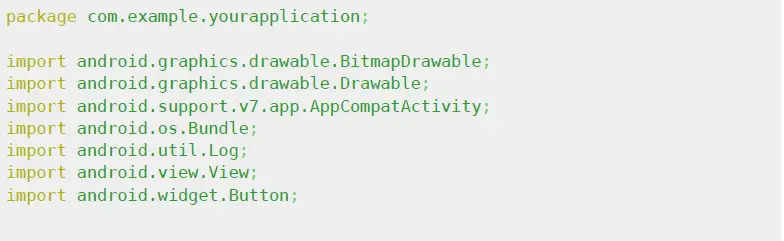
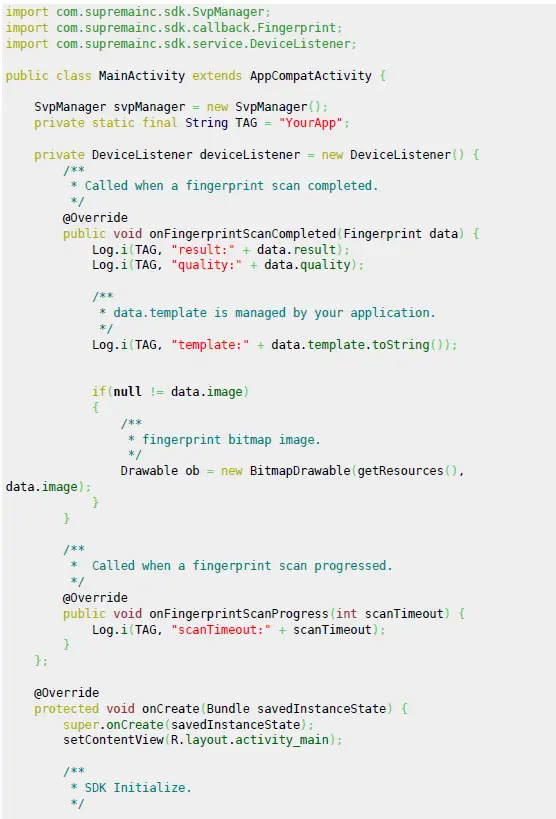
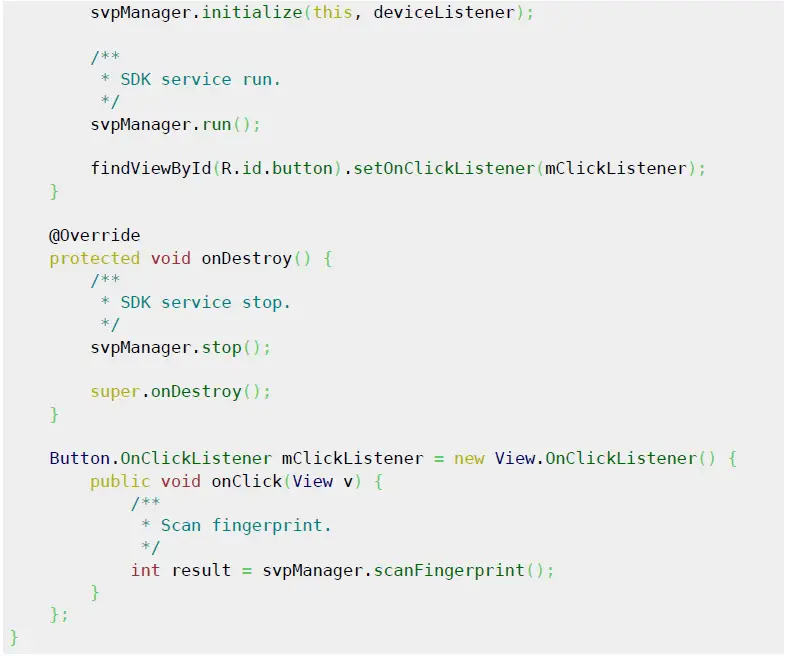
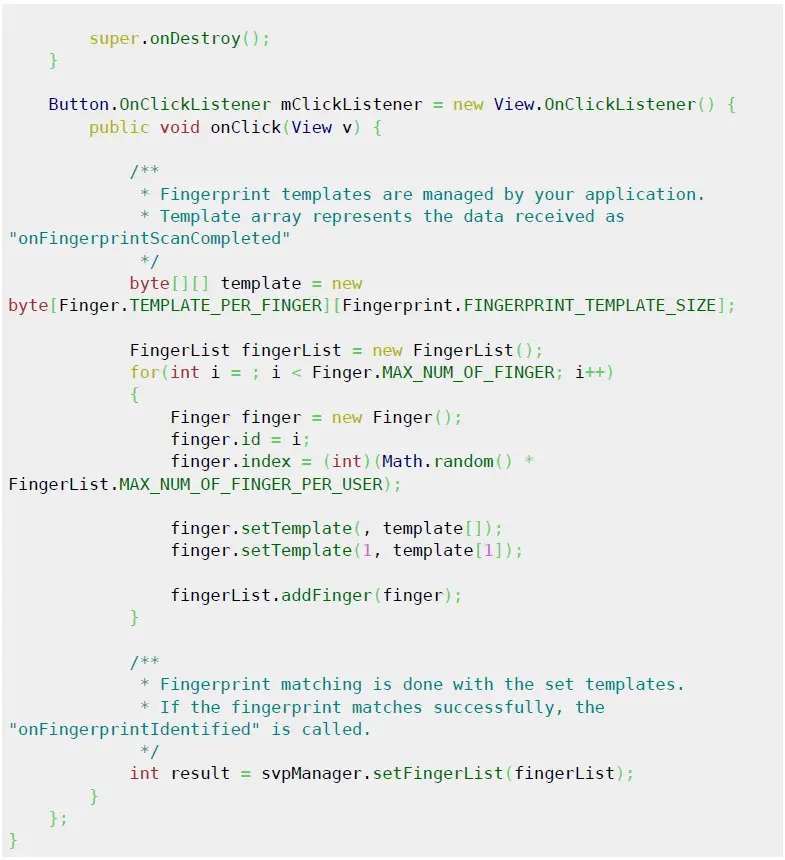
Setting Fingerprint templates and Fingerprint Identified 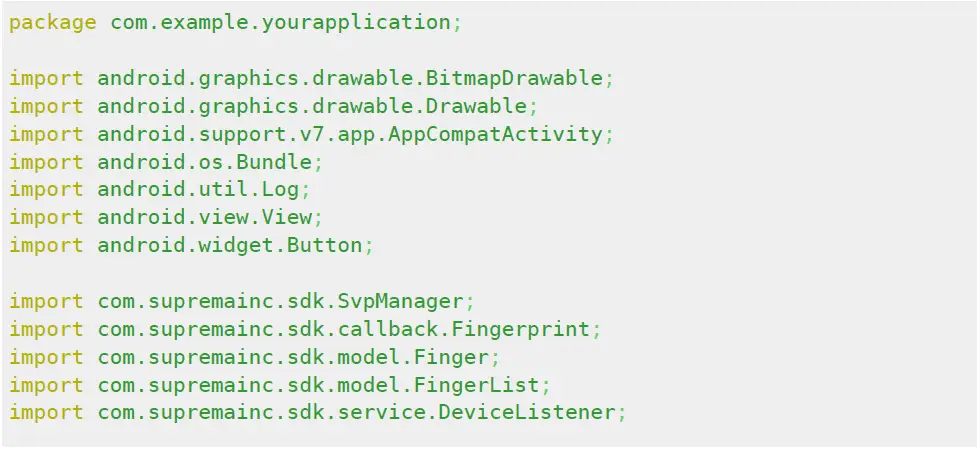
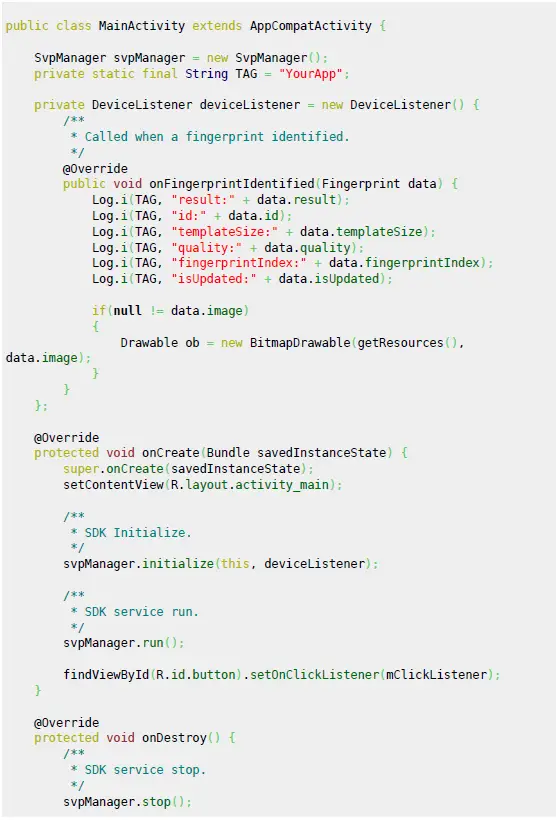
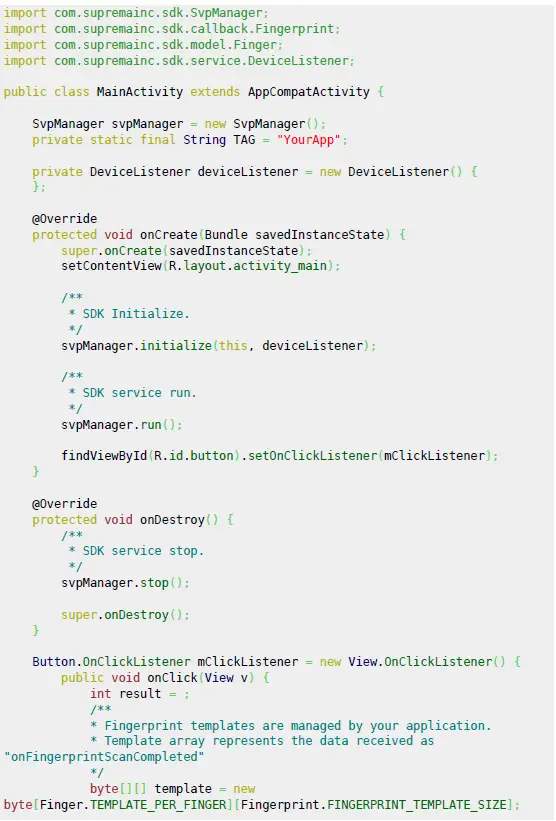
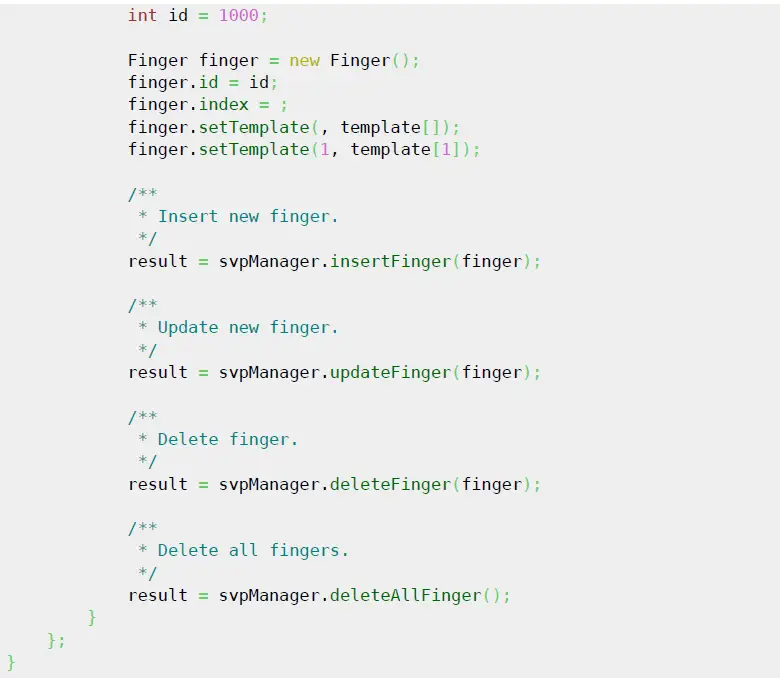
Users finger management (Insert/Update/Delete/Delete all) 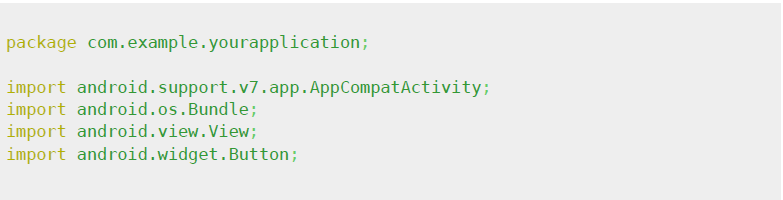
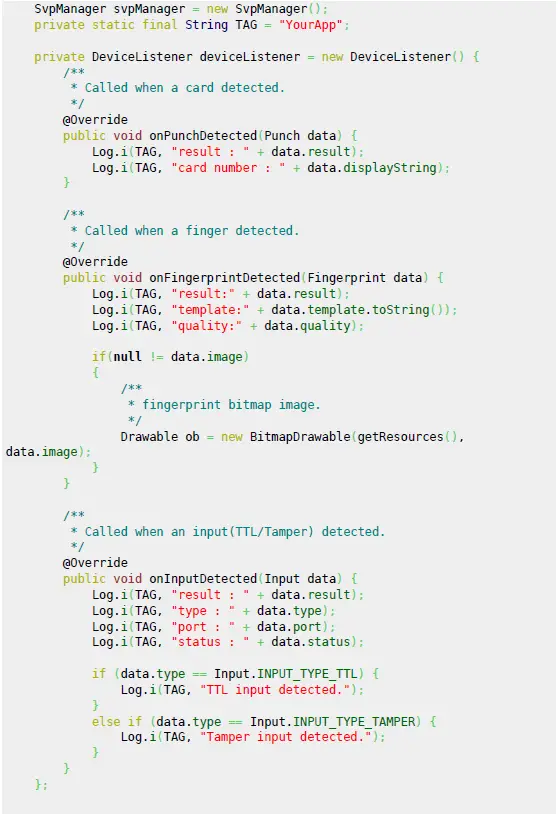
Data detected (Card/Finger/Input)
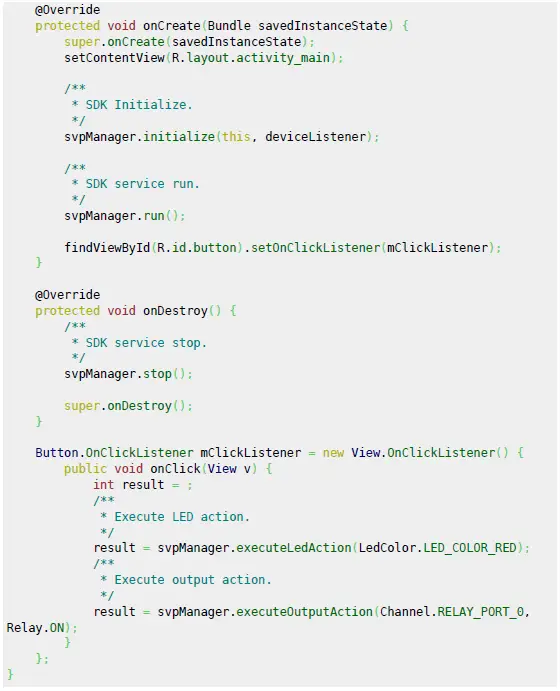
LED / Output Control 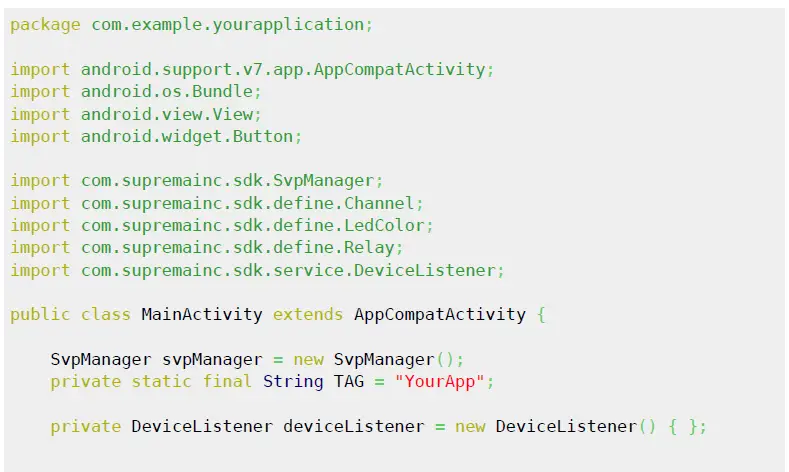
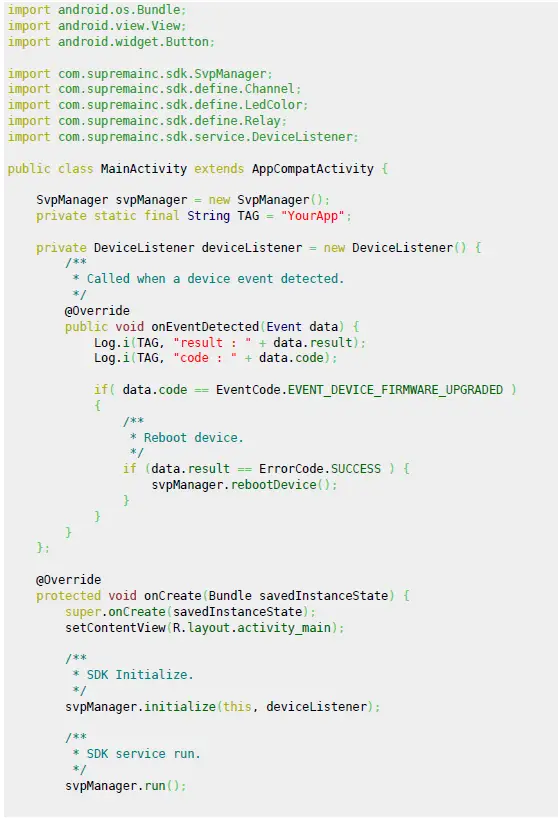
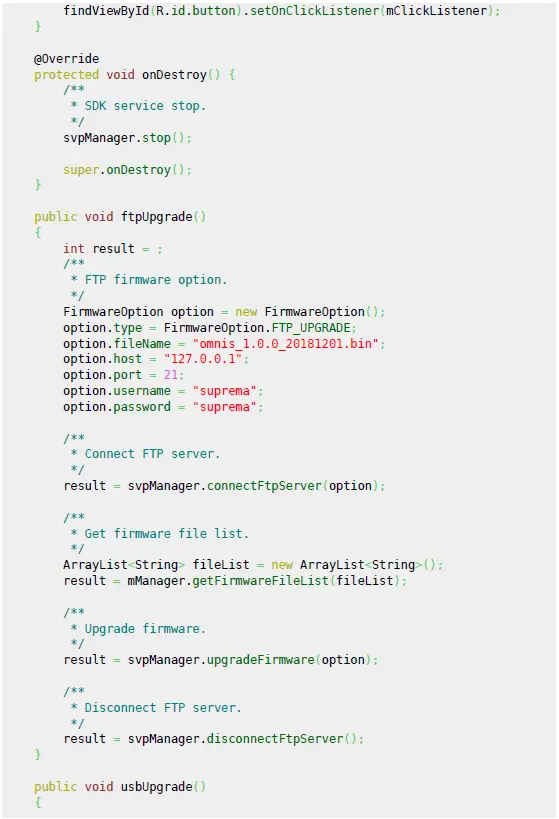
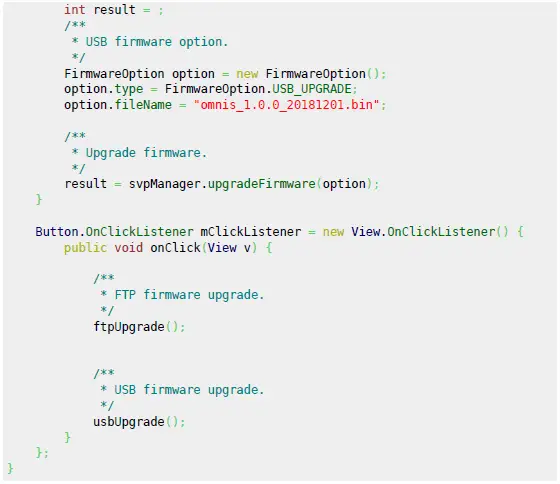
Firmware upgrade 
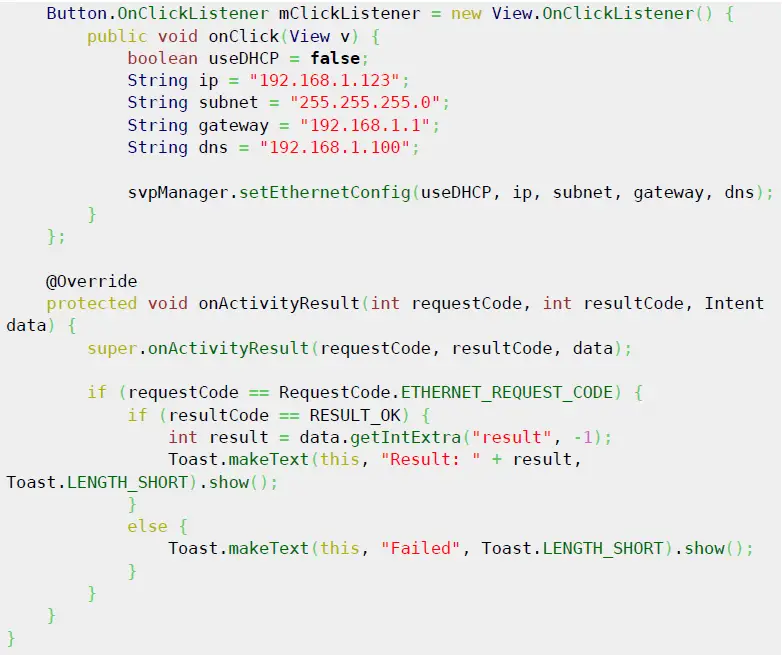
Ethernet Setting
From
Permanent link:
https://kb.supremainc.com/svpsdk/doku.php?id=en:quick_guide
- Last update: 2019/09/20 11:10
Frequently Asked Questions
Q: What is the SVP Android SDK?
A: The SVP Android SDK is a software development kit provided by Suprema Inc. for integrating fingerprint and card scanning features into Android applications.
Q: How do I initialize the SDK in my Android application?
A: To initialize the SDK, follow the steps outlined in the user manual
- Import necessary packages.
- Create an instance of SvpManager.
- Implement DeviceListener to handle device events.
- Call svpManager.initialize() with the context and device listener.
- Start the SDK service by calling svpManager.run().
Documents / Resources
 | SVP Android SDK Programming Interface |
References
- DATA ID: One simple link you only need.data.id
- SVP Android SDK [SVP Android SDK ]kb.supremainc.com
- Quick Guide [SVP Android SDK ]kb.supremainc.com
- R.idr.id
- google.com/search?hl=en&q=allinurl%3Adocs.oracle.com+javase+docs+api+buttonwww.google.com
- google.com/search?hl=en&q=allinurl%3Adocs.oracle.com+javase+docs+api+eventwww.google.com
- google.com/search?hl=en&q=allinurl%3Adocs.oracle.com+javase+docs+api+mathwww.google.com
- google.com/search?hl=en&q=allinurl%3Adocs.oracle.com+javase+docs+api+stringwww.google.com
- google.com/search?hl=en&q=allinurl%3Adocs.oracle.com+javase+docs+api+viewwww.google.com
- User Manualmanual.tools
Published: March 19, 2025
Updated: March 28, 2025