1. Bubuka
The Generic Catalyst 1000 C1000-24P-4G-L is a fixed managed Gigabit Ethernet Layer 2 switch designed for small businesses and branch offices. This device provides a secure, flexible, and reliable networking solution, supporting both Command-Line Interface (CLI) and an on-box web user interface for management. It is suitable for out-of-the-wiring-closet deployments and critical Internet of Things (IoT) applications, offering enhanced network security and operational efficiency.
2. Setélan
2.1. Ngabongkar Saklar
Carefully unpack the contents of the box. Verify that all components are present:
- Catalyst 1000 C1000-24P-4G-L Switch
- Accessories (e.g., power cord, mounting kit)
- Menu Instruction (this manual)
Inspect the switch for any physical damage. If any damage is found or components are missing, contact your vendor immediately.
2.2. Instalasi fisik
Choose a suitable location for the switch. Ensure the environment meets the following criteria:
- Adequate ventilation to prevent overheating.
- Stable, flat surface or a secure rack mount.
- Away from direct sunlight, heat sources, and excessive moisture.
- Access to a grounded power outlet.
Mount the switch using the provided accessories if rack-mounting is desired. Connect the power cord to the switch and then to a grounded electrical outlet.
2.3. Sambungan jaringan
Connect your network devices (computers, servers, access points) to the 24 Gigabit Ethernet ports on the front panel using standard Ethernet cables. For uplink connections or fiber optic integration, utilize the 4x1G SFP ports with compatible SFP transceivers.
2.4. Konfigurasi awal
The switch can be configured via a Command-Line Interface (CLI) or an on-box web user interface. Refer to the detailed configuration guide for specific steps on accessing and configuring the switch for your network environment. Ensure basic network parameters such as IP address, subnet mask, and gateway are set correctly.
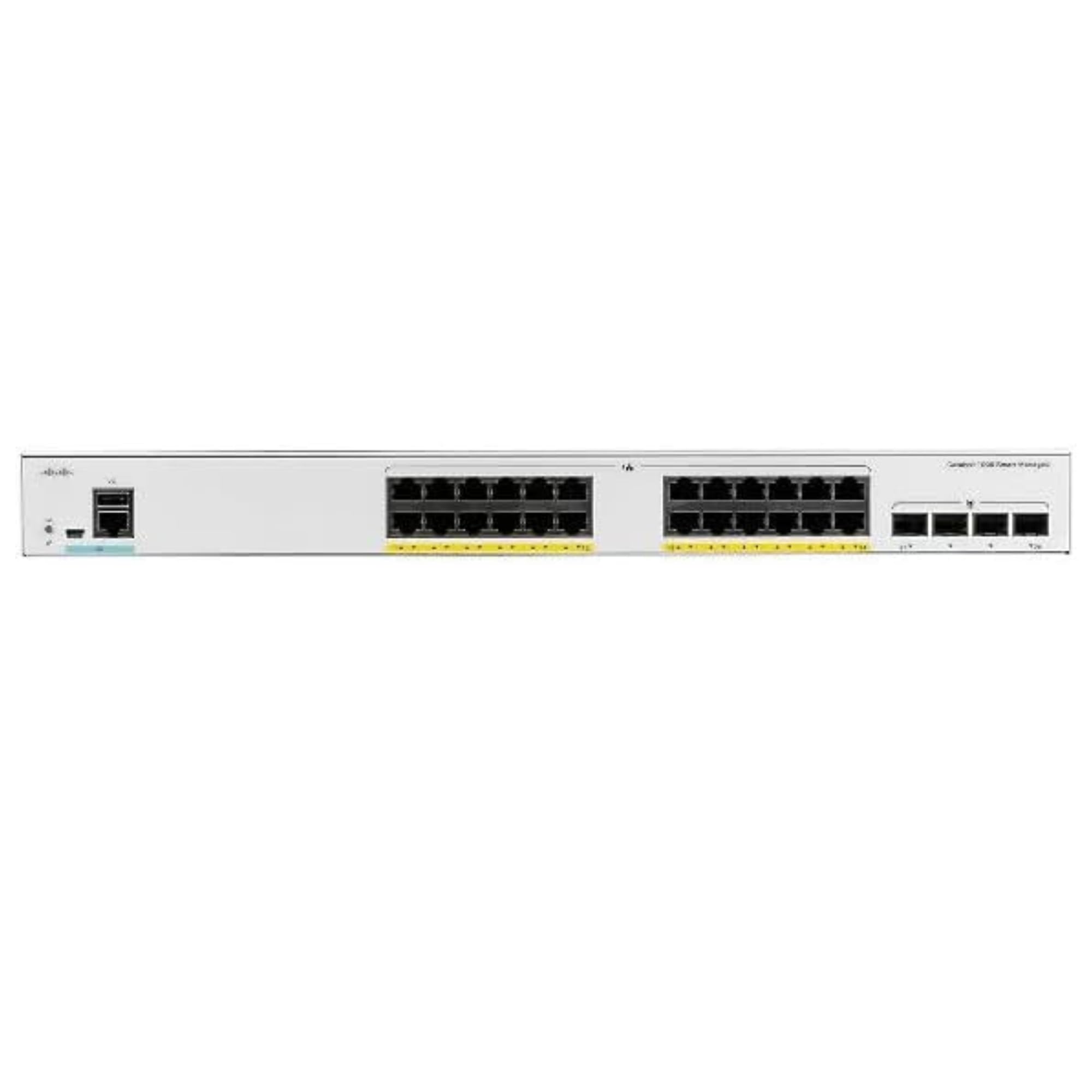
Gambar 1: Hareupeun view of the Generic Catalyst 1000 C1000-24P-4G-L Switch, showing 24 Gigabit Ethernet ports and 4 SFP uplink ports.
3. Ngoperasikeun Switch
3.1. Powering On and LED Indicators
Once connected to power, the switch will automatically power on. Observe the LED indicators on the front panel. These LEDs provide status information regarding power, system health, port activity, and PoE status. Consult the detailed LED status guide for interpretation of different light patterns and colors.
3.2. Layer 2 Switching Functionality
The C1000-24P-4G-L operates as a Layer 2 switch, providing efficient traffic management within your local area network. It supports features such as VLANs, Spanning Tree Protocol (STP), and Link Aggregation Control Protocol (LACP) to optimize network performance and redundancy.
3.3. Power over Ethernet Plus (PoE+)
This switch supports Power over Ethernet Plus (PoE+) on its 24 Gigabit Ethernet ports, delivering up to 30W of power per port. This allows for direct power supply to compatible devices such as IP phones, wireless access points, and IP cameras, simplifying deployment and reducing cabling requirements.
3.4. Fitur Kaamanan
The switch incorporates essential security features to protect your network:
- 802.1X Authentication: Nyayogikeun kontrol aksés jaringan berbasis port.
- DHCP Snooping: Prevents unauthorized DHCP servers from distributing IP addresses.
- Daptar Kontrol Aksés (ACL): Nyaring lalulintas jaringan dumasar kana aturan anu ditetepkeun.
3.5. Énergi Énergi
Designed for low power consumption, the switch supports Energy Efficient Ethernet (IEEE 802.3az). This feature allows for reduced power usage during periods of low data activity, contributing to lower operational costs.
4. Pangropéa
4.1. Apdet firmware
périodik pariksa produsén urang website for firmware updates. Keeping the switch firmware up-to-date ensures optimal performance, security, and access to new features. Follow the provided instructions carefully when performing firmware upgrades.
4.2. beberesih
Ensure the switch remains free of dust and debris. Use a soft, dry cloth to clean the exterior. Do not use liquid or aerosol cleaners directly on the switch. Ensure ventilation openings are clear to maintain proper airflow.
4.3. Pertimbangan Lingkungan
Maintain the switch within its specified operating temperature and humidity ranges. Avoid exposing the device to extreme conditions, which can affect its lifespan and performance.
5. Cara ngungkulan
5.1. Taya Daya
- Pastikeun kabel listrik disambungkeun sacara aman ka saklar sareng stopkontak.
- Pariksa naha stop kontak listrik berpungsi ku cara nyolokkeun alat sejen.
- Pastikeun saklar daya (upami aya) aya dina posisi 'ON'.
5.2. Taya Konéktipitas Jaringan
- Check the Ethernet cable connections between the switch and the connected device.
- Observe the port status LEDs on the switch; they should indicate activity.
- Verify the IP configuration of the connected device.
- Ensure that the switch's network configuration (e.g., VLANs) is correct.
5.3. Alat PoE Teu Dihurungkeun
- Confirm the connected device is PoE+ compatible.
- Pariksa LED status PoE pikeun port husus.
- Pastikeun total anggaran kakuatan switch teu ngaleuwihan.
- Try connecting the device to a different PoE+ port.
5.4. Reset pabrik
If persistent issues occur, a factory reset may be necessary. Refer to the detailed configuration guide for the specific procedure to reset the switch to its default settings. Awas: Reset pabrik bakal ngahapus sadaya konfigurasi khusus.
6. Spésifikasi
| Fitur | Katerangan |
|---|---|
| Nomer modél | C1000-24P-4G-L |
| Nomer Bagian | C1000-24P-4G-L |
| Jumlah Palabuhan | 24 x Gigabit Ethernet (10/100/1000 Mbps) |
| Palabuhan Uplink | 4 x 1G SFP |
| PoE + Rojongan | Yes, up to 30W per port |
| Jenis Ngalihkeun | Lapisan 2 Diurus |
| Fitur Kaamanan | 802.1X, DHCP Snooping, Access Control Lists (ACLs) |
| Énergi Énergi | IEEE 802.3az (Energy Efficient Ethernet) |
| Manajemén | CLI, On-box Web UI |
| Komponén Kaasup | Switch, Accessories, Menu Instruction |
| Alat nu cocog | Desktop (general network devices) |
| ASIN | B0DPJ9JD8G |
7. Garansi jeung Rojongan
This product is covered by a standard manufacturer's warranty. For specific warranty terms and conditions, please refer to the documentation included with your purchase or contact your vendor. For technical support, product inquiries, or to report issues, please contact the Generic support team through the contact information provided at the point of purchase or on the manufacturer's official websitus.
Please have your product model number (C1000-24P-4G-L) and ASIN (B0DPJ9JD8G) available when contacting support.


