Bubuka
Hatur nuhun pikeun meuliasing the Generic Cordless Handheld Car Vacuum Cleaner. This manual provides essential information for the safe and efficient operation, maintenance, and troubleshooting of your new device. Please read this manual thoroughly before first use and keep it for future reference.
Parentah Kasalametan
Pikeun ngirangan résiko kahuruan, kejutan listrik, atanapi tatu, punten perhatikeun pancegahan kaamanan ieu:
- Ulah make vacuum cleaner di luar atawa dina surfaces baseuh.
- Ulah ngidinan barudak pikeun beroperasi vacuum cleaner. Pengawasan anu ketat diperyogikeun nalika dianggo caket barudak.
- Ulah nyokot cair kaduruk atawa combustible, kayaning béngsin, atawa dipaké di wewengkon mana maranéhna bisa jadi aya.
- Ulah nyokot naon bae anu kaduruk atawa ngaroko, kayaning roko, korek api, atawa lebu panas.
- Do not use without the dust collection box and filter in place.
- Anggo ngan sakumaha anu dijelaskeun dina manual ieu. Paké ngan kantétan dianjurkeun produsén urang.
- Ulah nanganan carjer atawa vacuum cleaner ku leungeun baseuh.
- Jauhkeun buuk, pakean longgar, ramo, sareng sadaya bagian awak tina bukaan sareng bagian anu obah.
- Pareuman sadaya kadali sateuacan cabut colokan.
- Kudu ati-ati nalika ngabersihkeun tangga.
- This model supports wet and dry cleaning, but avoid picking up excessive amounts of liquid.
- Disconnect the charger from the power source when not in use and before cleaning.
Eusi pakét
Mangga parios eusi pakét pikeun mastikeun yén sadaya barang aya:
- Cordless Handheld Car Vacuum Cleaner Unit
- Alat celah
- Alat Sikat
- Saringan HEPA (tos dipasang atanapi cadangan)
- Kabel Ngecas USB

Image: The vacuum cleaner unit shown with its various attachments and charging cable.
Produk Leuwihview
Familiarize yourself with the components of your vacuum cleaner:
- Dust Collection Box: Transparent compartment for collecting debris.
- saringan: HEPA filter located inside the dust collection box.
- Tombol switch: Tombol daya on/off.
- Panyambung Tipe-C: Port ngecas USB.
- Nozzle: Main suction opening.
- cecekelan: Ergonomic grip for handheld use.

Gambar: Detil view of the vacuum cleaner highlighting its key parts.
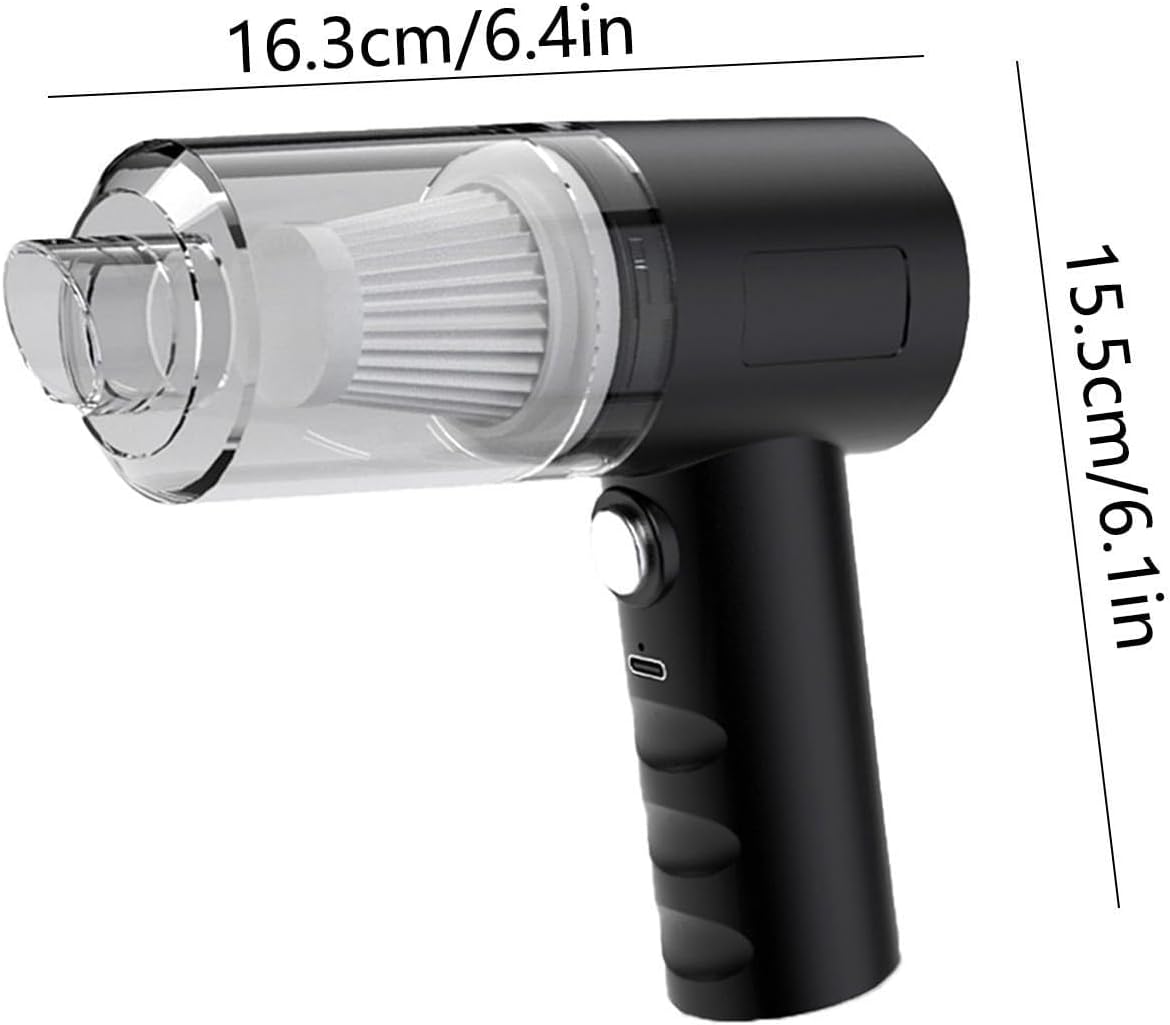
Image: The vacuum cleaner with its approximate dimensions.
Disetél
- Ngecas Vacuum Cleaner: Before first use, fully charge the vacuum cleaner. Connect the USB charging cable to the Type-C connector on the vacuum and plug the other end into a compatible USB power source (e.g., car USB port, wall adapter). A full charge takes approximately 2 hours and provides about 30 minutes of operation.
- Install Filter and Dust Collection Box: Ensure the HEPA filter is properly seated inside the transparent dust collection box, and the dust collection box is securely attached to the main unit.
- Gantelkeun Asesoris: Select the appropriate accessory (crevice tool or brush tool) for your cleaning task and firmly attach it to the nozzle of the vacuum cleaner.
Parentah Operasi
- Hurungkeun/Pareuman: Press the switch button to turn the vacuum cleaner on. Press it again to turn it off.
- beberesih garing: For general dust, crumbs, and dry debris, use the vacuum with the appropriate attachment. The crevice tool is ideal for tight spaces, while the brush tool helps agitate and remove stubborn dirt from upholstery.
- Bersihan Basah: This vacuum supports wet cleaning for small liquid spills. Exercise caution and avoid picking up large quantities of liquid. After wet cleaning, ensure the dust collection box and filter are thoroughly dried before next use to prevent odors and mold.
- Blowing Function (if applicable): This device may feature a blowing function. If your model includes this, attach the appropriate nozzle to the exhaust port to use it for blowing dust from crevices or inflating small items. Refer to images for visual guidance.
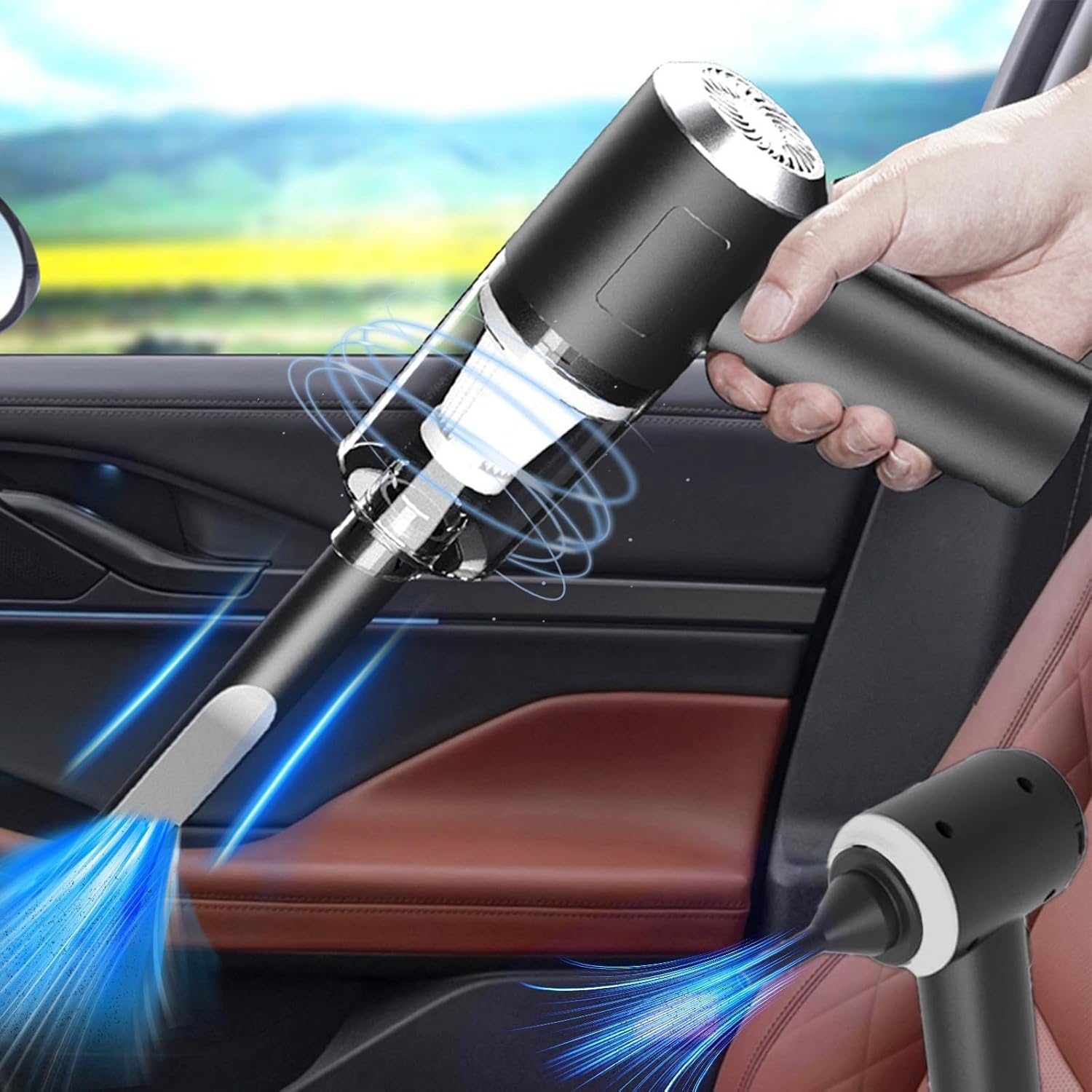
Image: Vacuuming the car interior with the crevice tool.

Gambar: Examples of vacuum cleaner usage in a car.

Gambar: Examples of the device's blowing capabilities for various applications.
Pangropéa
Pangropéa rutin ngajamin kinerja anu optimal sareng manjangkeun umur vacuum cleaner anjeun.
- Emptying the Dust Collection Box:
- Pareuman penyedot debu.
- Detach the dust collection box from the main unit.
- Kosongkeun runtah anu dikumpulkeun kana tempat runtah.
- Ngabersihan saringan:
- Remove the filter from the dust collection box.
- Tap the filter gently to dislodge dust. For thorough cleaning, rinse the filter under running water.
- Allow the filter to air dry completely before reinserting it into the dust collection box. Do not use the vacuum with a wet filter.
- Ngabersihan Unit: Ngusap bagian luar tina vacuum cleaner ku lemes, damp lawon. Ulah make bahan kimia kasar atawa cleaners abrasive.
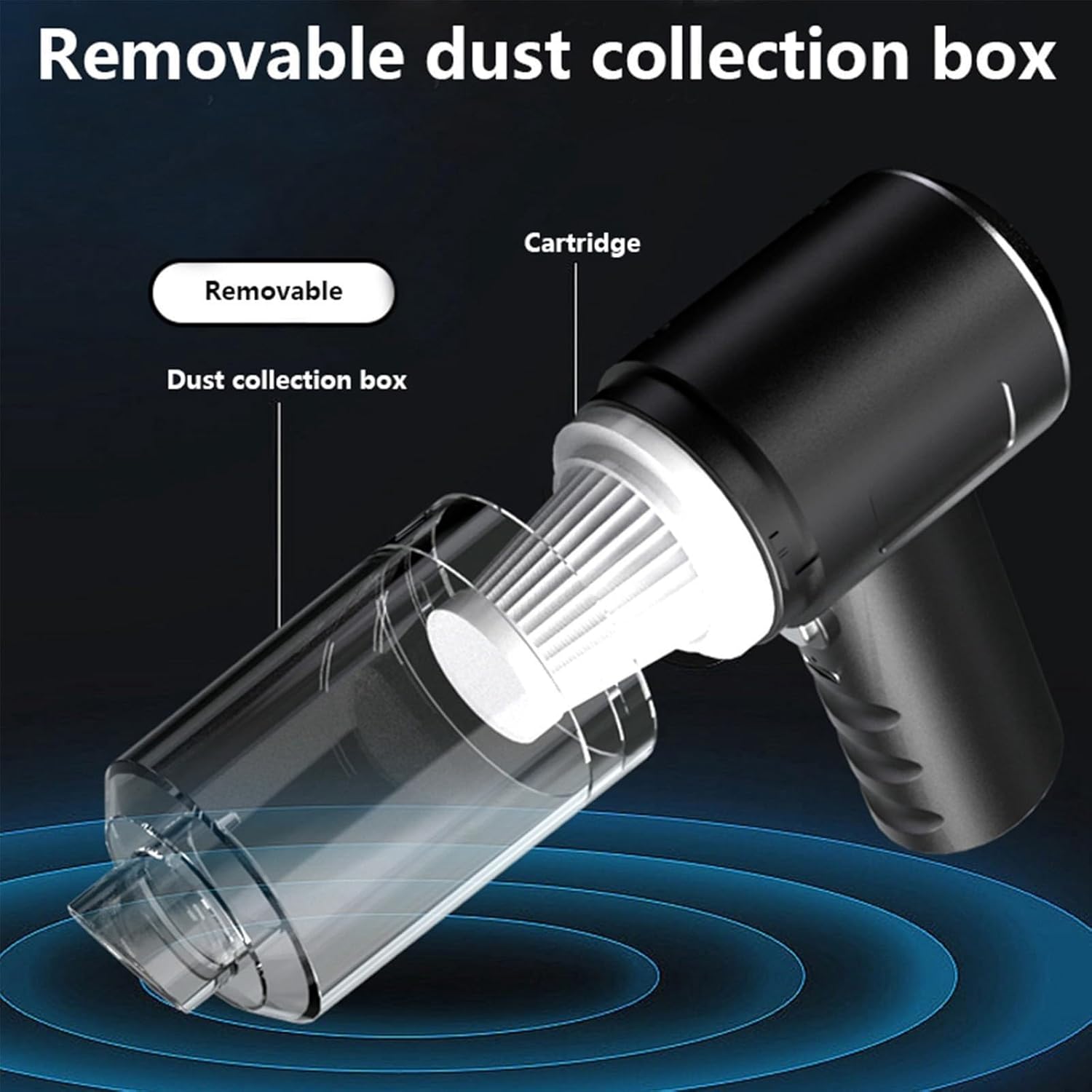
Image: Removable dust collection box and filter for easy cleaning.
Pamérésan masalah
| Masalah | Mungkin Cukang lantaranana | Solusi |
|---|---|---|
| Vakum henteu hurung. | Batré béak. | Ngecas vacuum cleaner pinuh. |
| kakuatan nyeuseup low. | Dust collection box is full. Filter is clogged. Nozzle is blocked. | Empty the dust collection box. Clean or replace the filter. Clear any obstructions from the nozzle. |
| Vakum teu ngecas. | Charging cable or adapter is faulty. Connection is loose. | Ensure the USB cable is securely connected. Try a different USB port or adapter. |
| Noise mahiwal salila operasi. | Obstruction in the nozzle or fan. | Turn off the vacuum and check for any foreign objects blocking the air path. |
spésifikasi
| Fitur | Rincian |
|---|---|
| merek | Generik |
| Ngaran modél | Mobil vacuum cleaner |
| Fitur husus | Bageur |
| Jenis Filter | Saringan HEPA |
| Komponén Kaasup | Car Vacuum Cleaner, Crevice Tool, Brush Tool, HEPA Filter, USB Charging Cable |
| Tanpa kabel | Sumuhun |
| Kapasitas | 270 gram |
| Faktor Bentuk | Dicekel |
| Warna | Hideung |
| Dimensi produk | 6.4 "L x 2" W x 6.1" H |
| Produsén | Liuballl |
| Tipe Controller | Pencét Tombol |
| Métode kontrol | Toél |
| Téhnologi konektipitas | USB |
| Item Beurat | 11.2 ons |
| Sumber Daya | Batré Powered |
Garansi
No specific warranty information is provided in the product details. Please refer to the retailer or manufacturer's website for warranty terms and conditions, or contact their customer service directly.
Ngarojong
For technical assistance, troubleshooting beyond this manual, or inquiries about parts and accessories, please contact the manufacturer, Liuballl, or your point of purchase.
Manufacturer: Liuballl
For further support, please visit the product page on Amazon: Halaman Produk Amazon


