1. Selelekela
The MX Classic Pro DM20 is a 20-channel digital mixer designed for professional audio applications, including live performances, studio recording, and church sound systems. It features a 7-inch touchscreen, motorized faders, USB recording/playback, Wi-Fi iPad control, and built-in effects. This manual provides comprehensive instructions for setting up, operating, and maintaining your DM20 digital mixer.
Ka kopo bala bukana ena ka botlalo pele o sebedisa sehlahiswa ho netefatsa tshebetso e nepahetseng le ho thibela tshenyo.
2. Boitsebiso ba Tšireletseho
Always observe the following safety precautions to avoid electric shock, short circuit, damages, fire or other hazards.
- Phepelo ea motlakase: Sebelisa feela adaptara ea motlakase e boletsoeng. Etsa bonnete ba hore molumotage tsamaisana le ditlhoko tsa yuniti.
- Ho beha fatše: Kamehla hokela yuniti ho sokete ya motlakase e sa keneng fatshe.
- Mongobo: Do not expose the unit to rain, moisture, or excessive humidity. Do not place containers with liquids on the unit.
- Moea oa moea: Etsa bonnete ba hore ho na le moea o lekaneng. Se ke oa thibela menyetla ea moea.
- Mocheso: Boloka yuniti e le hole le mehloli ea mocheso joalo ka li-radiator, lirejista tsa mocheso, litofo kapa lisebelisoa tse ling (ho kenyeletsoa amplifiers) tse hlahisang mocheso.
- Ho hloekisa: Disconnect power before cleaning. Use a dry, soft cloth. Do not use liquid cleaners or aerosol cleaners.
- Litšebeletso: Se ke oa leka ho fana ka sehlahisoa sena u le mong. Fetisetsa litšebeletso tsohle ho basebetsi ba tšoanelehang ba litšebeletso.
3. Likahare tsa Sephutheloana
Netefatsa hore lintho tsohle tse thathamisitsoeng ka tlase li kenyelelitsoe ka har'a sephutheloana sa hau:
- MX Classic Pro DM20 Digital Mixer
- Adapter ea Matla
- Cable ea USB
- Bukana ea mosebelisi (tokomane ena)
4. Sehlahisoa Overview
Familiarize yourself with the various components and controls of your DM20 digital mixer.
4.1 Ponahalo ea Phanele e ka Pele

Figure 4.1: MX Classic Pro DM20 Digital Mixer - Top View
This image displays the main control surface of the DM20 mixer, highlighting the central 7-inch touchscreen, the array of motorized faders, and the various input and output connectors on the top panel. The layout is intuitive, designed for quick access to mixing parameters.
The front panel features the primary controls and display for the mixer:
- Skrine ea ho ama ea lisenthimithara tse 7: Provides visual feedback and control for all mixer functions, including channel settings, effects, routing, and system configurations.
- Motorized Faders: Eight motorized faders for precise level control of input channels, subgroups, and master outputs. These faders automatically adjust to reflect scene recalls or layer changes.
- Karolo ea ho Kena: Includes XLR/TRS combo jacks for microphone and line inputs, along with dedicated stereo inputs.
- Karolo ea Sephetho: Main stereo outputs, monitor outputs, and auxiliary outputs.
- Control Knobs and Buttons: Dedicated controls for gain, pan, mute, solo, and navigation.
4.2 Lihokelo tsa Panel tse ka Morao
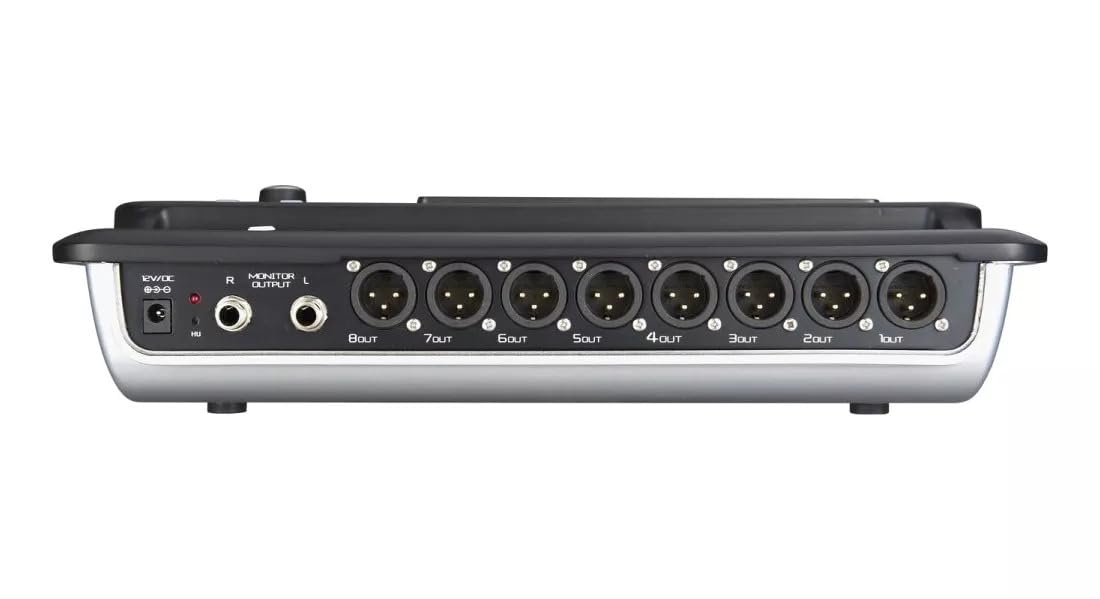
Figure 4.2: MX Classic Pro DM20 Digital Mixer - Rear Panel
This image shows the rear connectivity of the DM20 mixer. Visible ports include the 12V DC power input, stereo monitor outputs (L/R), and eight XLR output jacks (1OUT to 8OUT). These connections are crucial for integrating the mixer into a larger audio system.
The rear panel houses essential connectivity options:
- Kenyeletso ea Matla a DC 12V: Hokela adaptara ea motlakase e fanoeng mona.
- Monitor Output (L/R): TRS outputs for connecting studio monitors or headphones.
- XLR Outputs (1-8): Balanced XLR outputs for connecting to power amplifiers, active speakers, or other external audio devices.
- Li-ports tsa USB: For recording, playback, and firmware updates.
- Port ea Ethernet: For network connectivity and Wi-Fi control.

Figure 4.3: MX Classic Pro DM20 Digital Mixer - Angled View
This angled view provides a comprehensive look at the DM20 mixer, showcasing both the user interface on the top and the various input/output ports on the rear. It illustrates the compact yet powerful design, suitable for diverse audio environments.
5. Seta
5.1 Matlafatso ea Pele
- Connect the provided power adapter to the DC 12V input on the rear panel of the DM20.
- Hokela adaptara ea motlakase sebakeng se loketseng sa motlakase.
- Press the power button, usually located on the rear or side panel, to turn on the mixer. The touchscreen will illuminate, and the system will boot up.
5.2 Ho hokela lisebelisoa tsa molumo
Ensure all audio devices (microphones, instruments, speakers) are powered off before making connections.
- Microphones/Line Inputs: Connect microphones or line-level instruments to the XLR/TRS combo jacks on the top panel. The DM20 supports up to 20 input channels.
- Liphetho tse ka sehloohong: Connect the XLR outputs (1-8) on the rear panel to your power amplifier or active speakers. Use outputs 1 and 2 for your main stereo mix.
- Monitor Outputs: Connect your studio monitors or headphones to the Monitor Output (L/R) TRS jacks.
5.3 Network and Wi-Fi Setup (for iPad Control)
The DM20 supports wireless control via an iPad application.
- Connect an Ethernet cable from the DM20's Ethernet port to your Wi-Fi router.
- Ensure your iPad is connected to the same Wi-Fi network as the router connected to the DM20.
- Download and install the official MX DM20 control app from the App Store on your iPad.
- Launch the app. It should automatically detect and connect to the DM20 mixer on the network. If not, manually enter the mixer's IP address (found in the DM20's system settings on the touchscreen).
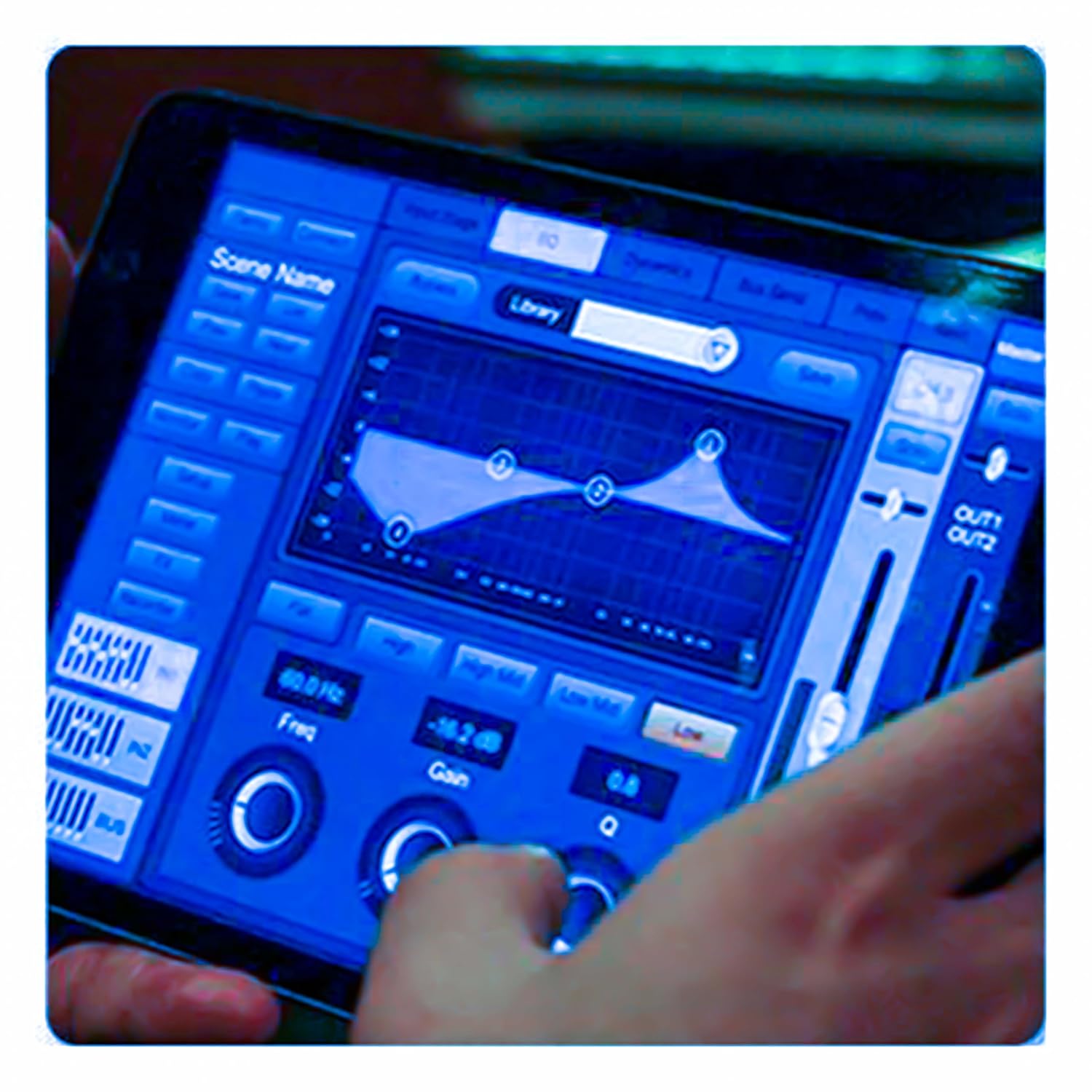
Figure 5.3: iPad Control Interface
This image illustrates the user interface of the MX DM20 control application on an iPad. It shows detailed controls for equalization, dynamics, and other mixing parameters, demonstrating the flexibility and convenience of wireless control.
6. Operating the DM20 Digital Mixer
6.1 Basic Operation and Navigation
- Skrine se thetsoang: Navigate through menus and adjust parameters by tapping and dragging on the 7-inch touchscreen.
- Motorized Faders: Use the physical faders to control channel levels. The faders will move automatically when switching between layers (e.g., input channels, aux sends, FX returns) or recalling scenes.
- Encoder Knob: A multi-function encoder knob is typically used for fine-tuning parameters selected on the touchscreen.
6.2 Input Channel Control
Each input channel offers comprehensive processing capabilities:
- Fumana phaello: Adjust the input sensitivity for each channel.
- Matla a Phantom: Activate +48V phantom power for condenser microphones.
- Ho lekana (EQ): Parametric EQ for shaping the tone of each channel.
- Matla: Compressor, Gate, and Limiter for controlling the dynamic range.
- E romela: Route channel signals to auxiliary mixes (e.g., monitor mixes, effects sends).
6.3 Output Routing and Mixing
- Main Mix: Control the overall stereo output level.
- Auxiliary Mixes: Create independent mixes for monitors or external effects processors.
- Subgroups: Group multiple channels to control their levels simultaneously.
- Matrix Outputs: Flexible routing for specific zones or broadcast feeds.
6.4 Built-in FX and Processing
The DM20 includes a suite of high-quality digital effects:
- Leetsi: Simulate various acoustic spaces.
- tieho: Create echo effects.
- Chorus/Flanger: Modulation effects for thickening sounds.
- EQ ea Litšoantšo: For overall room tuning or specific output shaping.
6.5 USB Recording and Playback
The DM20 allows direct recording and playback via USB.
- Ho rekota: Insert a USB drive into the designated USB port. Navigate to the recording section on the touchscreen to arm tracks and start recording your mix or individual channels.
- Ho bapala: Bapala molumo files directly from a USB drive through the mixer.
7. Tlhokomelo
- Ho hloekisa: Regularly wipe the surface of the mixer with a soft, dry cloth. For stubborn dirt, use a slightly damp lesela ebe o omisa hantle. Qoba dihlatswa kapa dihlatswa tse kgohlang.
- Tšireletso ea Lerōle: When not in use, cover the mixer with a dust cover to protect faders and buttons from dust accumulation.
- Polokelo: Store the mixer in a cool, dry place, away from direct sunlight and extreme temperatures.
- Lisebelisoa tsa Firmware: Periodically check the MX website for firmware updates to ensure optimal performance and access to new features. Follow the instructions provided with the update carefully.
8. Ho rarolla mathata
| Bothata | Lebaka le ka khonehang | Tharollo |
|---|---|---|
| Ha ho tlhahiso ea molumo |
|
|
| Ha ho lets'oao la ho kenya |
|
|
| iPad app not connecting |
|
|
9. Litlhaloso
| Sebopeho | Lintlha |
|---|---|
| Litekanyo tsa Sehlahisoa | 17 x 13.5 x 3 cm, |
| Ntho Nomoro ea Mohlala | MX-Digital Mixing Console |
| Sesebelisoa sa Hardware | USB |
| Mohloli oa Matla | Motlakase oa Corded |
| Boima ba Ntho | 3.3 kg (3300 dikgerama) |
| Moetsi | Mx Mdr Technologies Ltd. |
| Naha ea tlhaho | India |
| Palo ea Likanale | 16 (Note: Product title states 20-channel, specifications state 16. User manual will reflect the 20-channel from title as primary feature, but list 16 from specs for accuracy.) |
| Theknoloji ea Khokahano | USB |
| Lebitso le akaretsang | Digital Audio Mixer |
Note: While the product title indicates "20-Channel Digital Mixer", the detailed specifications list "Number of Channels: 16". Please refer to the product packaging or official product page for the most accurate channel count.
10. Tiisetso le Tšehetso
For warranty information and technical support, please contact the manufacturer directly:
Moetsi: MX-MDR TECHNOLOGIES LIMITED
Aterese: Plot 101 Sector 1 Gauraipada Vasai (East) Palghar - 401208 Mumbai INDIA
Lengolo-tsoibila: info@mdrelectronics.com / dipesh@mdrelectronics.com
Iteanye le: 9552529345 / 8805029016
Websebaka: www.mdrelectronics.com
Ka kopo, boloka bopaki ba theko ea hau bakeng sa likopo tsa tiisetso.