1. Selelekela
The Fodsports M1-S Plus is a Bluetooth motorcycle headset designed for communication and entertainment during rides. It supports group intercom for up to 8 riders, music sharing, FM radio, and hands-free calling. This manual provides detailed instructions for installation, operation, and maintenance of your M1-S Plus headset.

Image 1.1: Fodsports M1-S Plus Bluetooth Motorcycle Headset.
2. Boitsebiso ba Tšireletseho
- Always prioritize road safety. Do not operate the device in a manner that distracts from riding.
- Ensure the device is securely mounted to your helmet before riding.
- Qoba ho pepesehela maemo a phahameng a molumo nako e telele ho thibela tšenyo ea kutlo.
- Do not attempt to disassemble or modify the device, as this may void the warranty and cause damage.
- Boloka sesebelisoa hole le mocheso o feteletseng le mahlaseli a letsatsi.
3. Likahare tsa Sephutheloana
Netefatsa hore lintho tsohle li teng ka har'a sephutheloana sa hau:
- 1 x M1-S Plus Bluetooth Motorcycle Intercom Headset (Blue)
- 1 x Detachable Boom Microphone
- 1 x Soft Button Microphone with Speakers
- 1 x USB-C Charge Cable
- 1 x Metal Clip
- Li-Pad tse 2 tse Khomarelang
- 2 x EVA Rubbers
- 1 x Buka ea Mosebelisi
- 1 x 2.5mm to 3.5mm Audio Cable

Image 3.1: Included components in the M1-S Plus package.
4. Sehlahisoa Overview
The M1-S Plus features an intuitive design with large buttons for easy operation even with gloves. It integrates Bluetooth 5.0 for stable connections and CVC noise cancellation for clear audio.
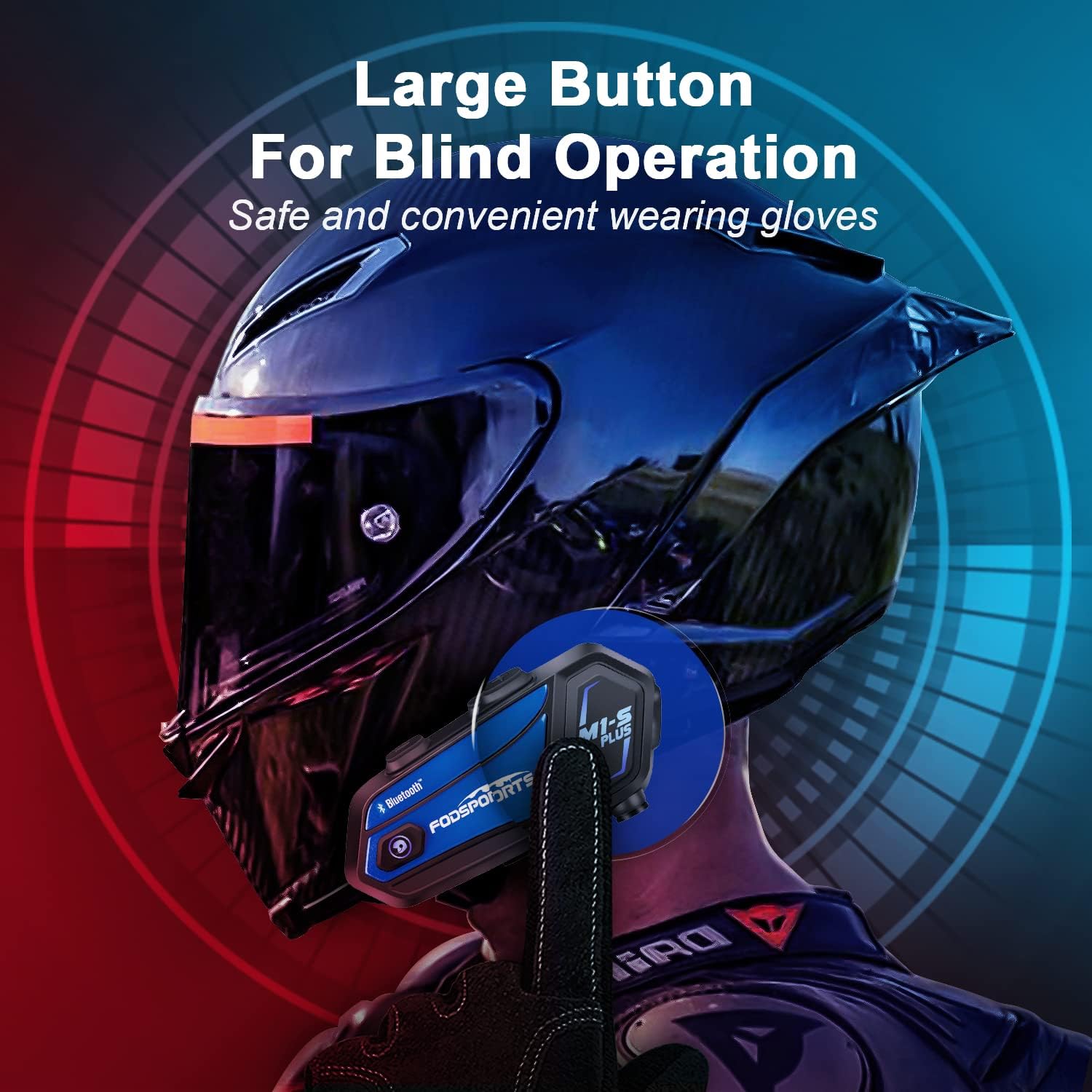
Image 4.1: M1-S Plus unit highlighting large buttons for blind operation.
5. Ho kenya
The M1-S Plus is designed for versatile installation on various helmet types. Choose between the metal clip or adhesive mount, and select the appropriate microphone for your helmet style.
5.1. Ho kenya Yuniti e ka Sehloohong
You can mount the M1-S Plus using either the metal clip or the 3M adhesive sticker.
- Metal Clip Installation: Slide the metal clip between the helmet shell and the inner padding. Secure the M1-S Plus unit onto the clip.
- Adhesive Mount Installation: Clean the desired area on the helmet surface. Attach the 3M adhesive sticker to the unit base, then firmly press the base onto the helmet.
5.2. Microphone and Speaker Installation
The M1-S Plus includes two types of microphones to suit different helmet designs:
- Maekerofouno ea Boom: Recommended for open-face, flip-up, and modular helmets. Position the microphone close to your mouth.
- Soft-Wire Microphone: Suitable for full-face helmets. Attach the microphone inside the helmet near your mouth using the adhesive.
Install the speakers inside the helmet's ear pockets. Use the provided EVA rubbers to adjust the speaker position for optimal sound and comfort, ensuring they are as close to your ears as possible.
Bohlokoa: The speaker cable uses a Type-C interface. Ensure the microphone icon on the connector faces you when plugging it in to ensure both speakers function correctly.

Image 5.1: M1-S Plus compatibility with various helmet types and microphone options.

Image 5.2: Two-way installation guide for the M1-S Plus on a helmet.
6. Ho seta le ho Kopanya
6.1. Matla On/O tima
- Matlafatsa: Press and hold the Power button for 3 seconds until the indicator light flashes.
- Tlosa motlakase: Press and hold the Power button for 3 seconds until the indicator light turns off.
6.2. Bluetooth Pairing with Phone
- Ensure the M1-S Plus is powered off.
- Tobetsa 'me u tšoare konopo ea Power metsotsoana e ka bang 5-7 ho fihlela leseli la sesupo le bonesa bofubelu le boputsoa ka ho fapanyetsana, ho bontša mokhoa oa ho kopanya.
- On your mobile phone, enable Bluetooth and search for available devices.
- Select "Fodsports M1-S Plus" from the list.
- Hang ha le kopantsoe, lebone la sesupo le tla benya boputsoa butle.
6.3. Group Intercom Pairing (Up to 8 Riders)
The M1-S Plus supports intercom communication for up to 8 riders over a range of up to 2000 meters in open terrain.
- Ensure all M1-S Plus units are powered on and not connected to other devices.
- On the first unit, press and hold the Intercom button until the indicator light flashes red rapidly.
- On the second unit, press the Intercom button once. The units will search and connect.
- Repeat step 3 for additional units, pairing them one by one to the previously paired unit.
- Once all units are paired, a successful connection will be indicated by a voice prompt and a slow blue flash.

Image 6.1: M1-S Plus supporting group intercom for up to 8 riders.
6.4. Karolelano ea 'Mino
The M1-S Plus allows two M1-S Plus units to share music from a single source.
- Ensure two M1-S Plus units are paired via Bluetooth intercom.
- On the unit playing music, press and hold the Volume + button for 3 seconds to initiate music sharing.
- The music will then be streamed to the second paired M1-S Plus unit.
- To stop sharing, press and hold the Volume + button for 3 seconds again.
Hlokomela: Music sharing is only supported between two M1-S Plus units.

Image 6.2: Music sharing functionality between two M1-S Plus units.
7. Litaelo tsa Ts'ebetso
7.1. Taolo ea Molumo
- Eketsa Buka: Tobetsa konopo ea Volume +.
- Fokotsa Moqolo: Tobetsa konopo ea Volume.
7.2. Mehala ea mohala
- Araba Mohala: Tobetsa konopo ea Power hang.
- Hana Mohala: Tobetsa 'me u tšoare konopo ea Matla bakeng sa metsotsoana e 2.
- Qetella Mohala: Tobetsa konopo ea Matla hanngoe nakong ea mohala.
- Hape Nomoro ea ho Qetela: Tobetsa konopo ea Matla habeli.
- Voice Dial (Siri/Google Assistant): Press the Volume + and Volume - buttons simultaneously.

Image 7.1: Voice command functionality for hands-free calls.
7.3. Ho Bapala 'Mino
- Bapala/Emisa: Tobetsa konopo ea Power hang.
- Pina e Latelang: Press the Volume + button twice.
- Pina e fetileng: Press the Volume - button twice.
7.4. Intercom Usage
- Initiate Intercom: Press the Intercom button once.
- Intercom ea ho Fela: Press the Intercom button once.
- Reconnect Intercom: If a rider drops out of range for more than 5 minutes, press the Intercom button once to reconnect.
7.5. FM Radio
- Turn On/Off FM: Press the FM button once.
- Sheba likanale: Press and hold the FM button for 2 seconds.
- Seteishene se Latelang: Tobetsa konopo ea Volume +.
- Seteishene se Fetileng: Tobetsa konopo ea Volume.

Image 7.2: M1-S Plus with built-in FM radio functionality.
7.6. Microphone Mute/Unmute
During a call or intercom conversation, you can mute your microphone for privacy.
- Holisa Microphone: Tobetsa o be o tshware konopo ya Modumo + metsotswana e 2.
- Unmute Microphone: Press and hold the Volume + button for 2 seconds again.
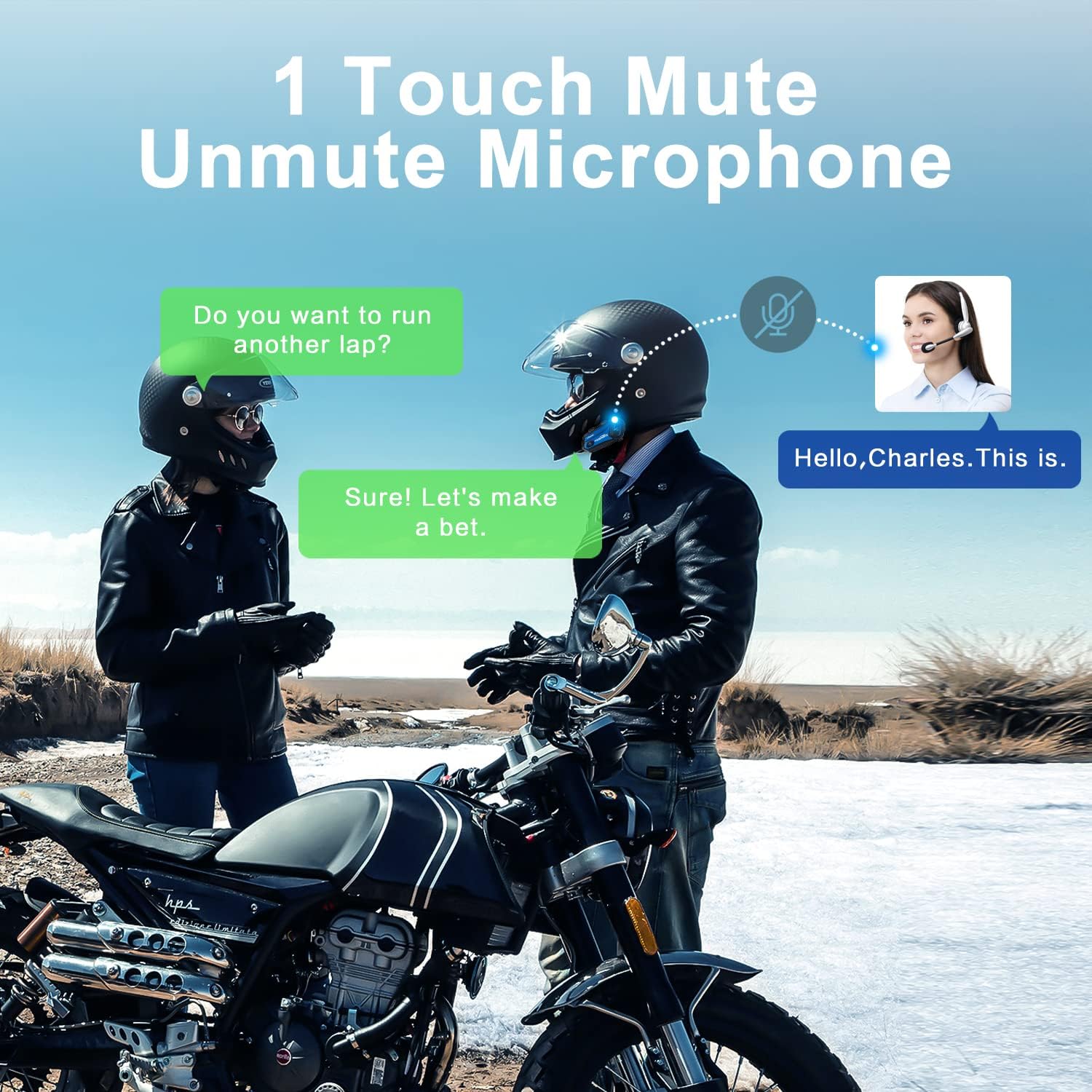
Image 7.3: One-touch mute/unmute microphone feature.
8. Tlhokomelo
- Ho tjhaja: Connect the device to a USB power source using the provided USB-C cable. The indicator light will be red during charging and turn blue when fully charged. Charging time is approximately 2-3 hours.
- Bophelo ba Battery: A full charge provides approximately 12-20 hours of talk time, 15 hours of music streaming, and 300 hours of standby time.
- Ho hloekisa: Sebelisa lesela le bonolo, le omeletseng ho hloekisa sesebelisoa. Qoba ho sebelisa lik'hemik'hale tse bohale kapa lintho tse senyang.
- Polokelo: Boloka sesebelisoa sebakeng se phodileng, se omileng ha se sa sebelisoe.
- Mathata a Metsi: The M1-S Plus is waterproof, designed to handle various weather conditions.
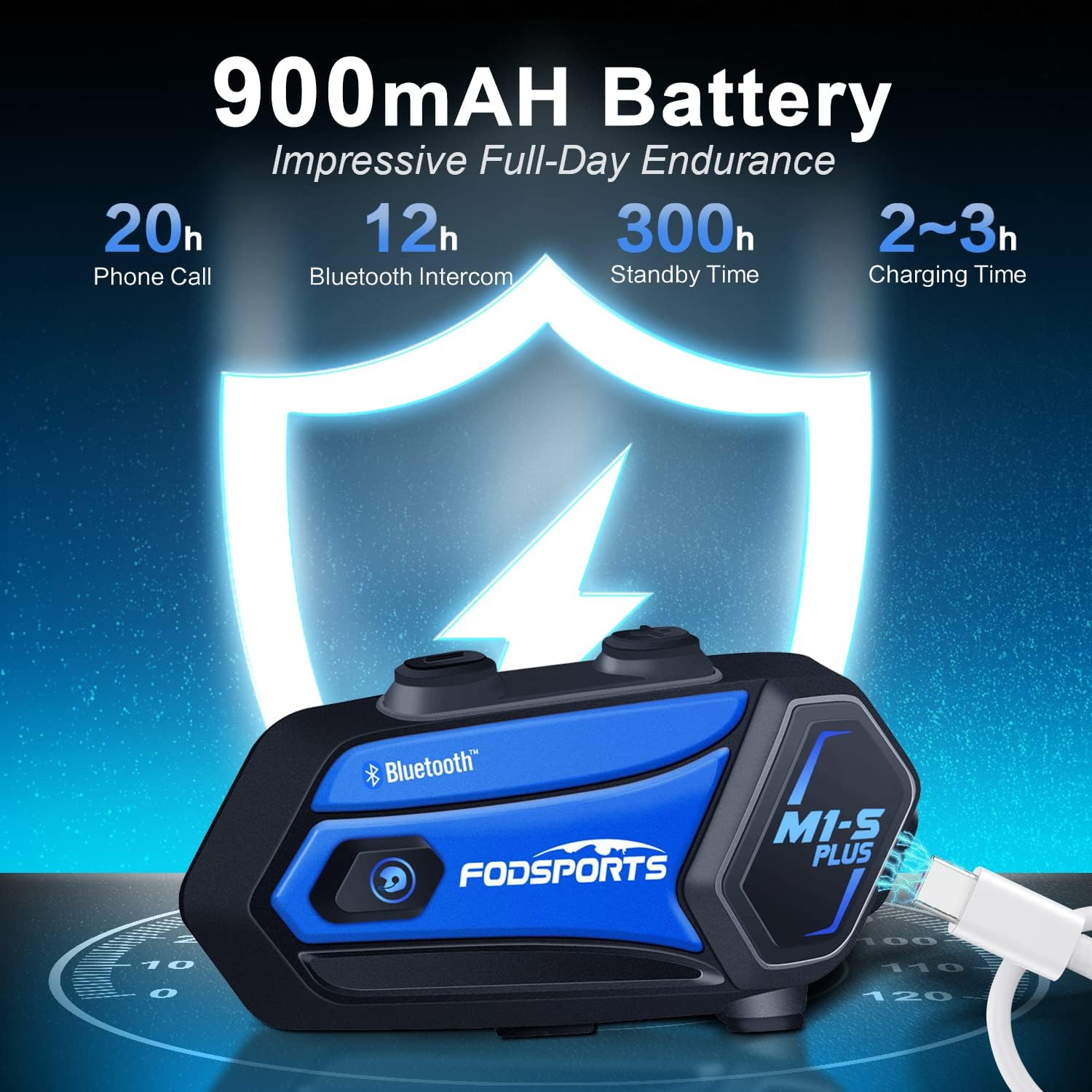
Image 8.1: M1-S Plus battery endurance and charging information.
9. Ho rarolla mathata
- No Sound from One Speaker: Ensure the Type-C speaker cable is fully inserted and the microphone icon on the connector faces you.
- Bolumo bo Tlase: Adjust the speaker position closer to your ears using the provided thicken pads. Ensure the device volume and your phone's volume are both set appropriately.
- Ha e khone ho kopanngoa le fono: Ensure the M1-S Plus is in pairing mode (red and blue flashing light) and your phone's Bluetooth is enabled. Try restarting both devices.
- Intercom Disconnects: If riders go out of range, they can reconnect by pressing the Intercom button once when back in range (within 5 minutes).
- FM Radio Reception Poor: FM reception can vary based on location. Try scanning for channels again or moving to an area with better signal.
- Sesebelisoa ha se arabe: Try a soft reset by pressing and holding the Power button for 10 seconds. If issues persist, ensure the device is charged.
10. Litlhaloso
| Sebopeho | Lintlha |
|---|---|
| Lebitso la Mohlala | M1-S Plus |
| Theknoloji ea Khokahano | Bluetooth 5.0 |
| Intercom Group Size | Up to 8 riders |
| Sebaka sa Intercom | Up to 2000 meters (open terrain) |
| Bokhoni ba Battery | 900mAh |
| Nako ea ho tjhaja | Lihora tse 2-3 |
| Nako ea ho Bua | Lihora tse 12-20 |
| Music Streaming Time | Lihora tse 15 |
| Nako ea ho ema | Lihora tse 300 |
| Taolo ea Lerata | Advanced CVC Noise Cancellation |
| Boemo ba ho hanyetsa Metsi | Ha e kenele metsi |
| Li-headphone Jack | Port ea USB-C |
| Lintho tse bonahalang | ABS Plastiki |
| Boima ba Ntho | 12.4 lik'hilograma |
11. Tiisetso le Tšehetso
For any missing accessories, quality issues, or operational problems, please contact Fodsports customer support. Refer to the contact information provided with your purchase or visit the official Fodsports websebaka bakeng sa thuso.
Ka kopo, boloka bopaki ba theko ea hau bakeng sa likopo tsa tiisetso.


