1. Selelekela
This manual provides detailed instructions for the setup, operation, and maintenance of your Denon AVC-S511HD-K AV Surround Amplifier. Please read this manual thoroughly before using the product to ensure correct and safe operation.
The Denon AVC-S511HD-K is a compact AV Surround Amplifier featuring HDMI Ver1.4a compatibility, including 3D and Audio Return Channel (ARC) support. It offers three HDMI inputs and one HDMI output. The unit includes an automatic sound selection feature for TV programs and an iPod dock control terminal. It supports high-quality playback of compressed audio and can be expanded to a 5.1 channel surround sound system with additional speakers.
2. Boitsebiso ba Tšireletseho
Ho thibela ho thothomela ha motlakase, mollo, kapa tšenyo ea yuniti, ka kopo latela mehato e latelang ea ts'ireletso:
- Se ke oa beha sesebelisoa sena pula kapa mongobo.
- Do not remove the cover or back panel. There are no user-serviceable parts inside. Refer all servicing to qualified service personnel.
- Netefatsa moea o nepahetseng. Se ke oa thibela menyetla ea moea.
- Se ke oa beha yuniti haufi le mehloli ea mocheso joalo ka li-radiator, lirejista tsa mocheso, litofo, kapa lisebelisoa tse ling (ho kenyeletsoa amplifiers) tse hlahisang mocheso.
- Sebelisa feela liphutheloana/lisebelisoa tse boletsoeng ke moetsi.
- Hlakola sesebelisoa sena nakong ea lifefo kapa ha se sa sebelisoe ka nako e telele.
3. Likahare tsa Sephutheloana
Verify that all items listed below are included in your package. If any items are missing or damaged, please contact your dealer immediately.
- Denon AVC-S511HD-K AV Surround AmpSetsi sa lifofane
- Remote Control
- Mohala oa Matla
- Setup Microphone (for automatic calibration)
- Li-antenna tsa FM/AM
- Quick Start Guide / Instruction Manual (this document)
- Speaker Cables (if included in bundle)
- Small Satellite Speakers (if included in bundle)

Image 3.1: Contents of the Denon AVC-S511HD-K package, including the main amplifier unit, remote control, speakers, and various cables.
4. Seta
4.1 Ho bea
Beha sebaka amplifier on a stable, level surface with adequate ventilation. Avoid placing it in direct sunlight or near heat sources. Ensure there is sufficient space around the unit for airflow.
4.2 Ho hokela lisebelisoa tsa hau
Follow these steps to connect your audio and video sources to the AVC-S511HD-K ampmoqhobi.
- Lihokelo tsa HDMI: Connect your HDMI-compatible devices (e.g., Blu-ray player, game console, cable box) to the HDMI INPUT ports on the rear panel. Connect your TV or projector to the HDMI MONITOR OUT port.
- Front HDMI Input: For temporary connections, use the HDMI input located on the front panel.
- Lihokelo tsa Sebui: Connect your speakers to the corresponding speaker terminals on the rear panel. Ensure correct polarity (+ to + and - to -) for each speaker. For a 5.1 channel setup, connect front left, front right, center, surround left, surround right, and a subwoofer.
- Khokelo ea Matla: After all other connections are made, connect the power cord to the amplifier and then to a wall outlet.
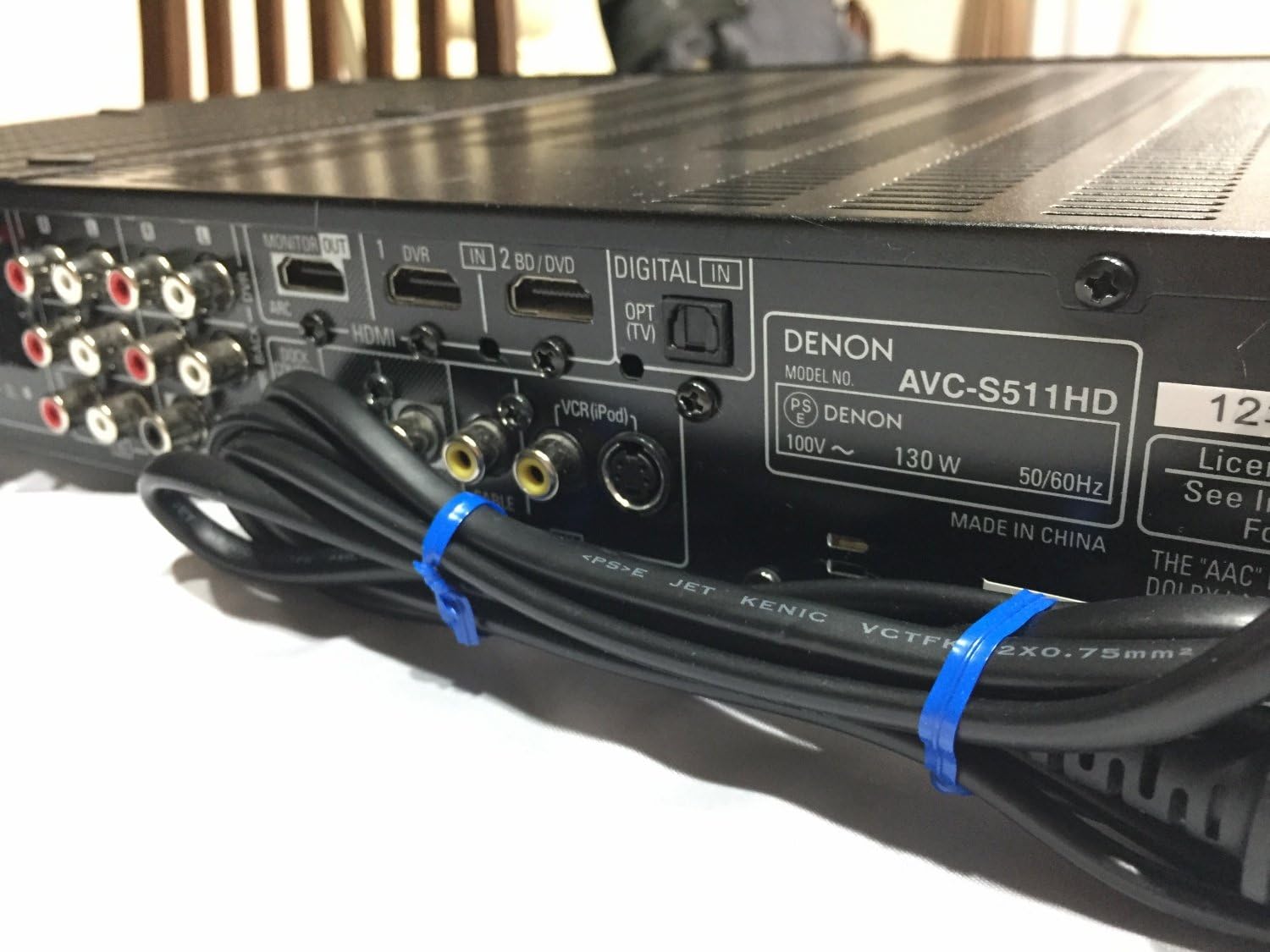
Image 4.1: Rear panel of the Denon AVC-S511HD-K, showing HDMI input/output ports, digital audio inputs, and analog audio/video connections.
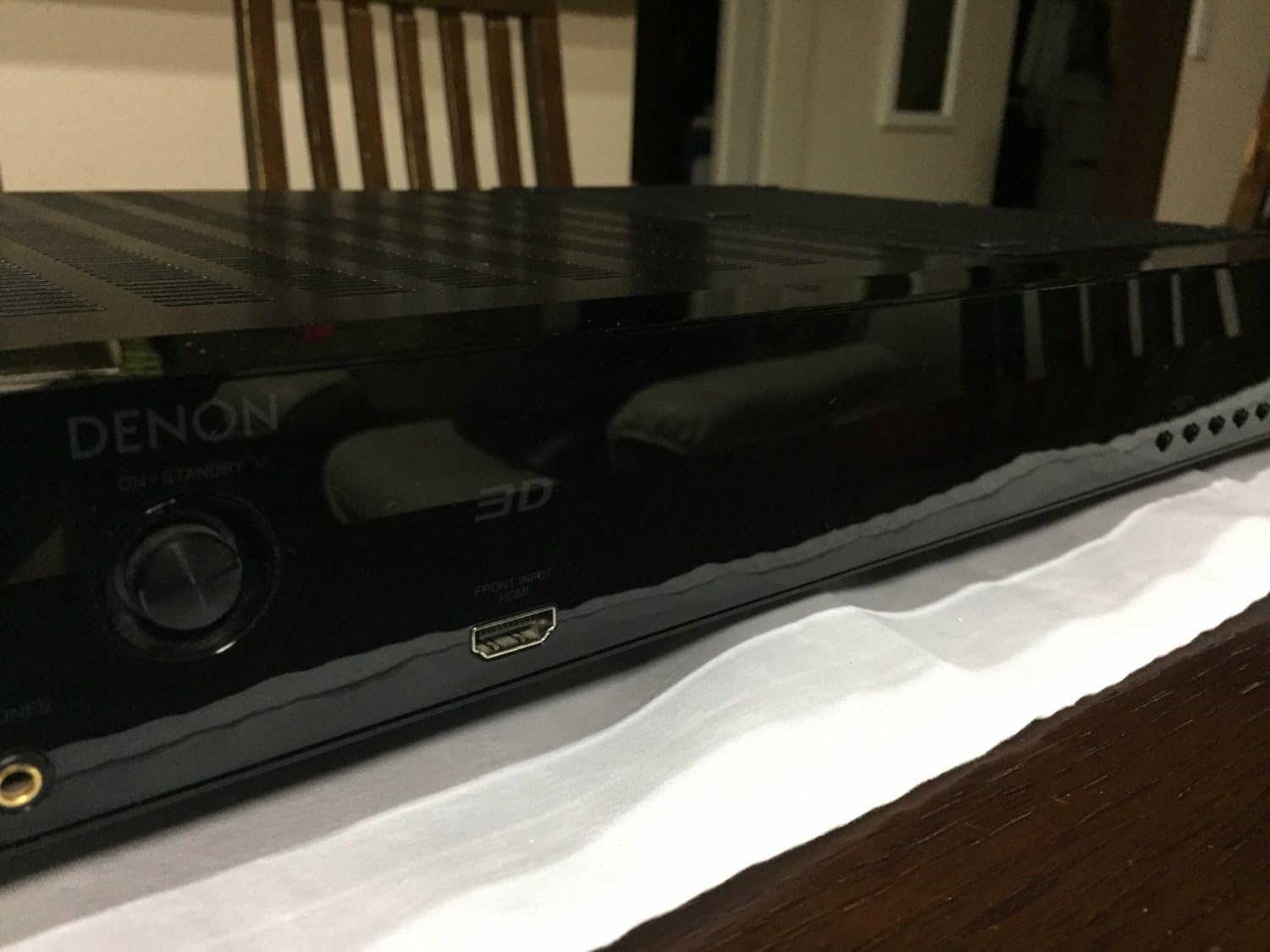
Image 4.2: Front panel of the Denon AVC-S511HD-K, highlighting the front HDMI input port and the '3D' indicator.

Setšoantšo sa 4.3: Holimo view of two compact satellite speakers, typically used as part of a 5.1 channel system with the AVC-S511HD-K.

Setšoantšo sa 4.4: Lehlakore view of a Denon satellite speaker, showing its compact design and speaker grille.
4.3 Tlhophiso ea Pele le Tokiso
Upon first power-on, the amplifier will guide you through an initial setup process. This typically includes:
- Tlhophiso ea Sebui: Use the included setup microphone to automatically calibrate speaker levels and distances for optimal sound.
- Input Assignment: Assign names to your HDMI and other inputs for easy selection.
- Tlhophiso ea Marang-rang (haeba ho hlokahala): Configure network settings if your model supports internet connectivity.
5. Litaelo tsa Ts'ebetso
5.1 Ts'ebetso ea Motheo
- Tlosa/Tima: Tobetsa konopo ea POWER phanele e ka pele kapa taolong ea remote.
- Khetho ea Lintho: Use the INPUT SELECTOR knob on the front panel or the dedicated input buttons on the remote control to switch between connected devices.
- Taolo ea Bolumo: Adjust the master volume using the VOLUME knob on the front panel or the VOL +/- buttons on the remote control.
5.2 Likarolo tse tsoetseng pele
- HDMI ARC (Audio Return Channel): If your TV supports ARC, audio from your TV can be sent back to the amplifier via the HDMI cable connected to the MONITOR OUT port, eliminating the need for a separate optical cable. Ensure ARC is enabled on both your TV and the ampmoqhobi.
- 3D Video Pass-through: The amplifier supports 3D video signals from compatible sources to a 3D-compatible TV.
- iPod Control: Connect your iPod to the dedicated iPod dock control terminal (if available) to play audio and control playback via the amplifier's remote.
- Mefuta ea Molumo: Explore various sound modes (e.g., Stereo, Surround, Movie, Music) to optimize your listening experience for different content.
6. Tlhokomelo
- Ho hloekisa: Hlakola sesebediswa ka lesela le bonolo, le omileng. O se ke wa sebedisa dihlwekisi tse kgohlang kapa dihlapolli.
- Moea oa moea: Ensure that the ventilation openings are not blocked by dust or debris. Periodically clean the vents if necessary.
- Polokelo: If storing the unit for an extended period, disconnect the power cord and store it in a cool, dry place.
7. Ho rarolla mathata
If you encounter issues with your AVC-S511HD-K, refer to the following common problems and solutions:
| Bothata | Lebaka le ka khonehang | Tharollo |
|---|---|---|
| Ha ho matla | Power cord not connected; power outlet malfunction | Check power cord connection; try a different outlet |
| Ha ho molumo | Incorrect input selected; speaker cables loose; volume too low; mute activated | Select correct input; check speaker connections; increase volume; deactivate mute |
| Ha ho video | Incorrect input selected; HDMI cable loose or faulty; TV input not set correctly | Select correct input; check HDMI cables; ensure TV is on correct HDMI input |
| Remote control ha e sebetse | Batteries depleted; obstruction between remote and unit | Replace batteries; remove obstructions; ensure remote is pointed at the unit |
If the problem persists after trying these solutions, please contact Denon customer support or a qualified service technician.
8. Litlhaloso
| Sebopeho | Lintlha |
|---|---|
| Nomoro ea Mohlala | AVC-S511HD-K |
| Brand | Denon |
| Mmala | Ntsho |
| Theknoloji ea Khokahano | HDMI |
| Kakaretso ea likou tsa HDMI | 4 (3 In / 1 Out) |
| Likarolo Tse Khethehileng | ARC (Audio Return Channel), 3D Pass-through |
| Mokhoa oa Phatlalatso ea Audio | Potoloha |
| Potoloho ea Mohala oa Molumo o Potileng | 5.1 |
| Palo ea Likanale | 5 |
| Lisebelisoa tse lumellanang | Libui |
| Letsatsi la Pele la ho Fumana | La 2 Pulungoana 2010 |
9. Tiisetso le Tšehetso
For warranty information and customer support, please refer to the warranty card included with your product or visit the official Denon websebaka. Boloka bopaki ba hau ba theko bakeng sa likopo tsa waranti.
Molaodi oa Denon Websebaka: www.denon.com


