Увод
This manual provides detailed instructions for the setup, operation, and maintenance of your Zebronics Juke Bar 4120 200W Soundbar. Please read this manual thoroughly before using the product to ensure proper functionality and to maximize your audio experience. Keep this manual for future reference.

Image: The Zebronics Juke Bar 4120 Soundbar system, including the soundbar unit, subwoofer, wireless microphone, and remote control.
Шта је у кутији
Пажљиво распакујте садржај и уверите се да су сви предмети присутни:
- Sound Bar - 1 unit
- Subwoofer - 1 Unit
- Wireless Mic - 1 Unit
- Remote Control - 1 Unit
- Input Cable - 1 Unit
- Wall Mount Fasteners - 1 Unit
- QR Code Guide - 1 Unit
Кључне карактеристике
- Снажан излаз: Delivers an impressive total output power of 200W RMS, with 120W from the subwoofer and 80W (40W x 2) from the soundbar.

Image: A soundbar and subwoofer setup in a modern living room, illustrating the powerful 200W RMS output with visual sound waves.
- Incredible Audio: The soundbar features two (5 cm x 9 cm) drivers that provide balanced audio across a wide range of frequencies. Complementing this, the subwoofer houses a single 13.33 cm driver, specially designed to deliver deep, powerful bass that enhances the overall sound experience.
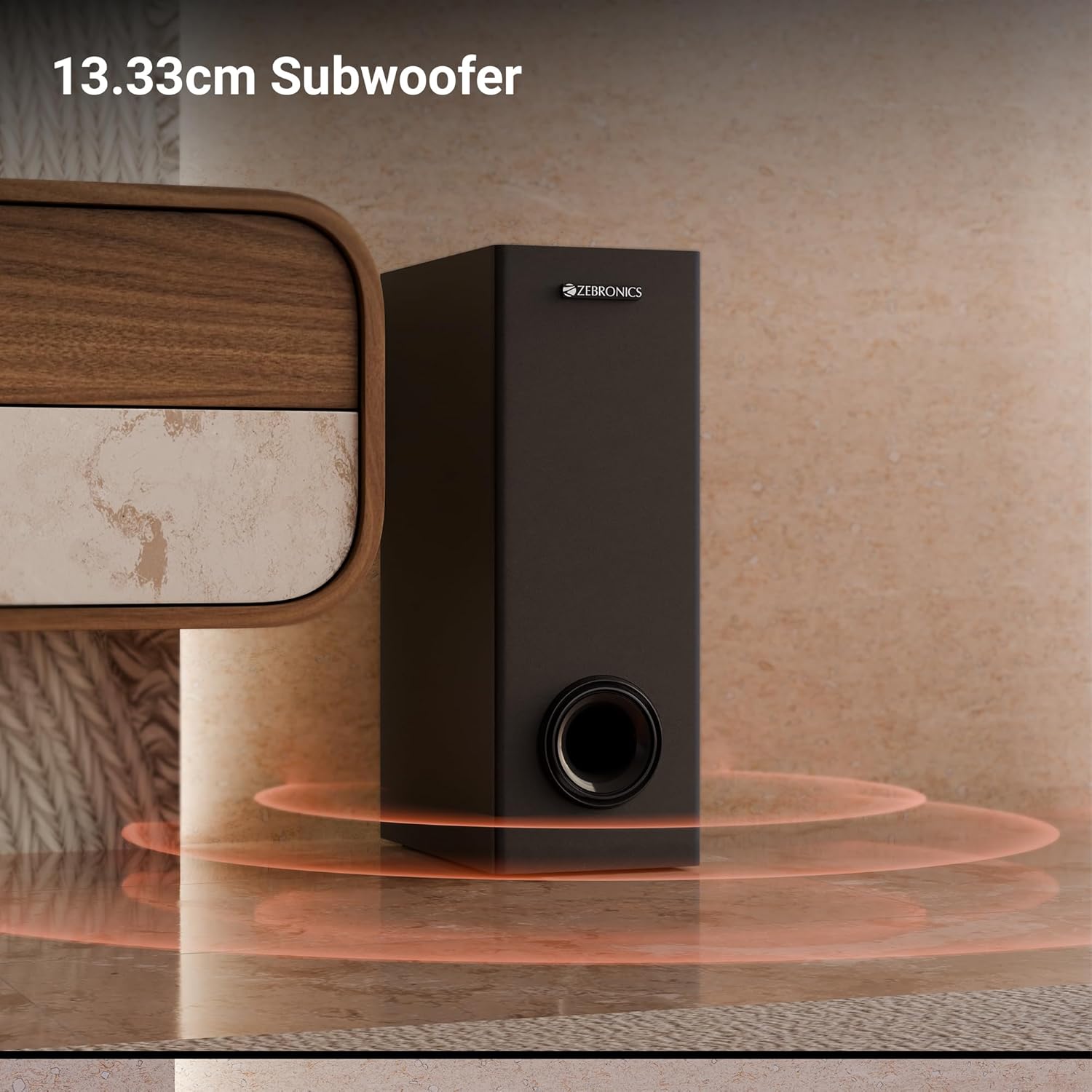
Слика: Крупни план view of the 13.33cm subwoofer, highlighting its design and bass output.

Image: The soundbar mounted below a television, with visual cues indicating sound projection from its dual drivers.
- Virtual 5.1 Surround: To elevate your audio experience, this soundbar features virtual 5.1 surround sound, simulating multi-channel audio for immersive, cinematic sound.
- Вишеструка повезаност: The soundbar comes with multi-connectivity, such as BT v5.3 support, and options like TV (ARC), USB, and AUX inputs.
- Може се монтирати на зид: Designed for space efficiency, this soundbar is wall-mountable, which allows you to save floor space and maintain a clean, organized look in your living areas.
- ЛЕД дисплеј: The LED display shows real-time information such as power status, volume levels, and connectivity modes, offering clarity and convenience.
- Функција караоке: Enjoy fun sing-alongs with the wireless mic and built-in karaoke function, perfect for parties, gatherings, or solo performances.
Сетуп
КСНУМКС. Постављање
Position the soundbar centrally below your television for optimal sound projection. The subwoofer can be placed on the floor near the soundbar, ideally in a corner for enhanced bass response.
2. Монтажа на зид
The soundbar can be wall-mounted to save space. Use the provided wall mount fasteners and follow these steps:
- Mark the desired mounting position on the wall, ensuring it is level and centered with your TV.
- Избушите пилот рупе на означеним позицијама.
- Insert wall anchors (if necessary) and secure the mounting brackets using the screws.
- Carefully attach the soundbar to the mounted brackets.
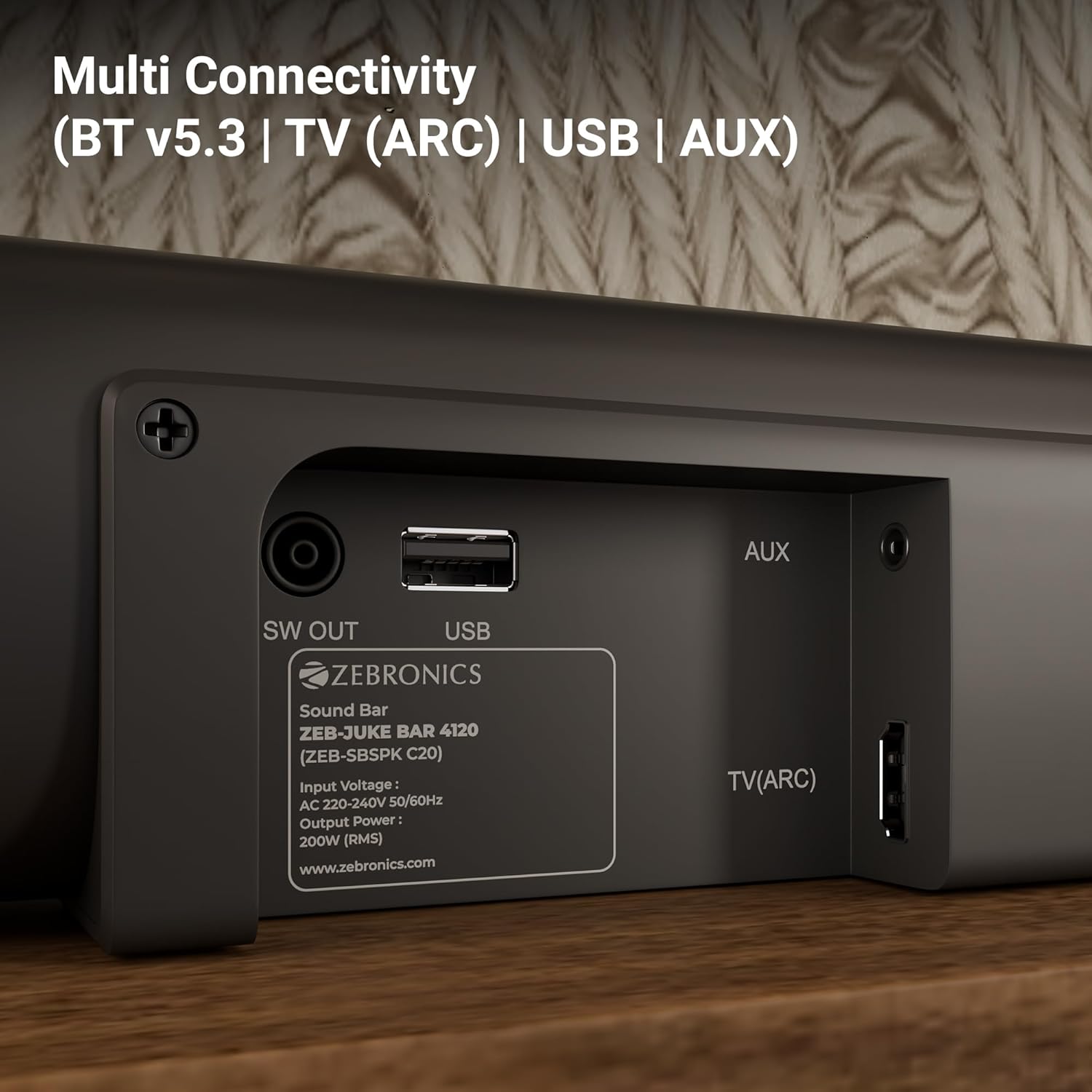
Image: The soundbar is shown securely mounted on a wall beneath a television, demonstrating its space-saving design.
3. Прикључак за напајање
Connect the power cable to the soundbar and then plug it into a suitable power outlet. Ensure the subwoofer is also connected to its power source.
Повезивање
The Zebronics Juke Bar 4120 offers multiple connectivity options:
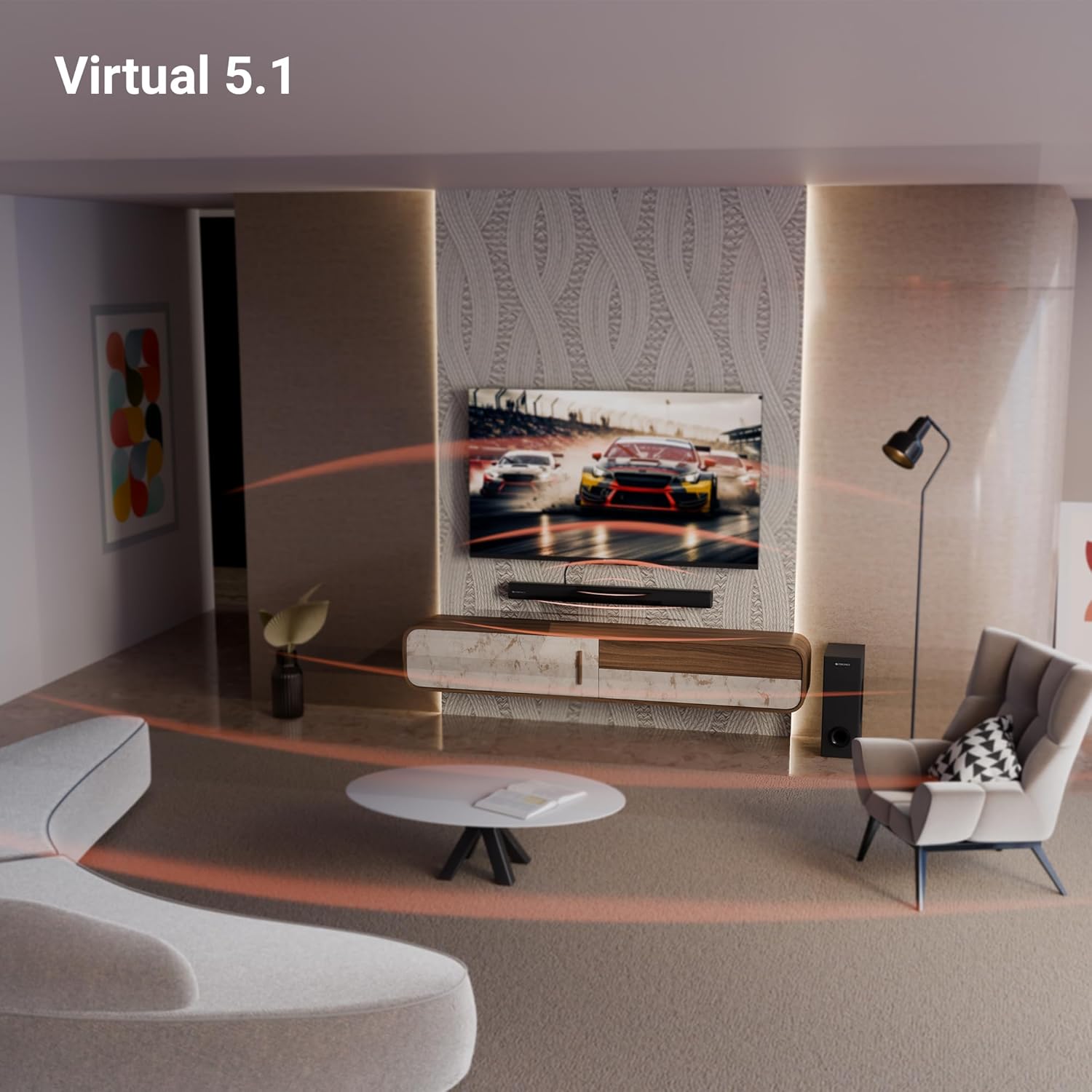
Image: A close-up of the soundbar's rear panel, displaying the SW OUT, USB, AUX, and TV (ARC) input ports for various connections.
1. Bluetooth (BT v5.3)
Да бисте се повезали преко Блуетоотх-а:
- Turn on the soundbar and select Bluetooth mode using the remote or unit controls.
- Омогућите Блутут на свом уређају (паметном телефону, таблету итд.).
- Тражи "ZEB-JUKE BAR 4120" in your device's Bluetooth list and pair.
- Једном упарен, саундбар ће назначити успешну везу.
2. TV (ARC)
For optimal audio quality and control, connect your TV using the HDMI ARC port:
- Connect an HDMI cable from the TV (ARC) port on the soundbar to the HDMI ARC port on your television.
- Select the HDMI ARC input on the soundbar.
- Ensure your TV's audio output settings are configured for HDMI ARC.
3. УСБ
To play media from a USB drive:
- Insert a USB drive into the USB port on the soundbar.
- Select USB mode using the remote or unit controls.
- The soundbar will automatically detect and play compatible audio files.
4. ПОМОЋНИ
To connect via an auxiliary cable:
- Connect a 3.5mm audio cable from your device's audio output to the AUX input on the soundbar.
- Select AUX mode using the remote or unit controls.
Упутство за употребу
1. Укључивање/искључивање
Притисните дугме за напајање на саундбару или даљинском управљачу да бисте укључили или искључили уређај.
2. Контрола јачине звука
Use the Volume Up (+) and Volume Down (-) buttons on the soundbar or remote control to adjust the audio level.
3. Избор улаза
Press the 'Input' or 'Mode' button on the soundbar or remote control to cycle through available input sources (BT, TV ARC, USB, AUX).
4. ЛЕД дисплеј
The integrated LED display provides visual feedback on the current status of the soundbar, including selected input mode, volume level, and other settings.

Слика: Детаљна view of the soundbar's LED display, showing a clear indicator for current status or mode.
5. Функција караоке
The soundbar includes a wireless microphone for karaoke. Simply power on the microphone, and it will automatically connect to the soundbar. Use the remote control to adjust microphone volume and echo effects.

Image: The wireless microphone, designed for use with the soundbar's karaoke function.
6. Даљински управљач
The included remote control provides full functionality for the soundbar, allowing you to power on/off, switch inputs, adjust volume, control playback, and manage karaoke settings.

Image: The remote control for the Zebronics soundbar, showing various buttons for function control.
7. Virtual 5.1 Surround Sound
The soundbar's virtual 5.1 surround sound technology creates an immersive audio experience, simulating multi-channel sound without the need for additional speakers. This enhances movie watching and gaming by providing a wider soundstage.

Image: A living room scene with the soundbar and subwoofer, visually representing the expansive sound field created by virtual 5.1 surround sound.
Одржавање
To ensure the longevity and optimal performance of your soundbar:
- Очистите површине меком, сувом крпом. Избегавајте употребу абразивних средстава за чишћење или растварача.
- Keep the soundbar and subwoofer away from direct sunlight, heat sources, and excessive moisture.
- Обезбедите одговарајућу вентилацију око јединица како бисте спречили прегревање.
Решавање проблема
Ако наиђете на било какве проблеме, погледајте следеће уобичајене проблеме и решења:
| Проблем | Могуће решење |
|---|---|
| Нема струје | Check if the power cable is securely connected to both the soundbar/subwoofer and the power outlet. Ensure the power outlet is functional. |
| Нема звука | Verify the correct input source is selected. Check volume levels on both the soundbar and the connected device. Ensure all audio cables are properly connected. |
| Блуетоотх се не повезује | Ensure the soundbar is in Bluetooth pairing mode. Turn off and on Bluetooth on your device. Move your device closer to the soundbar. |
| Даљински управљач не ради | Check the remote control batteries and replace if necessary. Ensure there are no obstructions between the remote and the soundbar. |
Спецификације
| Феатуре | Детаљ |
|---|---|
| Назив модела | ZEB-JUKE BAR |
| Спеакер Типе | Соундбар |
| Посебна карактеристика | Уграђен микрофон |
| Компатибилни уређаји | Television, mobile |
| Конфигурација канала сурроунд звука | 2.1 (Virtual 5.1) |
| Боја | Црно |
| Димензије производа | 7.7 Д x 86 Ш x 7.7 В центиметара |
| Тежина артикла | 5300 Grams (5 kg 300 g) |
| Контролни метод | Ремоте |
| Бежична комуникациона технологија | Блуетоотх |
| Величина звучника | 13.33 Centimetres (Subwoofer) |
| Извор напајања | Цордед Елецтриц |
| Однос сигнала и шума | 66 дБ |
| Пречник вуфера | 13.33 центиметра |
| Тип аудио драјвера | Динамички возач |
| Величина аудио драјвера | 5 Centimetres (Soundbar) |
| Стиле | ЗЕБ-ЈУКЕ БАР 4120 |
| Блуетоотх верзија | 5.3 |
| Спеакер Ampврста лификације | Активан |
| Ватtage | 200 Ваттс |
| Тип монтаже | Валл Моунт |
| Технологија повезивања | Auxiliary, Bluetooth, HDMI, Optical, USB |
Гаранција и подршка
This product comes with a standard brand warranty. For specific warranty details, claims, or technical support, please refer to the warranty card included in the packaging or visit the official Zebronics webсајту. Такође можете посетити ZEBRONICS Store on Amazon за више информација.


